Topic cluster tool: the pillar and articles SemChat planned, checked
A topic cluster tool plans a pillar page, the articles around it, and the link from each article back to the pillar. I ran SemChat's Topic cluster skill on October 29, 2026, for my site plugkit-avis.com: the shape of the plan was right, but 3 of its 6 articles already existed and the pillar address it suggested returned a 404 error. Here's how to run it, and what to check before you publish.
 By Jérémy Santos Updated on October 30, 2026 Tested on his own SemChat account: first audit on October 29, 2026.
 This page is part of the guide: SEO content tool

A pillar page in the center, its articles around it, each linked to the pillar. Illustration by Zéro Corvée.
You’ve written articles on the same subject, but nothing tells Google or your readers that they belong together. A topic cluster fixes that: one page that covers the subject, articles that each go deep on one question, and links that tie them together.
SemChat, an SEO assistant you talk to in plain language, has a skill that plans one: Topic cluster. It’s one of the content features covered on our SEO content tool page. This page follows that topic cluster tool step by step, on a real site: the sentence I typed, the plan it returned, and the four errors I found when I checked it. The SemChat buttons on this page are affiliate links.
Topic cluster: one pillar page and its supporting articles
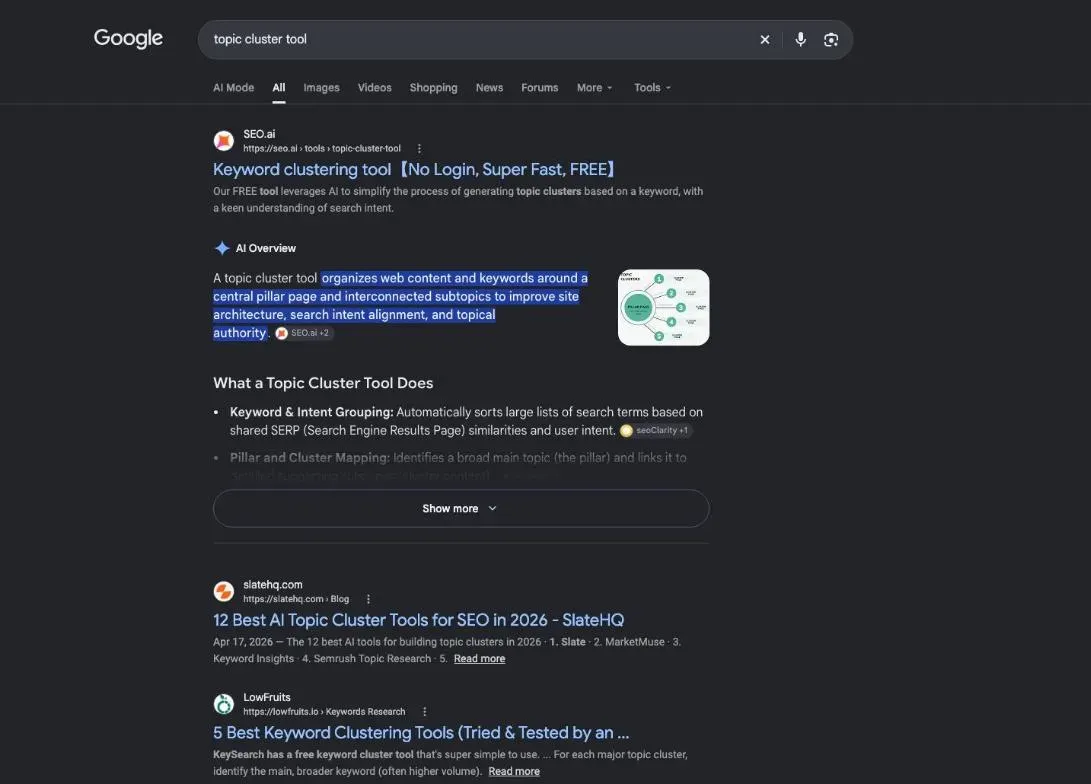
A topic cluster groups several pages around one subject. At the center sits the pillar page; around it, the cluster pages, sometimes called supporting articles.
The pillar page
The pillar covers the broad subject and answers the main question. It gives the overview, then links to each cluster page for the details.
In our test, the subject was Instagram automatic messages. On plugkit-avis.com, a French pillar page on that subject already existed. It explains what you can automate in Instagram messages and links to its articles.
Cluster pages and their links to the pillar
Each cluster page answers one specific question: the welcome message, the reply to a comment, the scheduled message. It links back to the pillar, with the pillar’s keyword as the link text.
That link text matters. Google puts it this way: “Good anchor text is descriptive, reasonably concise, and relevant to the page that it’s on and to the page it links to” (Link best practices for Google, read October 30, 2026). The full method, with examples, is on our topic cluster guide.
- Pillar page the broad subject, linked to each article
- Article on one question links to the pillar with its keyword
- Article on another question links to the pillar with its keyword
- Related article links to the pillar and to a close article
Why use a topic cluster tool for your site
Planning a cluster by hand means listing the questions people ask, checking which ones have search demand, and mapping the links. A topic cluster tool does that first draft for you.
The links are the point. Google says it “uses links as a signal when determining the relevancy of pages and to find new pages to crawl.” And on your own pages: “Every page you care about should have a link from at least one other page on your site” (both from Link best practices for Google, read October 30, 2026). A cluster gives every page that link.
If you’re starting from a loose list of keywords, group them first. That’s the job of keyword clustering tools, another of SemChat’s skills.
How many positions does a cluster gain you? I haven’t measured it. Missing data (planned source: Search Console, a few weeks after publishing).
Step 1: choose the theme and type the template sentence
In SemChat, open a new chat, click the “+” in the message bar, then “Compétences” (skills; our interface was in French), then Topic Cluster.
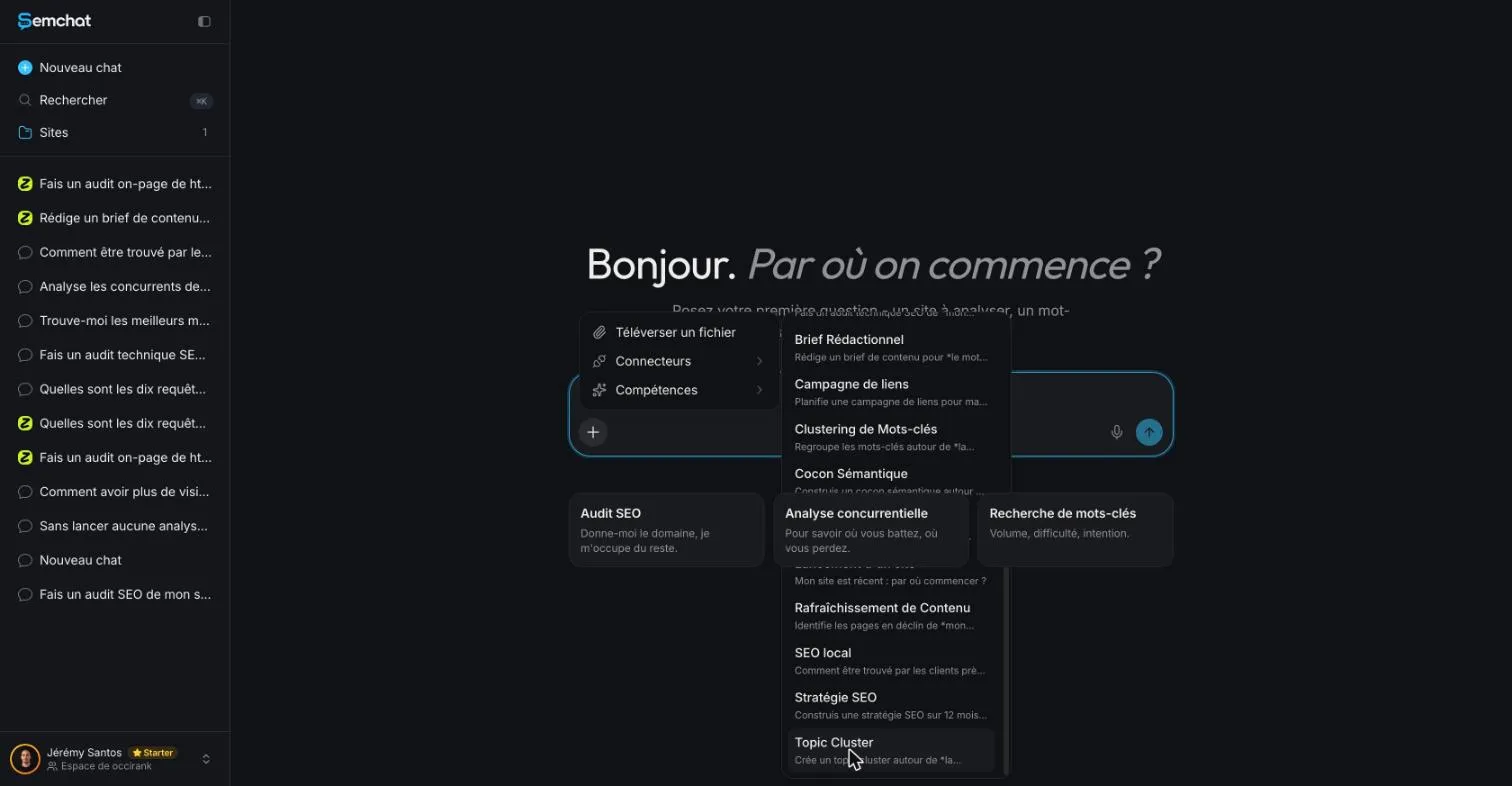
When you pick the skill, SemChat fills in a template sentence: “Crée un topic cluster autour de la thématique” (create a topic cluster around the theme). You replace the end with your subject.
Link the conversation to your site, too. When your message names a site you track, SemChat offers to link the conversation to it. Say yes: the plan then lands in that site’s documents.
Ask it to check your sitemap first (our request was in French)
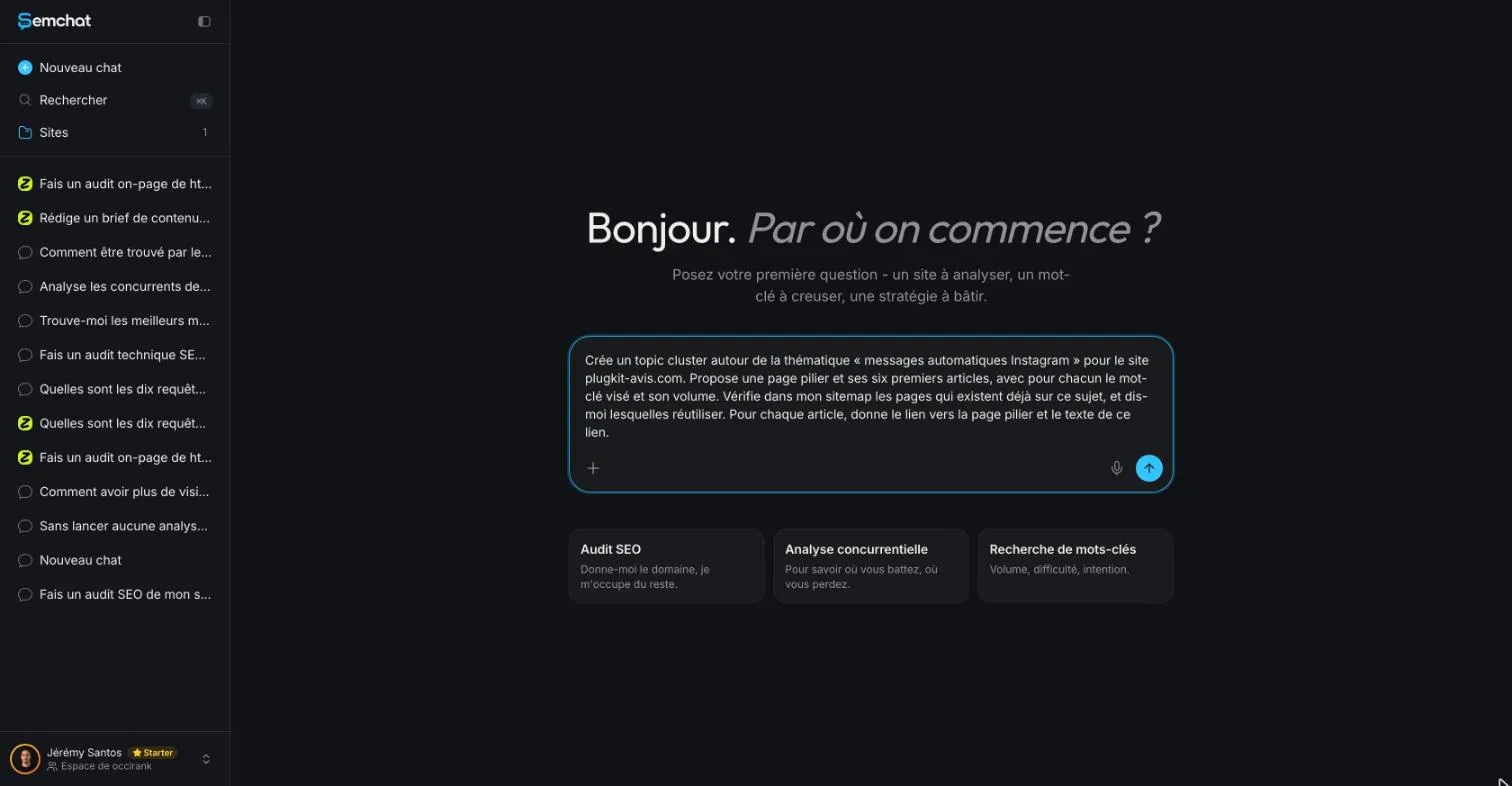
I typed my request in French, about the French pages of my site, with the interface in French. Here it is, word for word, with a translation:
“Crée un topic cluster autour de la thématique « messages automatiques Instagram » pour le site plugkit-avis.com. Propose une page pilier et ses six premiers articles, avec pour chacun le mot-clé visé et son volume. Vérifie dans mon sitemap les pages qui existent déjà sur ce sujet, et dis-moi lesquelles réutiliser. Pour chaque article, donne le lien vers la page pilier et le texte de ce lien.” (Create a topic cluster around the theme “Instagram automatic messages” for the site plugkit-avis.com. Suggest a pillar page and its first six articles, each with its target keyword and its volume. Check my sitemap for pages that already exist on this topic, and tell me which ones to reuse. For each article, give the link to the pillar page and the text of that link.)
How it handles the same request in English: missing data (planned source: an English test, task T36).
Step 2: read the plan it returns, a real topic cluster example
SemChat then ran its tools, shown one by one: a site analysis, a search on the theme, keyword ideas, a read of three pages of the site, Google’s results for the future pillar, volumes for 20 keywords, a read of the French home page, and Google’s results for 6 candidate keywords.
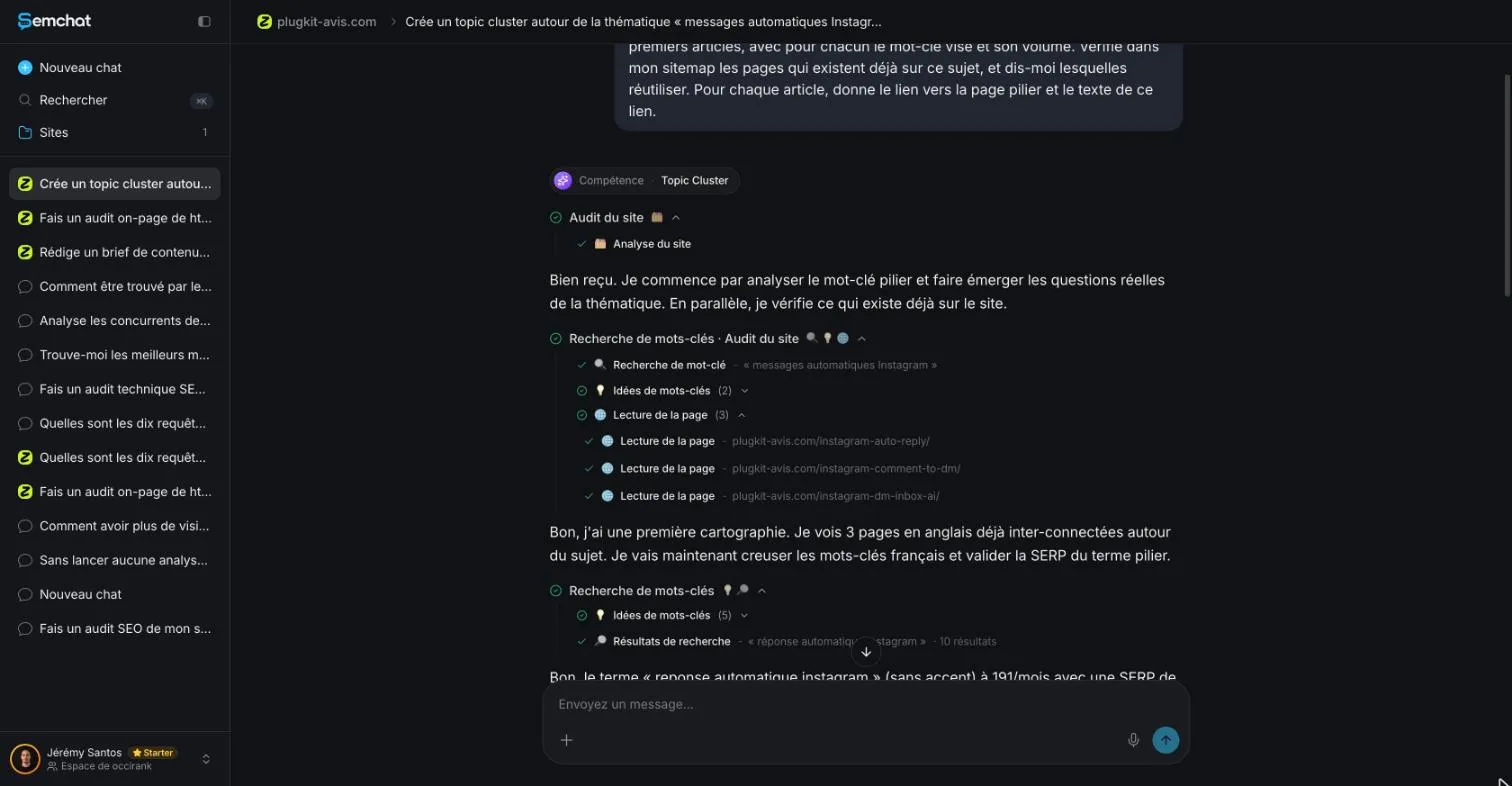
A pillar, six articles, one link from each article to the pillar
The plan had the right shape:
- a pillar on “reponse automatique instagram” (Instagram auto-reply), at 191 searches a month according to SemChat;
- six articles: replying to comments by direct message, the welcome message, scheduling a message, messaging all your followers, automatic direct messages sorted by AI, and the free option;
- a link from each article to the pillar, with its link text;
- two or three links between related articles, plus a rule: every new page gets a link from the pillar the day it goes live, so none is left orphaned.
Its first action for the week: create the pillar at /fr/reponse-automatique-instagram/ by adapting the English page /instagram-auto-reply/.
The shape is textbook. The substance needs checking. Volumes first: DataForSEO (Google Ads data for France, October 29, 2026) gives 110 searches a month for the pillar keyword, not 191. And 110 for “programmer un message instagram” (schedule an Instagram message), which SemChat put at 45.
The plan saved as a document in the Library
The plan opens as a document in the right-hand panel, titled “Topic cluster : Messages automatiques Instagram (plugkit-avis.com)”. The original uses a long dash between the two parts; I replaced it with a colon. Under the title, a label: “Cocon sémantique créé” (semantic cocoon created).
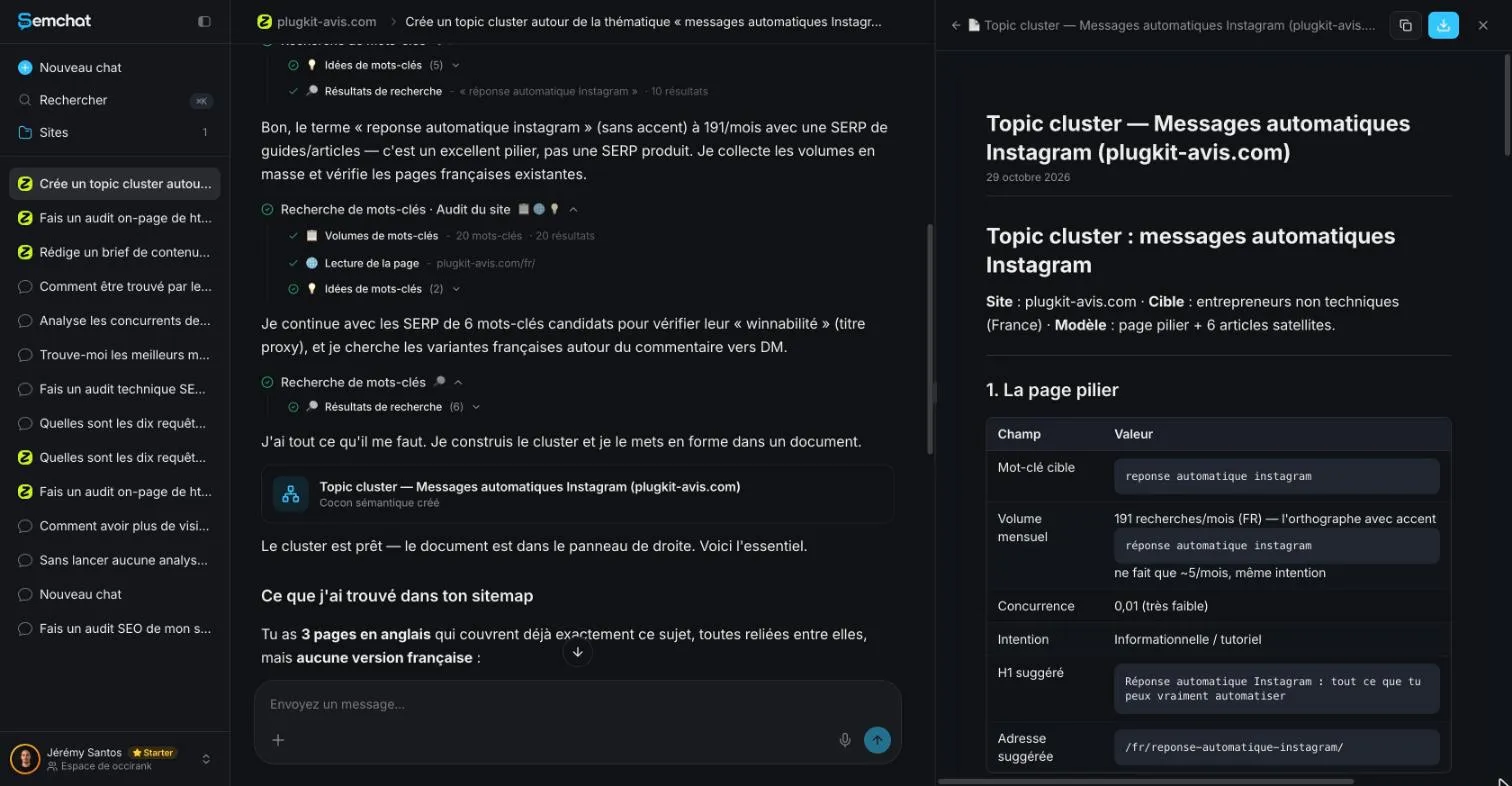
You can copy or download it from the panel. Because the conversation was linked to the site, the document is also filed in the site’s Library, with everything else SemChat produced for it.
10% off your subscription, for life with my link, if you subscribe within 2 weeks of signing up. No code. All about the SemChat promo code
Try SemChat for free Free plan, no credit card. Affiliate link: it costs you nothing extra.
Step 3: catch the errors before you publish
I checked the plan the same day, with the sitemap open. Four errors. None breaks the shape of the plan; all of them would have cost work for nothing.
The sitemap read in the wrong language
SemChat wrote that the site had “3 pages en anglais” (3 pages in English) on the subject, “mais aucune version française” (but no French version).
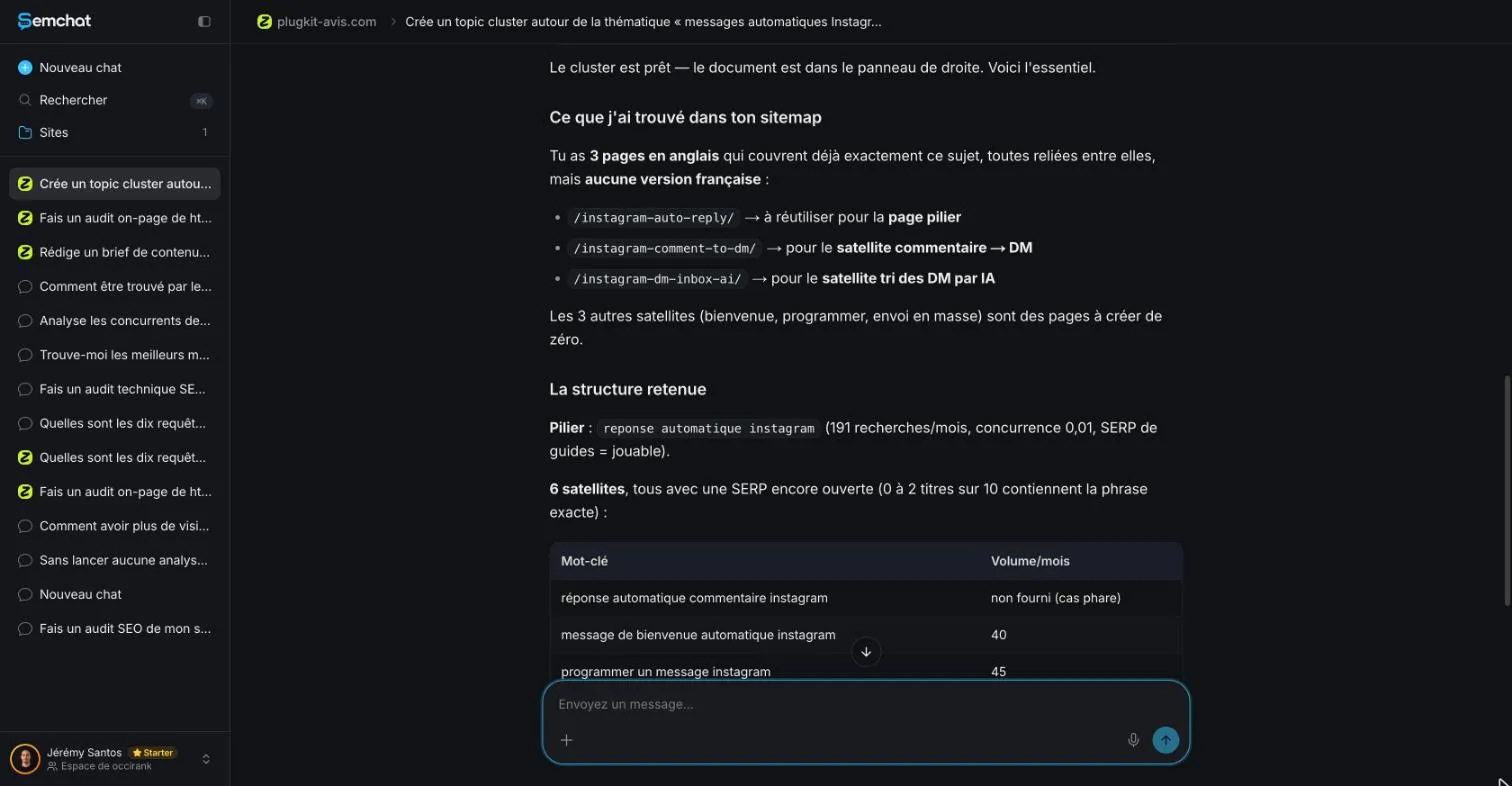
False. The site’s French sitemap (51 URLs, read October 29, 2026) had 7 pages on the theme, all published October 24, 2026. One of them was the pillar, /fr/messages-automatiques-instagram/, declared as the French version of /instagram-auto-reply/ through hreflang, the tag that ties together the language versions of a page.
Articles that already exist on your site
Three of the six proposed articles already existed in French: /fr/repondre-commentaires-instagram-en-dm/, /fr/message-de-bienvenue-instagram/ and /fr/trier-messages-instagram-avec-ia/. Writing them again would have put two pages on the same search. When a page exists, update it instead: see how to update old blog posts.
A pillar URL that leads to a missing page
The suggested pillar address, /fr/reponse-automatique-instagram/, returned a 404 error on October 29, 2026. Normal for a page still to be written. But the pillar already existed at another address, so the plan’s first action would have produced a second pillar on a covered subject.
Link text written as sentences, not the pillar’s keyword
For the links from each article to the pillar, SemChat suggested six different sentences, from “Voir le guide complet de la réponse automatique Instagram” (see the full guide to Instagram auto-reply) to “Toutes les façons d’automatiser tes messages Instagram” (every way to automate your Instagram messages).
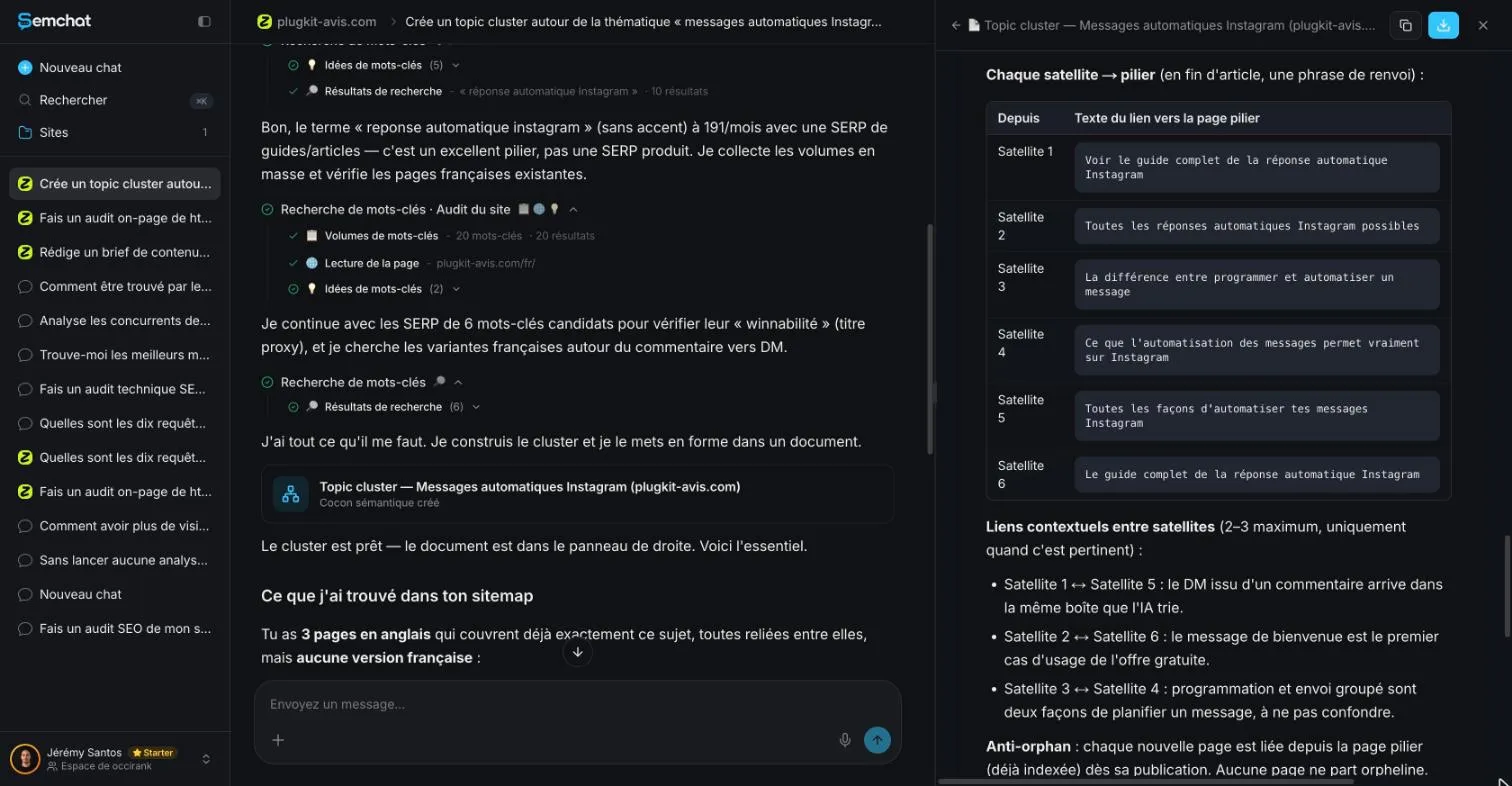
Google doesn’t forbid that; it asks for anchor text that is descriptive and “reasonably concise.” This site’s rule is stricter: the link text is the target page’s keyword, or a close variant. On plugkit-avis.com, the six articles already linked to the pillar with “Messages automatiques Instagram” (Instagram automatic messages).
What survived the check: one truly new article, on scheduling an Instagram message (110 searches a month, DataForSEO, Google Ads, France, October 29, 2026), to link to the existing pillar. Quota used: missing data for this test alone; the Starter plan reading shows 7.1 points for three tests combined, this one included.
Step 4: link the cluster pages, then measure the result
With the plan cleaned up, write each article, then place the links. A one-page brief per article helps: keyword, questions, outline, links to add. That’s what a content brief generator produces, and SemChat has one.
Three kinds of links, inside the text: from the pillar to each article, with the article’s keyword; from each article to the pillar, with the pillar’s keyword; and between two close articles when the reader needs it. For the wider picture of internal linking tools, including plugins that suggest links, see our dedicated page.
Here is the real pillar on plugkit-avis.com. Each block presents one article and ends with a link whose text is that article’s keyword.
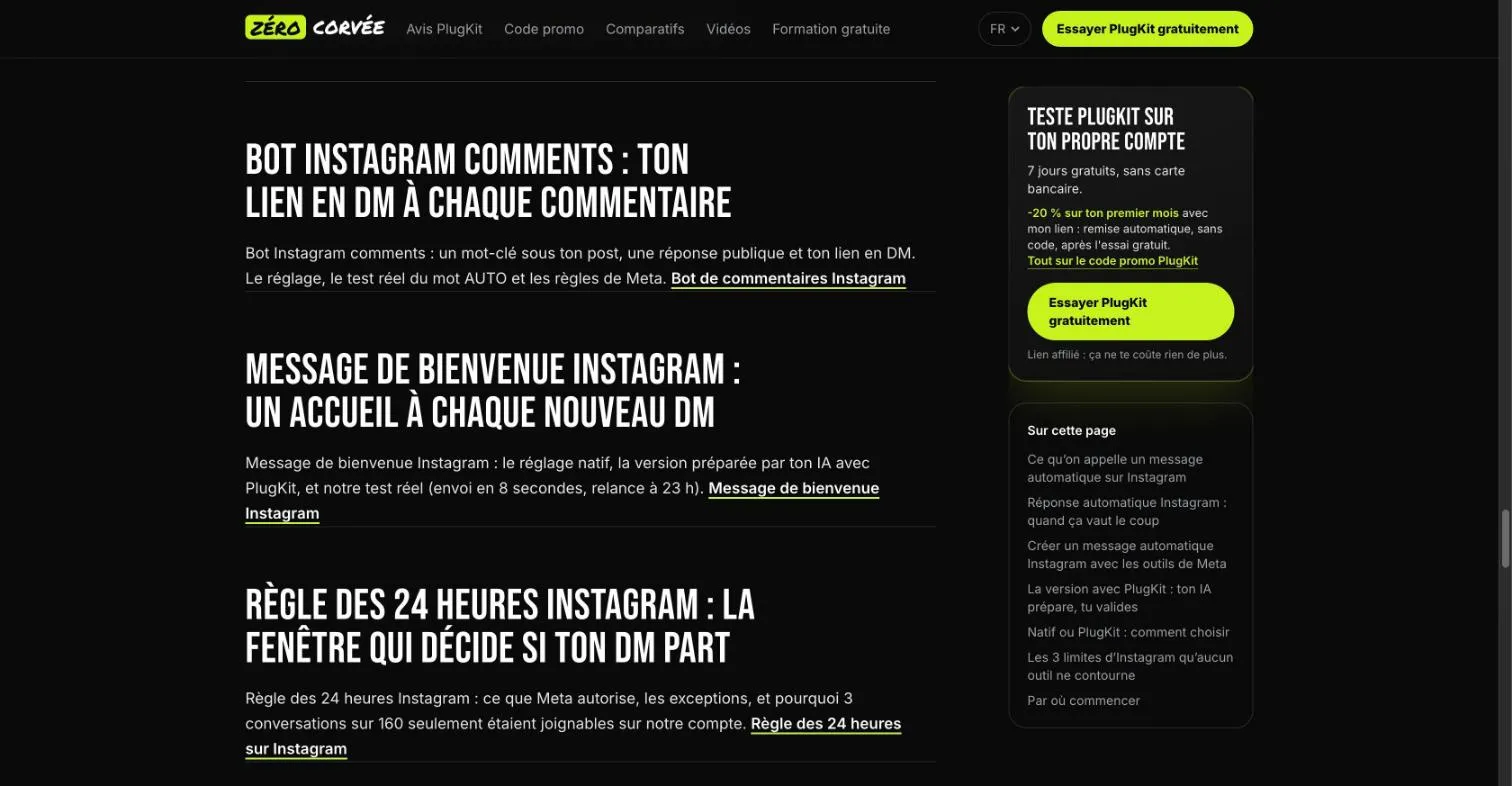
Then measure. In Search Console, watch the pillar and each article over the following weeks: impressions, clicks, average position. Our own figures for this cluster: missing data (planned source: Search Console, after publishing).
Topic cluster or semantic cocoon: two different skills
SemChat’s skill list, checked in the app on October 29, 2026, has a separate entry: “Cocon sémantique (« façon Bourrelly »)” (semantic cocoon, Bourrelly style). A semantic cocoon is a stricter cluster: a mother page, daughter pages, and links both ways between the mother and her daughters and among sister pages. We tested that skill on October 30, 2026, on the same site: it started from the whole site’s real links (5,486 by its own count) and listed each link to add, with its direction and anchor, for 4 points of the Starter plan’s monthly quota (Usage screen).
Our topic cluster had been filed in a document labeled “semantic cocoon created,” but the two tests settle it: Topic cluster plans a pillar and its articles, while the cocoon skill reworks the links of the whole site, with its own mistakes (a link called missing that already existed).
My verdict on the Topic cluster skill: a fast, well-built first draft. Make it read the sitemap in the right language, cross-check its volumes, and rewrite the link texts. The full test is in our SemChat review, and the plans are on our SemChat pricing page.
A topic cluster tool saves you the planning: a pillar, its articles, the links. The checking is still yours. Open your sitemap, cross out the articles you already have, cross-check the volumes, and put the pillar’s keyword in every link. Then publish your first truly new article, linked to the pillar from day one.
Frequently asked questions
What is a topic cluster, in one sentence?
A topic cluster is a group of pages on one subject: a pillar page that covers it broadly, cluster pages that each answer one narrower question, and links from each cluster page back to the pillar, with the pillar's keyword as the link text.
What is a content cluster?
Another name for the same idea: content grouped around one topic and connected by internal links. Whatever you call it, Google's advice on links applies: “Every page you care about should have a link from at least one other page on your site” (Link best practices for Google, read October 30, 2026).
Is a topic cluster one of the core parts of SEO?
We found no official list of the “core parts” of SEO to check that against. What Google does say is that it “uses links as a signal when determining the relevancy of pages and to find new pages to crawl” (Link best practices for Google, read October 30, 2026). A topic cluster is a way to organize those internal links, so it belongs to the work you do on your own site.
Does SemChat's topic cluster tool check the pages you already have?
Only if you ask, and even then you should check it yourself. In our October 29, 2026 test, we asked it to read the sitemap. It read three English pages and the French home page, then said no French version existed. The French sitemap had 7 pages on the topic, and 3 of the 6 articles it proposed already existed.
Let your AI do the chores of getting found online.
10% off your subscription, for life with my link, if you subscribe within 2 weeks of signing up. No code. All about the SemChat promo code
Affiliate link: it costs you nothing extra.