Content brief: prepare a page before anyone writes it
A content brief is a one-page plan for a page you haven't written yet: the keyword, what the searcher really wants, the title, the outline, the questions to answer, the links to add and the length. You fill it in before you write, or before you hand the page to a writer. It saves rewrites, and it keeps the page on topic.
 By Jérémy Santos Updated on 30 October 2026 Tested on his own SemChat account: first audit on 29 October 2026.
 This page is part of the guide: website optimisation
Everything to know before writing the first line. Illustration by Zéro Corvée.
You paid a writer for a blog post. You get back a polished piece… on a topic next to yours, without your keyword, without a single link to your other pages. A content brief prevents that: one page of instructions, filled in before anyone writes. It’s the first step of website optimisation for any new page. On this site, no page gets written without one, and I’ll show you the real template. The SemChat buttons on this page are affiliate links.
What a content brief is for
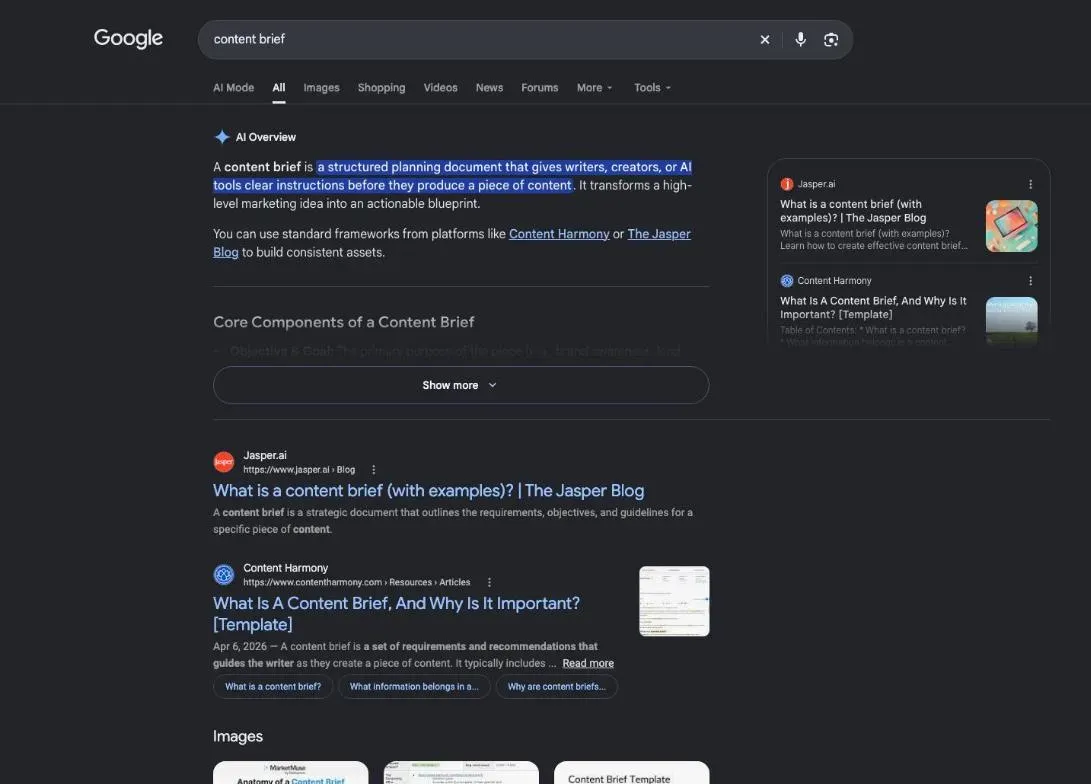
A content brief answers one question before the first line: what page does someone typing this keyword need to find their answer on your site?
What is a content brief, in one sentence
A content brief is a short document that tells the writer which keyword the page targets, who it’s for, what it must cover and how it links to the rest of the site.
Fewer rewrites with the person who writes for you
A writer can’t read your mind. Without a brief, they guess your reader, your angle, your length. With a brief, they know what you expect, and you know what to judge their draft against. Reviewing becomes checking, not discovering.
It also protects you from the most expensive mistake: a page that repeats one you already have. Before the brief, you check your own site.
Content brief, creative brief, marketing brief: the difference
People use “brief” for different documents:
- a marketing brief frames a whole campaign: the goal, the audience, the budget, the channels, the timeline;
- a creative brief frames one creative piece, like an ad or a video: the message, the tone, the format;
- a content brief frames one page meant to be found in search: the keyword, the intent, the outline, the questions, the links.
The first two often come before any search research. The content brief starts from it.
Before the brief: one page, one purpose
Four decisions come before you fill in a single line.
- 1 The keyword One page, one main keyword.
- 2 The intent Learn, compare or buy.
- 3 The reader's problem And the result they want.
- 4 The page to beat Read in full, noted.
The keyword and the search intent
Pick one main keyword per page, the words your customers actually type. Then check that no page on your site already targets it, or your two pages will compete with each other. If the page belongs to a group of pages on the same subject, place it in your topic cluster first.
The search intent is what the person behind the query wants: to learn, to compare, to buy, to find a place. “Sourdough bread recipe” wants a step-by-step recipe; “best dried sourdough starter” wants a comparison. Google’s top results tell you which intent Google settled on, and which format works: guide, list, tutorial, product page.
The reader’s problem, the result they want, your fix
Write three short lines at the top of the brief:
- the problem: what stops the reader today (“I don’t know what to put in a brief for my freelancer”);
- the result they want: what they’ll have when they leave the page (“a brief I can send tonight”);
- your fix: what your page gives them that others don’t (a real template, a tested tool, your numbers).
These three lines keep the writer focused. Every section of the page should serve one of them.
The page to beat in Google’s results
Open the top five results. Note their headings, their questions, their length, and what they miss. Then pick the page to beat. For every brief on this site, it’s the first organic result in the top 5 of the US results (DataForSEO, 29 October 2026). For this page, it’s Content Harmony’s guide. Your page has to beat it on substance. Length won’t do it.
What should be included in a content brief
Once those decisions are made, the brief fills itself in. Here are its parts.
- Content brief one page, one keyword
- The frame
- main keyword
- search intent
- page to beat
- The text
- title and description
- heading outline
- questions to answer
- The finish
- links to add
- target length
- deadline
- The frame
The title, the meta description and the outline
The title is the blue headline of your page in Google. It carries the keyword, toward the start if possible. On this site we keep it under 60 characters: that’s our rule, not Google’s. The method is on our SEO title page. The meta description is the short text under the title; we keep it under 155 characters, explained on our meta description length page.
Then the outline: the main heading (H1), then the H2 and H3 subheadings. Each one answers a real question, taken from the top pages or from Google’s “People also ask” box.
The questions to answer and the links to add
Questions come from the “People also ask” box and from your customers. Keep the ones that fit your topic; the others may deserve their own page.
Plan the links in the brief, in both directions: which pages of your site the new page links to, and which pages will link back to it. The link text is the keyword of the target page, never a vague phrase. The details are on our internal linking SEO page.
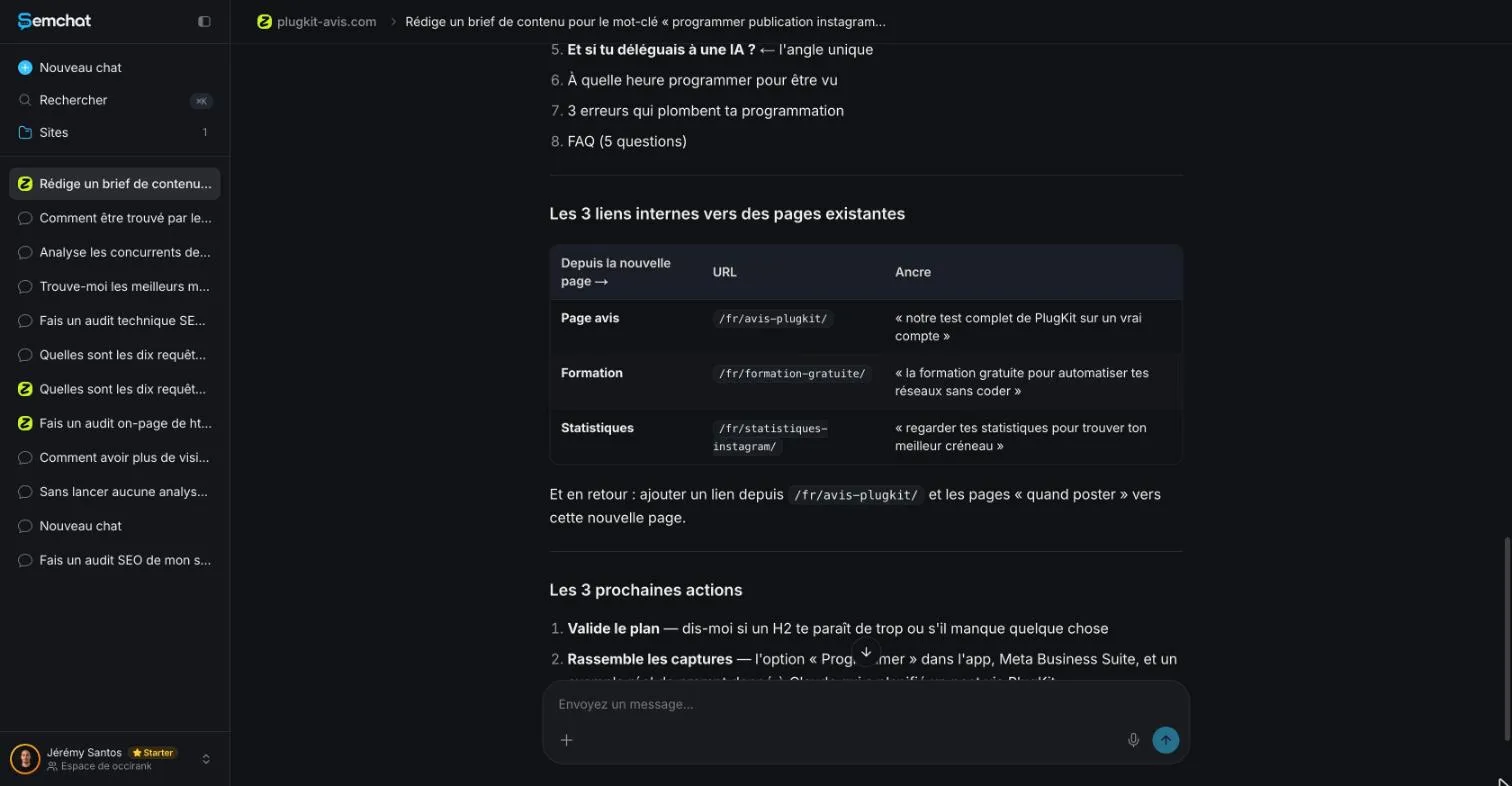
In our test, SemChat suggested three links to pages that really exist: we checked, all three loaded normally. But their link text was long sentences, not the keyword of the target page. A reader in a hurry, like Google, understands a short link that names the topic of the page it leads to. Fix those before you pass the brief on.
The proof to show: credibility and authority
A brief also lists the proof the page will show: your test, your photos, your dated sources, your customer cases. Proof tells readers (and Google) that the page comes from someone who has done the thing. Our EEAT meaning page explains the four letters: experience, expertise, authoritativeness, trust.
If you hand the page to a writer, add what they can’t guess: your reader, your tone, your numbers, and what must never be promised.
Length and deadline, and nothing more: keep it lean
Length comes from comparable pages that already rank, not from a magic number. On this site we take the average of three comparable competitor pages, never the raw top-10 average. For this page, that gave 3,810 words, from pages of 1,295, 8,620 and 1,514 words. One very long guide pulls the average up, which is why this page is shorter: it stops when the question is answered.
Add a deadline and, if you hand the page off, the number of review rounds. Then stop. A brief that takes longer to read than the page takes to write has missed its point.
How to write a content brief, step by step
I follow this order.
Step 1: read the top results and note their headings
Search your keyword in a private window. Open the first five organic results. For each one, write down its headings, the questions it answers, and what’s missing. Skip ads and video carousels: you’re looking for pages like yours.
Step 2: choose your angle
Your angle is the one thing your page does better. Maybe the top results are written for experts and your reader is a beginner. Maybe none of them shows a real example. Write it in one sentence at the top of the brief: “The only guide that shows a real brief, with the mistakes an AI tool made.”
Step 3: draft the outline, then review it with the writer
Draft the H2 and H3 headings from your notes. Put the direct answer first, then the details. Then go over the outline with the writer before they start: five minutes there saves a full rewrite later.
Content brief template you can copy
No file to download: copy these lines into a document and fill them in, page by page.
- Keyword and intent: main keyword, search intent, format seen in the top results.
- Reader: who they are, their problem, the result they want, your fix.
- Title and meta description: under 60 and 155 characters on this site.
- H1 and outline: the H2 and H3 headings, direct answer first.
- Questions: the ones from “People also ask” that fit the topic.
- Links: pages the new page links to, pages that will link back, with their link text.
- Proof: tests, photos, numbers, each with its source and date.
- Page to beat: its address, what it does well, what it misses.
- Images: what each one shows, its caption, its source.
- Length and deadline: target words, delivery date, review rounds.
For a small business site, lines 1, 3, 4 and 6 often do the job. Add the rest when someone else writes for you.
Content brief examples
A real example: the briefs behind this site
Every page planned on this site has its brief, on one template. There are 112 in English. Each one follows 10 sections: general details (dates, conversion goal), text details (reader, word count, page type, angle), on-page settings (address, title, meta description, H1, keywords), structured data, search features to target, competitor pages and the page to beat, overlap with another page of the site, the outline, the image plan, and a checklist before writing.
That’s more than you need to start. But it shows one thing that matters: each line has a source. The word count comes from three named competitors. The page to beat comes from a dated search. Nothing is guessed. This page was written from its own brief, and each departure from it had to be justified by a fact.
Content brief generators and AI
Many SEO tools now draft briefs for you, and they work roughly the same way: they read the pages that rank, pull out headings and questions, and add volumes. Their own pages, as recorded on 29 October 2026, describe them like this:
- SE Ranking publishes open-source Claude skills, including a content brief skill (GitHub repository seranking/seo-skills, MIT license);
- Semrush describes its content tools as able to “generate topic clusters, build SEO briefs”;
- Frase builds briefs from the pages that rank, with questions from “People also ask” and forums;
- Surfer lists a brief among the 6 built-in skills of its MCP server, the connector that lets you drive it from an AI assistant.
We haven’t tested those four: these are their own descriptions. We did test one tool on a real site. What an SEO content tool prepares for you beyond the brief, and where it stops, is in our dedicated guide.
SemChat’s content brief skill, tested on a real site
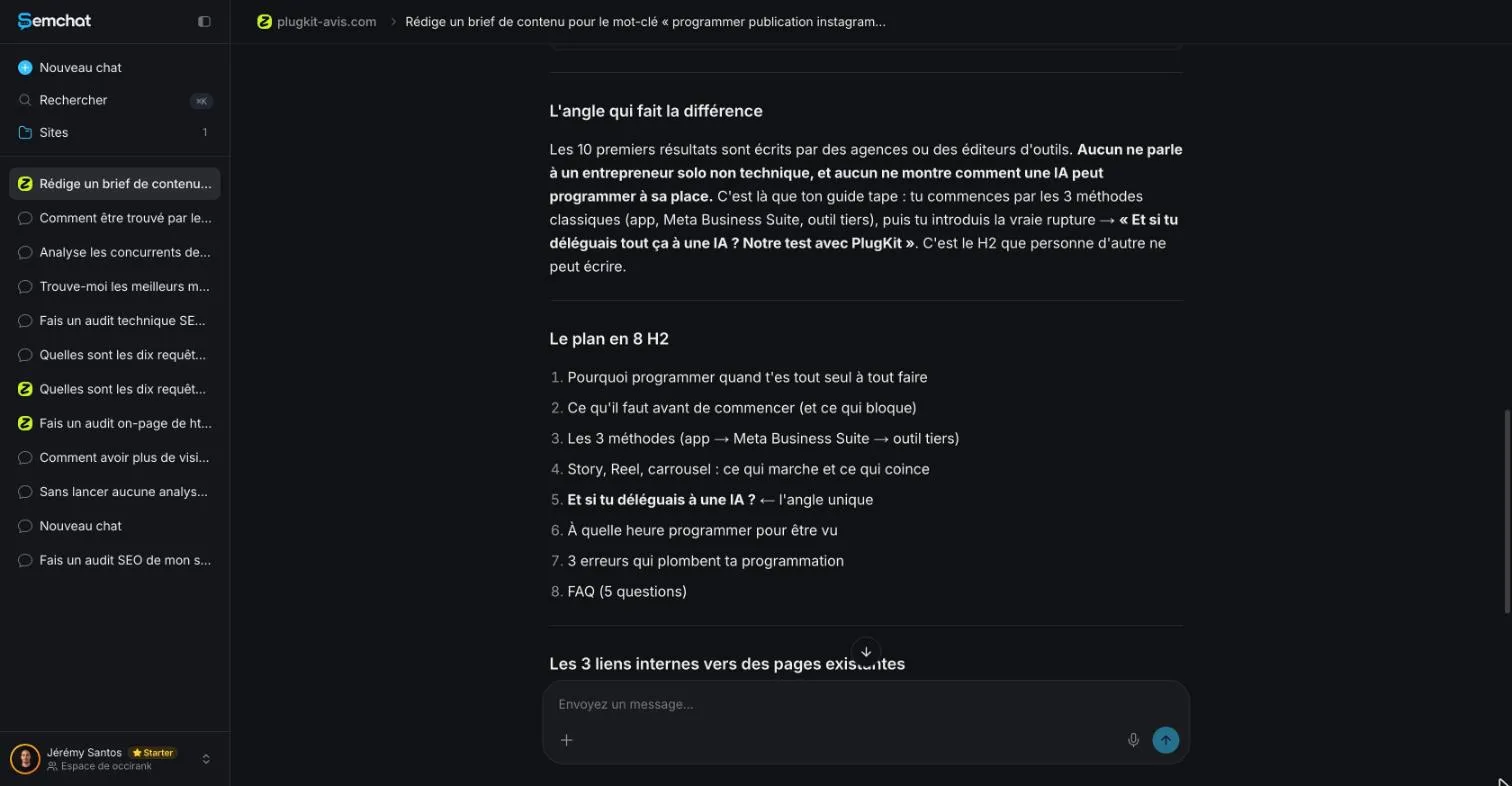
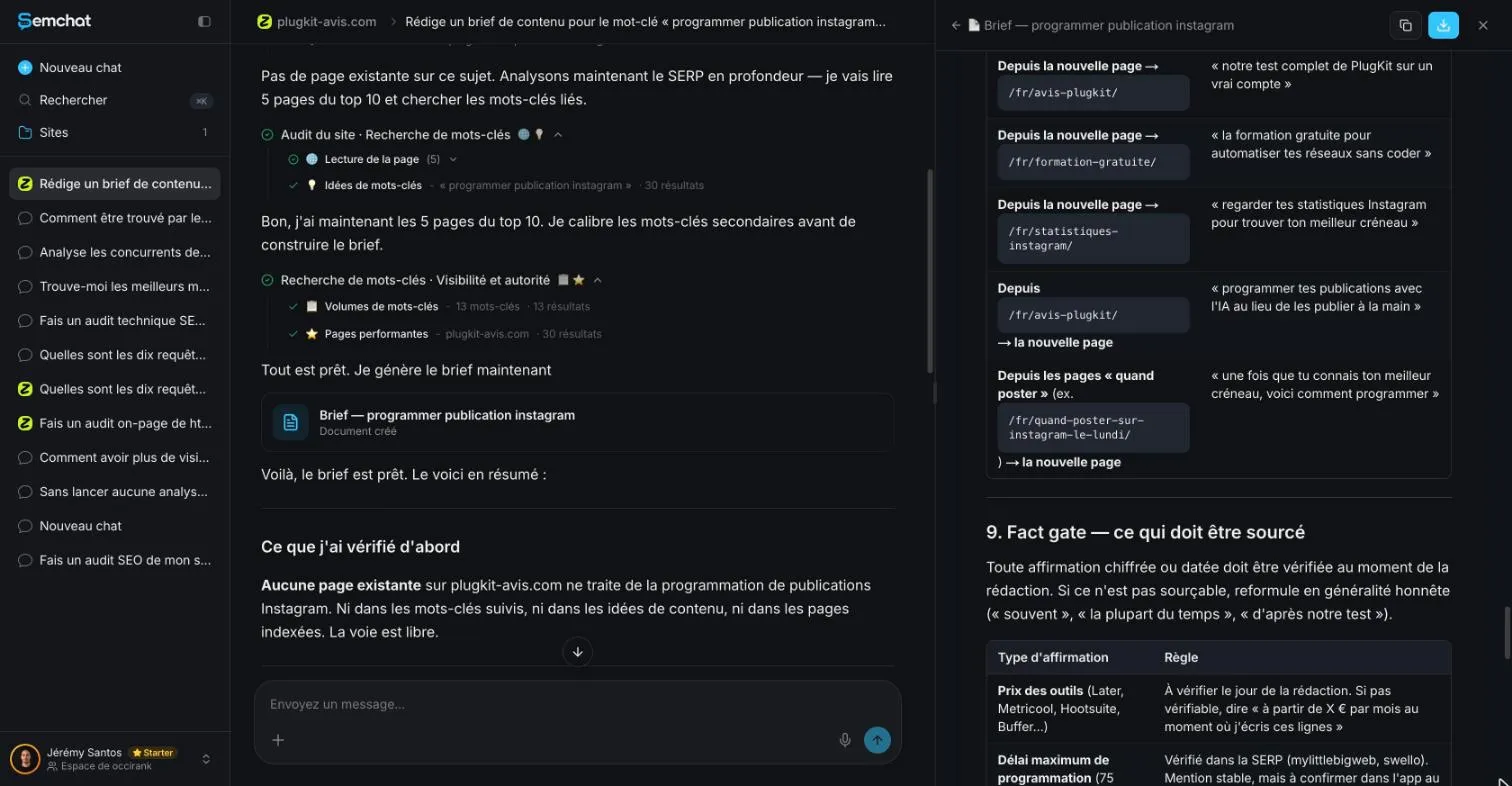
On 29 October 2026, I asked SemChat, an SEO assistant you talk to in plain language, for a brief on the keyword « programmer publication instagram » (schedule an Instagram post) for plugkit-avis.com, my other site. I used its content brief skill, called Brief rédactionnel (writing brief) in the French interface, and typed the request in French. It specified the reader (a non-technical business owner), the intent, the title, an H2 and H3 outline, five FAQ questions, the length, three internal links to existing pages, and a sitemap check.
SemChat ran its tools: site analysis, search results, keyword ideas, reading five competitor pages, volumes, the site’s top pages. Then it filed a document in the site’s library.
What it got right: the intent, a fact gate, links to pages that exist
Checked the same day:
- a document in 11 parts, from a starting snapshot to how to measure results;
- the right intent: a step-by-step guide, the same intent as the results page recorded by DataForSEO on 29 October 2026;
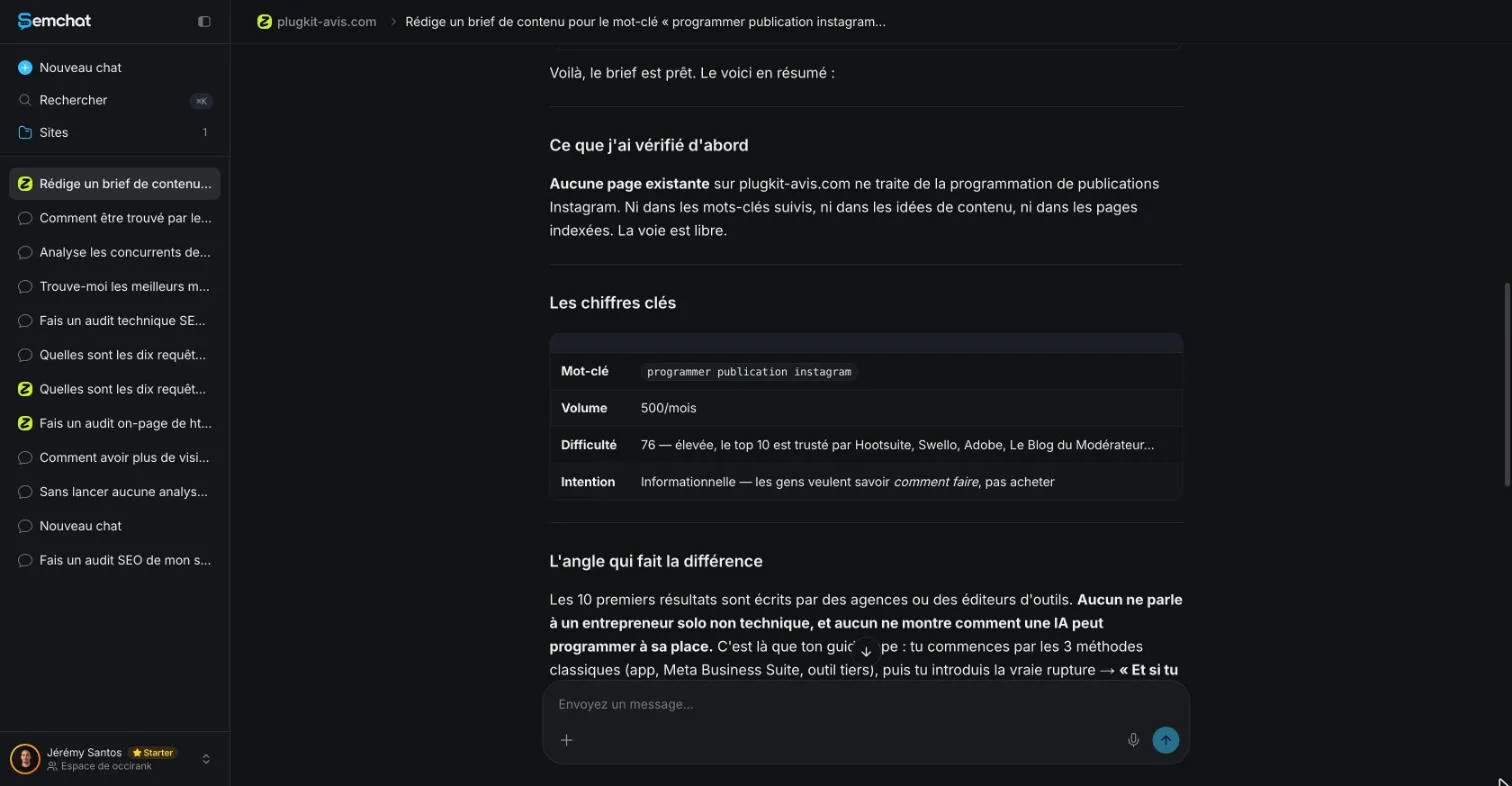
- no page on the site already covered the topic: true, per the French sitemap;
- three links to pages that exist;
- a sound rule, its “Fact gate”: every claim with a number or a date must be checked at the time of writing.
What it got wrong: inflated volumes, a section that repeats another page, an unsourced answer
Checked against DataForSEO and the site’s sitemap:
- a duplicate section: an H2 on what time to schedule repeated the topic of an existing page on the site, about the best time to post on Instagram;
- volumes to cross-check: 500 searches a month for the main keyword according to SemChat, 590 according to DataForSEO (Google Ads, France), and falling; secondary keywords inflated, like one at 90 against 20;
- a difficulty score that doesn’t match: 76 according to SemChat, 0 according to DataForSEO Labs;
- an assumed test: an H2 titled “Our test with PlugKit” for a test nobody had run;
- an unsourced answer: FAQ question 3 states that Instagram confirmed a scheduled post gets exactly the same reach, with no source, even though the brief’s own Fact gate forbids that.
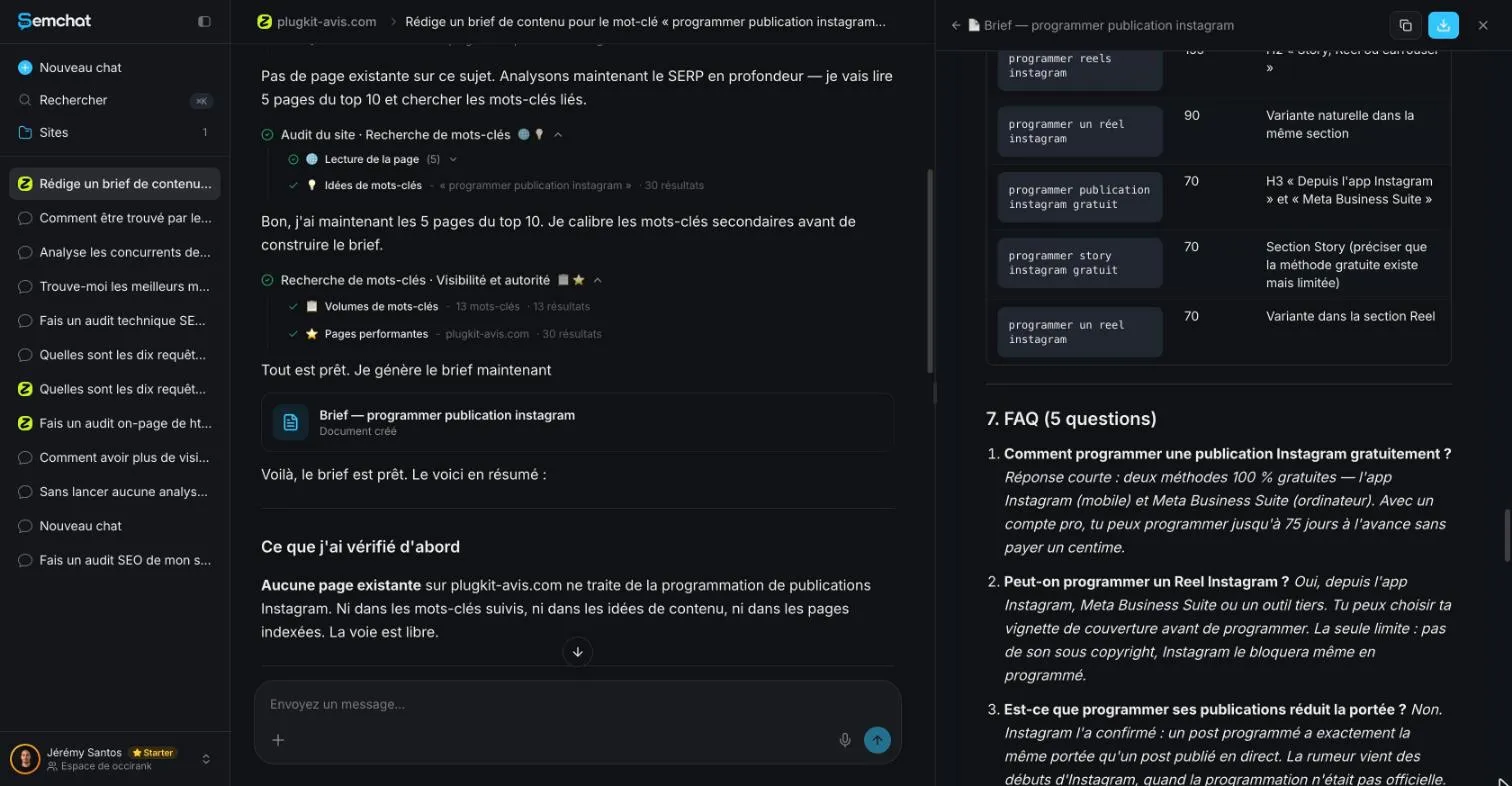
We’re not saying the reach claim is false. We’re saying nothing backs it, and the brief banned exactly that kind of sentence.
The cost: this brief used 2.5 points of the Starter plan’s monthly quota (from 38.5% to 41%). We didn’t measure it on the Free plan.
My take: a very good first draft that saves you reading the competitor pages and formatting the result. Not a brief to pass on as is. Once checked, it feeds your SEO content writing. The full test is in our SemChat review, and the plans are on the SemChat pricing page. For how a brief fits with the rest of a page’s settings, see what is on-page SEO.
A content brief fits on one page: keyword, intent, title and meta description, outline, questions, links, proof, length and deadline. Fill it in before you write, or let an AI tool draft it, then check every number. Your next page starts there.
Frequently asked questions
What types of content can a brief cover?
Any page meant to be found in search: a blog post, a how-to guide, a list, a product or service page, a comparison. The parts stay the same: keyword, intent, title, outline, questions, links, length. What changes is the format, and Google's top results tell you which one to pick.
How do SEO tools build a brief for you?
They read the pages that already rank for your keyword, pull out their headings and questions, add search volumes, then suggest an outline and links. In our test on 29 October 2026, SemChat stored its brief in the site's document library. It used 2.5 points of the Starter plan's monthly quota (from 38.5% to 41%); we didn't measure it on the Free plan.
Is a content brief template enough on its own?
No. A template tells you what to fill in, not what to write. The value comes from the research behind it: reading the top results, choosing an angle, checking your own site for a page on the same topic. A filled-in template with guessed numbers is worse than a short brief with checked facts.
How long should a content brief be?
As short as the job allows. One page often covers a blog post: keyword, intent, title, outline, questions, links, length, deadline. The briefs behind this site have 10 sections because many people work from them; for one writer and one page, keep it lean.
Let your AI do the chores of getting found online.
10% off your subscription, for life with my link, if you subscribe within 2 weeks of signing up. No code. All about the SemChat promo code
Affiliate link: it costs you nothing extra.
Verified sources
- SE Ranking: Claude SEO Skills, including a content brief skill (competitor sheet) (29/10/2026)
- Semrush llms.txt: “generate topic clusters, build SEO briefs” (competitor sheet) (29/10/2026)
- Frase: SEO research and briefs from ranking pages (competitor sheet) (29/10/2026)
- Surfer MCP: 6 built-in skills, brief included (competitor sheet) (29/10/2026)
- SemChat pricing (Free plan, every feature on every plan) (29/10/2026)