Meta description length: how long, and a description worth clicking
Google sets no maximum meta description length: it cuts the snippet to fit the width of the screen. Tools estimate the visible part at about 158 characters on desktop and 120 on mobile, so put the key point first and stay under 155. The length matters less than the words: a meta description doesn't lift your ranking, it earns the click.
 By Jérémy Santos Updated on 30 October 2026 Tested on his own SemChat account: first audit on 29 October 2026.
 This page is part of the guide: website optimisation

Two lines under the title that make people want to click. Illustration by Zéro Corvée.
You searched for the right meta description length, and every tool gives you a slightly different number. Here is why: Google publishes no limit at all. It cuts what doesn’t fit the screen. This guide is part of our website optimisation series. It covers what Google actually says (its documentation, read 30 October 2026), the estimates worth using, the meta title length, and a five-step way to write a description people click. The SemChat buttons on this page are affiliate links.
What a meta description is, and what it does for SEO
A meta description is a short summary of your page, hidden in its code. Visitors don’t see it on the page. Google may show it under your title in the search results, in the grey text called the snippet.
Google’s own words: meta descriptions “are like a pitch that convince the user that the page is exactly what they’re looking for.” Keep that word in mind: pitch. Your description talks to the person comparing ten results, not to Google.
In the code, it’s one line in the <head> of your page, the invisible part where the browser keeps information about the page:
<meta name="description" content="A summary of your page in one or two sentences.">- 1 In your code One meta description line in the head of the page.
- 2 At Google The crawler reads your page and your description.
- 3 In the results Under your title: your description, or a passage from your page.
You don’t need to touch code. Google says that a CMS like Wix, WordPress or Blogger may offer a settings page for this instead, and suggests you “search for instructions about modifying the <head> of your page on your CMS.” On WordPress, the field usually comes from an SEO plugin: AIOSEO’s free version “covers the fundamentals: title tags, meta descriptions” (its product page, as recorded in our tool file dated 29 October 2026).
Ranking or clicks: what the description changes
First, the part most people get wrong: the meta description does not move your page up. Google said so on its blog on 21 September 2009, in a post that’s still online: “Even though we sometimes use the description meta tag for the snippets we show, we still don’t use the description meta tag in our ranking.” The post warns that it’s old; no Google page we read on 30 October 2026 says otherwise.
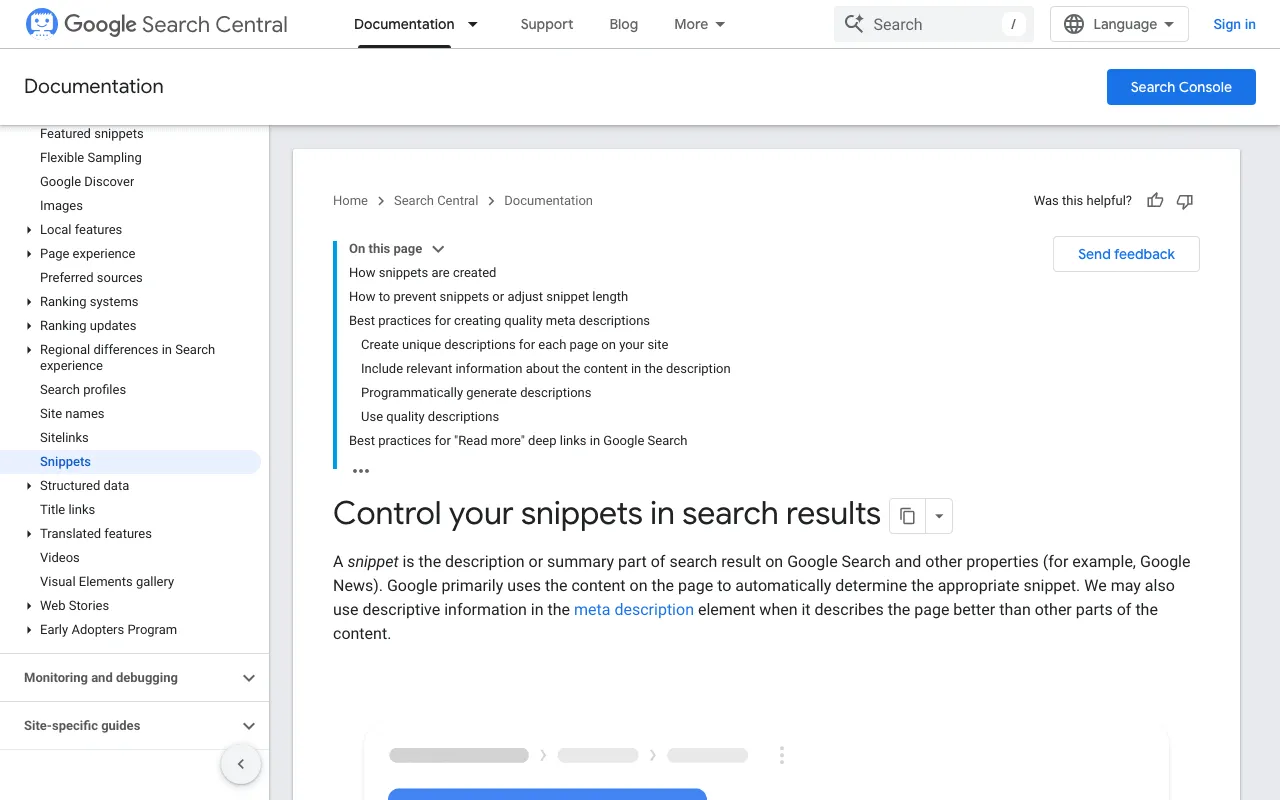
Second, Google doesn’t always show it. From its snippet page: “Snippets are primarily created from the page content itself. However, Google sometimes uses the meta description HTML element if it might give users a more accurate description of the page than content taken directly from the page.”
So why bother? For the click. Google writes that high-quality descriptions “can go a long way to improving the quality and quantity of your search traffic.” A good description doesn’t win you a better spot. It wins you more visitors from the spot you already have. That’s why it belongs with your title and headings in what is on-page SEO: changes you make on your own page, in minutes.
Meta description length: how much of it Google shows
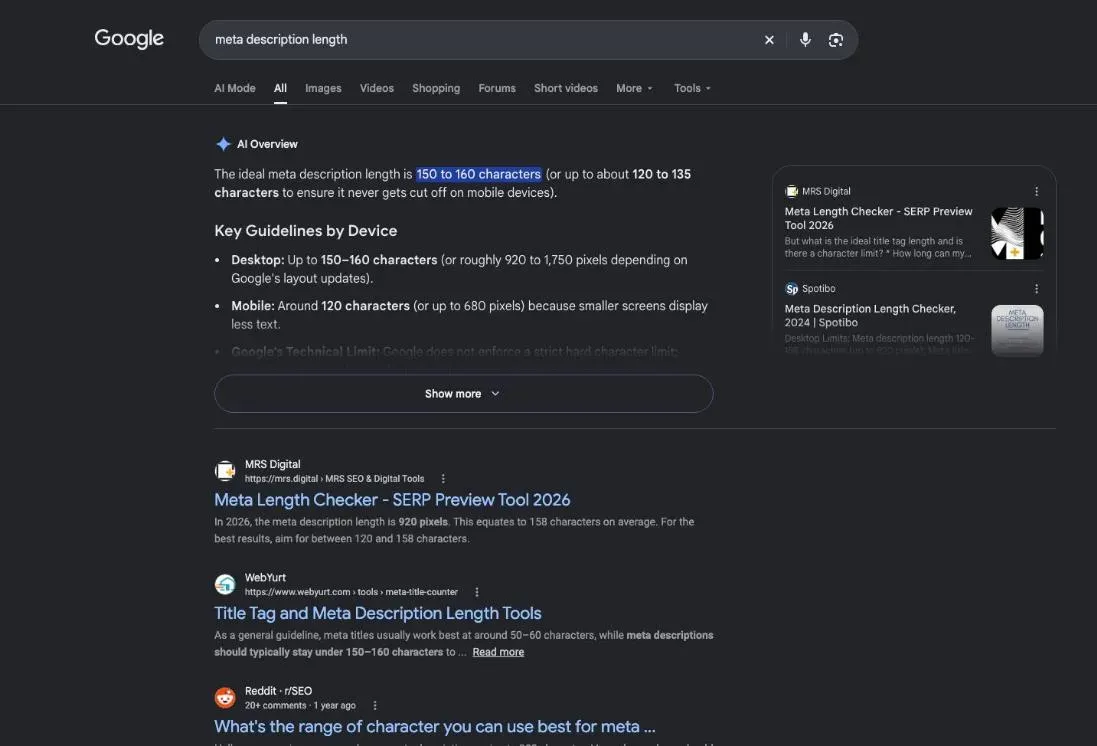
Here is Google’s full answer on length: “There’s no limit on how long a meta description can be, but the snippet is truncated in Google Search results as needed, typically to fit the device width.”
No official character count, then. What doesn’t fit gets cut, and where it gets cut depends on the screen.
| Desktop screen | Phone screen | |
|---|---|---|
| What Google says | no limit, cut to fit the width | no limit, cut to fit the width |
| A tool's estimate | 920 pixels, about 158 characters | 680 pixels, about 120 characters |
| What to do | key point first | key point first |
The numbers you see online are estimates from tools, not Google rules. One example, read 30 October 2026: the mrs.digital length checker puts the visible area at 920 pixels on desktop, about 158 characters on average, and 680 pixels on mobile, about 120 characters. It recommends aiming for 120 to 158 characters.
Characters or pixels: why the cut-off moves
Google measures the space, not the letters. A wide “m” takes more room than a thin “i”, so two descriptions with the same character count can be cut at different points. According to mrs.digital, Google cuts long descriptions at the nearest whole word and adds an ellipsis.
A practical rule, drawn from those estimates: put the essential words in the first 120 characters and keep the whole description under 155. If the end drops off on a phone, your promise still reads.
Check the length before you publish
Three checks, from fastest to most reliable:
- Count. Any word processor shows the character count of a sentence.
- Preview. A snippet simulator, like the one on mrs.digital, shows where the cut falls.
- Look for real. Once your page is in Google, search for your keyword and read what shows up. If it isn’t your description, the last section of this page explains why.
Meta title length: the other limit to check
The description sits under a title, and the title has the same kind of limit.
Title tag length: how much of your title shows
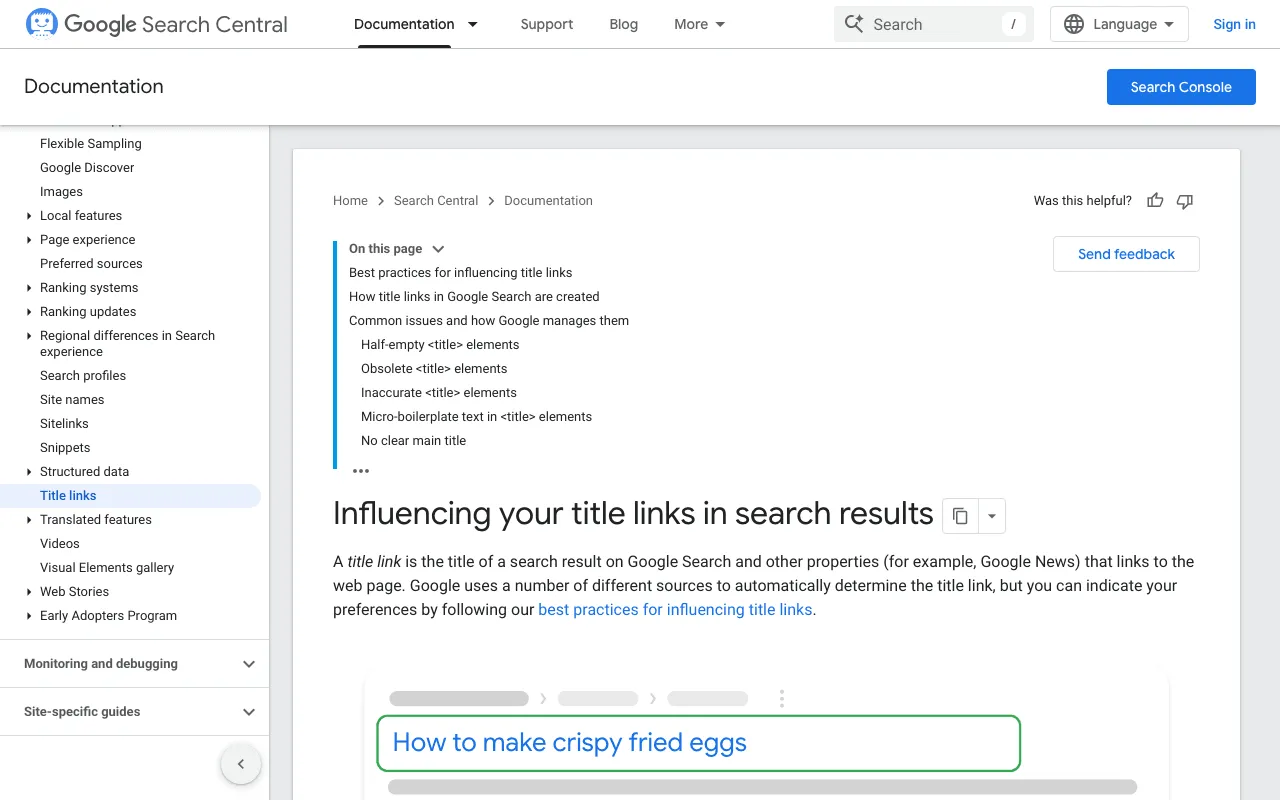
Your page title lives in the <title> element. Google shows it as the clickable headline of the result and calls it the title link. Same rule as the description: “While there’s no limit on how long a <title> element can be, the title link is truncated in Google Search results as needed, typically to fit the device width.” Google also asks you to avoid “unnecessarily long or verbose text” there.
The estimates, again from mrs.digital: about 600 pixels of title on desktop, which “tend to show the first 50–60 characters.” This site keeps every title at 60 characters or fewer. Writing the title itself is a topic of its own, covered on our page about the SEO title.
Check the title and the description together
Read them as one block, the way a searcher does. The title makes the promise, the description backs it up. If both say the same thing, you waste a line. If the description contradicts the title, you lose trust.
How to write a meta description people click
Five steps. Let’s follow one example: an online tea shop and its page about Japanese green tea.
Step 1: answer the searcher’s question
Search your keyword on Google and read the results. What do the others promise? An instant answer, a list, a price?
When I tested SemChat on 29 October 2026, on the French query for “best time to post on Instagram,” the results gave the time slot right in the description (DataForSEO results pulled the same day). When everyone answers in the snippet, your description has to answer too.
Step 2: use the keyword the way people type it
Use the words people search for, as they type them, once. More is worse: Google warns that “meta descriptions comprised of long strings of keywords don’t give users a clear idea of the page’s content, and are less likely to be displayed as a snippet.”
Step 3: keep it short, clear and in your own voice
One or two sentences: Google’s starter guide describes a meta description as “typically a succinct, one- or two-sentence summary of the page.” Add one concrete detail. For an article, Google suggests the author or the date; for a product, key facts like “price, age, manufacturer.” A description “doesn’t just have to be in sentence format,” Google adds.
Step 4: end with an invitation to act
Close with a verb that says what to do next: compare, see, order. That’s not a Google rule; it’s a copywriting habit we apply to every page on this site.
- 1 The answer What the searcher came for, said first.
- 2 The keyword Their words, once, where they fit.
- 3 A concrete detail Origin, price, author, date.
- 4 The invitation One verb: compare, see, order.
Step 5: write a different description for each page
Google: “Identical or similar descriptions on every page of a site aren’t helpful when individual pages appear in search results.” No time for every page? Start with “the critical URLs like your home page and popular pages,” Google says.
Result for the tea shop, 147 characters: “Japanese green tea: sencha, matcha and genmaicha from small growers, each with its own brewing tip. Compare the flavours and order your first pouch.”
Meta description examples, page by page

A simple promise, then an invitation. Illustration by Zéro Corvée.
Google shows the difference itself, with a sewing supply shop:
Bad, according to Google
- a list: sewing supplies, yarn, threads, needles
Better, according to Google
- what the shop sells
- its opening days and hours
- its neighbourhood
The examples below are templates: swap every word for your trade, your town, your real difference. We counted the characters.
- Home page (Google suggests “site-level descriptions on the main home page”), 143 characters: “Custom staircases, closets and kitchens in solid wood, designed with you and installed by a local carpenter in Austin. Ask for your free quote.”
- Product page, 148 characters: “Black cast-iron teapot with a removable steel infuser, made in Japan. It keeps your tea hot through the whole meal. Pick your colour and order yours.”
- Category page, 133 characters: “Cast-iron, glass or clay teapots: compare sizes, infusers and care for each model, then pick the one that fits the way you drink tea.”
- Blog post, 150 characters: “How to brew green tea without the bitterness: the right water temperature, the right steeping time, and the mistakes that ruin a cup. Read the method.”
A catalogue too big to write by hand? Google says programmatic descriptions “can be appropriate and are encouraged” for large database-driven sites, as long as they are “human-readable and diverse.”
A real example: the description rule of this site
Every page here follows one rule: 155 characters at most, the page’s keyword inside, and a last sentence that starts with an action verb. An automatic check blocks any page whose description runs over 155 characters before the site is even built.
This page’s description, 143 characters: “Meta description length: how many characters Google shows, the meta title length too, and how to write a description people click. Check yours.”
That’s our rule, not Google’s. It follows the estimates above and forces the key point to the front.
Description generators and AI: a draft to rewrite
Generators save time, but they give you a draft, never a finished description: they don’t know what makes your shop different from the one next door. Treat any suggestion as a first version and rewrite it in your voice.
I tested the on-page audit of SemChat, an SEO assistant you talk to, on 29 October 2026, on a French page of my site plugkit-avis.com. I asked it to compare the page with Google’s top ten results: title, headings, content.
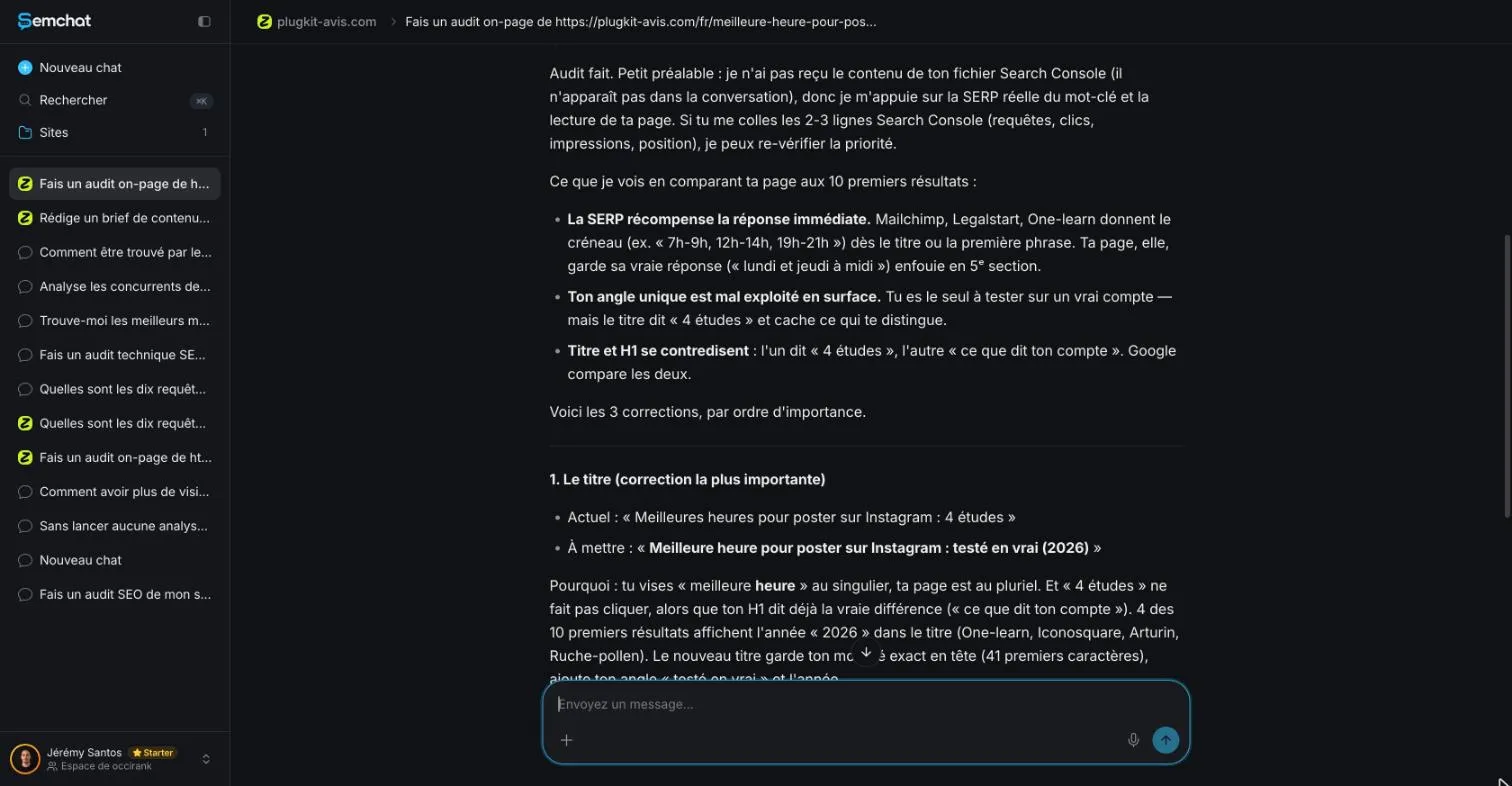
What it got right: competitors gave the answer right away, and my title contradicted my H1 (checked on the page). What it got wrong: it said 4 of the top 10 titles showed “2026”; I found 2 out of 8 in the DataForSEO results pulled the same day. And it didn’t suggest a description, because I hadn’t asked for one. Name it in your request. The full test is in our SemChat review.
If you have a writer working on your pages, put the description in your content brief: length, keyword, promise and closing verb, like the rest of the order.
When Google shows something else
If your page has no meta description
Google then builds the snippet from your page: “Snippets are primarily created from the page content itself.” Even with a description, it can pick something else, since “Google Search might show different snippets for different searches.”
The fix is simple: an opening paragraph that answers right away. That’s the core of good SEO content writing: if Google quotes a passage from your page, make it your answer.
You can also set limits. Google documents the nosnippet meta tag (no snippet at all), the max-snippet meta tag (a maximum length), and the data-nosnippet attribute (keep one part of the page out). Once your descriptions are written, connect your pages to each other: that’s internal linking SEO, the next step so Google and your visitors find every page.
So, the meta description length to aim for: there’s no official limit; the tools put the visible part at about 120 characters on a phone and about 158 on desktop, so the key point goes first. One description per page, the keyword once, a concrete promise, a verb to finish. Then search for your page and check what Google actually shows.
Frequently asked questions
How many characters should a meta description have?
Google doesn't give a number: “There's no limit on how long a meta description can be,” but the snippet is truncated to fit the device width. Length checkers estimate about 158 characters on desktop and about 120 on mobile (mrs.digital, read 30 October 2026). Keep the key point in the first 120 characters and the whole thing under 155, the rule this site follows.
Do meta descriptions still matter?
For clicks, yes; for ranking, no. Google wrote in 2009 that it doesn't use the description meta tag in its ranking, and no Google page read on 30 October 2026 says otherwise. But Google also says quality descriptions can go a long way to improving the quality and quantity of your search traffic, because they help people choose your result.
Has the meta description length changed in 2026?
Google has never published a fixed length, so there is no official change to report. Its documentation, read 30 October 2026, still says there's no limit and that snippets are truncated to fit the device. The numbers you see online are estimates from tools, measured in pixels, and they move when Google changes its result layout.
Can you stop Google from showing a snippet?
Yes. Google documents three controls: the nosnippet meta tag to show no snippet at all, the max-snippet meta tag to set a maximum length, and the data-nosnippet attribute to keep a specific part of the page out of the snippet (Google Search Central, read 30 October 2026).
What's the difference between a meta title and a meta description?
The meta title is the text in your page's title element: Google usually shows it as the clickable blue headline, which it calls the title link. The meta description is the summary that may appear below it. Both get truncated to fit the device width. The title makes the promise; the description backs it up.
Let your AI do the chores of getting found online.
10% off your subscription, for life with my link, if you subscribe within 2 weeks of signing up. No code. All about the SemChat promo code
Affiliate link: it costs you nothing extra.
Verified sources
- Google Search Central: How to write meta descriptions (control your snippets in search results) (30/10/2026)
- Google Search Central: Influencing your title links in search results (30/10/2026)
- Google Search Central Blog (September 21, 2009): Google does not use the keywords meta tag in web ranking (30/10/2026)
- Google Search Central: SEO Starter Guide (30/10/2026)
- mrs.digital: Meta Length Checker (pixel and character estimates) (30/10/2026)
- SemChat pricing (Free plan at €0, all features in every plan) (29/10/2026)