Keyword rank checker: find where you really rank on Google
A keyword rank checker tells you where your site shows up on Google for a given search. The catch: there are three different numbers. Your own search shows what you see. Google Search Console, free, shows your average position across real searches. A third-party tool shows a reading taken on a date, from a place. Here is how to read each one, and which free tools to use.

 By Jérémy Santos Updated on 30 October 2026 Tested on his own SemChat account: first audit on 29 October 2026.
 This page is part of the guide: SEO checker
You typed your trade and your town into Google, and your site came up near the top. Good news? Maybe. Someone searching the same thing from their kitchen may not see it in the same spot.
This page shows you how to find your real position with free tools, and how to read the numbers without panicking. I rely on Google’s help pages, read on 30 October 2026, and on my own tests. Links to SemChat are affiliate links: they change neither your price nor what I write.
What a keyword rank checker tells you
Your position is your site’s place on Google’s results page for one search. Position 1 is the first result. Google’s Search Console help gives a reading example: position 11 can be the first result on page two, if page one had 10 items.
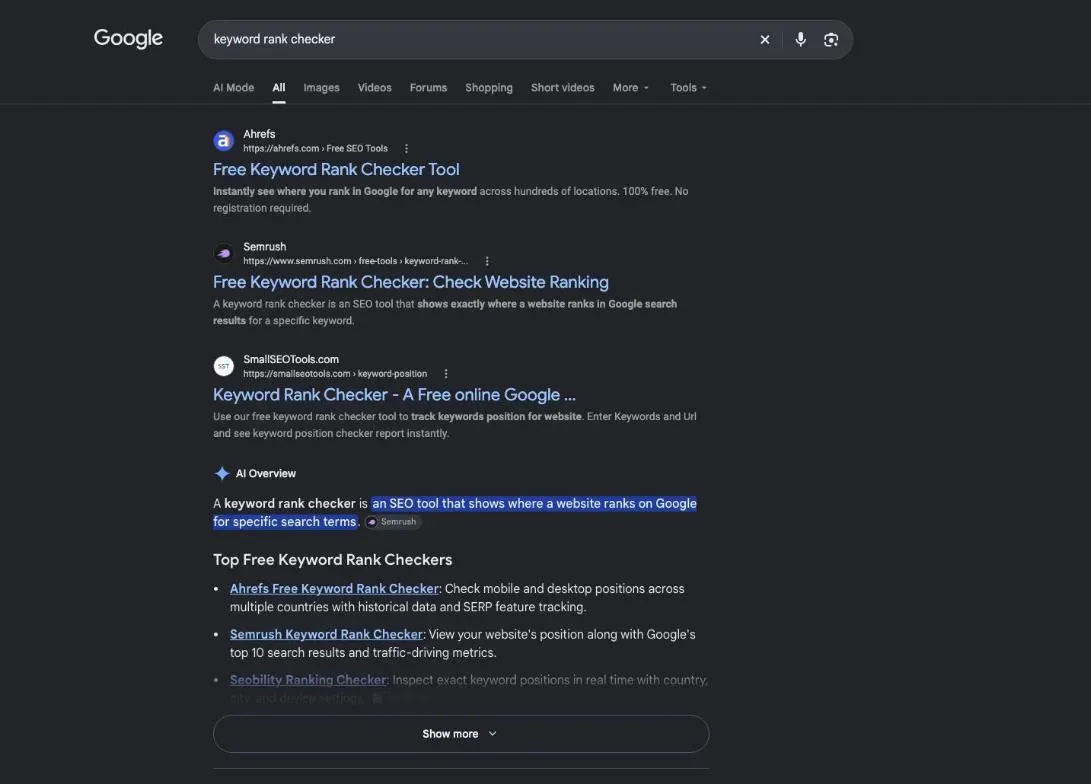
A keyword rank checker gives you that number without you having to scroll. On the results page for “keyword rank checker” itself, most results were tools you use right on the page (US results pulled with DataForSEO on 29 October 2026).
One position per keyword, not one score
Your site doesn’t have one position. It has one per search, sometimes several.
A real example. On 29 October 2026, I ran a SemChat audit of plugkit-avis.com, another site of mine. Its positions table had 89 rows. Each row gives a keyword, its position, its volume, its estimated traffic and the address of the ranking page. The same keyword sometimes came back on several rows: “sprout social avis” appeared three times, at positions 66, 73 and 77.
So the useful question becomes: where do I rank for the search my customers actually type? Ranking first for your shop’s name is nice. A new customer doesn’t know that name yet. They type your trade and your town.
Local or national: your position depends on where people search
A position always belongs to a place. Search Console lets you split your data by country. Seobility’s free Ranking Checker lets you pick a country, desktop or mobile, and even a city (page read on 30 October 2026). My SemChat audit ran for one country, France, in French.
For a local business, that matters a lot. Your rank for “plumber” plus your town, searched from inside the town, is the one that brings calls. A national rank on the same words tells you much less.
Why your own Google search misleads you
The first reflex is to open Google, type the keyword and count. The trouble is that Google doesn’t show you the same page it shows everyone else.
Google’s “How Search works” page says it plainly: “we use information such as your location, past Search history, and Search settings to determine what is most relevant for you in the moment”. Its own example is a search for “football”.
| Searching from Chicago | Searching from London | |
|---|---|---|
| The search | football | football |
| Likely results | American football, the Chicago Bears | soccer, the Premier League |
| Why | location, Search history, settings | location, Search history, settings |
Your business works the same way on a smaller scale. You search from your shop, on your phone, with your history. Your customer searches from home, on a laptop, with theirs. You don’t see the same page.
Search Console’s help covers this exact case: a report that puts a page at position 5, and an owner who finds it at position 8 when searching. Google’s answer: the report averages all searches, and yours differs because of your search history, your location and other variables.
What about incognito? It helps a little. Chrome’s help says an Incognito window doesn’t sign you in to your Google Account automatically. The same page adds that it doesn’t change how websites, Google included, collect data, and that it doesn’t make you invisible (read on 30 October 2026). You still search from the same place, on the same device, at the same moment. You get one position, yours, on one day.
Your real position in Search Console, for free
The reliable source is Google itself. Its help calls Search Console “a free service”. You don’t need it to show up in Google; you sign up to see how Google sees your site.
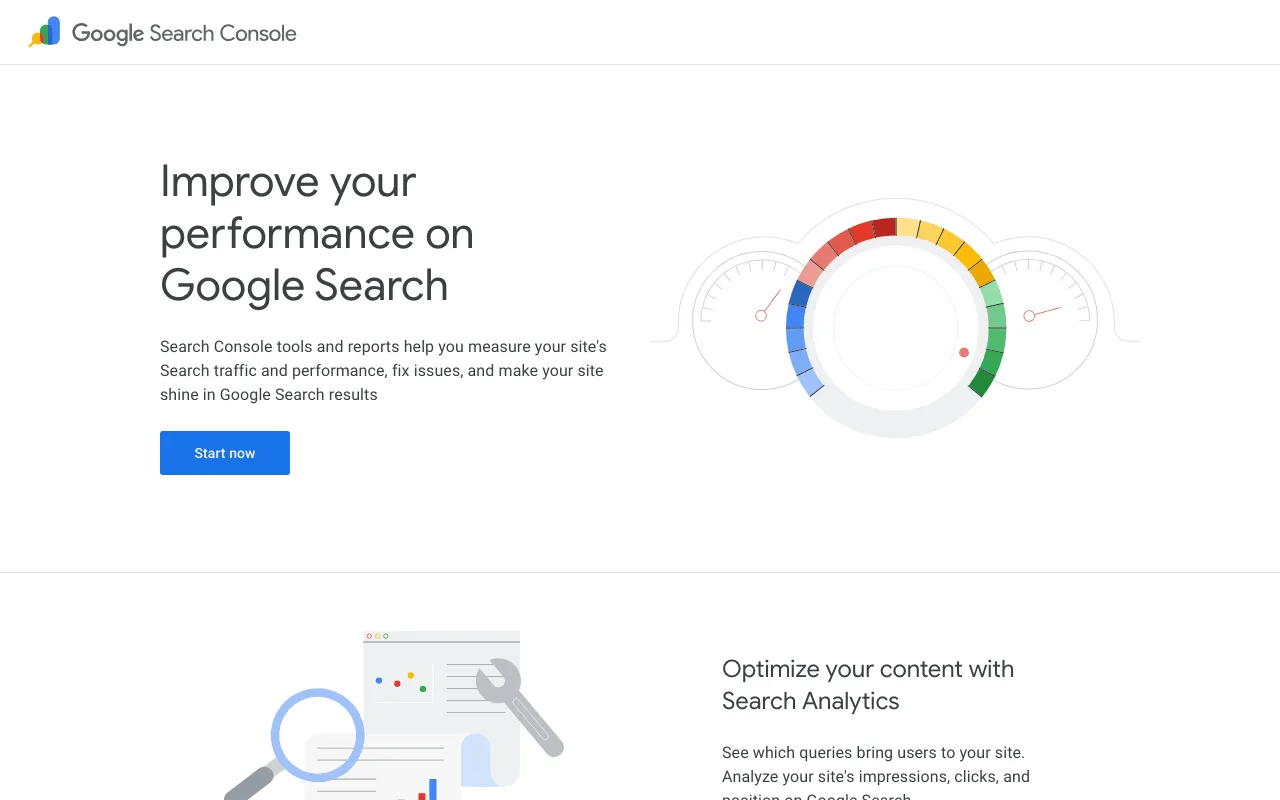
Unlike your own search, it doesn’t measure what you see. It counts what searchers saw: each time your site shows up in their results, it logs an impression and the position of the link.
Getting started takes four steps. Sign in with your Google Account. Add a property, Google’s word for a site you track. Pick its type: a Domain property covers every subdomain and protocol and can only be verified with a DNS record; a URL-prefix property covers addresses that start exactly as you typed and accepts several verification methods. Then prove the site is yours (help page “Add a website property”, read on 30 October 2026). If DNS means nothing to you, pick URL prefix, or ask whoever manages your domain name.
Find your positions keyword by keyword
Open the Performance report for Search results. By default, it shows clicks and impressions for the past three months. Turn on Average position by clicking its header above the chart.
Below the chart sits a table. Pick the Queries tab: each row is a search people typed, with its clicks, impressions and average position. The other tabs slice the same data differently: Pages for each page of your site, Countries, and Devices to split mobile from desktop.
To see whether you’re moving up, open the date filter, choose Compare, pick two periods and click Apply. The table adds a Difference column for each row. Google’s tip: compare by week or month, not by day, since a Monday next to a Saturday skews the reading (help page on filtering and comparison, read on 30 October 2026).
The Export button downloads the chart and table data. One trap Google mentions: values shown as “~” or “-” become zeros in the file.
Average position: a number to read with care
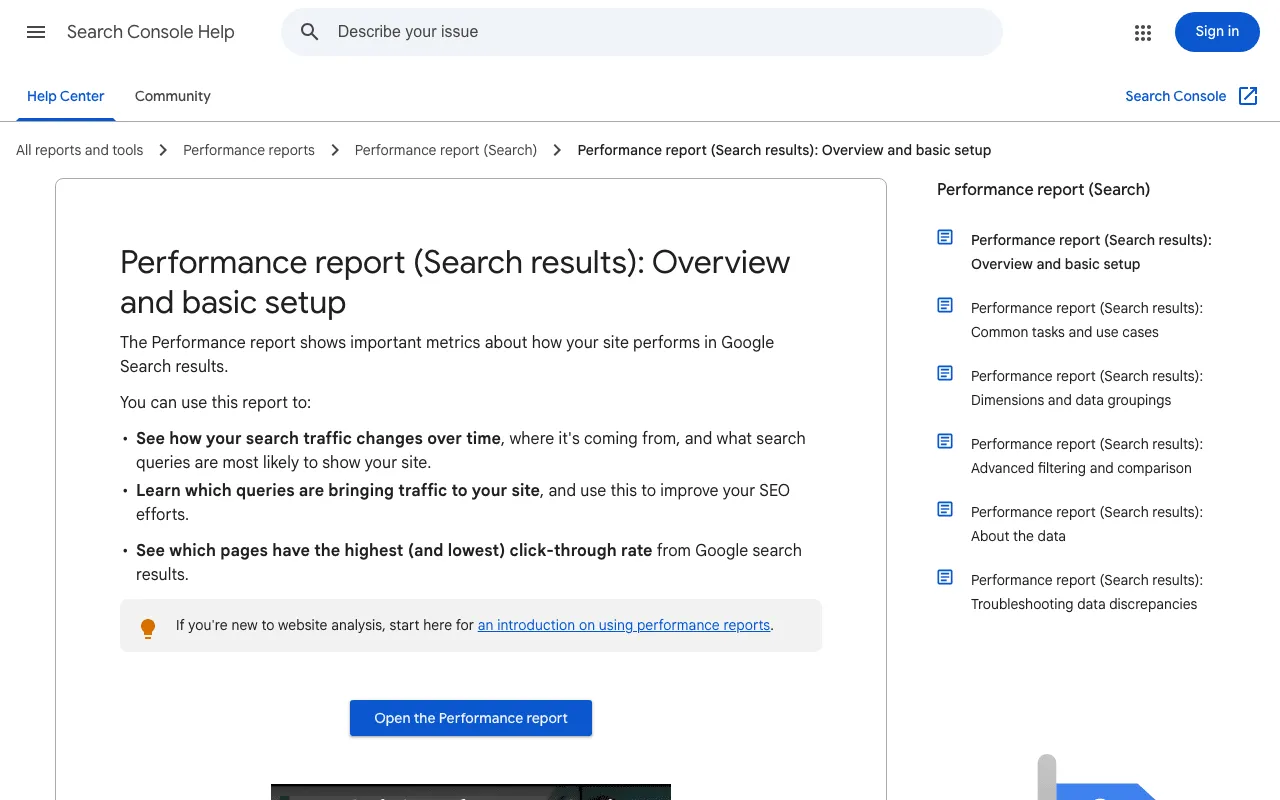
Google defines it in one line: “Average position: The average position of the topmost result from your site.” For each search, Search Console keeps your best-placed link, then averages across searches. Google’s example: positions 2, 4 and 6 on one query count as 2; positions 3, 5 and 9 on another count as 3; the average is (2 + 3) / 2 = 2.5. No searcher ever saw you at 2.5.
That calculation sets a few traps:
- An average hides gaps. Very different searches can give the same number.
- A position only counts if it was seen. If your result sits on page three and the searcher never leaves page one, no position is recorded. The report may show a dash instead.
- The same number can mean different things. A knowledge panel or a row of images takes a position too, and Google warns that “you should not make simple assumptions”.
A real case. During a demo for my SemChat course on 29 October 2026, SemChat read the Search Console of plugkit-avis.com: 8 clicks and 533 impressions, average position 13.7. Its card said “over 28 days”, but the site only had data from 24 October 2026 (checked in Search Console the same day). That 13.7 sums up the whole site. It doesn’t tell you where one page ranks for one search.
And a falling average isn’t always bad news. If your site starts showing up for new searches, still far down the page, those new impressions drag the average down while you’re actually more visible. Read position next to impressions and clicks, over several weeks.
Free rank checker tools compared
Search Console has two blind spots. It only shows sites you have proved are yours, so your competitors aren’t in it. And it only records a position when your link was seen, so it has nothing to say about searches where you’re invisible.
A third-party tool fills those gaps, with a different kind of number: a reading taken by the tool, on a date, for a country and sometimes a city, often from its own database. Not what your customers saw.
| Your search | Search Console | SEO tool | |
|---|---|---|---|
| What it is | what you see, once | the average of what searchers saw | a reading taken by the tool, on a date |
| From where | your place, device and history | every search where your site appeared | the country you pick, sometimes a city |
| Best for | checking that a page shows up | following your real trend | seeing who ranks above you |
Free rank checker or paid tracking: the difference
A free rank checker answers one question, once: where does this site rank for this keyword, right now? Paid tracking asks the same question for you on a schedule and keeps the history, so you see a curve instead of a dot.
For a small business that watches a handful of searches, a free plan often does the job. Seobility and Semrush both cap free tracking at 10 keywords, which is a reasonable starting list.
Website ranking checker: one page or the whole site
Some checkers look at one keyword for your domain. Seobility’s Ranking Checker works that way: you enter a keyword and your domain, and it shows your exact rank plus the top 20 results, live.
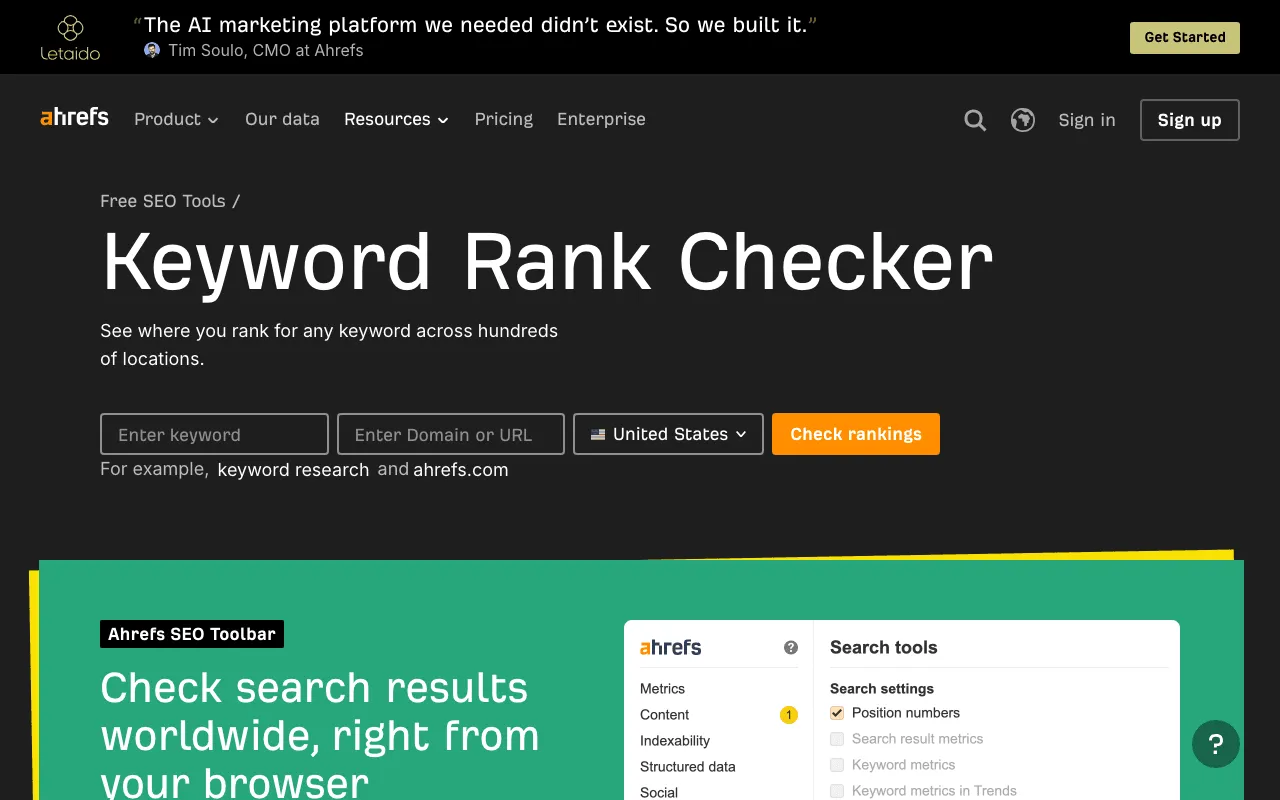
Others list every keyword a whole site or a single page ranks for. Ahrefs’ Keyword Rank Checker page offers to “Reveal every keyword for which the target website or web page ranks in the top 100 across 155 countries”. In Search Console, the Pages tab does the same for your own site, from measured data.
Ahrefs, Semrush and Seobility: what the free versions show
| Tool | Free option | Keywords | How fresh |
|---|---|---|---|
| Google Search Console | free, your verified sites | every search where you appear | measured average, day by day |
| Ahrefs Keyword Rank Checker | free tool | keywords a site or page ranks for | database of about 500 million keywords, updated monthly |
| Semrush Free | $0, no credit card | 1 site, 10 keywords in Position Tracking | not stated for the free plan |
| Seobility Basic | “Free forever” | 10 tracked keywords | weekly |
| Seobility Ranking Checker | free, 5 checks a day with Basic | one keyword per check | live, top 20 |
| Ubersuggest free | no time limit | 25 tracked keywords, 1 project | weekly |
Sources: Google’s help; Ahrefs and Seobility tool pages read on 30 October 2026; pricing pages, FAQs and help articles of Semrush, Seobility and Ubersuggest read on 29 October 2026.
A few details matter. On its page, Ahrefs says this keyword data comes from its database, updated monthly: a stored estimate rather than a live check. Seobility says its Ranking Checker avoids Google’s personalisation to show neutral results. Semrush’s paid SEO plan tracks 500 keywords daily, and Seobility’s paid plans update the first two pages daily on desktop. Ahrefs’ paid Rank Tracker updates weekly on every plan (fact sheets dated 29 October 2026).
What to look for in a rank tracker
Before you pick a tool, free or paid, check these points against your needs:
- Location: country only, or down to your city? A local shop needs the city.
- Device: desktop and mobile tracked separately.
- Frequency: daily, weekly, or only when you ask.
- Volume: how many keywords, for how many sites.
- Competitors: can you see who ranks above you?
- Export: can you take your data with you?
If your answers are “one site, a few keywords, my country”, Search Console plus one free checker will cover you.
Tracking your position in AI answers
Google’s own documentation says that sites appearing in AI features, such as AI Overviews and AI Mode, are counted in Search Console’s Performance report under the “Web” search type (read on 30 October 2026).
Some trackers go further. According to their fact sheets, Ahrefs’ Rank Tracker can filter keywords that trigger an AI Overview, and Seobility’s Ranking Monitoring tracks Google’s AI Overviews, with presence only on the free Basic plan. Semrush’s paid plans report visibility in ChatGPT, Gemini, Perplexity and AI Overviews.
SemChat is not there yet. Its GEO features were announced as planned in an email from Adrian Delmarre on 29 October 2026, and AI-answer tracking is not established. I won’t promise it.
Today’s positions in a SemChat audit
SemChat works differently from the tools above: you don’t read a dashboard, you ask a question.
For my audit on 29 October 2026, I typed one sentence asking for an SEO audit of plugkit-avis.com and an action plan by priority. Among its steps, SemChat pulled the domain’s positions: 89 results, for France, in French. The “See details” button opens the full table, with a filter and a CSV export.
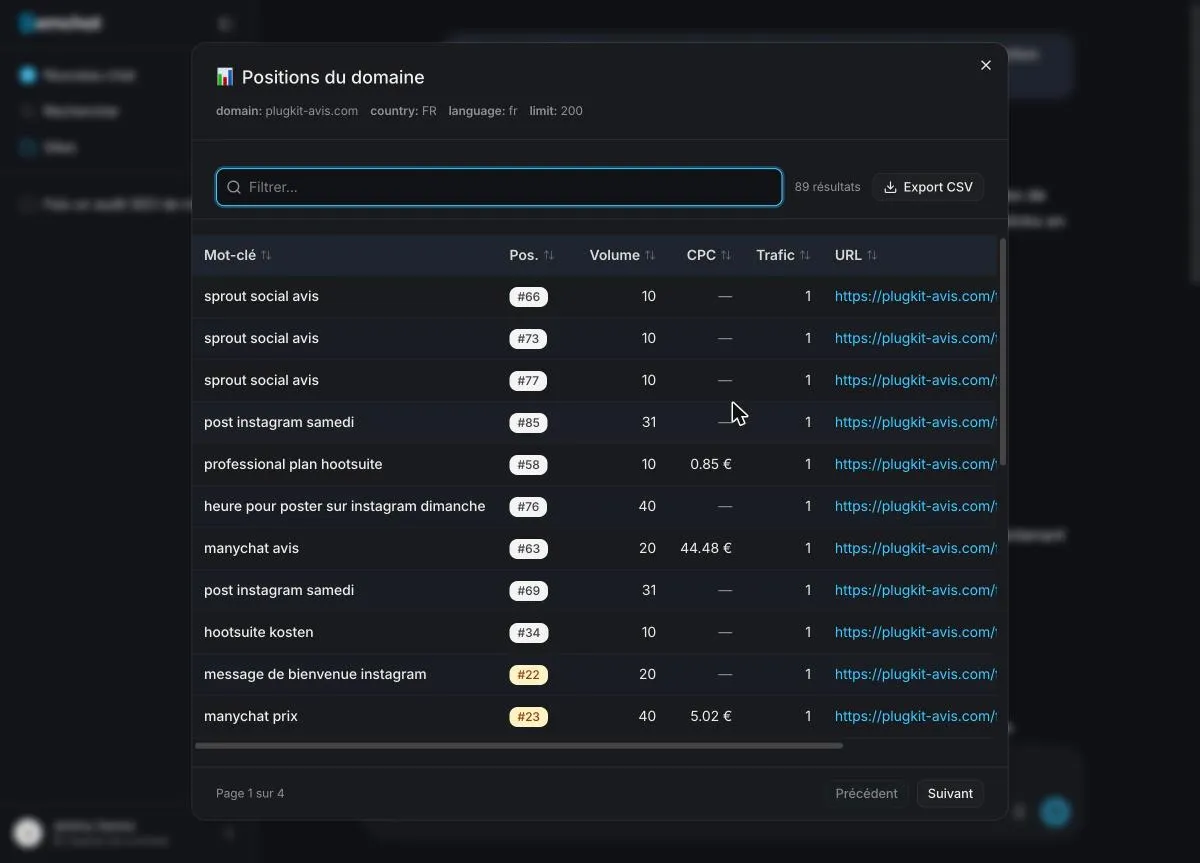
Be clear on what this shows: French positions for a French site. In France, SemChat’s data comes from Haloscan, from the same publisher. I have not tested what it returns for a US site, so I can’t tell you how it does there.
These are tool readings, so I checked them against Search Console. In another test from my course, SemChat cited estimated positions for plugkit-avis.com. The site’s Search Console, from 30 September to 27 October 2026, said something else:
| Search | Position per SemChat | Average position in Search Console |
|---|---|---|
| statistiques instagram | 23 | 26.1 |
| quand poster sur instagram le lundi | 4 | 9 |
| manychat prix | 23 | 26 |
| message de bienvenue instagram | 22 | no impressions |
Different numbers, and that’s expected: one is a reading on a date, the other an average of what searchers saw over a month. For what your customers see, Search Console has the last word.
One point in SemChat’s favour: when it reads your Search Console, it labels the two kinds of data. In the 29 October demo, it marked clicks and impressions “source : Search Console” and search volumes “volume estimé” (estimated volume). One limit too: a chat tied to the site didn’t see the Search Console connected to the workspace, while a new chat could read it.
The cost: that single full audit used 100% of the Free plan’s monthly quota. Starter then costs €20 a month before tax (pricing page read on 29 October 2026). Details are on our SemChat pricing page, and my full test is in our SemChat review.
Scheduled tracking: what we couldn’t confirm
SemChat gives you a snapshot on the day you ask. Scheduled tracking, where a tool checks your positions on its own every day or week, is not mentioned on its homepage, its pricing page or in the app (checked on 29 October 2026). Only its terms of service and privacy policy, dated 21 May 2026, talk about position tracking, and they describe a different service. The assistant itself says it can’t run scheduled tasks. So I don’t promise tracking. For that, use Search Console or one of the free trackers above.
A simple free routine to follow your positions
Here is the routine I suggest. Once Search Console is set up, it takes little time.
- Verify your site in Search Console. It’s the only slightly technical step, and you do it once.
- Pick your searches. Start with what your customers type: your trade, your town, your products. Ten is enough to begin; it’s the free tracking limit at Seobility and Semrush. Not sure which ones? Check website keywords to see the searches that already bring you visits.
- Once a month, compare with the previous month. Performance report, Queries tab, Compare filter. Look at average position, impressions and clicks together.
- Log your numbers in a sheet. Date, search, impressions, clicks, average position. After a few months you see a real trend instead of a hunch.
- Change one thing at a time. A page stuck on page two? Rework its title or fill out its text, then wait for the next reading before judging.
- Now and then, check your competitors. A free rank checker, or a SemChat audit, tells you who ranks above you and for what.
This routine is not a full checkup of your site. For that, start with a free SEO audit, run through our technical SEO checklist, and use our guide on how to analyse a website to study the sites above you. Our SEO audit checklist gives you the order of the steps, a content audit shows which pages need work, and our SEO report template keeps track of what you changed. The parent guide, our SEO checker, brings them all together.
A keyword rank checker is useful as long as you know which number you’re reading: your own search shows your page, Search Console shows the average of what your customers saw, and a third-party tool gives a dated reading that helps you size up competitors. Start with Search Console. It’s free, and it’s Google doing the counting.
Frequently asked questions
How do you check your keyword ranking on Google for free?
Verify your site in Google Search Console, which Google calls "a free service". Open the Performance report, turn on Average position above the chart, and pick the Queries tab: each search where your site appeared is listed with its average position. To see competitors too, use a free rank checker such as Seobility's Ranking Checker or Ahrefs' Keyword Rank Checker (pages read on 30 October 2026).
Can you check rankings for YouTube videos too?
Partly. Search Console's Performance report has a Video search type, which covers results shown in the Google Videos tab. Google's help also lists YouTube among the platforms you can add as a property (help pages read on 30 October 2026). Rankings inside YouTube's own search: none of the tools covered on this page documents it in what I read.
Does Google Keyword Planner show your ranking?
No, according to Google's own help page: Keyword Planner is described as a tool to research keywords for Search ad campaigns, with estimates of searches and of the cost to target them (read on 30 October 2026). Your organic position is in Search Console.
Why does Search Console show a different position than my own search?
Search Console averages every search where your site appeared. Your own search depends on your search history, your location and your device. Google's help covers this exact case: a page at position 5 in the report that its owner finds at position 8 when searching (read on 30 October 2026).
Let your AI do the chores of getting found online.
10% off your subscription, for life with my link, if you subscribe within 2 weeks of signing up. No code. All about the SemChat promo code
Affiliate link: it costs you nothing extra.
Verified sources
- Search Console Help: Performance report, overview and basic setup (October 30, 2026)
- Search Console Help: what are impressions, position, and clicks? (October 30, 2026)
- Search Console Help: advanced filtering and comparison (October 30, 2026)
- Search Console Help: add a website or platform property (October 30, 2026)
- Search Console Help: about Search Console (October 30, 2026)
- Google Search Console overview page (October 30, 2026)
- How Google Search works: ranking results (October 30, 2026)
- Google Chrome Help: browse in Incognito mode (October 30, 2026)
- Google Search Central: AI features and your website (October 30, 2026)
- Google Ads Help: use Keyword Planner (October 30, 2026)
- Ahrefs: free Keyword Rank Checker (October 30, 2026)
- Seobility: free Ranking Checker (October 30, 2026)
- Seobility: pricing and the Basic plan (October 29, 2026)
- Semrush: pricing and Free plan FAQ (October 29, 2026)
- Ubersuggest: Free Account, Key Features and Limits (October 29, 2026)
- SemChat pricing (October 29, 2026)