Check website keywords: the searches that already bring you visits
To check website keywords, open Google Search Console's Performance report: it lists the searches your site appeared for, with clicks, impressions and average position. It's free and it uses Google's own data. Then sort each search into keep, improve or create, and use a rank checker only when you need to look beyond your own site.
 By Jérémy Santos Updated on 30 October 2026 Tested on his own SemChat account: first audit on 29 October 2026.
 This page is part of the guide: Keyword research tool

Finding the words that already bring visitors to your site. Illustration by Zéro Corvée.
Every visitor from Google typed something first. Those searches are footprints, and they show what your site already does well. When you check website keywords, you follow those footprints back and decide what to do with each one. This page is part of our keyword research tool guide, and it starts from the site you already have.
Only our SemChat and Haloscan links are affiliate links. They don’t change prices or our advice.
Website keyword checker: what it tells you about your own site
A website keyword checker gives you a table. One column lists searches. The others show how your site does on each: its position, how often it showed up, how many people clicked. That table answers three plain questions: where does Google already show me, which searches bring real visitors, and which ones am I missing?
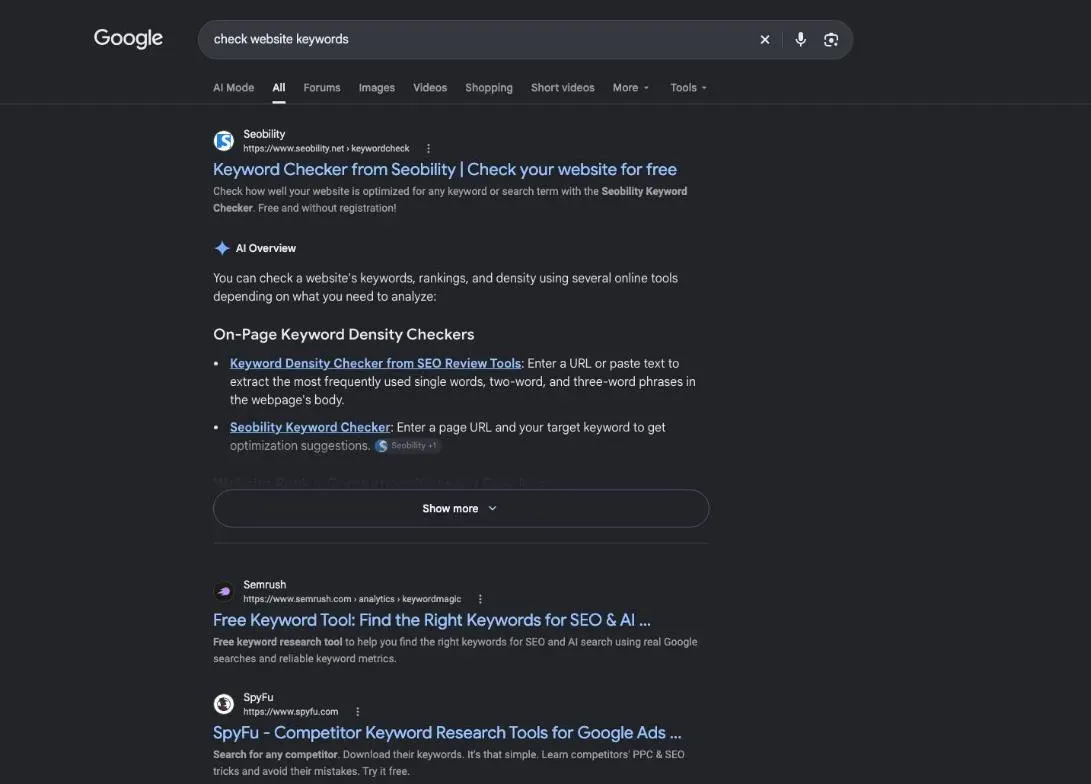
Finding new keywords is a different job
Two tasks share the name “keyword research”. One starts from your site and asks what it already ranks for: that’s this page. The other starts from an idea and asks what people search around it. For that one, our SEO keyword examples show measured lists for a bakery, a blog and a shop.
Start with your own data. It costs nothing, it comes from Google, and it often shows quick wins.
Your website’s keywords in Google Search Console, for free
Search Console is Google’s free tool for site owners. Its Performance report lists the searches that showed your site, with four numbers for each.
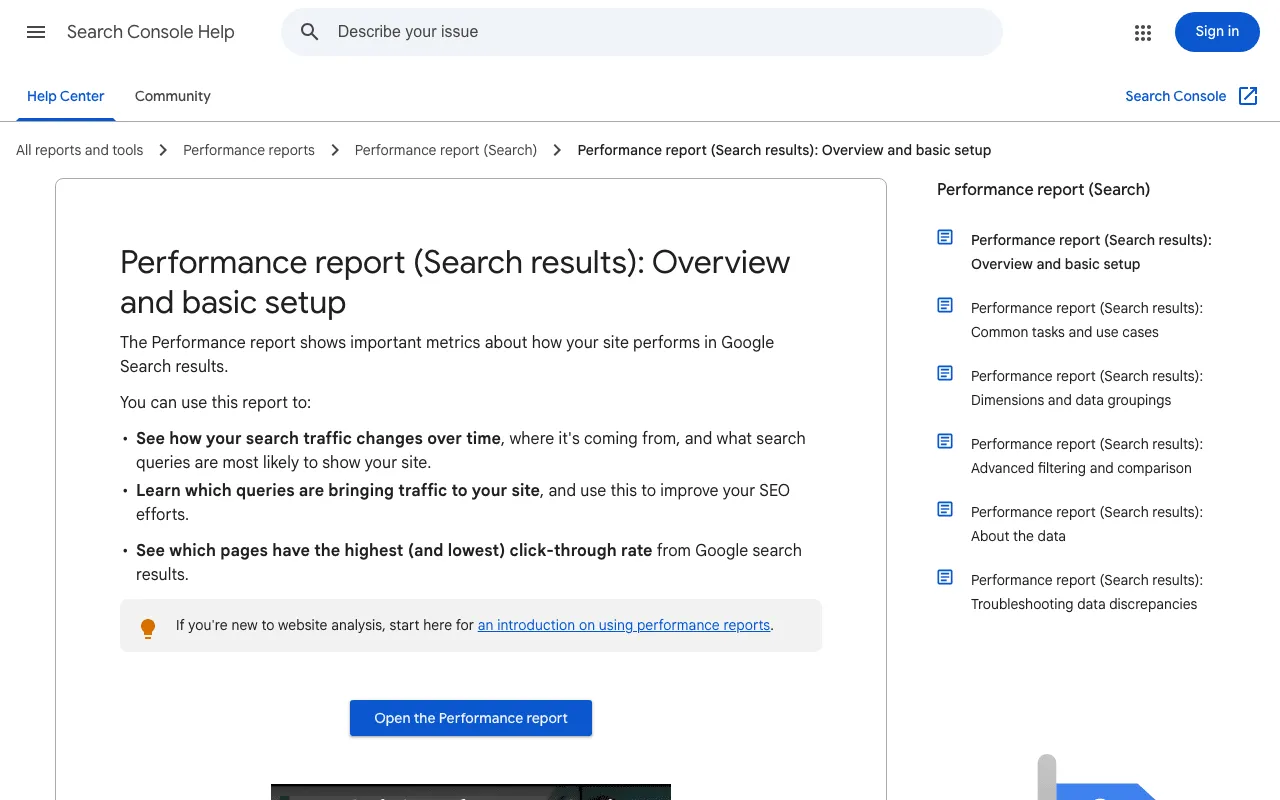
Google’s help page on the Search Console Performance report. Screenshot of support.google.com/webmasters/answer/7576553, taken 30 October 2026.
Step 1: open the search results report
In Search Console, open Performance, then Search results. Tick the four boxes at the top: total clicks, total impressions, average CTR and average position. Stay on the Queries tab. By default the report covers the past three months, according to Google’s help page (read 30 October 2026).
Step 2: read clicks, impressions and average position
Google’s help page defines each number (read 30 October 2026):
- Clicks: how many times someone clicked through to your site from Google.
- Impressions: how many times a link to your site appeared in results.
- CTR: clicks divided by impressions.
- Average position: in Google’s words, “The average position of the topmost result from your site”.
Sort by impressions, highest first. To see which page shows up for a query, click the query, then the Pages tab. It works the other way too: click a page, then Queries.
Step 3: spot the searches just below the first page
The method we follow flags queries with an average position of 6 to 20 and at least 150 impressions over three months. That’s a working threshold, not a Google rule: these searches have demand, and your page is already close. A clearer title, a better answer near the top or one useful section can be enough to move it up.
Export the table to Google Sheets or a CSV file and add a “decision” column. That’s your to-do list for the month.
Website keyword analysis: keep, improve or create
Every query in your table ends up in one of three boxes.
| Keep | Improve | Create | |
|---|---|---|---|
| Situation | First page, getting clicks | End of page one or page two, getting impressions | Wrong page ranks, or no page at all |
| Action | Don't break it, keep facts current | Title, answer, sections, links | Write a dedicated page |
| When | Monthly check | This week | This month |
Keep the searches that already bring visits
If a page sits on the first page and gets clicks, leave its topic and title alone. Check that the facts are still right, and move on. Rewriting a page that works is the fastest way to lose a search that brings customers.
Improve the pages stuck just below the top results
This is where the easy wins are. Reread the page with the query in mind. Does the title contain it, or a close variation? Does the answer come in the first lines? Do your headings cover what the top three results cover? Do other pages on your site link to it with words that describe its topic? Does the page match what the searcher wants? Our guide to keyword intent helps you tell. Note the date of each update and give Google a few weeks before you judge.
Create pages for the searches you don’t cover yet
When a query shows an off-topic page of yours, or several close queries have no dedicated page, write one. One page per need: two pages chasing the same search get in each other’s way. Our guide on how to choose keywords for SEO helps you decide if the search is worth it.
Local searches for a shop or a service area
If you serve one city or area, filter the report by country and look for queries with a place name or “near me”. Those searches come from people ready to visit or call. If none show up, your pages may not say clearly where you work.
Search volume checker: is the search worth the work?
Search Console shows impressions, not how many people search in total. For that you need a search volume checker, and every tool gives its own number. Our guide to search volume shows real gaps between tools and how to read them.
Comparing with a competitor’s site
Your own data only shows what you already touch. The sites ranking above you show what you could reach. Our guide to competitor keyword research walks through finding the searches where they beat you.
Keyword rank checkers that go beyond your own data
Search Console only sees your site. A keyword rank checker estimates rankings for any site, adds volumes and can track positions over time.
Semrush and Ahrefs rank checkers
Semrush Free, with no card, gives 10 reports a day, and its pricing FAQ lists 1 site and 10 keywords in Position Tracking (29 October 2026). Ahrefs describes its free Keyword Rank Checker this way: “Reveal every keyword for which the target website or web page ranks in the top 100 across 155 countries” (read 30 October 2026). Ahrefs Free also opens Site Explorer for sites you verify.
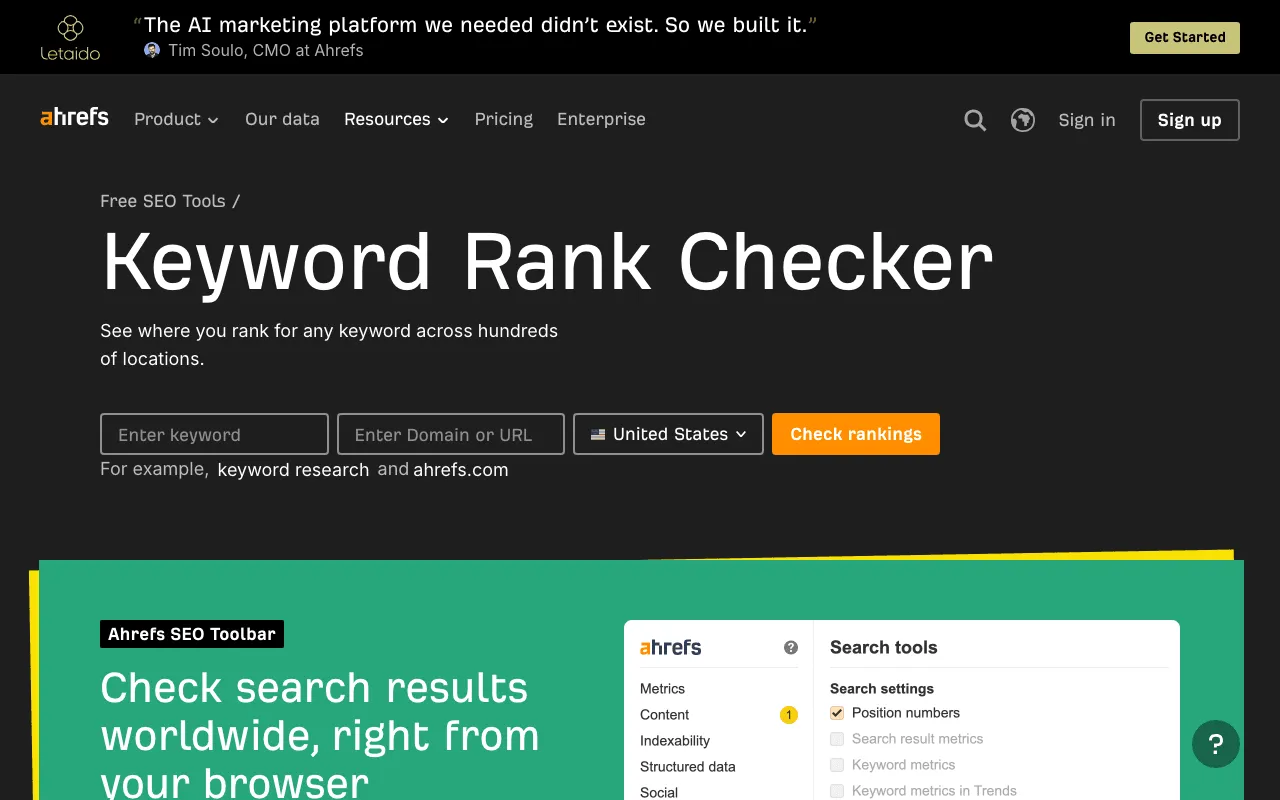
Ahrefs’ free Keyword Rank Checker. Screenshot of ahrefs.com/keyword-rank-checker, taken 30 October 2026.
SE Ranking and SEO Review Tools
SE Ranking has no permanent free plan, but offers a 14-day trial with no card and daily free checks in its Google Rank Checker, according to its FAQ (fact sheet, 29 October 2026). Its Core plan costs €109 a month. SEO Review Tools offers free online tools with a free member account; its Rank checker takes up to 10 keywords per request (fact sheet, 30 October 2026).
Free checkers and their limits
Ubersuggest Free has no time limit: 3 searches or reports a day, 1 project and 25 tracked keywords, updated weekly (fact sheet, 29 October 2026). Seobility’s Ranking Checker tests one keyword for a site; its page lists 5 checks a day with the Basic account, “Free forever” (read 30 October 2026).
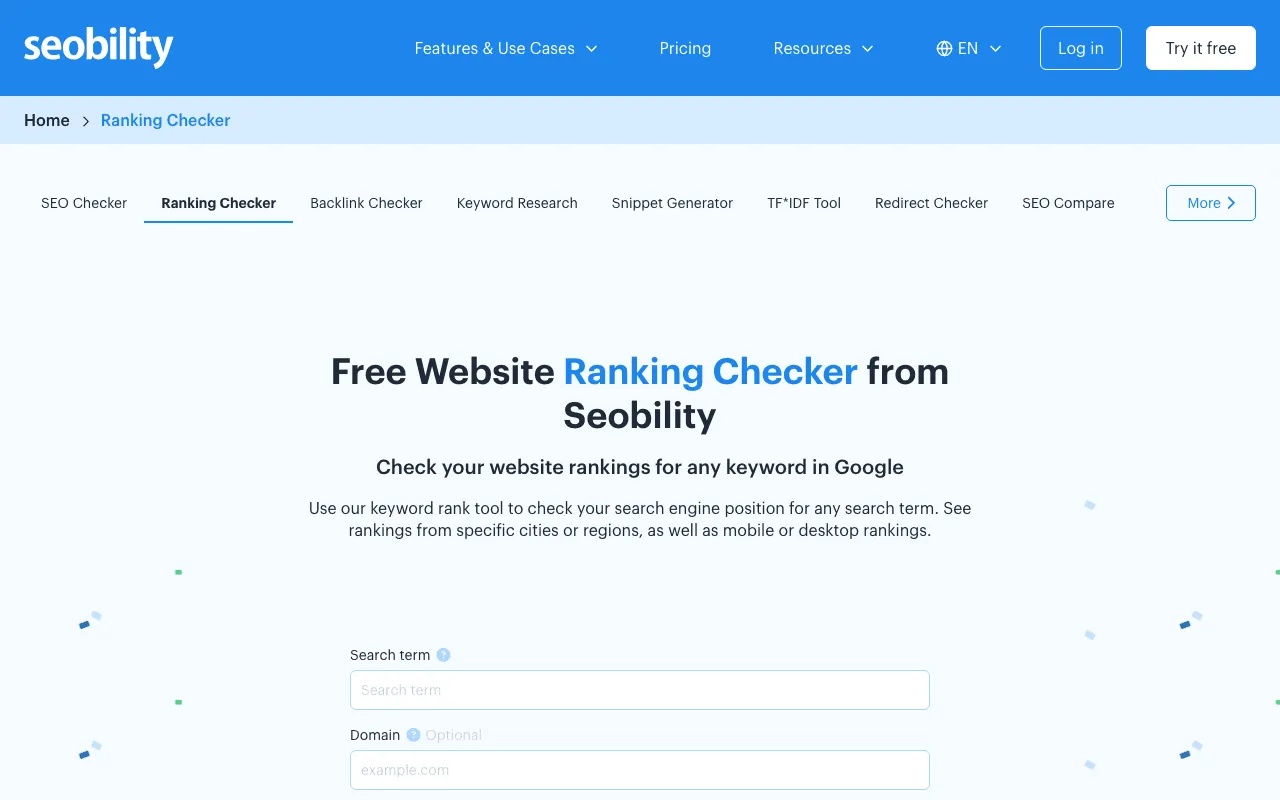
Seobility’s free Ranking Checker page. Screenshot of seobility.net/en/rankingcheck, taken 30 October 2026.
Free checkers are fine for a spot check. They get tight once you want a whole site, every week.
What a rank tracker lets you follow over time
A rank tracker checks the same keywords on a schedule and draws the curve. That’s useful once you’ve updated pages and want to see whether they climb. Until then, dated exports from Search Console do the same job for free.
Demo: a real site’s keywords pulled by SemChat
SemChat is an SEO assistant you talk to. On 29 October 2026, Jérémy ran it on his French site, plugkit-avis.com, with the Free plan. The interface was in French and the rankings are French rankings for a French site.
One sentence, and the list of rankings
One sentence: audit the site and give a prioritised action plan. SemChat picked its audit skill on its own and ran its tools on screen, rankings included. About three minutes later it showed its key figures: 61 ranking keywords, about ten of them in positions 1 to 3, and an estimated 28 visits a month.
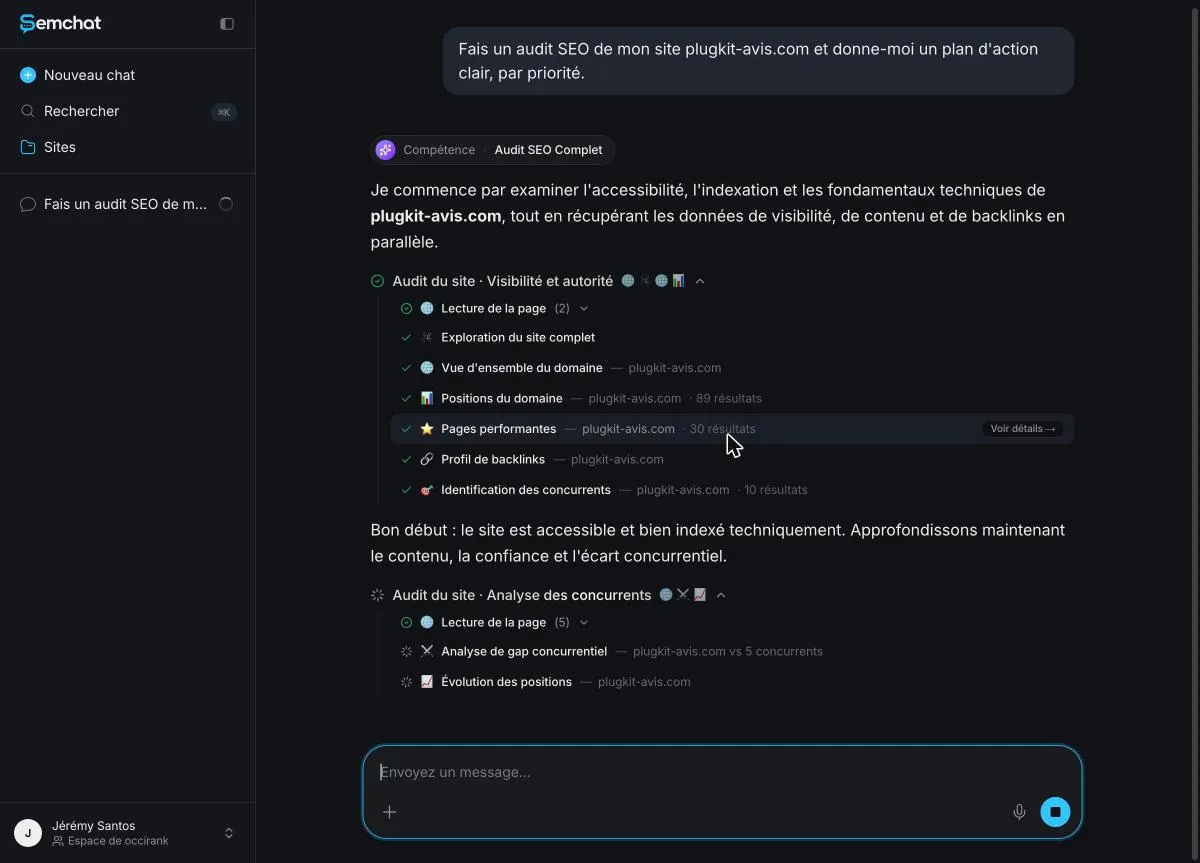
The tools SemChat ran on its own during the audit, rankings included. Screenshot of the SemChat app (Jérémy’s account, interface in French), 29 October 2026.
The ranking details and the CSV export
Each step has a “see details” button. The rankings one opens the raw table: 89 rows, country FR, language fr, filterable and exportable as CSV.
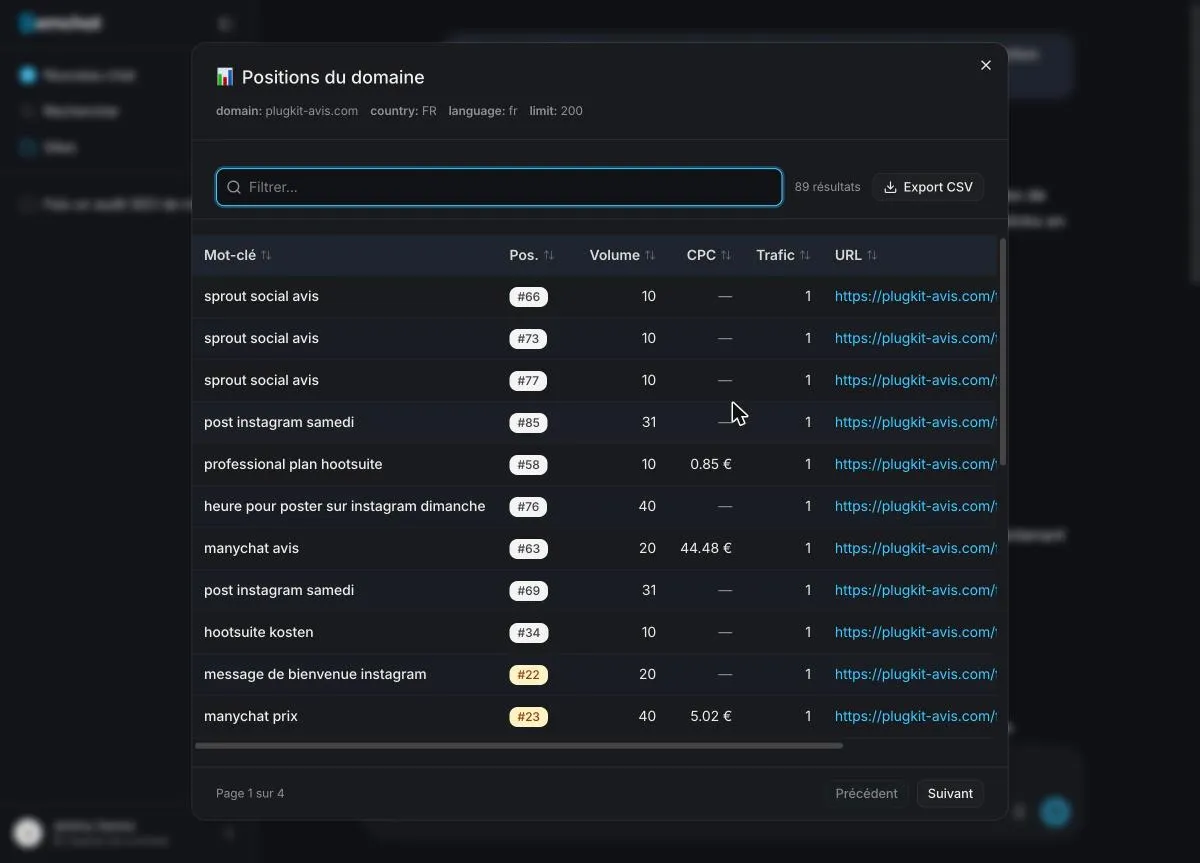
The ranking details of plugkit-avis.com, filterable and exportable as CSV. Screenshot of the SemChat app (Jérémy’s account, interface in French), 29 October 2026.
That’s a snapshot of the day, not tracking: scheduled rank tracking isn’t established in the product or its documentation, so don’t count on it for that.
The opportunity it spotted, and what to check
Among its tools, SemChat ran a keyword search on “manychat”, a French keyword for a French site. It placed the site’s page at position 27 and gave a volume of 9,000 searches a month. That volume comes from SemChat alone and wasn’t cross-checked. In another test, its volumes were far from DataForSEO Google Ads: “hootsuite gratuit” at 655 against 140 (France, 29 October 2026). Check any number with a second source before you build a page on it.
The site’s Keywords tab marks some searches as opportunities, each with its intent and the page that answers it. The volume and difficulty columns were empty during our test.
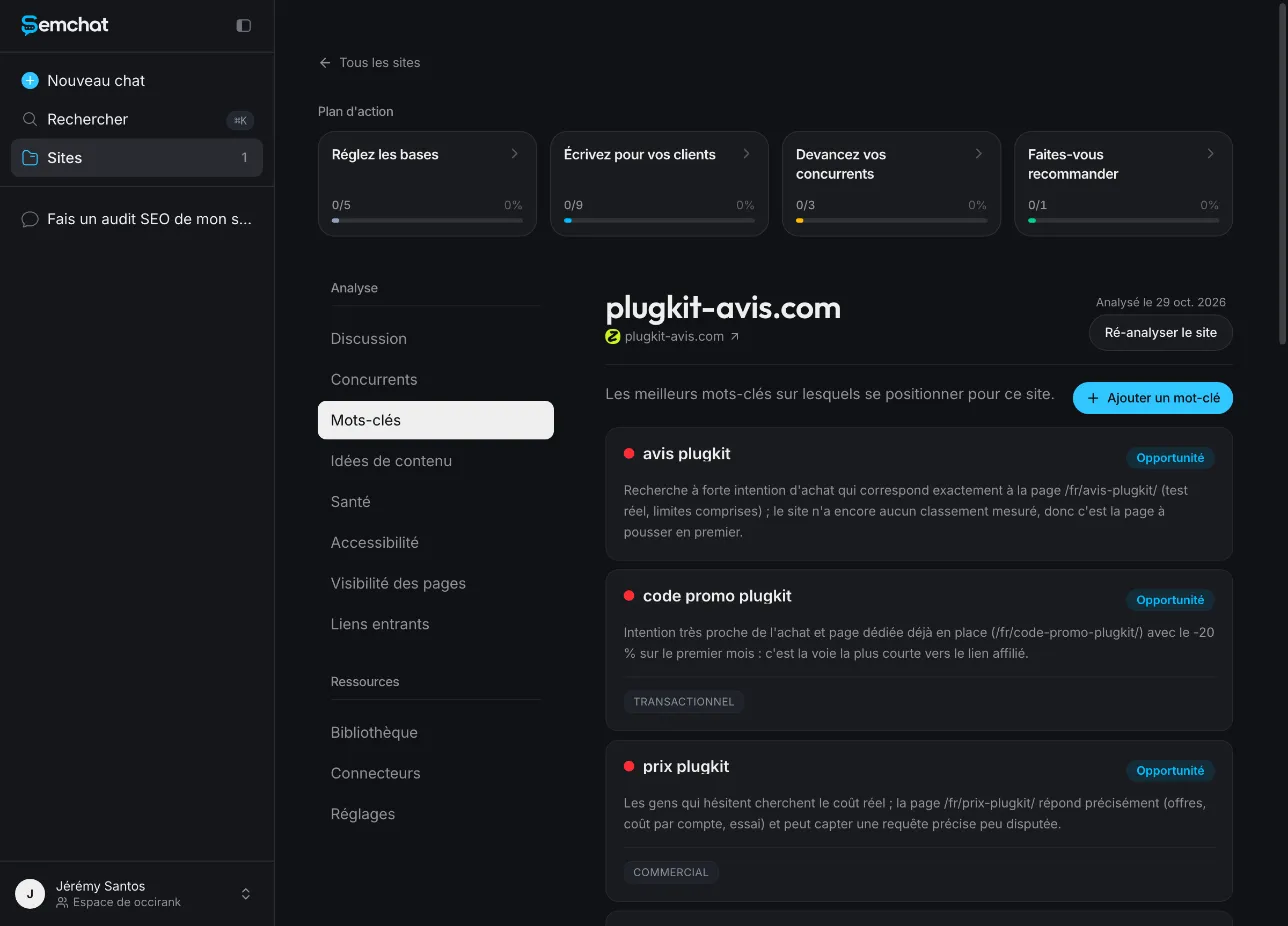
The keywords SemChat marked as opportunities for plugkit-avis.com. Screenshot of the SemChat app (Jérémy’s account, interface in French), 29 October 2026.
One cost to know: that audit used the whole monthly quota of the Free plan. Our SemChat review covers the rest of the test.
To check website keywords, start with Search Console, which is free and uses Google’s own data. Sort by impressions, flag queries in positions 6 to 20, and decide for each one: keep, improve or create. Bring in a rank checker when you need to see beyond your own site, and repeat the check every month.
Frequently asked questions
How do you check what keywords a website ranks for?
For your own site, open Google Search Console, go to the Performance report and read the Queries tab: every search that showed your site, with clicks, impressions and average position. For a site you don't own, you need a rank checker such as Semrush, Ahrefs or SE Ranking, which estimate rankings from their own data.
How do you check the keywords on a website?
Look at what each page is about: its title, its main heading and its first paragraph usually name the keyword it targets. Then compare that with the searches Search Console shows for the page. If they don't match, the page is ranking for something other than what you meant.
Can you check website keywords for free?
Yes. Search Console is free for your own site. Ahrefs Free covers sites you verify, Semrush Free tracks 10 keywords for 1 site, Ubersuggest Free tracks 25 keywords, and Seobility's Ranking Checker allows 5 checks a day with a free Basic account (pages and fact sheets read 29 October and 30, 2026).
How often should you check your website's keywords?
A quick look every month is enough for a small site, plus a full review after you publish or update a batch of pages. Always compare periods of the same length, for example the last three months against the three before.
Let your AI do the chores of getting found online.
10% off your subscription, for life with my link, if you subscribe within 2 weeks of signing up. No code. All about the SemChat promo code
Affiliate link: it costs you nothing extra.
Verified sources
- Search Console Help: Performance report (October 30, 2026)
- Ahrefs: Keyword Rank Checker (October 30, 2026)
- Seobility: Ranking Checker (October 30, 2026)
- Semrush pricing (October 29, 2026)
- SE Ranking pricing (October 29, 2026)
- Ubersuggest pricing (October 29, 2026)
- SEO Review Tools (October 30, 2026)
- SemChat pricing (October 29, 2026)