How to improve SEO: diagnose first, then fix by priority
How to improve SEO on a site that's already live: don't rebuild it. Run a diagnosis, fix what stops Google from reading your pages first, then improve your pages one by one, link them together, earn links, and measure. Here's the order, with a real audit and its priority action plan.
 By Jérémy Santos Updated on 30 October 2026 Tested on his own SemChat account: first audit on 29 October 2026.
 This page is part of the guide: SEO for small business
- 1 Diagnose Know what's wrong before touching anything.
- 2 Fix what blocks First, what stops Google from reading your pages.
- 3 Improve pages Then your pages, one by one.
- 4 Measure Compare after a few weeks.
Your site has been live for months, and Google sends almost nobody. You don’t need to start over. To improve SEO, you mostly need to know what to fix, and in what order. This page is part of our guide to SEO for small business.
The SemChat links on this page are affiliate links: if you subscribe through them, I earn a commission, at no extra cost to you and with no effect on what I write.
How to improve SEO: start with a diagnosis
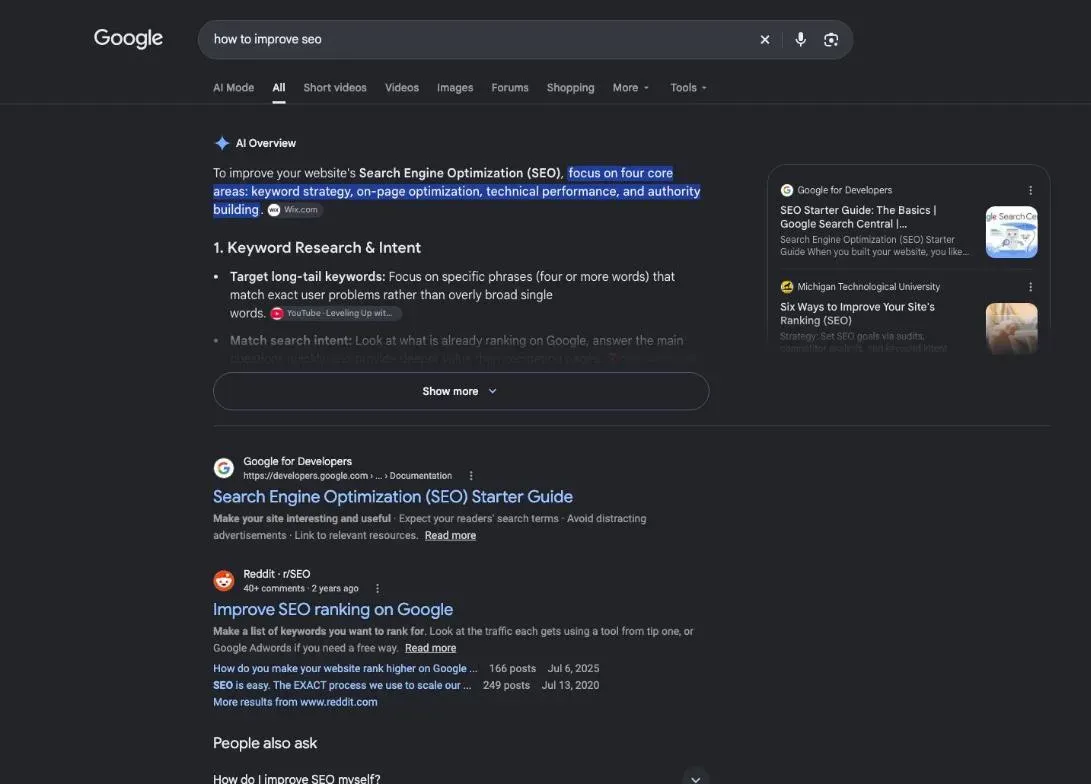
Fixing at random wastes weeks. A diagnosis shows the real blockers: pages Google doesn’t see, duplicate titles, a key page that’s missing. To run it yourself, follow our SEO audit checklist step by step: technical, content, links and search data.
How to do SEO for your website without rebuilding it
Keep what works. Pages that already get visits from Google are your best assets: improve them, don’t delete them. Change one thing at a time and measure. Google says some changes take effect in a few hours and others in several months, and suggests waiting a few weeks before judging (SEO Starter Guide, read 30 October 2026).
What Search Console and Analytics show you
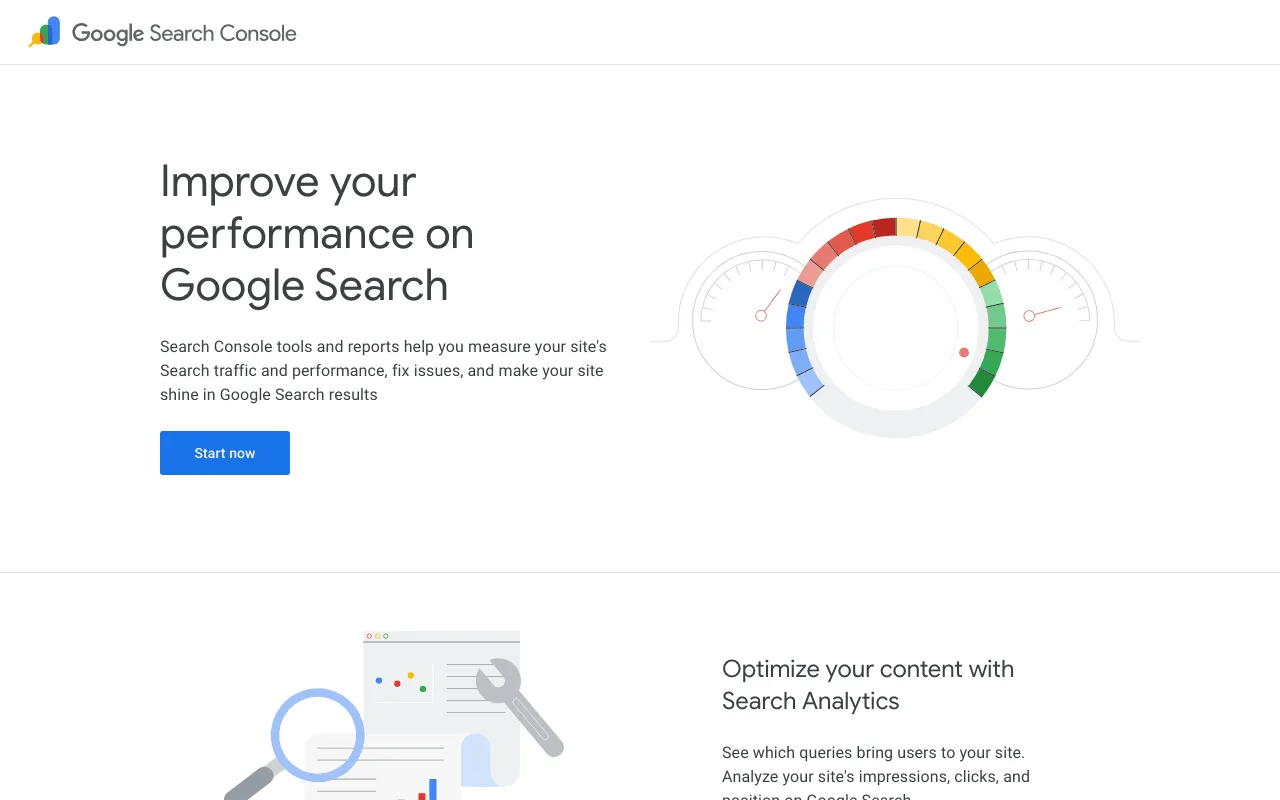
Google’s Search Console overview page. Screenshot of search.google.com/search-console/about, taken 30 October 2026.
Search Console, free, is Google’s own data on your site. Three reports are enough to start:
- Performance: the searches that show your site, with clicks, impressions, click rate and average position.
- Pages: which pages are indexed, and why others were left out.
- URL Inspection: the status of one page, and a button to request indexing.
Google Analytics, also free, adds what visitors do once on your site: which pages they read, and whether they contact you.
A real example: an audit’s action plan, by priority
On 29 October 2026, I tested SemChat, an SEO assistant you talk to in plain language, on my site plugkit-avis.com. The audit ran in French, on a French site that also has English versions. One sentence: a full SEO audit and a clear action plan, by priority. It picked its full-audit method on its own, and about 3 minutes later I had 8 key indicators, a 5-point diagnosis and three actions for the week.
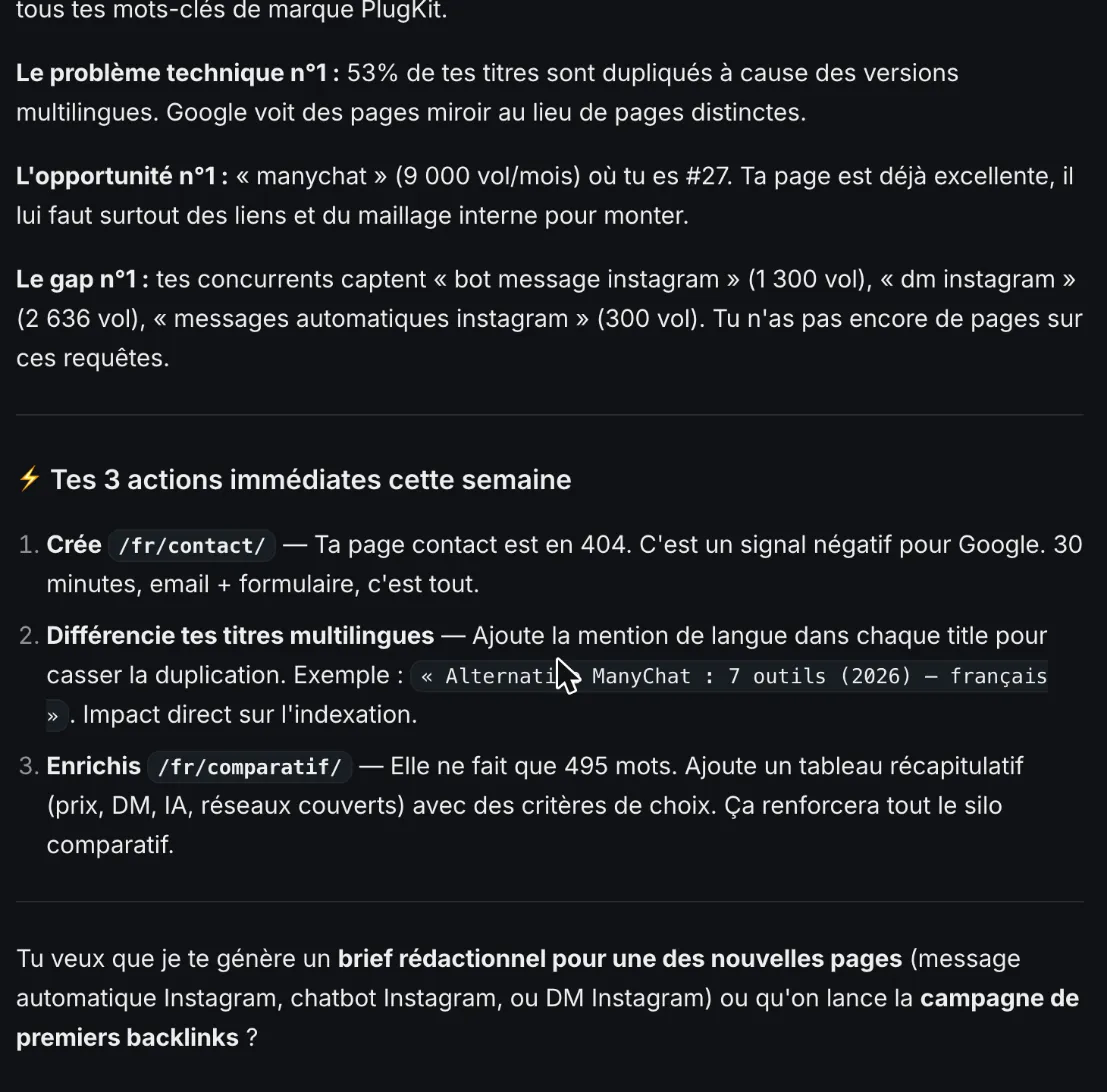
The action plan by priority from a real audit, 29 October 2026 (French interface). Screenshot of the SemChat app, Jérémy’s account, Free plan.
The three actions:
- Create the contact page, which returned a 404 error. Checked: true, the site had no contact page.
- Make titles distinct across language versions. Checked: true, the US English and UK English versions of a page shared the same title. The nuance: they’re declared language variants of one page, not copies.
- Expand the comparisons page, then at 495 words, with a summary table.
That’s what a good action plan looks like: three precise things you can do this week. The catch: that single audit used up the Free plan’s whole monthly quota. The full story is in my SemChat review.
Fix what blocks Google first
As long as Google can’t read a page, nothing else matters. This is the first job.

The five-point diagnosis of the real audit, 29 October 2026 (French interface). Screenshot of the SemChat app, Jérémy’s account, Free plan.
Pages in error. A 404 page doesn’t exist, or no longer does. If other pages link to it, visitors and Google hit a wall. For each one: recreate it, redirect its address to the page that replaces it, or remove the links to it.
Submit your sitemap
A sitemap lists your important pages. Google says it isn’t required, but it helps on a large site or one that changes often. Most website builders generate it: paste its address into Search Console, under “Sitemaps”.
Switch your site to HTTPS
The padlock in the address bar. Google’s advice is short: “Secure your website’s connection with HTTPS” (How to get your website on Google, read 30 October 2026). If your address still starts with “http://”, ask your host to turn on a certificate; most offer one.
Duplicate content: don’t panic
Two addresses that show the same page, or nearly. It happens with filters, print versions or language variants. Google’s documentation on duplicate URLs says your site should do fine even if you don’t tell Google which version you prefer: it picks one itself (Consolidate duplicate URLs, read 30 October 2026). If you want to choose, a redirect or a canonical tag is a strong signal; listing the page in your sitemap is a weaker one.
Rich results for a store or a blog
Stars, prices or recipe times under a result come from structured data, a standard format that describes your page to Google. There’s no guarantee: Google says that filling in more recommended properties makes it more likely your page shows with an enhanced look (Introduction to structured data, read 30 October 2026). Many store builders add it for you; check before touching code.
Make your pages load faster
Google’s PageSpeed Insights page. Screenshot of pagespeed.web.dev, taken 30 October 2026.
Test your main pages with PageSpeed Insights, a Google tool. Google writes that “Core Web Vitals are used by our ranking systems”, but that good scores don’t guarantee a top spot (Understanding page experience, read 30 October 2026). Fix the obvious slowdowns, then go back to content.
Compress and name your images
Photos straight from a phone are often the heaviest thing on a page. Resize them to the width they’re shown at, compress them, and give them a file name and a description that say what they show: “blue-kitchen-cabinets.jpg”, not “IMG_2045.jpg”.
Make your site easy to use on a phone
Google notes that “Most searches are now done from mobile devices”, and suggests testing with Lighthouse (How to get your website on Google, read 30 October 2026). Open your site on your phone: can you read without zooming, tap the buttons without missing, call you in one touch?
Improve the content of each page
Once Google reads your site, content makes the difference. It’s the longest job, and the one that pays most.
Improve website ranking with clearer titles and descriptions
The title is the blue line Google shows. Google’s advice: “Write descriptive and concise text for your <title> elements” (Influencing your title links, read 30 October 2026). Put the search at the start, then a reason to click.
The meta description is the line below. Its job is to earn the click. In Search Console, look for pages with many impressions and few clicks: their title or description doesn’t convince. Those are your most profitable fixes.
Target longer, more precise searches
“Kitchen remodel” is a national fight. “Small kitchen remodel cost in Tulsa” is a search a local contractor can win. Fewer people type it, but they’re closer to calling you. One precise search per page.
Refresh pages that are getting old
Last year’s prices, a team photo that’s out of date, a service you no longer offer: these drive customers away. Reread your main pages once a quarter. Google asks for content that is helpful and reliable; a wrong page is neither.
Link your pages to each other

Linking your pages so readers and Google find the next one. Illustration by Zéro Corvée.
Google finds pages mostly through links. A page no link points to is an orphan: Google finds it poorly, visitors never.
- Link your home page to each service.
- Link each service to related services.
- Link each article to the service it talks about.
- Use link words that describe the target page: “kitchen remodeling”, never “click here”.
Earn links and mentions from other sites
Links from other sites show you exist outside your own site. Good sources for a small business: your trade association, suppliers and partners, a blog in your field, local press. Never pay for them: “please don’t pay them to link to you; that could be considered a violation of Google’s spam policies” (How to get your website on Google, read 30 October 2026).
Social media: what it does for SEO, and what it doesn’t
Social media spreads the word and brings visits. Its direct effect on your Google ranking: missing data (planned source: Google Search Central documentation; the pages read on 30 October 2026 don’t cover it). So no promise here. A link to your site in your profiles at least gives Google one more path.
Improve your visibility in your area
For local searches, your Business Profile often shows before your site. Google says: “Local results are mainly based on relevance, distance, and popularity”, and “There’s no way to request or pay for a better local ranking on Google” (Business Profile help, read 30 October 2026). Complete every field, keep your hours right, add photos, answer reviews.
Look at what your competitors do
Type your main search and open the top three results. What do they have that you don’t? A price table, a FAQ, photos of past work, reviews? Don’t copy them: do better on what matters to your customers. A tool can do this survey for you; on 29 October 2026, SemChat’s audit of my site compared its rankings with five competitors.
Mistakes that undo your SEO work
- Changing everything at once. You won’t know what worked. Change one thing, wait a few weeks, compare.
- Deleting pages that get visits. Improve them instead; if you must remove one, redirect its address to the closest page.
- Chasing a tool’s score. A score of 100 in a tool is that tool’s measure, not Google’s. Look at indexed pages, impressions and clicks.
- Buying links. Google warns it could be considered a violation of its spam policies.
Measure your progress
Note the same numbers on the same day each month: impressions, clicks, indexed pages in Search Console; calls and direction requests in your Business Profile. Compare month to month, not day to day.
How to improve SEO ranking on pages that almost rank
In Search Console’s Performance report, sort by position and look at pages between positions 5 and 30. They already rank; a better title, a clearer answer, a few internal links can lift them. That’s where effort pays fastest.
If you’re starting from zero, how to get my website on Google fits better. To do it without paying, see how to get my website on Google for free. To aim for the top spot, read how to get to the top of Google search. For the vocabulary, SEO meaning and search engine optimisation. And if you’d rather hire help, prices are on the SEO cost page.
How to improve SEO is a cycle: diagnose, fix what blocks Google, improve one page, measure, repeat. Start this week with the diagnosis.
Frequently asked questions
How do you improve SEO on WordPress?
The same order applies: connect Search Console, submit the sitemap your site generates, fix pages in error, write a clear title and description for each page, compress your images and link your pages together. An SEO plugin can help you fill in titles and descriptions; it doesn't write useful content for you.
What are the three Cs of SEO?
A common shorthand: content (pages that answer the search), code (a site Google can read and index) and credibility (links and reviews from others). It's a memory aid, not a Google term.
Is a good SEO score enough?
No. A tool's score is that tool's own measure, not Google's. It's useful to spot errors, but what counts is whether your pages get indexed, shown and clicked: check that in Search Console.
How long before I see results?
Google gives no fixed delay: some changes take effect in a few hours, others in several months, and it suggests waiting a few weeks before judging (SEO Starter Guide, read 30 October 2026).
Let your AI do the chores of getting found online.
10% off your subscription, for life with my link, if you subscribe within 2 weeks of signing up. No code. All about the SemChat promo code
Affiliate link: it costs you nothing extra.
Verified sources
- Google Search Central: SEO Starter Guide (October 30, 2026)
- Google Search Central: How to get your website on Google (October 30, 2026)
- Google Search Central: Influencing your title links (October 30, 2026)
- Google Search Central: Understanding page experience (October 30, 2026)
- Google Business Profile Help: tips to improve your local ranking (October 30, 2026)
- Google Search Console overview page (October 30, 2026)
- PageSpeed Insights (October 30, 2026)
- Google Search Central: Consolidate duplicate URLs (October 30, 2026)
- Google Search Central: Introduction to structured data markup (October 30, 2026)