Technical SEO tool: robots.txt, llms.txt and markup read by SemChat
A technical SEO tool checks whether Google's crawlers and AI assistants can get into your site and read your pages: the robots.txt file, the llms.txt file, text present without JavaScript, structured data. We tested SemChat's Technical Audit on October 29, 2026: it read the robots.txt and the llms.txt correctly, but put one crawler on the wrong line, gave a top fix that changes nothing and quoted a claim with no source.
 By Jérémy Santos Updated on October 30, 2026 Tested on his own SemChat account: first audit on October 29, 2026.
 This page is part of the guide: automated SEO audit

What a technical audit checks: access for Google’s crawlers and AI assistants. Illustration by Zéro Corvée.
Your site can be useful, well written and still invisible. One line in the wrong file is enough to shut out Google’s crawlers, or the ones behind ChatGPT and Perplexity. A technical SEO tool checks those doors for you.
I tested SemChat’s Technical Audit on October 29, 2026, on plugkit-avis.com, my other affiliate site, then checked every line with curl. Below: what technical SEO tools do, the request I typed, what SemChat got right, what it got wrong and how to catch it yourself. To compare SemChat’s other audits, start with our automated SEO audit page. The SemChat buttons on this page are affiliate links.
Technical SEO tools: the jobs they do for your site
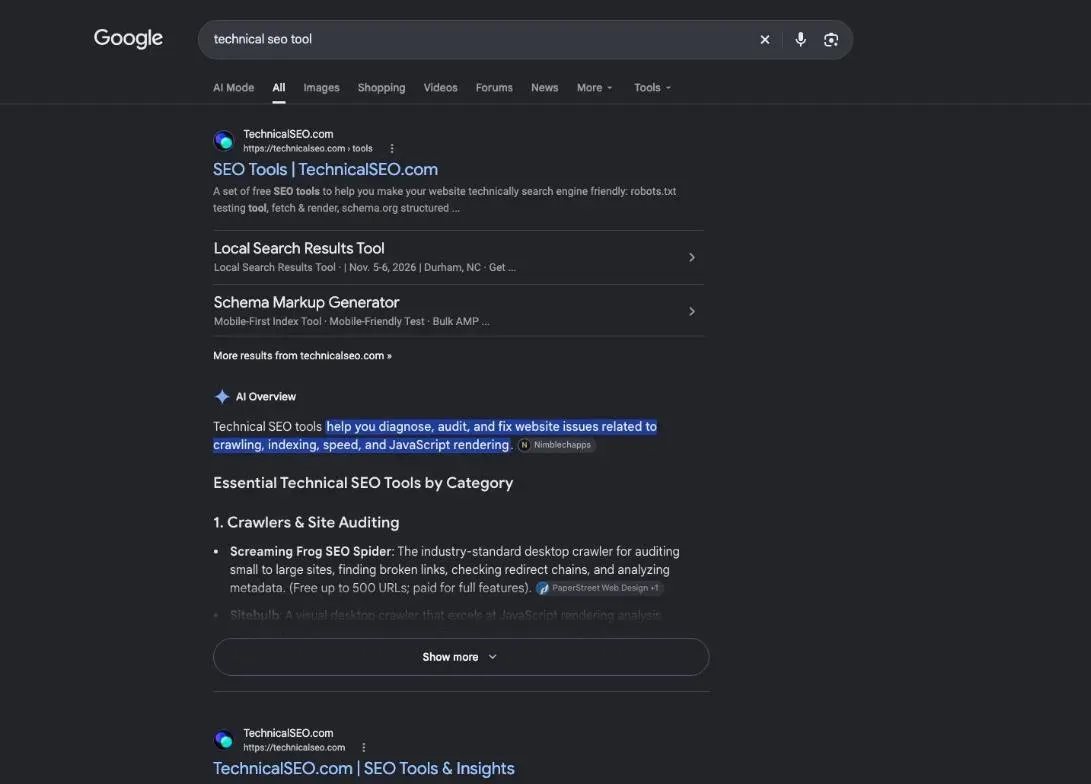
A technical audit doesn’t judge your writing. It checks the machinery: can crawlers get in, find your pages and read them? Words, titles and headings belong to a website SEO audit tools review or to a page-by-page audit.
Most technical SEO tools cover one or more of these jobs:
- Indexing: which pages Google has kept, and why others were left out.
- Crawler access: what the robots.txt file lets in or keeps out.
- Speed: how fast a page loads on a phone and a computer.
- Markup: the hidden labels (structured data) that describe an article or a FAQ.
- AI access: whether ChatGPT, Copilot or Perplexity can read your text.
Search Console, Google’s own starting point
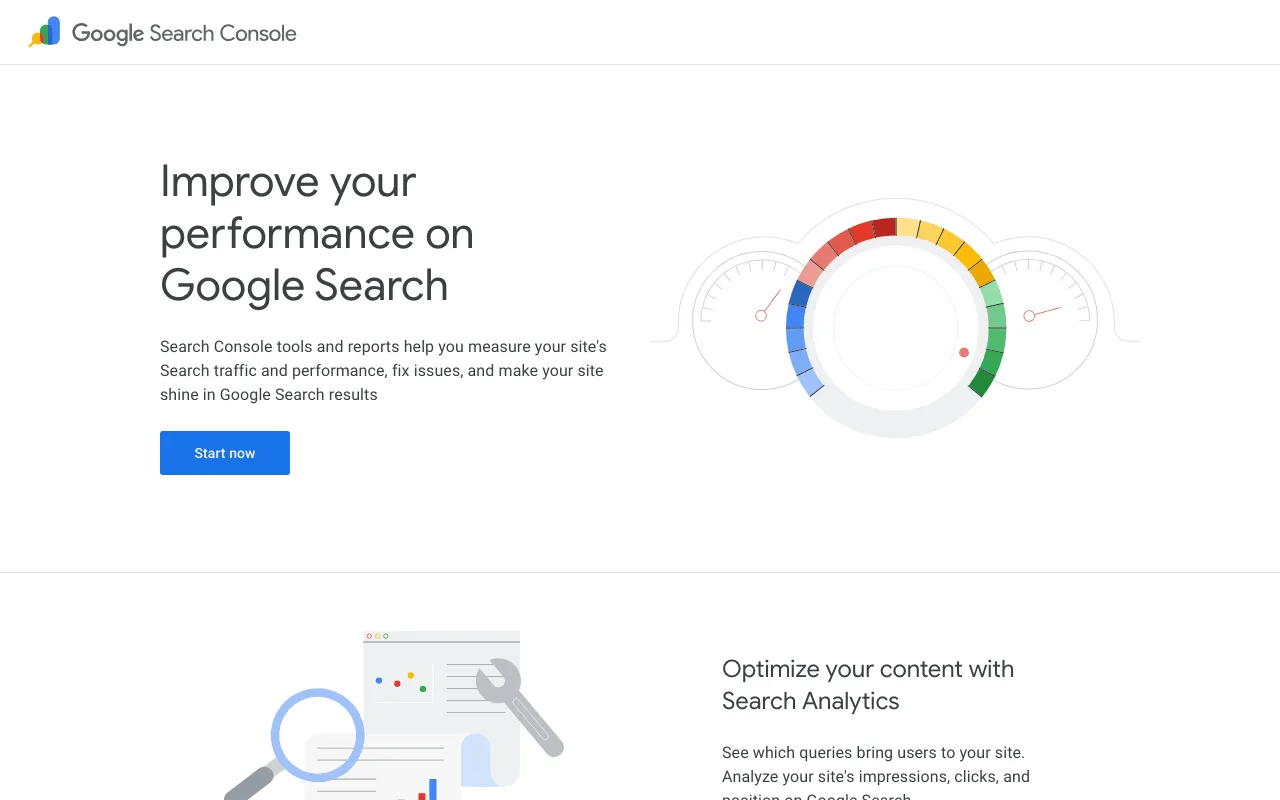
Google’s own tool comes first. In Google’s words: “Search Console tools and reports help you measure your site’s Search traffic and performance, fix issues, and make your site shine in Google Search results” (overview page, read on October 30, 2026).
For one page, use URL Inspection: “The URL Inspection tool provides information about Google’s indexed version of a specific page, and also allows you to test whether a URL might be indexable” (Search Console Help, read on October 30, 2026).
Speed and markup checkers
For speed, Google offers PageSpeed Insights: paste a page address, run the analysis. Google’s Lighthouse documentation explains how to run Lighthouse through PageSpeed Insights, and describes Lighthouse as “an open-source, automated tool to help you improve the quality of web pages”; “It has audits for performance, accessibility, SEO, and more” (Chrome for Developers, read on October 30, 2026).
For AI assistants: robots.txt, llms.txt and text readable without JavaScript
AI assistants add three checks of their own.
- 1 The robots.txt It says which crawlers, AI ones included, may come in.
- 2 The llms.txt A summary of the site offered to AI agents, still a proposal.
- 3 Text in the HTML Your text should be readable without running JavaScript.
First, the robots.txt file. Google: “A robots.txt file tells search engine crawlers which URLs the crawler can access on your site. This is used mainly to avoid overloading your site with requests; it is not a mechanism for keeping a web page out of Google” (Google Search Central, read on October 30, 2026). It can name AI crawlers one by one: GPTBot for ChatGPT, PerplexityBot for Perplexity, ClaudeBot for Claude. Keeping a page out of results is the job of noindex: “noindex is a rule set with either a <meta> tag or HTTP response header and is used to prevent indexing content by search engines that support the noindex rule, such as Google” (same source).
Second, the llms.txt file. Its home page calls it “A proposal to standardise on using an /llms.txt file to provide information to help agents use a website” (llmstxt.org, read on October 30, 2026). Google, for its part: “You don’t need to create new machine readable files, AI text files, or markup to appear in these features” (AI features page, read on October 30, 2026). Useful for other assistants, then, not required by Google.
Third, your text must sit in the HTML. Google still recommends server-side or pre-rendering, “and not all bots can run JavaScript” (JavaScript SEO basics, read on October 30, 2026).
Step 1: ask SemChat for a technical audit
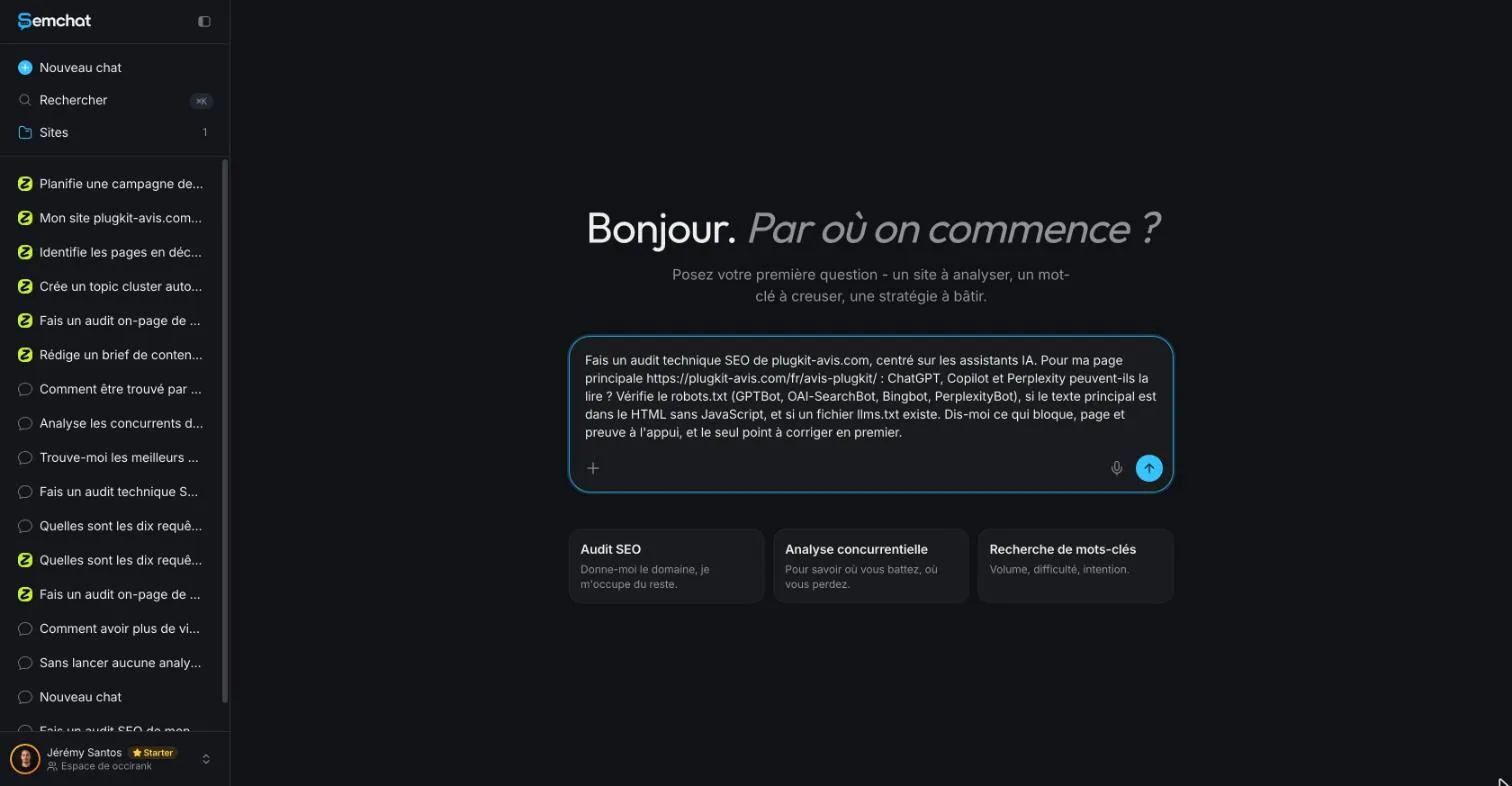
In SemChat, open a new chat, then the skills menu, and pick “Audit Technique” (the interface was in French). SemChat suggests a template sentence; I replaced it with a precise request, typed on the Starter plan.
Our request, typed in French: what it asked for
« Fais un audit technique SEO de plugkit-avis.com, centré sur les assistants IA. Pour ma page principale https://plugkit-avis.com/fr/avis-plugkit/ : ChatGPT, Copilot et Perplexity peuvent-ils la lire ? Vérifie le robots.txt (GPTBot, OAI-SearchBot, Bingbot, PerplexityBot), si le texte principal est dans le HTML sans JavaScript, et si un fichier llms.txt existe. Dis-moi ce qui bloque, page et preuve à l’appui, et le seul point à corriger en premier. »
In English: “Run a technical SEO audit of plugkit-avis.com, focused on AI assistants. For my main page: can ChatGPT, Copilot and Perplexity read it? Check the robots.txt (GPTBot, OAI-SearchBot, Bingbot, PerplexityBot), whether the main text is in the HTML without JavaScript, and whether an llms.txt file exists. Tell me what blocks, with the page and the proof, and the one thing to fix first.”
The test ran in French, on a French site. How SemChat handles the same request in English: missing data (source: an English-language test, T36).
Focus the audit on AI assistants, or on indexing
The subject of your sentence decides what happens next. In another lesson of the course (L06), the same skill got a request “focused on indexing”, asking for the pages Google had not indexed. SemChat switched to its Indexing skill on its own and read the Search Console.
So name what you want checked: AI crawlers, indexing, one specific page. The sharper the request, the easier the answer is to verify.
Step 2: read what it checked correctly on a real site
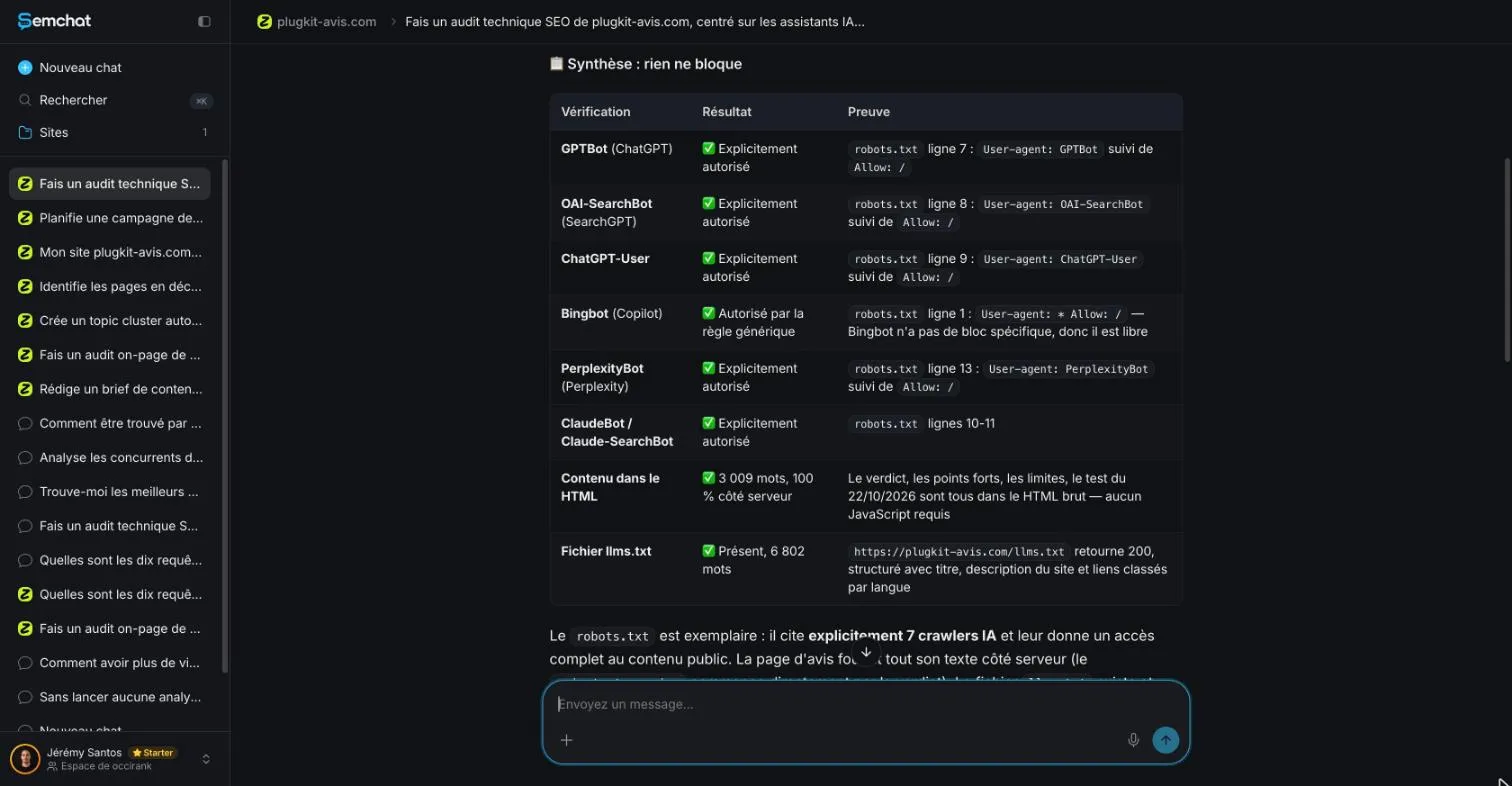
SemChat read the site, then returned a summary table headed, in French, “Synthèse : rien ne bloque” (summary: nothing is blocking). Three points held up when I checked them with curl on October 29, 2026.
The robots.txt and the AI crawlers, read line by line
Each crawler came with a line of the file as proof. GPTBot line 7, OAI-SearchBot line 8, ChatGPT-User line 9, ClaudeBot and Claude-SearchBot lines 10 and 11: correct. Bingbot, Microsoft’s crawler, allowed by the general rule on line 1: correct. The “7 AI crawlers” named, lines 7 to 13: correct too.
The llms.txt file, found and measured
“Present, 6,802 words”: true, the file answered 200 and held 6,802 words. Better, SemChat admitted its preview of the file stopped before the French part, and turned that into an honest action: check that the llms.txt mentions the French review page. It does, on line 157 (curl, October 29, 2026, confirmed on October 30, 2026).
Article and FAQPage markup, with nothing blocking extraction
The page carries Article and FAQPage markup: true. No max-snippet setting limits extracts: true, the value is max-snippet:-1, meaning no limit. One claim stays unchecked: “3,009 words, 100% server-side” for the review page.
Step 3: catch what it got wrong
Three mistakes. None blocked the site, but each could have cost you time.
A crawler placed on the wrong line
SemChat puts PerplexityBot on “line 13”. Wrong: it sits on line 12, and line 13 is Google-Extended. The verdict, “allowed”, is still right. But proof on the wrong line sends you to edit the wrong place.
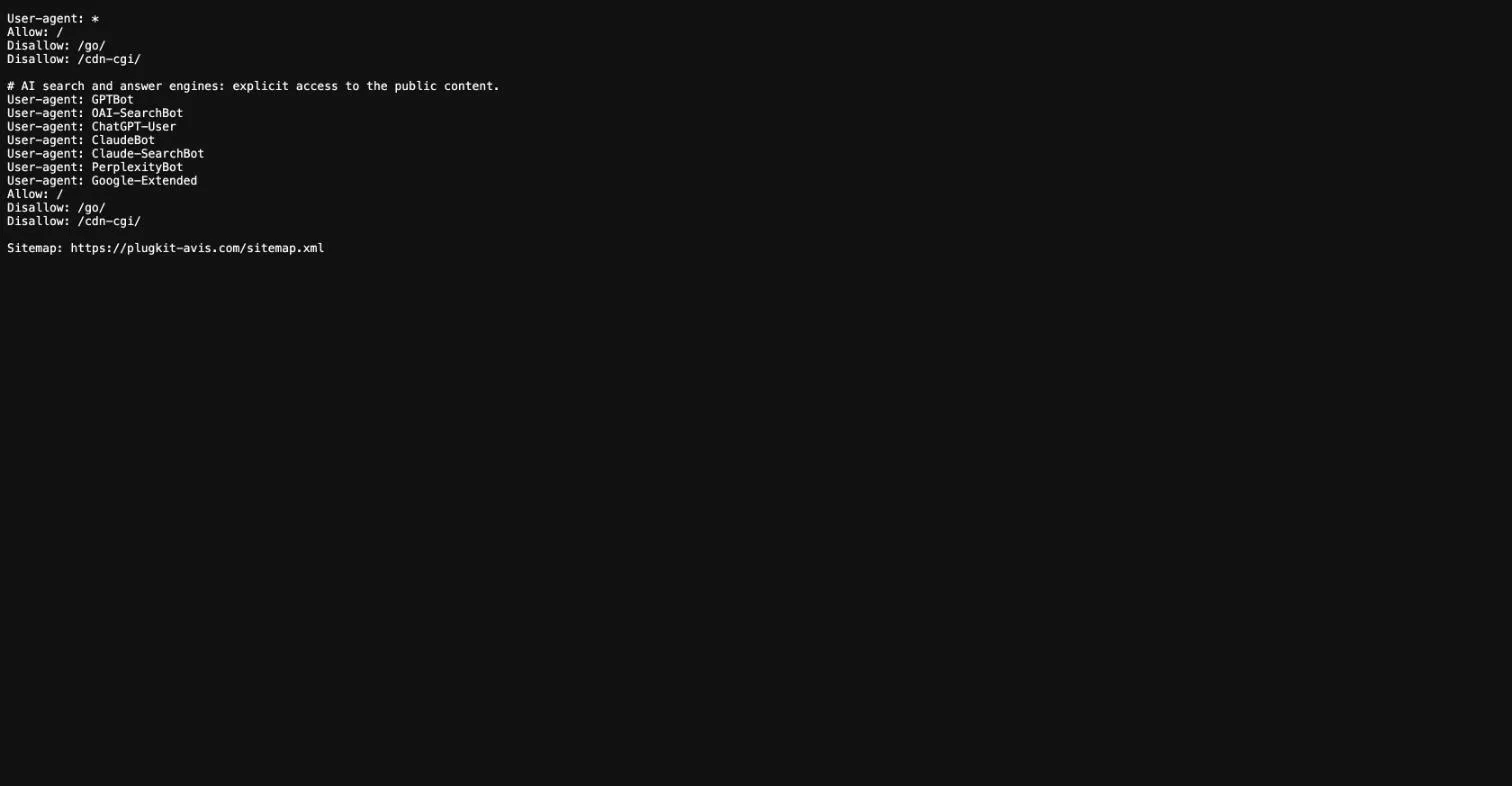
The habit to build: open your-site/robots.txt in a browser and count the lines yourself. It takes a minute.
A top fix that changes nothing
SemChat’s one thing to fix first: add Bingbot to the AI block, because Copilot relies on it. That changes nothing about access. The proof is in the file: the general block (lines 1 to 4) and the AI block (lines 7 to 16) carry exactly the same rules, Allow: /, Disallow: /go/, Disallow: /cdn-cgi/. Wherever Bingbot is listed, it reaches the same places. SemChat said so itself in its table: Bingbot has no specific block, “donc il est libre” (so it is free to crawl).
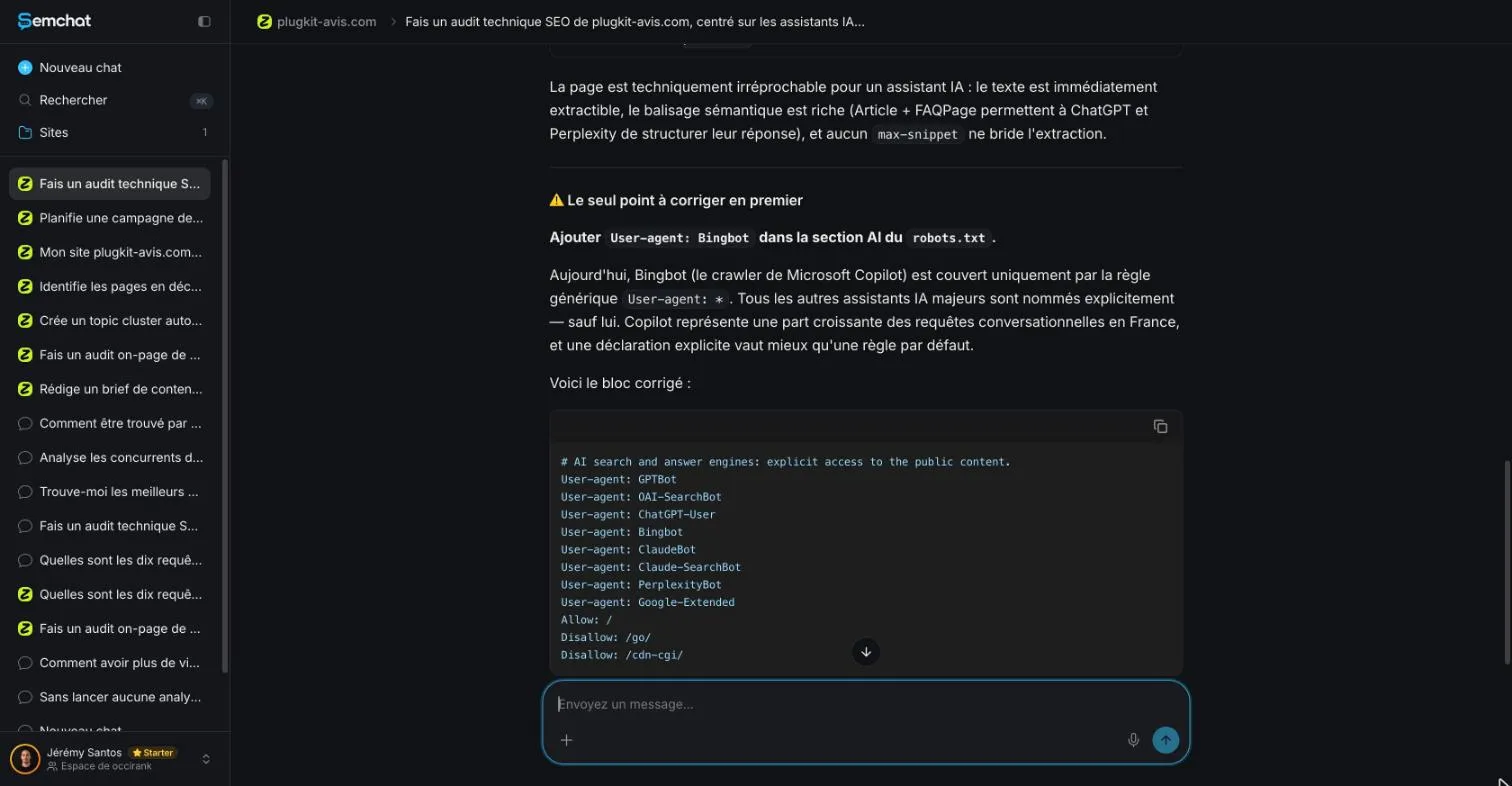
When I fetched the file again on October 30, 2026, nothing had changed: Bingbot is still not named, and still allowed.
A claim about Copilot with no source
To back that advice, SemChat writes that Copilot accounts for a growing share of conversational searches in France. No source given. Treat it as an example of a claim to check, not as a fact: ask where it comes from, or leave it aside.
Quota used by this test: missing data (L16 quota, planned source: a new test on the Starter plan; not tested on October 30, 2026).
Technical SEO software or a checklist: the other checks to run
Whatever technical SEO software you pick, run these five checks by hand once:
- Open your-site/robots.txt and read it line by line: no
Disallow: /should close the whole site. - Run your key pages through URL Inspection in Search Console.
- View the source of a page and search for a sentence of your text: if it’s there, crawlers read it without JavaScript.
- Open your-site/llms.txt, if you have one, and check it lists your key pages.
- Run your most visited pages through PageSpeed Insights.
The full manual method is on our technical seo checklist page. To turn your findings into a list of tasks, use our SEO report template, built from a real audit export.
Technical SEO vs on-page SEO: where each one stops
Technical SEO stops where the content starts. Internal links, titles and headings belong to an on-page audit tool. Two other audits complete this one: an EEAT checker tool for trust signals, and accessibility testing software for contrast and screen readers.
Free or paid: which technical SEO tools you actually need
You can cover the basics without paying:
| Tool | What it does | Price point we can source |
|---|---|---|
| Search Console | Indexing, URL Inspection, site reports | Not stated on its overview page |
| PageSpeed Insights | Page speed, through Lighthouse | Lighthouse is “open-source” |
| Screaming Frog SEO Spider | Crawls a site | “Download & crawl 500 URLs for free” |
| SemChat | Reads robots.txt, llms.txt and markup from one sentence | Free plan €0; Starter “€20 /mo” |
Sources: the pages listed at the bottom of this article, read on October 30, 2026. We have not tested Screaming Frog.
My verdict: SemChat is a handy technical SEO tool for checking, in one sentence, that Google and AI assistants can read a page, with a line of proof for each crawler. But reread every line it quotes, and judge each “one thing to fix first” before you touch your files. The full test is in our SemChat review, and the plans on our SemChat pricing page.
Frequently asked questions
What exactly is technical SEO?
Technical SEO is the part of SEO that checks the machinery rather than the words: can crawlers get in (the robots.txt file), which pages are kept out of results (the noindex rule), do pages load and answer, and can your text be read without running JavaScript. On-page SEO, by contrast, works on the content of each page.
Which technical SEO tool should a beginner start with?
Start with Google Search Console: its URL Inspection tool "provides information about Google's indexed version of a specific page" (Search Console Help, read on October 30, 2026). Add PageSpeed Insights for speed. An assistant like SemChat can read your robots.txt and llms.txt from one sentence, but check the lines it quotes.
Is technical SEO paid or free?
You can start without paying. Screaming Frog's SEO Spider offers "Download & crawl 500 URLs for free", Lighthouse is open-source, and SemChat has a Free plan at €0 with "Every feature, in every plan" (pages read on October 30, 2026). Paid plans add usage, not a different kind of check.
Does Google need an llms.txt file?
No. Google writes: "You don't need to create new machine readable files, AI text files, or markup to appear in these features" (Google Search Central, AI features page, read on October 30, 2026). llms.txt is a proposal aimed at other AI agents.
Let your AI do the chores of getting found online.
10% off your subscription, for life with my link, if you subscribe within 2 weeks of signing up. No code. All about the SemChat promo code
Affiliate link: it costs you nothing extra.
Verified sources
- Google Search Console: overview page (30/10/2026)
- Search Console Help: URL Inspection tool (30/10/2026)
- Chrome for Developers: Lighthouse overview (30/10/2026)
- PageSpeed Insights (30/10/2026)
- Google Search Central: introduction to robots.txt (30/10/2026)
- Google Search Central: block indexing with noindex (30/10/2026)
- Google Search Central: JavaScript SEO basics (30/10/2026)
- Google Search Central: AI features and your website (30/10/2026)
- llmstxt.org: the /llms.txt proposal (30/10/2026)
- Screaming Frog SEO Spider (30/10/2026)
- SemChat pricing (Free plan, every feature in every plan) (30/10/2026)
- plugkit-avis.com: robots.txt file (fetched with curl) (30/10/2026)
- plugkit-avis.com: llms.txt file (fetched with curl) (30/10/2026)