Accessibility testing software: test your site, know the limits
Accessibility testing software reads your pages and flags what blocks people with disabilities: text with too little contrast, images with no alt text. It saves you time, but it can't judge everything, and some checks still need a human. Here's how to test your site for free, how to read a score, and what SemChat shows today.
 By Jérémy Santos Updated on October 30, 2026 Tested on his own SemChat account: first audit on October 29, 2026.
 This page is part of the guide: automated SEO audit

A site everyone can read, including with a screen reader. Illustration by Zéro Corvée.
Light gray text on a white background. A product photo with no description. To you, no big deal. To someone with low vision, or someone who’s blind and uses a screen reader, the page stops working. Accessibility testing software finds these barriers in seconds.
This page belongs to our guide on automated SEO audit tools. It shows how to test your site without being an expert, with free tools and the official guidance we read on October 30, 2026. Then it shows what SemChat really returns. On October 30, 2026, I typed one sentence into SemChat, in French: check the accessibility of plugkit-avis.com and tell me what to fix first. It picked its Accessibility audit skill on its own and answered in under a minute: a score of 70, one issue (text contrast), and a three-step fix. Its finding on page language is right; I checked. Its advice to open WordPress’s “Customizer” misses the mark. The SemChat buttons on this page are affiliate links.
Accessibility testing tools: what they measure on your site
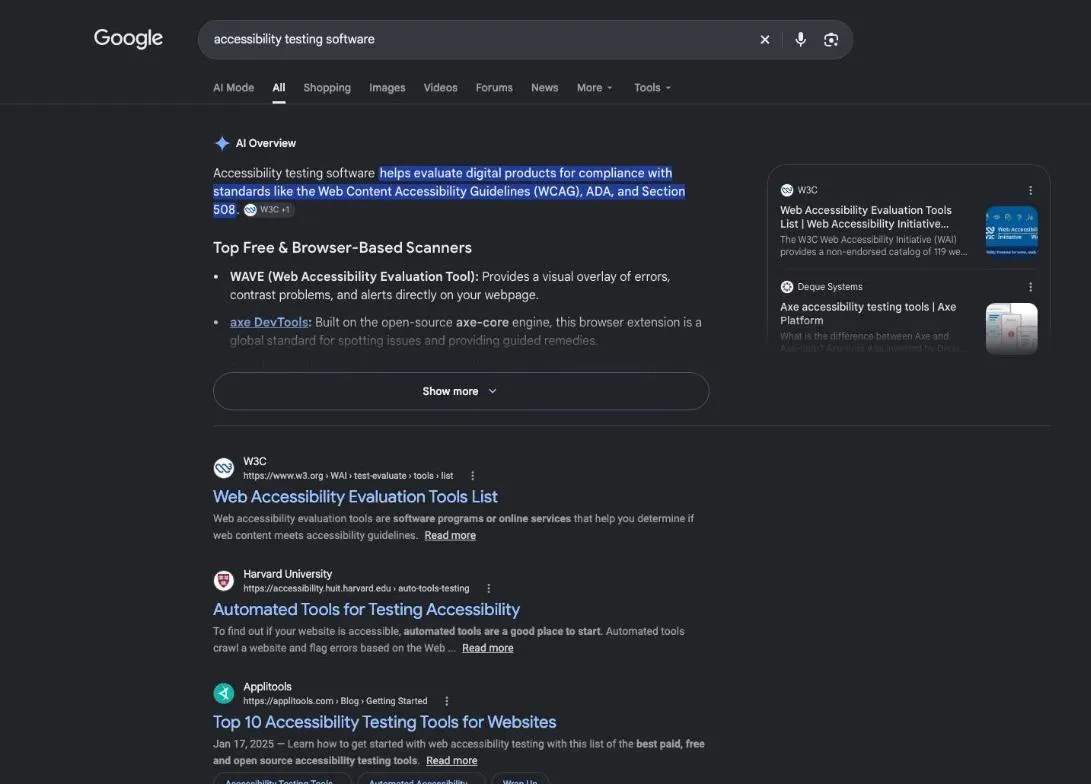
Accessibility testing tools read the code of your page and compare it with a set of rules. They’re quick at what can be measured: low contrast, a missing alt text, a broken heading structure. They can’t judge meaning. The W3C, which writes the rules, says so plainly: “Tools cannot check all accessibility aspects automatically. Human judgement is required.” It adds: “Sometimes evaluation tools can produce false or misleading results.” (Selecting Web Accessibility Evaluation Tools, read October 30, 2026.)
| Automated tool | Human check | |
|---|---|---|
| Its job | flag issues and prepare the review | judge the criteria that need meaning |
| Examples | text contrast, WCAG code errors | useful alt text, keyboard navigation |
| Its limit | a clean report doesn't prove everything is accessible | slower, one page at a time |
WCAG and ADA compliance, in plain words
The WCAG (Web Content Accessibility Guidelines) are the W3C’s technical standard. The W3C writes that they “explain how to make web content more accessible to people with disabilities,” and that “The success criteria are at three levels: A, AA, and AAA.” The latest version, WCAG 2.2, “was published on 5 October 2023” (WCAG 2 Overview, read October 30, 2026).
The ADA is the US law against disability discrimination. The Department of Justice’s guidance doesn’t impose one standard on businesses: they “have flexibility in how they comply with the ADA’s general requirements of nondiscrimination and effective communication.” It points to existing standards: “These include the Web Content Accessibility Guidelines (WCAG) and the Section 508 Standards, which the federal government uses for its own websites.”
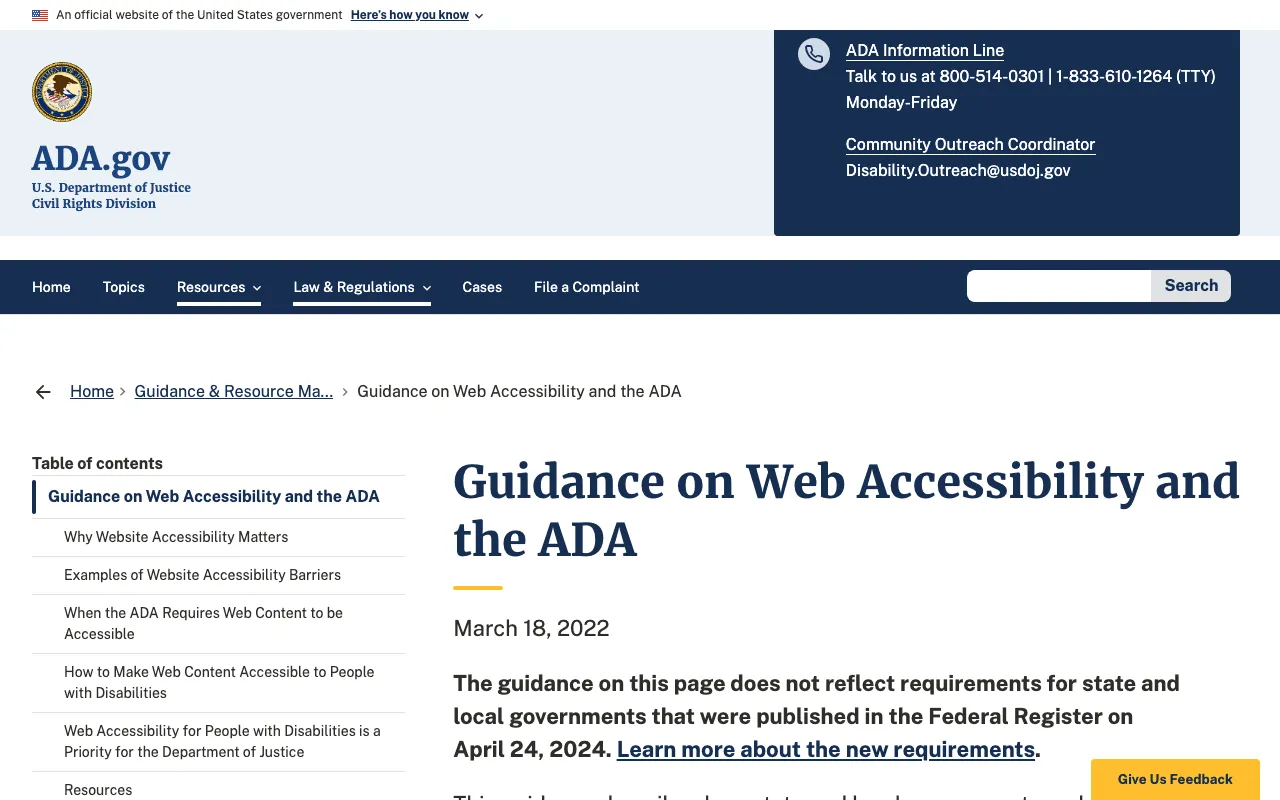
This isn’t legal advice. If you need to know what applies to your business, read that guidance in full or ask a lawyer.
Accessibility testing software: test your site without being an expert
You don’t need code or a subscription for a first pass. One page, one free tool, ten minutes.
- Pick your most visited page: the home page or your best product page.
- Paste its address into an online checker like WAVE.
- Read the errors one at a time; each tool explains the rule behind it.
- Fix site-wide issues first, like a text color set in your theme.
- Run the test again on the same page to see what changed.
A website accessibility checker for a quick, free first pass
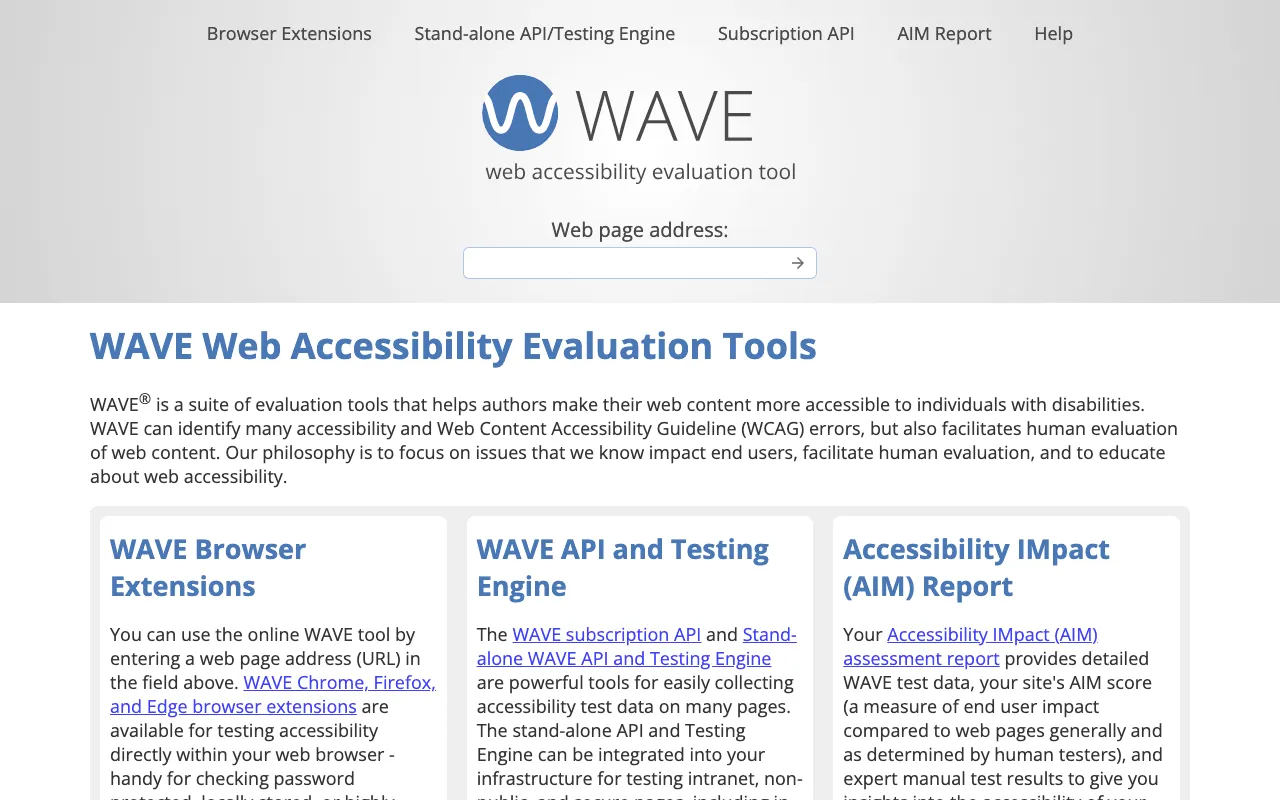
WAVE is WebAIM’s tool. Its home page says: “WAVE can identify many accessibility and Web Content Accessibility Guideline (WCAG) errors, but also facilitates human evaluation of web content.” You can type a page address into the field, or use its Chrome, Firefox and Edge extensions, which WebAIM calls “handy for checking password protected, locally stored, or highly dynamic pages.”
Check color contrast
Contrast is the difference in brightness between text and its background. WebAIM gives the threshold: “WCAG 2.0 level AA requires a contrast ratio of at least 4.5:1 for normal text and 3:1 for large text.” Its contrast checker takes two colors and gives you the ratio.
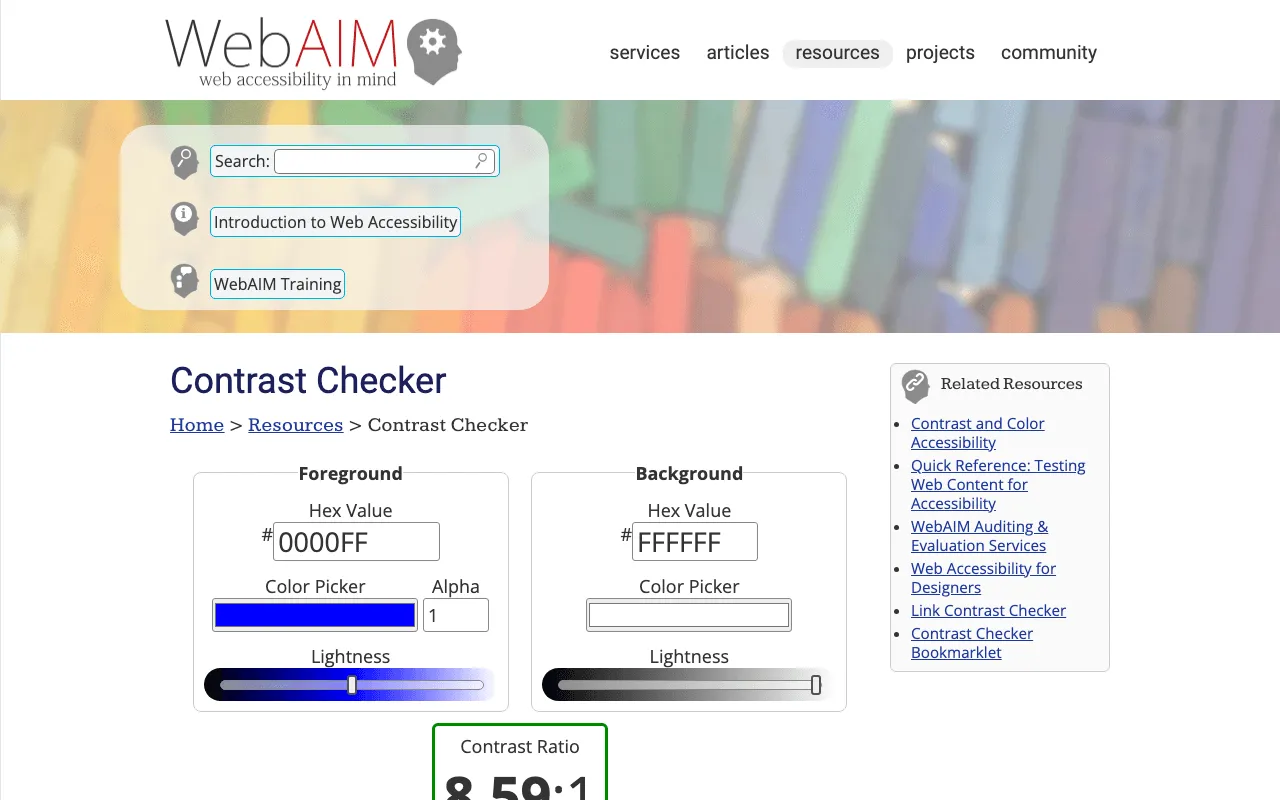
In practice: copy the hex codes of your text and background from your WordPress or Webflow theme settings and paste them in. If the AA check fails, darken the text or lighten the background.
PDFs and documents need checking too
A price list or a menu in PDF has to be readable too. WebAIM explains that “accessible” PDFs usually means “tagged” PDF files, and that “an untagged PDF would not be considered ‘accessible’” (Defining PDF Accessibility, read October 30, 2026). The free Acrobat Reader only lets you view a PDF; checking and repairing tags takes the paid Acrobat Pro, according to the same WebAIM series. Missing data: Adobe’s current pricing (source planned: Adobe’s pricing page).
Web accessibility audit tools to try, based on their own pages
We haven’t tested any of the tools below. Each one is described from its own page, read October 30, 2026, and none has a profile in our competitor database. The W3C keeps a longer list (“Showing 119 tools” on October 30, 2026), with a caveat: “W3C does not endorse specific products.”
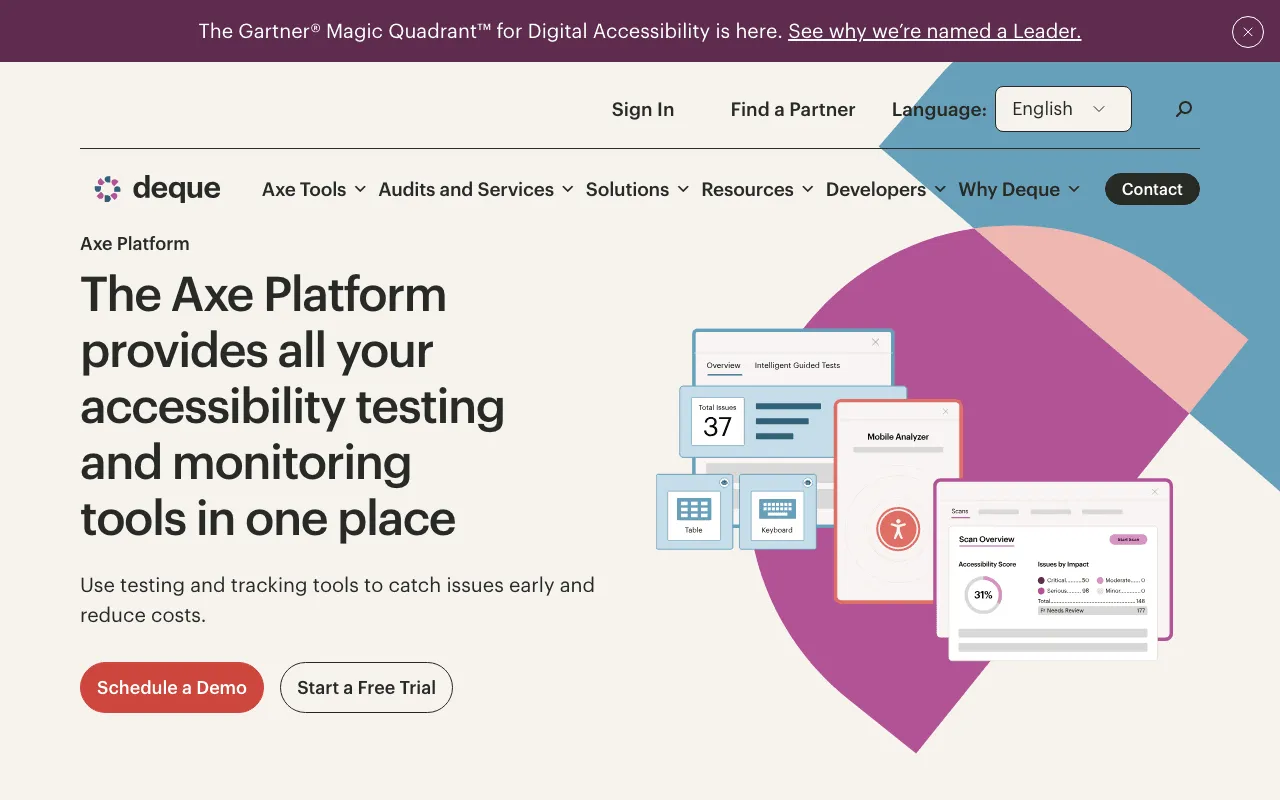
Axe by Deque: an accessibility testing tool in your browser
Deque presents the axe DevTools Extension with one line: “Automate digital accessibility testing right in your browser.” Its page adds that “You can start testing for free with Axe browser extensions for Chrome, Firefox, and Edge,” and that Deque “made Axe-core open source in 2015.” Paid plans weren’t checked.
Browser extensions and open-source options
Lighthouse is already in Chrome’s developer tools. Its documentation: “Lighthouse is an open-source, automated tool to help you improve the quality of web pages.” And: “It has audits for performance, accessibility, SEO, and more.” You can also run it from PageSpeed Insights, with nothing to install.
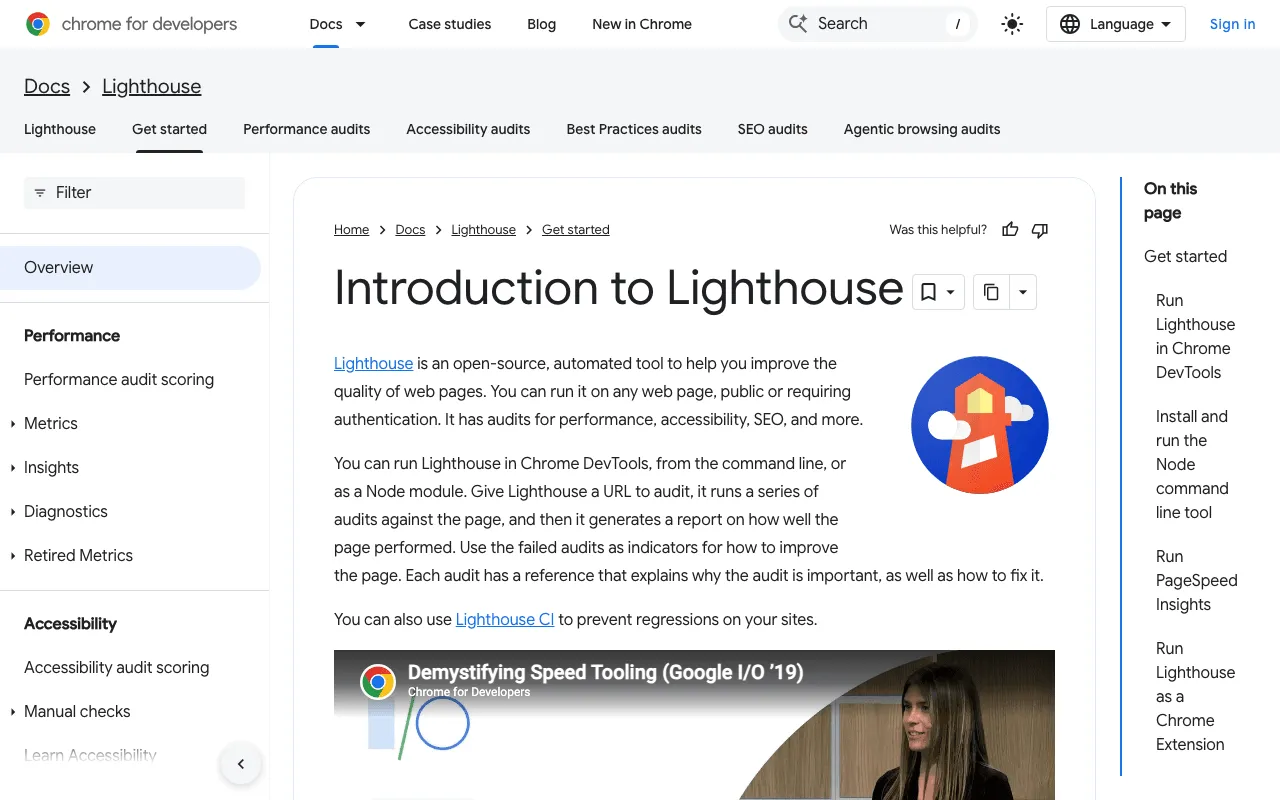
Mind its score, though. Lighthouse says its accessibility score “is a weighted average of all accessibility audits,” with weights “based on axe user impact assessments,” and that manual audits “don’t affect your score.” A 100 in Lighthouse says nothing about what has to be checked by hand.
Accessibility and SEO: where the two checks meet
Some fixes help both people and Google. The clearest one is alt text. Google calls it “the most important attribute” for image metadata, one that “also improves accessibility for people who can’t see images on web pages, including users who use screen readers.” It adds: “Google uses alt text along with computer vision algorithms and the contents of the page to understand the subject matter of the image.” (Google Images best practices, read October 30, 2026.)
Accessibility is one audit among several in the same family. A website SEO audit tools run covers the whole site, a technical SEO tool checks that Google can read your pages, an on-page audit tool compares one page with the top results, and an EEAT checker tool looks at trust signals. Each one is checked by hand afterward.
What SemChat shows today: the Accessibility tab and its score
When you add a site to SemChat, its site profile includes an Accessibility tab. For plugkit-avis.com, my other affiliate site, it showed on October 29, 2026:
- a score of 70;
- 0 level A issues and 8,390 level AA issues;
- a single rule on screen, “Contraste de texte insuffisant” (insufficient text contrast), on 189 pages, with its references (WCAG 1.4.3 and EN 301 549 §9.1.4.3).
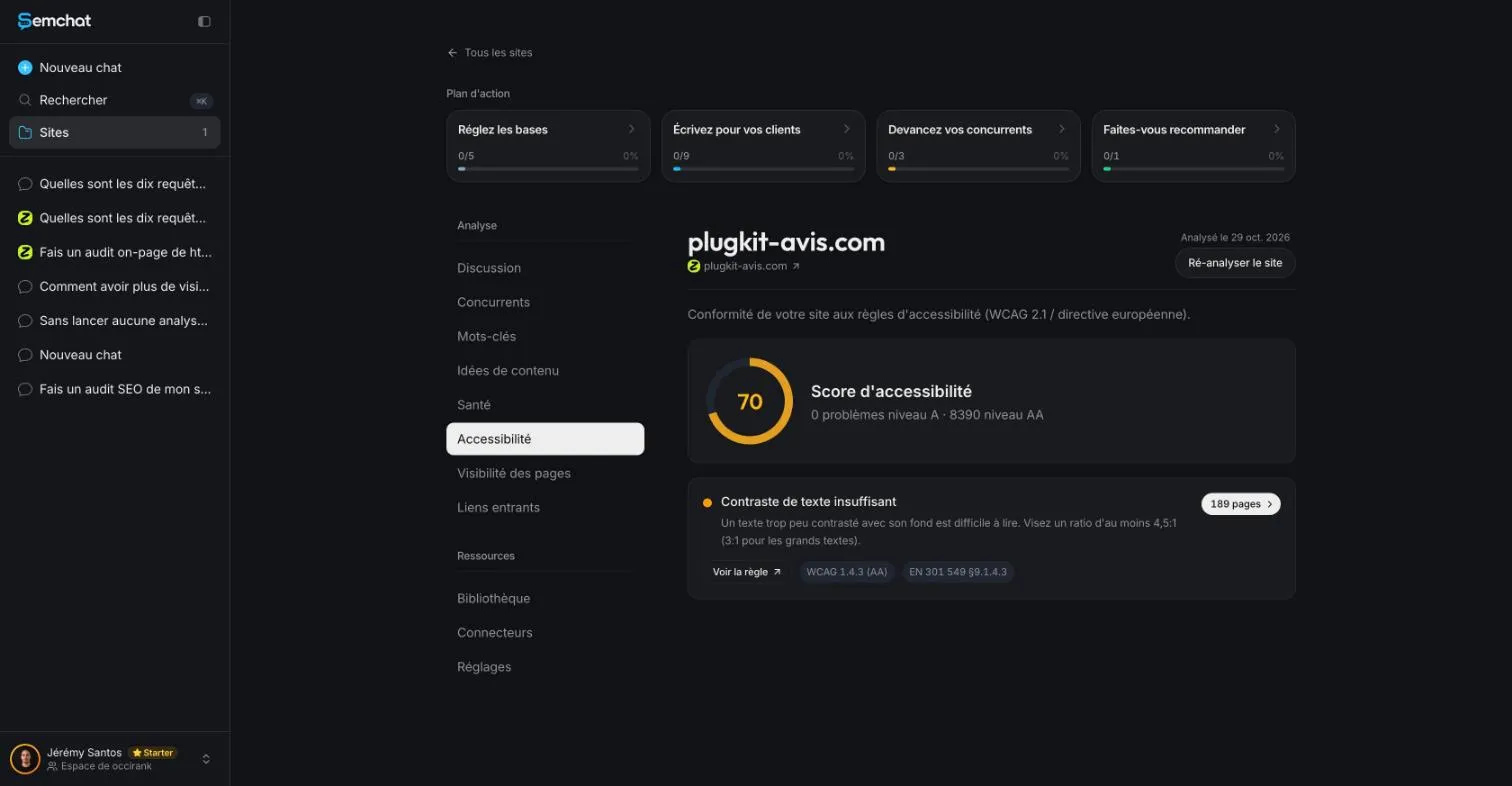
The tab describes itself as the “Conformité de votre site aux règles d’accessibilité (WCAG 2.1 / directive européenne)” (your site’s compliance with accessibility rules, WCAG 2.1 and the European directive). Its contrast tip, aim for at least 4.5:1, or 3:1 for large text, matches the AA threshold WebAIM gives.
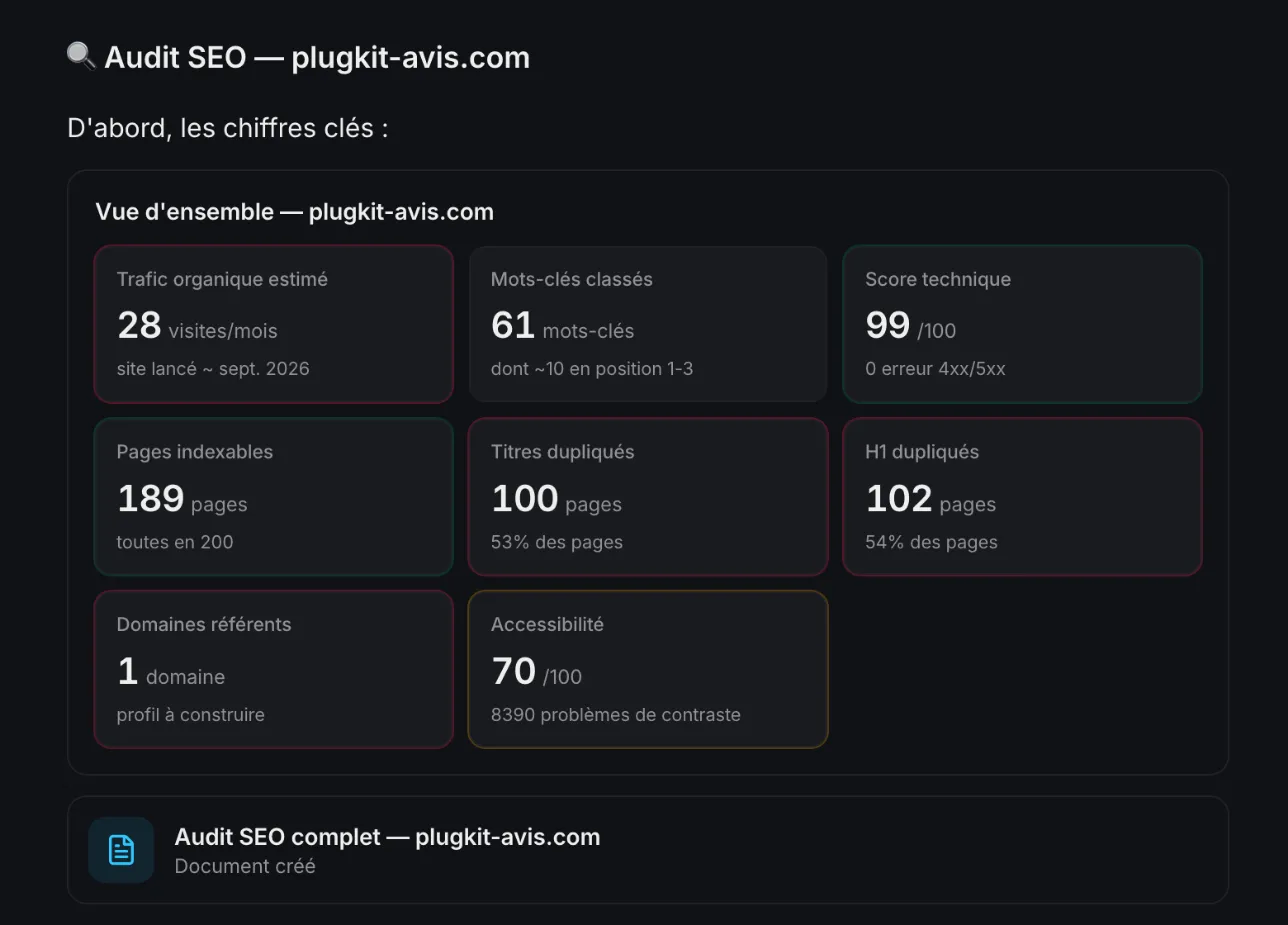
The same score shows up in the grid of SemChat’s full SEO audit, a skill we did test on October 29, 2026, on the Free plan.
A score to cross-check: no independent check yet
Missing data: an independent check of the score of 70 and the 8,390 issues (source planned: one plugkit-avis.com page run through WAVE or Lighthouse). Our October 30, 2026 test didn’t include that check, so I can’t tell you whether the contrast finding is right or wrong. Before you quote that number, or your own site’s, run one page through a public tool and compare.
What I could check is another finding from the same test: the declared page language. SemChat says the language attribute is present everywhere. On October 30, 2026, the plugkit-avis.com home page did declare US English (lang="en-US") and the /fr/ page French (lang="fr"). That finding is right.
SemChat’s accessibility audit skill: tested on October 30, 2026
An accessibility audit tool in SemChat: what it announces
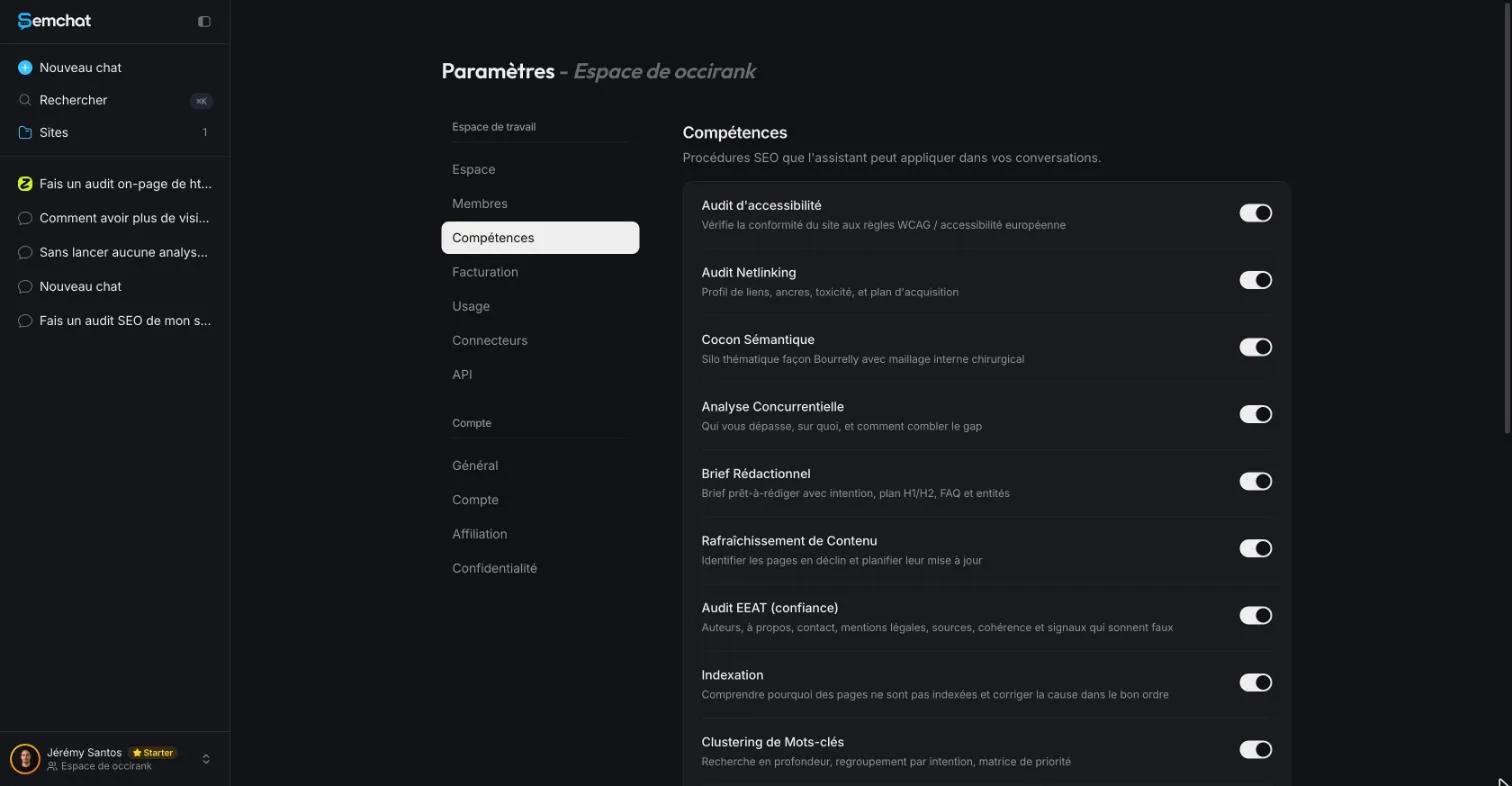
SemChat groups its know-how into 17 skills. The Accessibility audit comes first in the list in the workspace settings (app check, October 29, 2026), described as “Vérifie la conformité du site aux règles WCAG / accessibilité européenne” (checks the site’s compliance with WCAG and European accessibility rules).
What our accessibility test found
We ran it on October 30, 2026, on the Starter plan, in French, on a French site, with the interface in French. One sentence: “Vérifie l’accessibilité de plugkit-avis.com et dis-moi quoi corriger en premier.” (Check the accessibility of plugkit-avis.com and tell me what to fix first.) SemChat first asked whether to link the chat to plugkit-avis.com, already tracked in the account. We said yes. It picked the right skill on its own, Accessibility audit, then ran two tools: the site analysis, which reuses the previous day’s crawl (189 pages), and a read of 3 pages (home, PlugKit review, about).
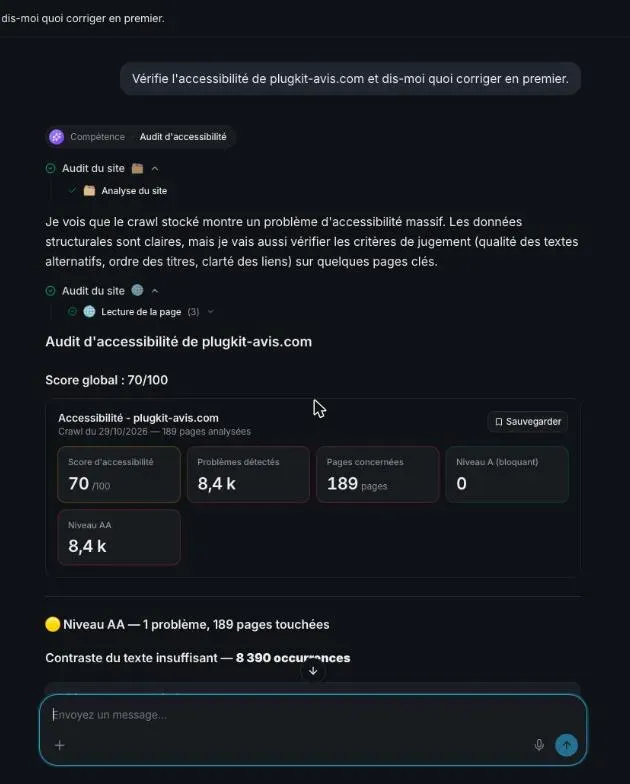
The answer came in under a minute, in three parts:
- the score: 70 out of 100, no level A issue, a single level AA issue, insufficient text contrast, found 8,390 times across the 189 pages (WCAG 2.1 criterion 1.4.3, EN 301 549 § 9.1.4.3);
- manual-style checks on 3 pages: headings in order, language declared, descriptive links, structured data;
- what to fix first: contrast, with a 4.5:1 ratio, a gray of at least
#767676on white, a check in WebAIM’s Contrast Checker, then a new crawl.
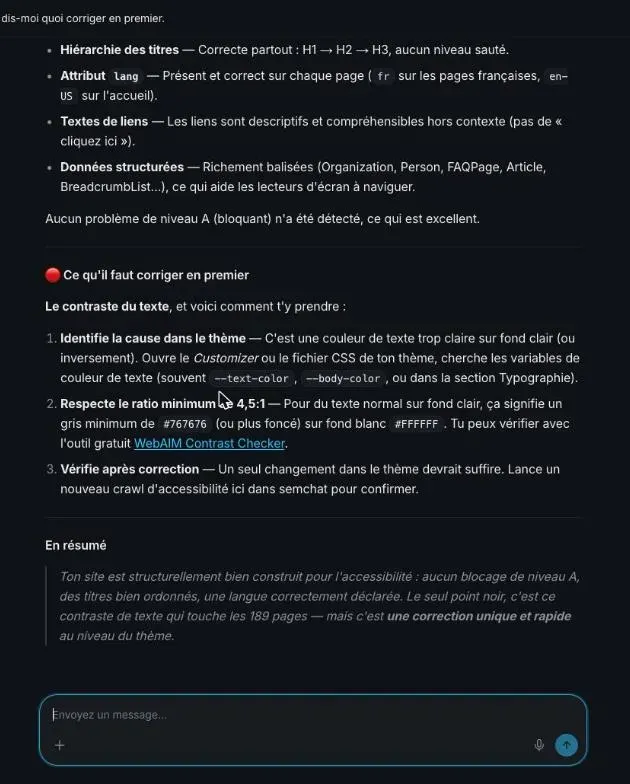
What it got right: it picked the right skill with no help, it was fast, and it gave a numeric threshold you can check yourself. Its page language finding is correct: I checked it the same day, the home page declares US English and the /fr/ page French.
What it missed:
- it tells you to open “the Customizer or your theme’s CSS file.” That’s WordPress talk, and plugkit-avis.com is built with Astro, so the advice doesn’t fit the site;
- it shows no example: not the pale element, not its color, not a page where you can see it;
- it reports a single family of issue, the one the automatic crawl can measure.
I found no false finding in this answer. But the score of 70 hasn’t been cross-checked with a public tool yet (see above), so treat it as a lead.
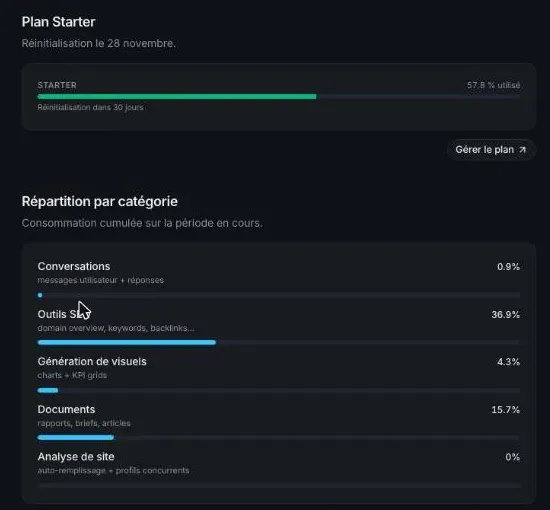
Cost: the Usage tab of the Starter plan went from 56.4% to 57.8%, so 1.4 points of the month’s quota for this test.
The full SEO audit also shows this accessibility score in its grid. On the Free plan, that single audit used 100% of the month’s quota (test of October 29, 2026). The full test of the tool is in our SemChat review, and the plans are on our SemChat pricing page.
What an automatic checker can’t judge for you
A tool reads code. It can’t tell whether your product photo’s alt text actually describes the product, or whether your menu works without a mouse. ADA.gov puts it clearly: automated checkers and overlays “can be helpful tools,” but “A ‘clean’ report does not necessarily mean everything is accessible. Also, a report that includes a few errors does not necessarily mean there are accessibility barriers.” Its advice: “Pairing a manual check of a website with the use of automated checkers can give you a better sense of the accessibility of your website.”
So use accessibility testing software as a first pass: start with contrast, then check alt text and keyboard navigation by hand. Any score, SemChat’s or Lighthouse’s, gets cross-checked with a second tool before you trust it.
Frequently asked questions
What is accessibility testing in software testing?
It's checking that people with disabilities can use a website or app: read the text, understand the images, move through the page with a keyboard or a screen reader. Testing can be automated, semi-automated or manual, as Deque puts it on its axe page (read October 30, 2026). The W3C adds that “Tools cannot check all accessibility aspects automatically. Human judgement is required.”
How do you use axe DevTools?
According to Deque's axe page (read October 30, 2026), you can “start testing for free with Axe browser extensions for Chrome, Firefox, and Edge”: you add the extension to your browser, open the page you want to check and run a scan from the browser's developer tools. We haven't tested axe on this site, so follow Deque's own documentation for the exact steps.
Is accessibility testing paid or free?
Both exist. Lighthouse is “an open-source, automated tool” built into Chrome, WAVE can be used online by entering a page address, and Deque offers free axe browser extensions (pages read October 30, 2026). Paid plans of these tools weren't checked here (missing data: their pricing pages). SemChat has a Free plan at €0, “Every feature, in every plan.” (pricing page, read October 30, 2026).
Does an accessibility checker make my site ADA compliant?
No checker can promise that. ADA.gov says automated checkers and overlays “can be helpful tools” but “need to be used carefully,” and that “A “clean” report does not necessarily mean everything is accessible” (Guidance on Web Accessibility and the ADA, read October 30, 2026). This page isn't legal advice.
Is SemChat's accessibility audit reliable?
Partly. We tested the Accessibility audit skill on plugkit-avis.com on October 30, 2026. In under a minute it returned a score of 70 and 8,390 contrast issues. Its finding on page language was right (checked the same day). But it pointed to WordPress's “Customizer” on a site that doesn't run WordPress, named no specific element, and its score hasn't been cross-checked with WAVE or Lighthouse yet.
Let your AI do the chores of getting found online.
10% off your subscription, for life with my link, if you subscribe within 2 weeks of signing up. No code. All about the SemChat promo code
Affiliate link: it costs you nothing extra.
Verified sources
- ADA.gov: Guidance on Web Accessibility and the ADA (October 30, 2026)
- W3C WAI: WCAG 2 Overview (October 30, 2026)
- W3C WAI: Selecting Web Accessibility Evaluation Tools (October 30, 2026)
- W3C WAI: Web Accessibility Evaluation Tools List (October 30, 2026)
- WAVE Web Accessibility Evaluation Tools (WebAIM) (October 30, 2026)
- WebAIM: Contrast Checker (October 30, 2026)
- WebAIM: PDF Accessibility, Defining PDF Accessibility (October 30, 2026)
- Deque: Axe (October 30, 2026)
- Chrome for Developers: Introduction to Lighthouse (October 30, 2026)
- Chrome for Developers: Lighthouse accessibility scoring (October 30, 2026)
- Google Search Central: Google Images SEO best practices (October 30, 2026)
- SemChat pricing (Free plan, every feature in every plan) (October 30, 2026)