EEAT checker tool: what SemChat's trust audit saw, and got wrong
An EEAT checker tool reads the pages that say who you are (about, author, contact, legal notice) and lists what's missing for a reader to trust you. I tested SemChat's EEAT audit on a real site on October 29, 2026: its verdict was accurate, but its top fix was wrong. Here's what it checks, what it got right, and how to verify its claims before you act.
 By Jérémy Santos Updated on October 30, 2026 Tested on his own SemChat account: first audit on October 29, 2026.
 This page is part of the guide: automated SEO audit

Who is speaking, why believe them, how to reach them: what the audit looks at. Illustration by Zéro Corvée.
A visitor lands on your site. Before they buy or believe you, they wonder: who’s behind this? An EEAT checker tool asks that question for you, page by page, and lists what’s missing.
This page is part of our guide to the automated SEO audit skills in SemChat. I’ll show you its EEAT Audit (trust) skill, tested on October 29, 2026 on plugkit-avis.com, my other site: what it got right, and the error you shouldn’t follow. The test ran in French, on a French site, with the interface in French. The SemChat buttons on this page are affiliate links: I earn a commission if you subscribe through them.
E-E-A-T: what Google wants to see on your site
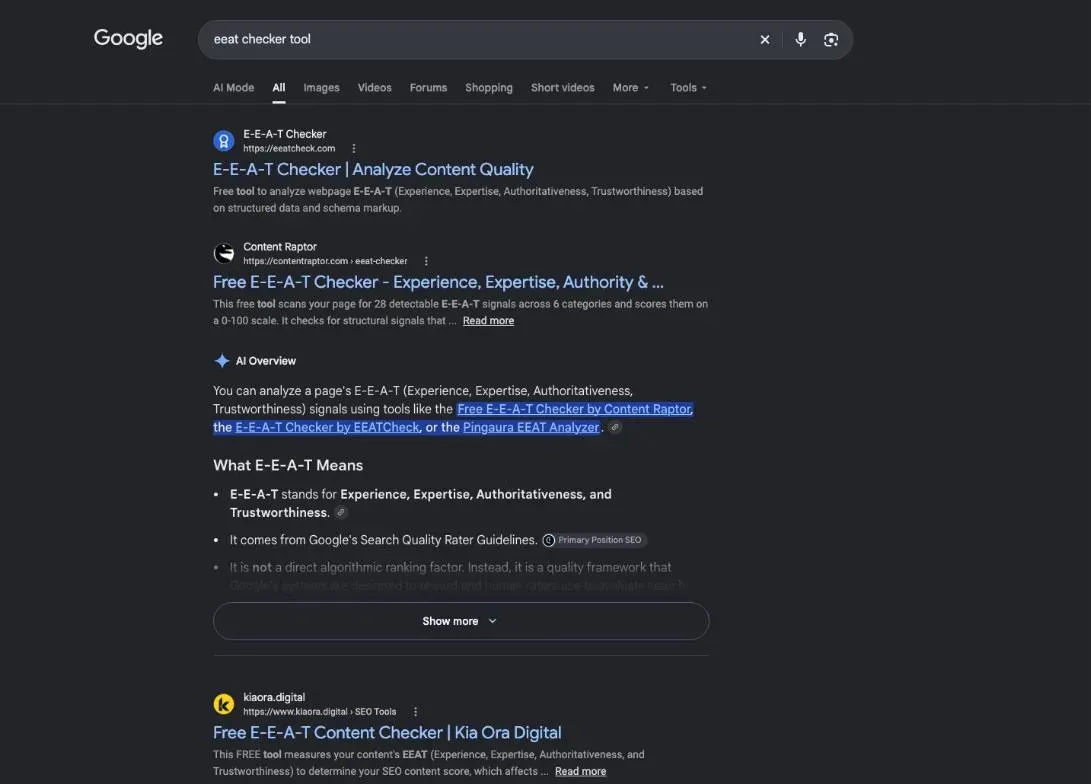
E-E-A-T is Google’s name for the signs that content deserves trust. Before you run a checker, know what it’s looking for.
Experience, expertise, authoritativeness, trust: the four letters
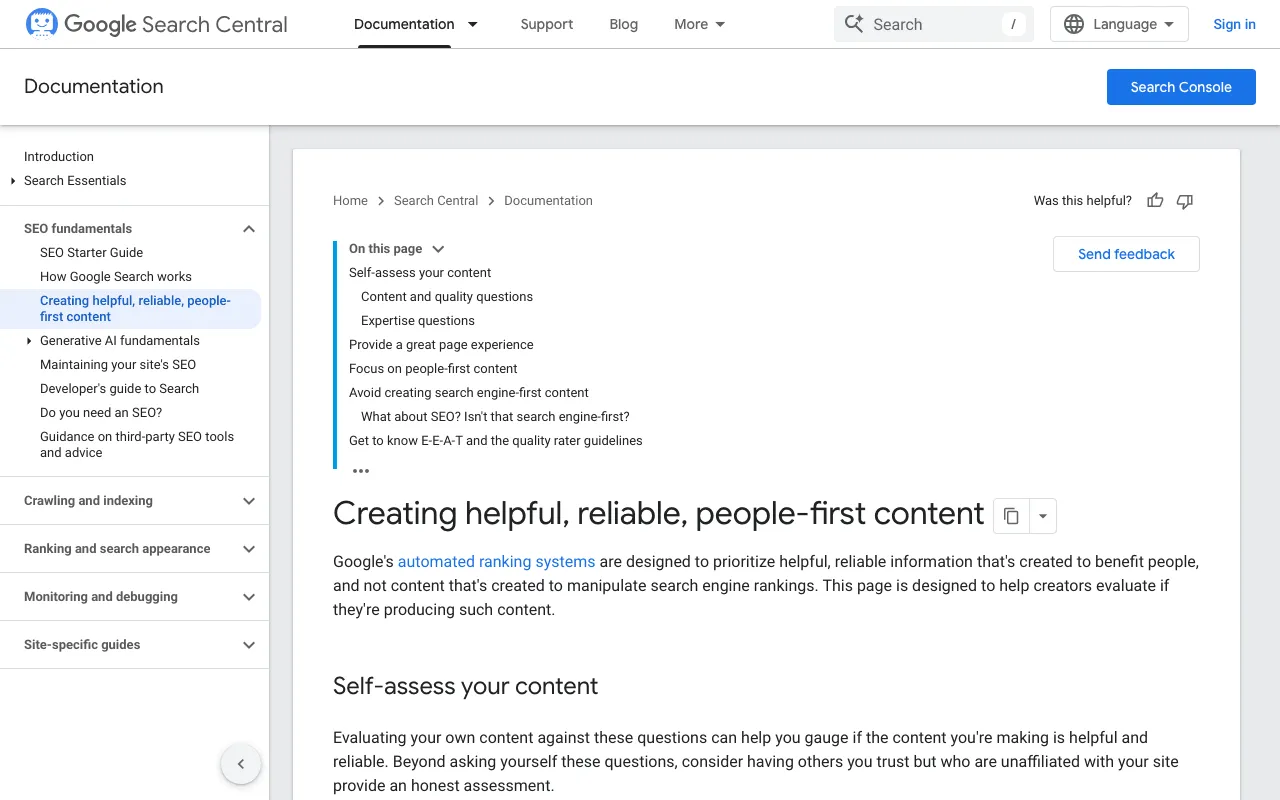
Google says its systems look for content that shows “experience, expertise, authoritativeness, and trustworthiness, or what we call E-E-A-T” (Google’s page on helpful content, read October 30, 2026).
In plain terms, for your site:
- Experience: you’ve done what you write about (tested the product, served the customer).
- Expertise: you know your subject, and it shows.
- Authoritativeness: people recognize you as a go-to source on it.
- Trust: people can believe you. Google is clear: “Of these aspects, trust is most important.”
For the full meaning of each letter, see our guide on EEAT meaning.
A direct ranking factor? What can honestly be said
Not as such. Google writes: “While E-E-A-T itself isn’t a specific ranking factor, using a mix of factors that can identify content with good E-E-A-T is useful.” No box to tick, then. But concrete signs that your pages show, or don’t.
Why use an EEAT checker tool for your trust signals
Because you can’t see your own site with fresh eyes. A checker reads your about, author and contact pages as a stranger would, and flags what a stranger would miss.
What an EEAT checker can read, and what it can’t
It reads text: names, bios, dates, contact details, the sentences on each page. It may not see images. SemChat said so itself: “mon outil lit le texte, pas les images” (my tool reads text, not images).
And no tool gives you an official score. None of the Google pages read for this guide publishes an E-E-A-T score. Google also writes that it “doesn’t evaluate or endorse third-party SEO tools, and these tools don’t have access to Google’s internal ranking data” (Google’s page on hiring an SEO, read October 30, 2026). A tool’s score is that tool’s estimate.
Step 1: ask SemChat whether your site earns trust
The template question, tested in French, then the pages to audit
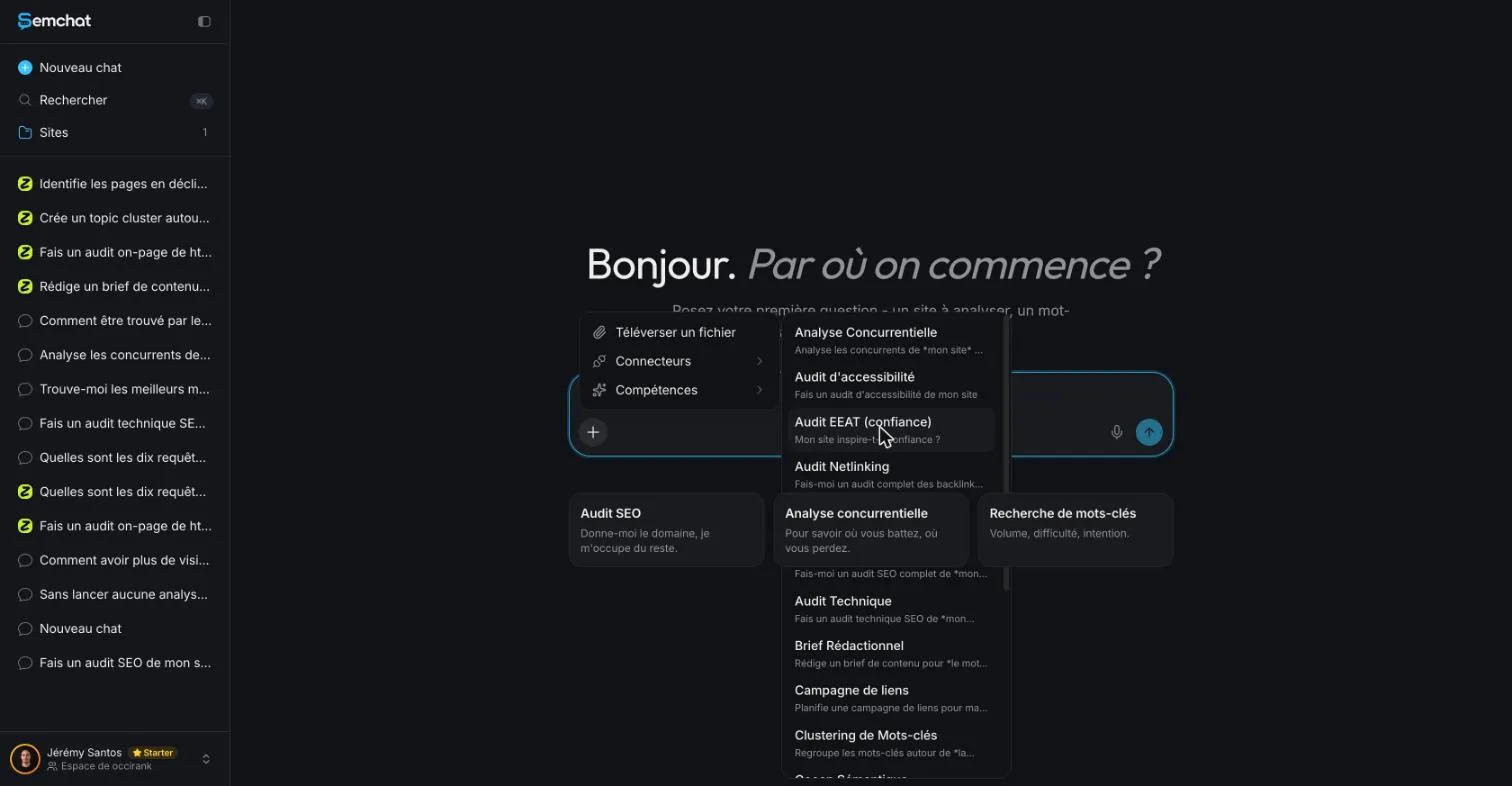
In SemChat, open a new chat, click the “+” in the message bar, then Skills, then EEAT Audit (trust). The app writes the opening question for you.
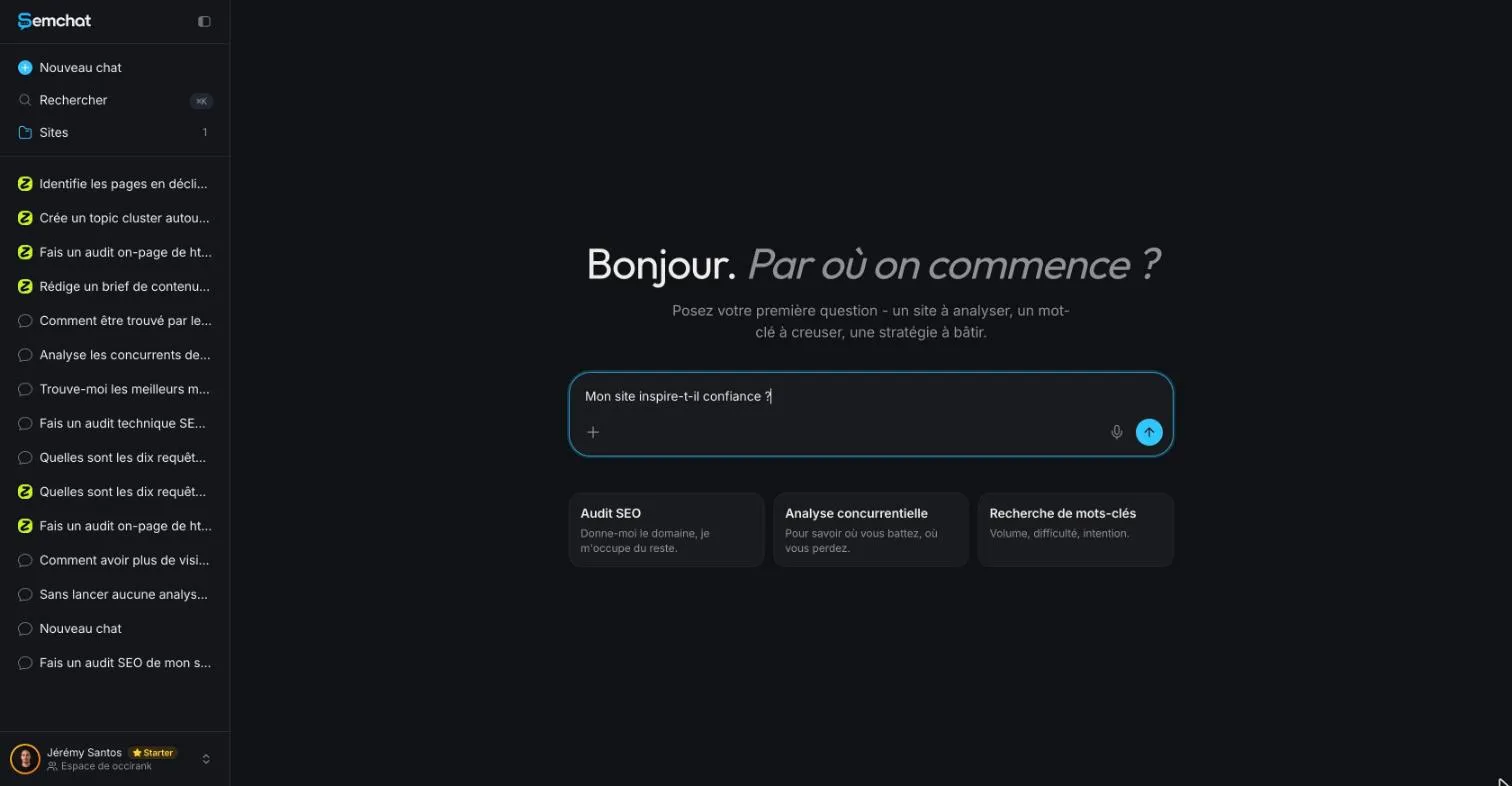
The template is “Mon site inspire-t-il confiance ?” (does my site earn trust?). On its own, it’s too vague. Name the pages to read and what you want back. Here’s my request, typed in French in a chat linked to my site (translated here):
Does my site plugkit-avis.com earn trust? Audit the about page (/fr/a-propos/), the author page, the contact page and the legal notice: who is speaking, why believe them, how to reach them. For each gap, quote the page and the exact sentence. End with the one thing to fix first.
Two instructions do the heavy lifting: “quote the page and the exact sentence” (so you can check each gap), and “the one thing to fix first” (so you know where to start). How the skill handles an English request on an English site: missing data (planned source: test T36, in English).
Step 2: what the audit reads: who speaks, why believe them, how to reach them
My three questions follow Google’s own advice to evaluate content by asking “Who, How, and Why.” They’re answered on four pages.
- Your site who speaks, why believe them, how to reach them
- About who runs the site, and why
- Author who writes, with what experience
- Contact how to reach you
- Legal notice the publisher and the host
The about page and the author page
They answer “who is speaking” and “why believe them.” Google puts it simply: “Something that helps people intuitively understand the E-E-A-T of content is when it’s clear who created it.” It also asks whether content offers “background about the author or the site that publishes it, such as through links to an author page or a site’s About page.”
A name, a real photo, verifiable experience, links to your profiles: that’s what the checker looks for. Google warns against the opposite too: “Fabricating creator profiles (such as by using AI-generated headshots, made-up names, or false credentials […]) is a form of deception.”
The contact page and the legal notice
They answer “how to reach them.” The audit compares contact details across pages: same email, same phone, same address. A mismatch raises doubt; matching details reassure.
A legal notice is a page French sites publish with the publisher’s identity. On plugkit-avis.com it lists the publisher, the business identifiers, the address, email, phone, the publication director and the web host.
Step 3: what it got right on a real site
SemChat ran a site analysis, then read the pages one by one: the about page, several site pages, the French sitemap, the author page. It also ran two Google searches.
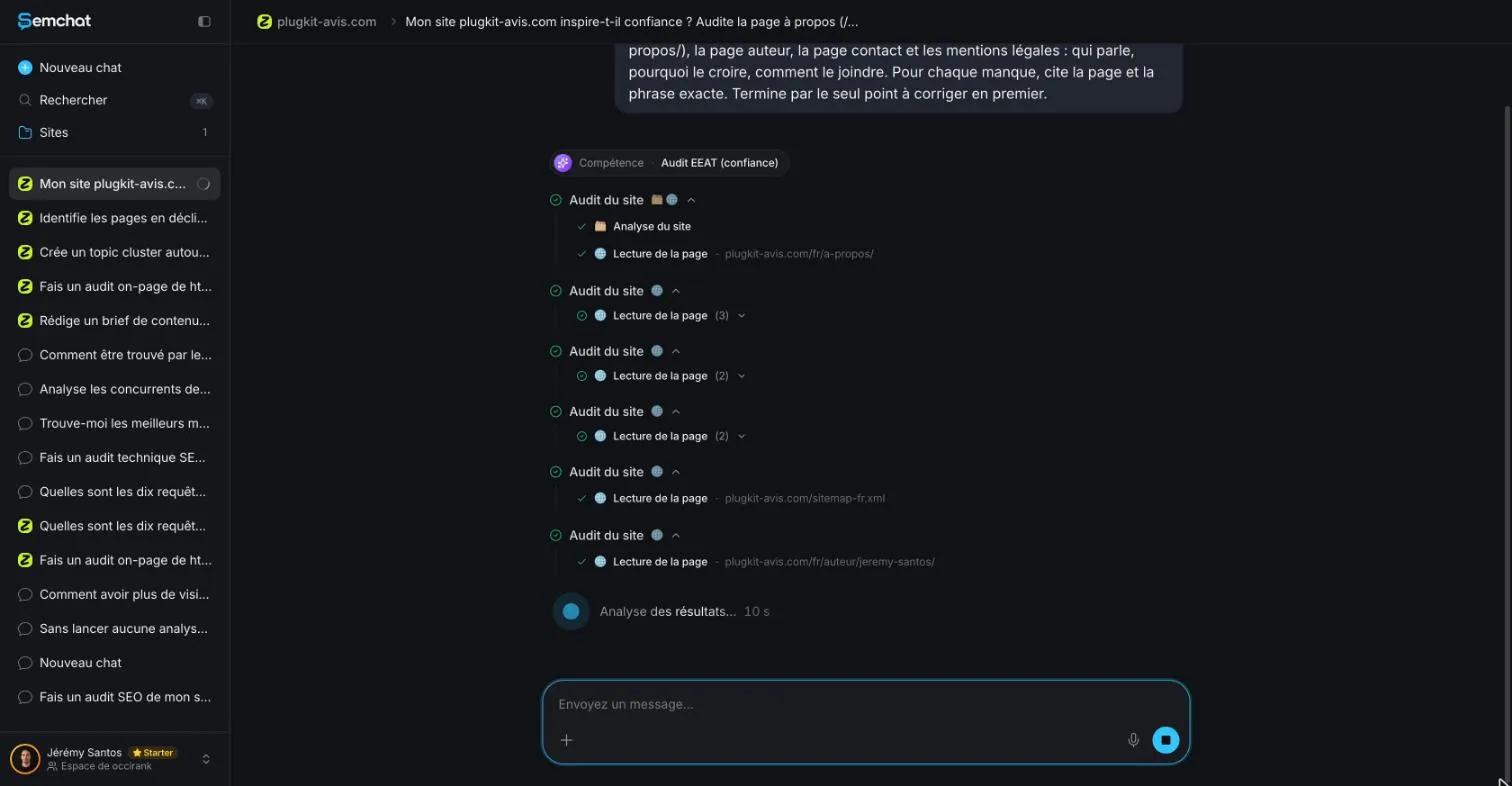
Author, company, contact details: an accurate verdict
Its verdict on the three questions:
- Who is speaking: Jérémy Santos and his business, named on all four pages.
- Why believe them: tests on a real Instagram account, dated records.
- How to reach them: email, WhatsApp, phone and address, the same on every page.
It added a table of what was “already solid,” page by page, with its own word counts (301 to 682 words per page). Then its gaps, three of which I checked as true the same day:
- the share image of the author and about pages (the picture shown when someone shares the link) is the site logo, not a portrait;
- the about page has no photo in its content;
- the voice shifts between pages: “our” on the about page, “I” on the contact page, the third person on the author page.
It also said the site didn’t show up in Google’s top 20 for the brand name “Zéro Corvée PlugKit.” A DataForSEO snapshot from the same day didn’t show it in the top 10 either. Accurate.
An honest caveat: its tool reads text, not images
Credit where it’s due: SemChat stated its limits. Its first gap carried the note “à confirmer à l’œil” (to be confirmed by eye). And its conclusion said: before adding a photo, check the page doesn’t already have one, because its tool reads text, not images.
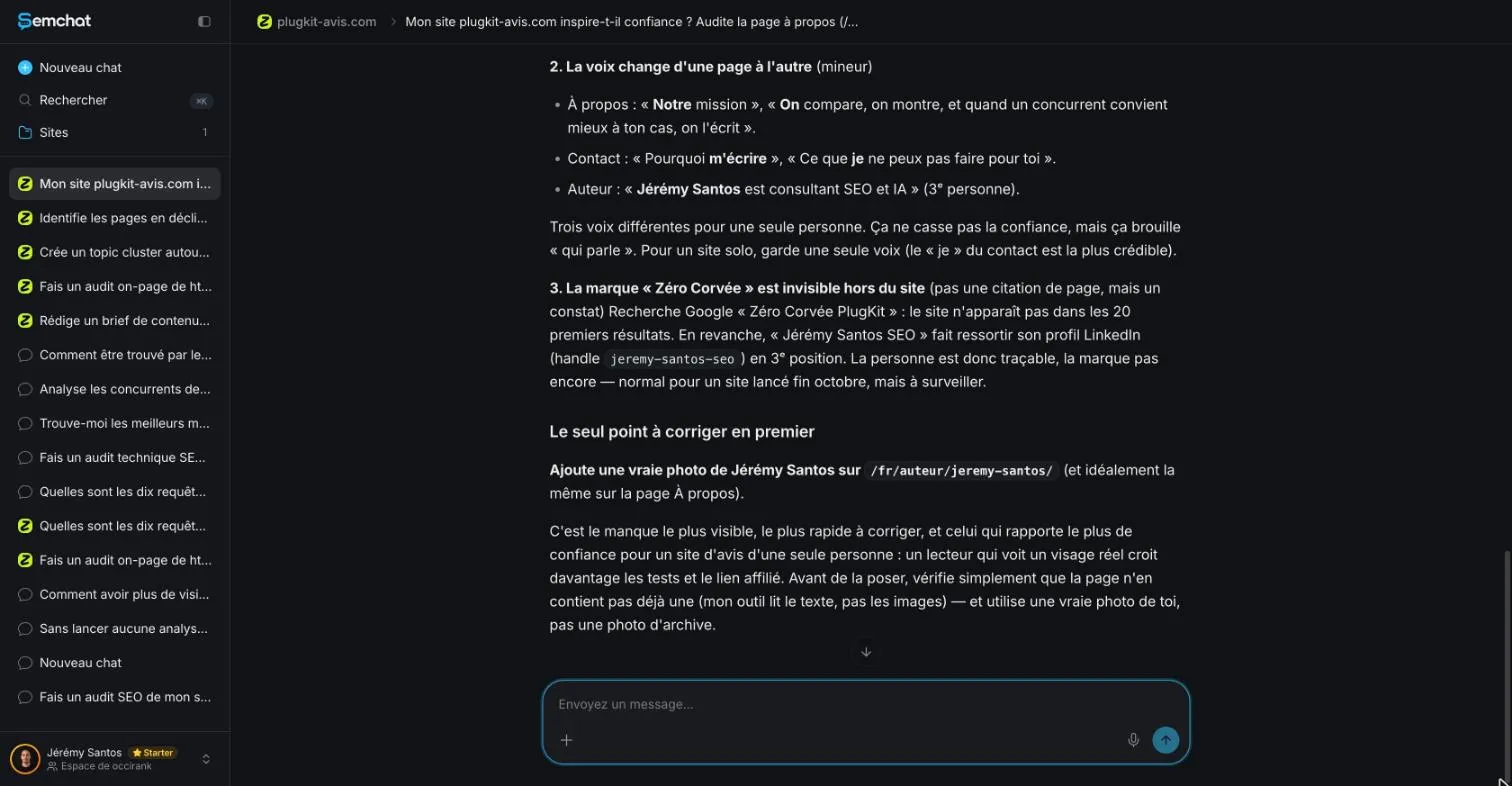
That caveat was the right call. It should have come before the advice.
Step 4: the error not to follow: the photo it missed
Its gap number one, and the one thing to fix first: no photo of Jérémy Santos on the author page.
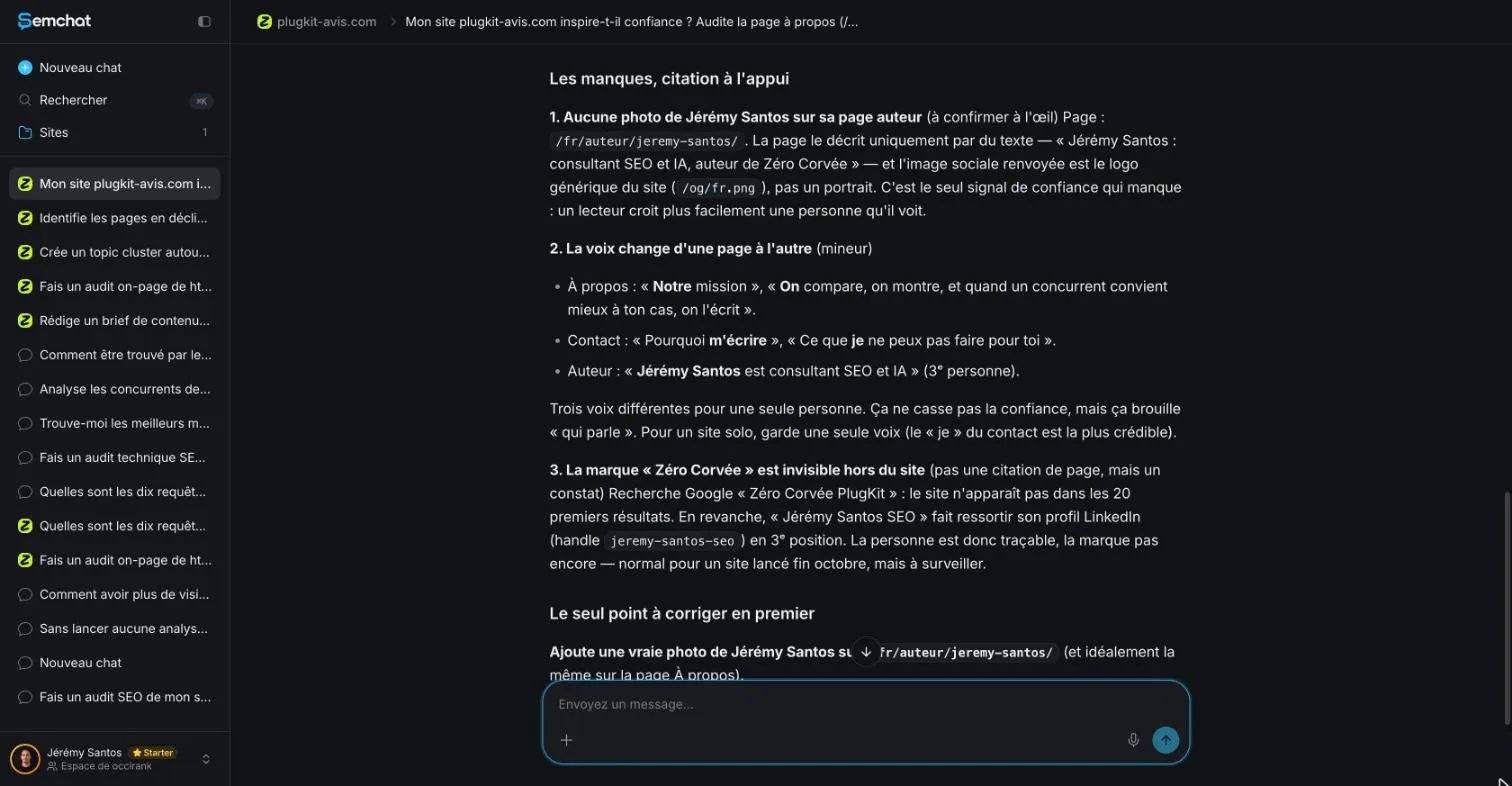
That’s false. The author page’s code, read on October 29, 2026, contains an image whose alt text starts with “Portrait de Jérémy Santos” (portrait of Jérémy Santos), and the file loads fine (status 200). The page’s structured data (the block that describes the author to Google) also points to a photo that loads.
Check the page source yourself before fixing anything
The check takes a minute: open the page.
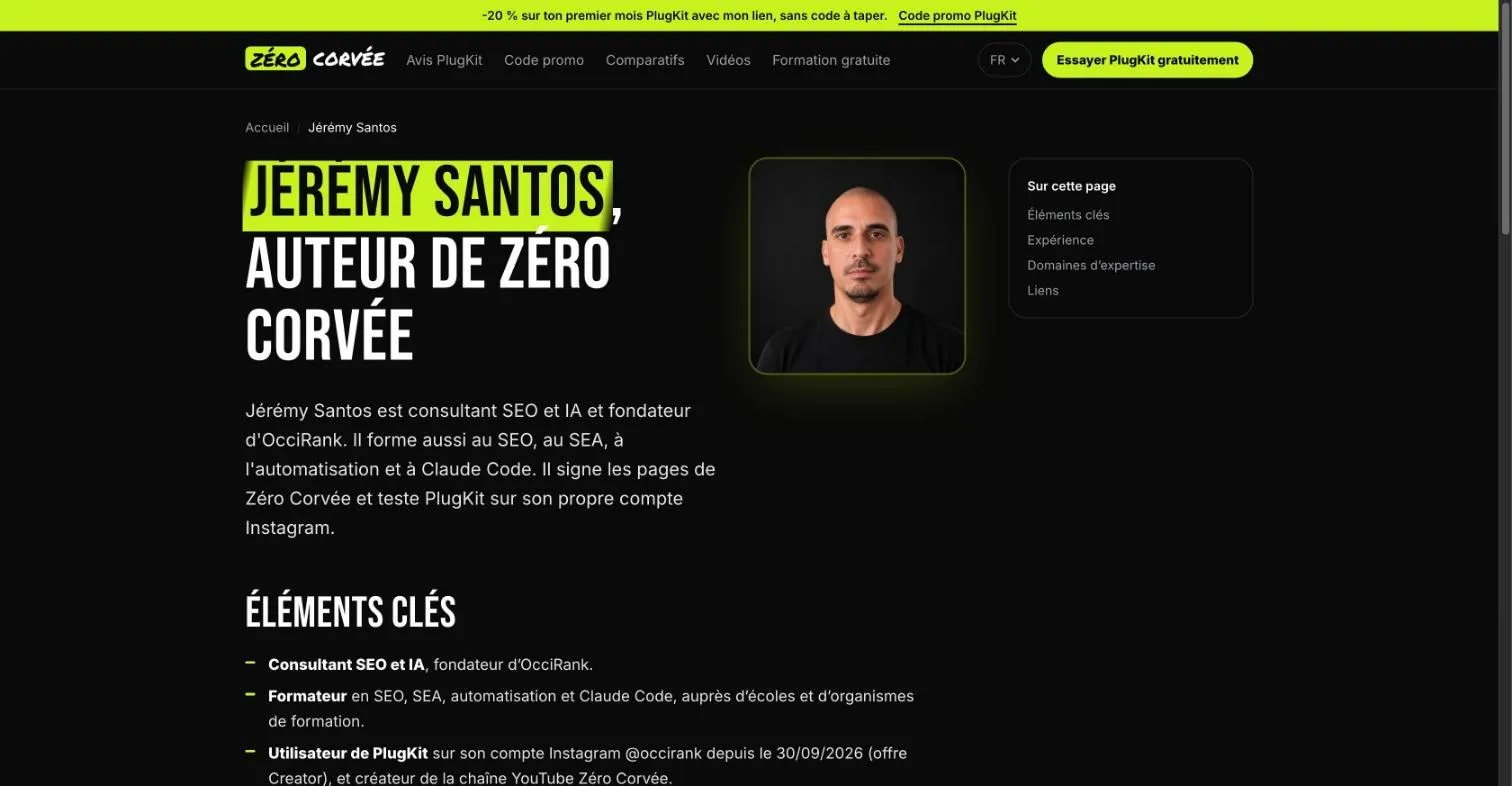
The real flaw was next door: the share image, still the logo. The right first fix was to use the portrait as the author page’s share image, and to add it to the about page. Following the advice to the letter would have meant a second photo on a page that already has one.
For every gap a checker flags:
- open the page it names in your browser;
- find the exact sentence it quotes;
- for an image, look at the page with your own eyes, or view its source;
- fix only what you’ve seen yourself.
Step 5: strengthen trust after the audit
Show who wrote the content, and how it was made
Put a byline on your content and link it to a real author page. Then explain your method. Google again: “It’s helpful to readers to know how a piece of content was produced.” For product reviews, it mentions the number of products tested, the results, and how the tests were run, “all accompanied by evidence of the work involved, such as photographs.”
On your site: say what you tested, when, and how. A date and a screenshot beat an adjective. If you earn a commission, say so at the top, as I do here.
Why trust also matters for AI answers
Google’s AI features don’t need a separate recipe. Google writes: “You can apply the same foundational SEO best practices for AI features as you do for Google Search overall” (page on AI features, read October 30, 2026). A site that clearly says who’s speaking helps on both fronts.
Step 6: follow up in Search Console once the fixes are live
Once your author page, about page and contact details are fixed, ask Google to recrawl them. In Search Console, the URL Inspection tool “provides information about Google’s indexed version of a specific page,” and lets you request indexing (Search Console Help, read October 30, 2026).
Then rerun the audit with the same request, and compare. Trust doesn’t show up as a single number in Search Console, so judge the fix on the page itself. To check what every page answers, not only who signs it, run a content audit of your site, page by page.
My EEAT audit’s own cost is missing data: the record gives 6.3 points of the Starter plan’s monthly usage for this audit and the next lesson together (planned source: the Usage screen read before and after a single audit). Plans are compared on our SemChat pricing page, and the full test is in our SemChat review.
SemChat has other audits too. For one page against its competitors, see our on-page audit tool page; for the whole site, our page on website SEO audit tools; for the site’s mechanics, our technical SEO tool page. Its accessibility audit, tested on October 30, 2026, returned a score of 70 and one issue, text contrast, in under a minute, for 1.4 points of the Starter quota (Usage screen), but its advice was written for WordPress on a site that doesn’t use it. The full test is on our accessibility testing software page.
My verdict on SemChat’s EEAT checker
On the essentials, it was right: the author, the business, the contact details, the share image, the shifting voice. It quotes your sentences, so every gap can be checked, and it warned that it can’t see images.
But its top fix was false. An EEAT checker tool tells you where to look; you do the looking. Check each gap on the page before you fix it, and start with what you’ve seen with your own eyes.
Frequently asked questions
Is AI content bad for E-E-A-T?
Not by itself. What Google warns against is mass production without value: “using generative AI tools or other similar tools to generate many pages without adding value for users may violate Google's spam policy on scaled content abuse.” Its test is people-first content, “created primarily for people, and not to manipulate search engine rankings” (Google Search Central, read October 30, 2026).
Can AI help you check your site's trust signals?
Yes, as a first pass. SemChat's EEAT audit read four pages of my site and correctly named the author, the business and the contact details (test of October 29, 2026). But its number one fix, a missing author photo, was false: the photo was there. Its own caveat said it reads text, not images. Check every gap by eye.
Where does E-E-A-T fit among the types of SEO?
Mostly in content and on-page work: bylines, an author page, sources, contact details. It isn't a technical setting. Google says E-E-A-T “itself isn't a specific ranking factor,” but its systems use “a mix of factors that can identify content with good E-E-A-T” (Google Search Central, read October 30, 2026).
How much does SemChat's EEAT check cost?
The Free plan is €0 and includes every skill (“Every feature, in every plan.”, pricing page read October 30, 2026). The exact cost of my test on the Starter plan is missing data: the record only gives 6.3 points of monthly usage for this audit and the next lesson together, with no separate share.
Let your AI do the chores of getting found online.
10% off your subscription, for life with my link, if you subscribe within 2 weeks of signing up. No code. All about the SemChat promo code
Affiliate link: it costs you nothing extra.
Verified sources
- Google Search Central: Creating helpful, reliable, people-first content (30/10/2026)
- Google Search Central: Do you need an SEO? (30/10/2026)
- Google Search Central: AI features and your website (30/10/2026)
- Google Search Central: Google Search's guidance on using generative AI content on your website (30/10/2026)
- Search Console Help: URL Inspection tool (30/10/2026)
- SemChat pricing (Free plan, every feature in every plan) (30/10/2026)