SEO for a new website: what to check before and after launch
SEO for a new website starts before launch day: a plan for your pages, nothing that blocks Google, then Search Console to see what Google indexes. This guide follows Google's own launch steps, read on October 30, 2026, before, on and after launch day. Then it shows our October 30, 2026 test of SemChat's New site launch skill: a 90-day plan in 3 minutes, but two of its three first actions built on false findings.
 By Jérémy Santos Updated on October 30, 2026 Tested on his own SemChat account: first audit on October 29, 2026.
 This page is part of the guide: automated SEO

Check everything before opening the site, then make it known. Illustration by Zéro Corvée.
You’ve spent weeks on your new site. One fear is left: you open it to the world, and Google never shows it, because a box stayed checked or a page blocks everything.
This page is part of our guide to automated SEO. It lists the checks of a launch, taken from Google’s and WordPress’s own pages, read on October 30, 2026, and from what we saw on a real site that’s only a few weeks old. On October 30, 2026, I asked SemChat to check the basics of that site and give me a plan for the next 90 days. In about 3 minutes it returned a week-by-week plan and useful rankings from its own tools. But its first two actions rested on false findings, which I checked on the live site. The SemChat buttons on this page are affiliate links.
SEO for a new website: what to set up before launch
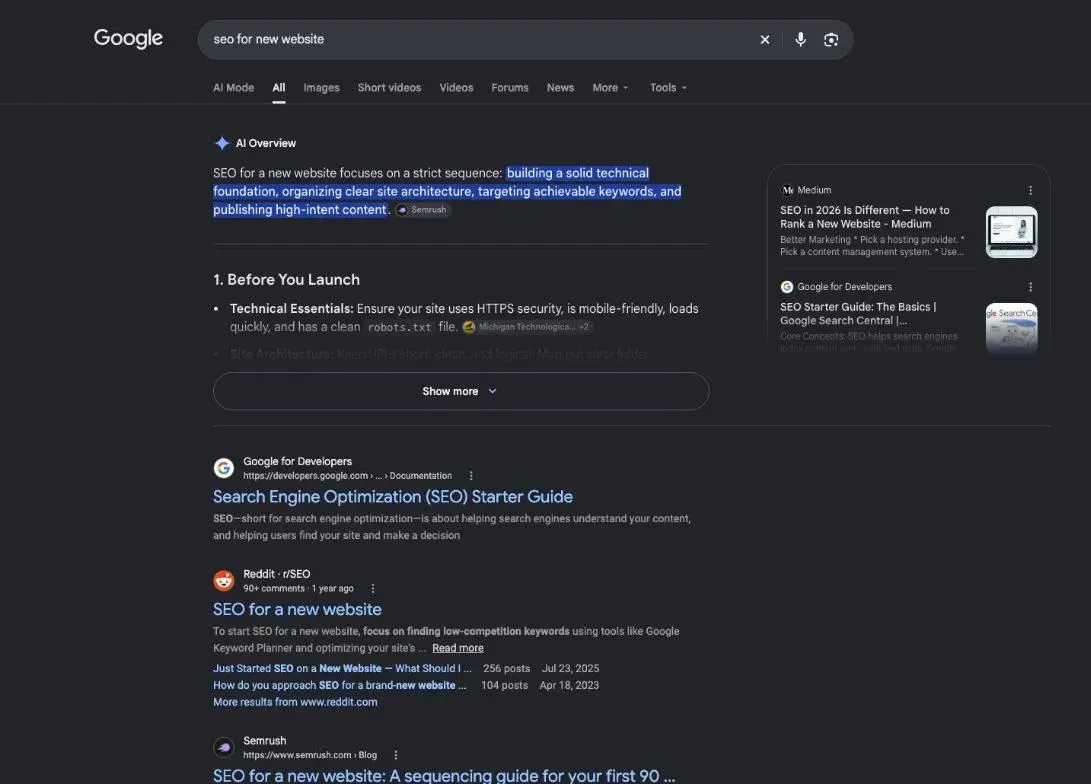
Google sums up a launch in three steps. From its guide to launching an ecommerce website (read October 30, 2026):
- “Verify your site ownership with Google.”
- Ask Google to index your site: for a “Small number of URLs: Use the URL inspection tool,” and for a “Large number of URLs: Provide a sitemap.”
- “Track how Google Search is indexing your site.”
They work for a small business site as well as a shop. Everything below prepares those three steps, or follows them.
Pick your domain and your site builder carefully
Choose a name your customers will remember and type. Google is clear that keywords in it won’t carry you: “From a ranking perspective, the keywords in the name of the domain (or URL path) alone have hardly any effect beyond appearing in breadcrumbs.” (SEO Starter Guide.)
For the builder, check one thing before you build fifty pages on it: that it lets you set a title, a description and an address for each page.
Build SEO into the design, not after it
Plan your menu and your main pages before the design. Each page should have one job, one topic, and links to the pages around it. Google notes that it “primarily finds pages through links from other pages it already crawled.” A page nothing links to is hard to find, for people and for Google.
Know your audience, your competitors and your offer
Before writing, list who you’re writing for and what they ask. Google’s advice is to think “about the words that a user might search for to find a piece of your content,” because a beginner and an expert won’t use the same words.
Then look at who already ranks for those words. Competitor analysis SEO tools show which pages your competitors publish and which searches bring them visits. If your customers come from one town or region, a local SEO tool checks how you show up in local results and on maps.
Keyword research before you write a single page
Low-volume, high-intent keywords: easier wins for a new site
A new site has no links and no history. Big, broad searches are usually taken by sites that have both. Start with precise searches that show a clear need: a service plus a town, a product plus a use, a question your customers ask you every week. Our guide on how to create an SEO strategy shows how to turn that list into a plan.
Foundational pages: home, about, services
Write the pages every visitor looks for first: home, about, your services or products, and contact. Google’s starter guide lists what makes content useful. It should be easy to read, unique, up to date, and “helpful, reliable, and people-first.” For uniqueness, its advice is: “create the content yourself based on what you know about the topic.”
Technical basics: crawlable, fast, mobile-friendly, secure
- 1 Before launch page plan, sitemap, pages proofread, speed tested, password on the site
- 2 Launch day password removed, no-index box unchecked, site verified in Search Console
- 3 After launch indexing requested, report tracked, site promoted, first links earned
Google also needs to see your page the way a visitor does. Its starter guide warns that if your site hides files like CSS and JavaScript, Google “might not be able to understand your pages.” It points to one tool to check: “To check how Google sees your page, use the URL Inspection Tool in Search Console.”
Create and submit a sitemap
A sitemap is the list of pages you want Google to know about. You rarely write it by hand: Google notes that “Some content management systems (CMS) may even do this automatically for you.” Google says you may not need one at all: “You might not need a sitemap if: Your site is “small”. By small, we mean about 500 pages or fewer on your site.” That holds if your pages are also well linked to each other.
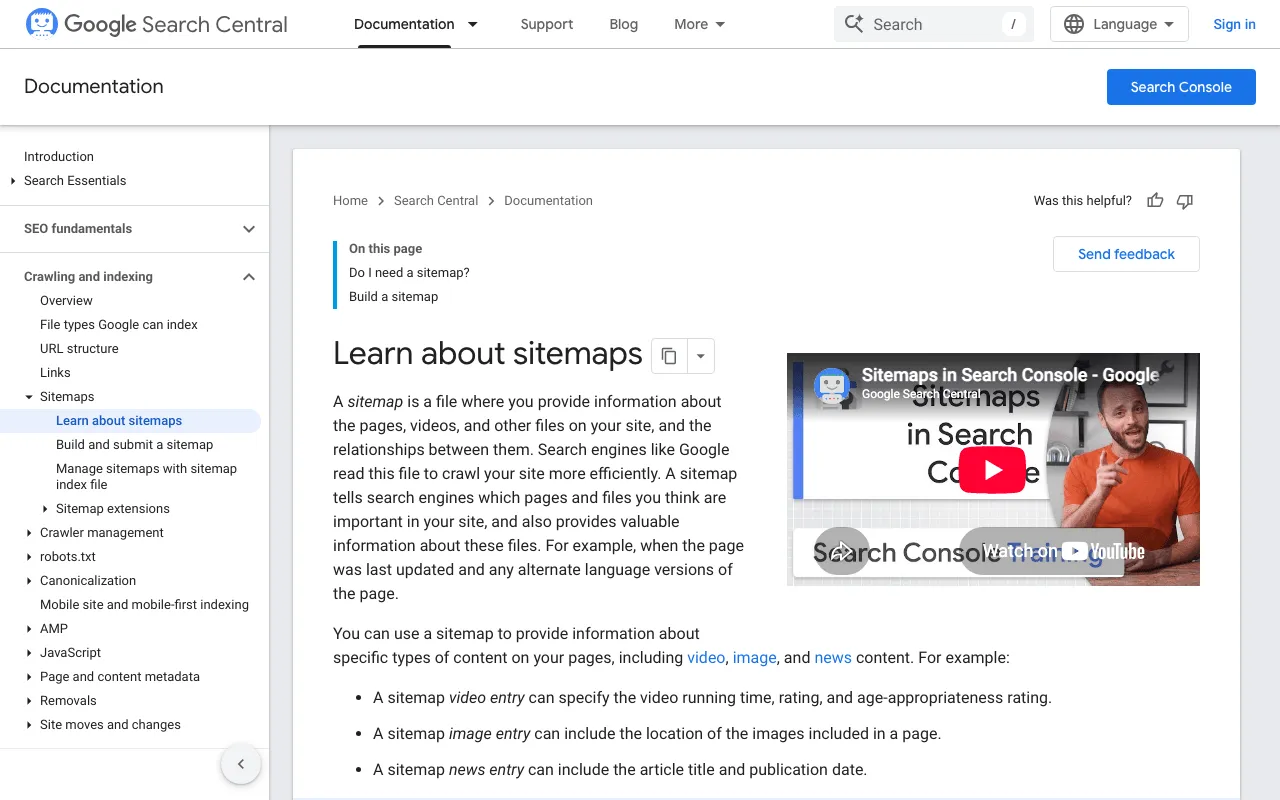
If you do send one in Search Console, keep your expectations low. Google is frank: “submitting a sitemap is merely a hint: it doesn’t guarantee that Google will download the sitemap or use the sitemap for crawling URLs on the site.”
Clean URLs and page metadata
Give each page a readable address, like /services/garden-design/ rather than a string of numbers. Google says “Parts of the URL can be displayed in search results as breadcrumbs,” so people use them to judge a result. Then write a clear title and a short description for every page. Add alt text to every image.
Accessibility from day one
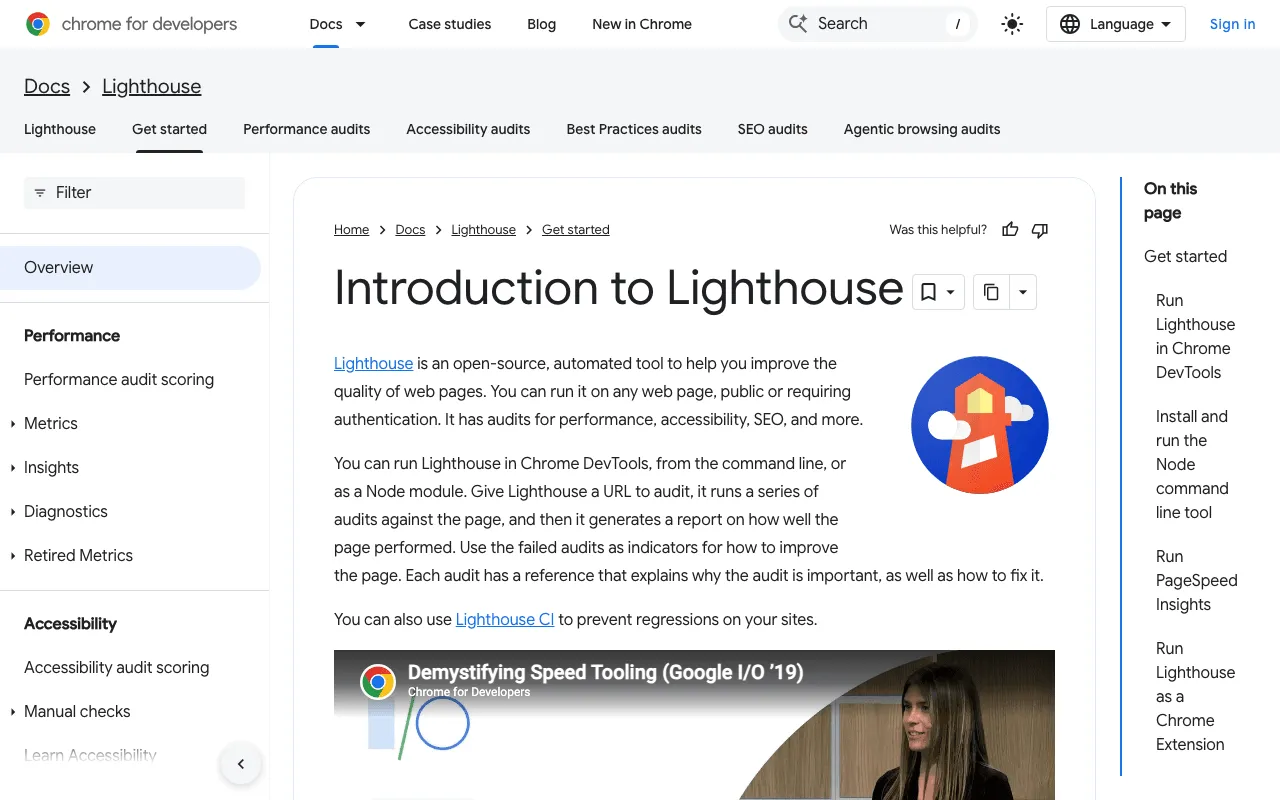
A new site is the cheapest moment to fix contrast and missing alt text. Lighthouse, already built into Chrome, gives you a first list. Its documentation says it “has audits for performance, accessibility, SEO, and more,” so the same run also gives you a first look at speed.
Also check that your site opens in “https,” with the padlock in the address bar, on every page.
Launch day: set up Search Console and analytics
While you test, Google suggests a simple lock: a password. In its launch guide, “requiring a password to access pages on the site will block Google from accessing your site, but allow testers to access your site and make sure the site works well before it’s opened to the public.” On launch day, you remove it.
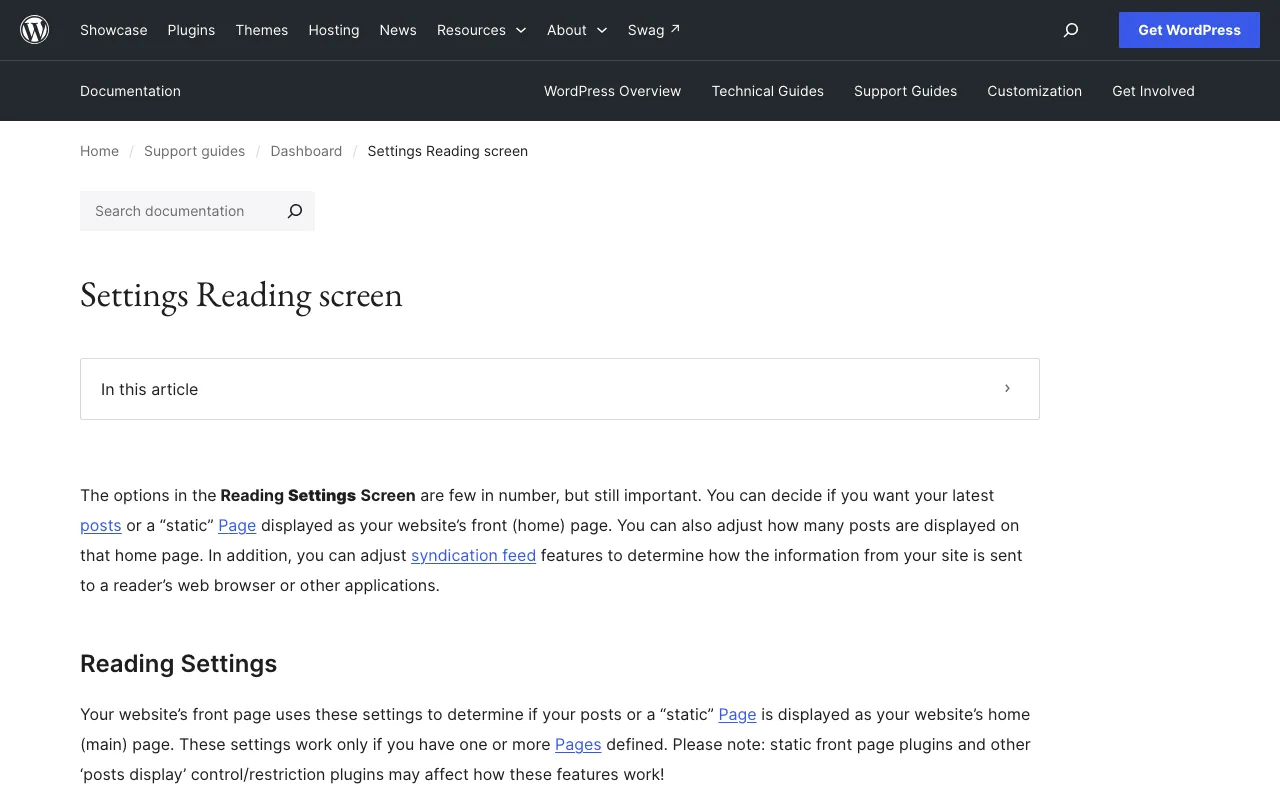
The second trap is a WordPress setting. In Reading Settings, one box asks search engines to stay away. The documentation puts it this way: “Check the Discourage search engines from indexing this site box to ask search engines not to index this site.” If you checked it while building the site, uncheck it at launch.
That box has the same aim as a noindex rule. Google defines it: “noindex is a rule set with either a <meta> tag or HTTP response header and is used to prevent indexing content by search engines that support the noindex rule, such as Google.” Look for leftover noindex rules on your key pages.
Don’t confuse noindex with robots.txt. Google says the robots.txt file “is not a mechanism for keeping a web page out of Google.” It manages how robots crawl your site, not what shows up in results.
Then open Search Console. Google describes it as “a free service offered by Google that helps you monitor, maintain, and troubleshoot your site’s presence in Google Search results.” If you use an analytics tool, install it the same day, so your first visits are counted.
Get your new site indexed on Google
Once your site is verified, use one of Google’s two paths: URL Inspection for a few pages, a sitemap for more. Then wait. Google warns: “It can take a few weeks for Google to notice a new site, or any changes in your existing site.”
Check each page with a URL indexer or Search Console
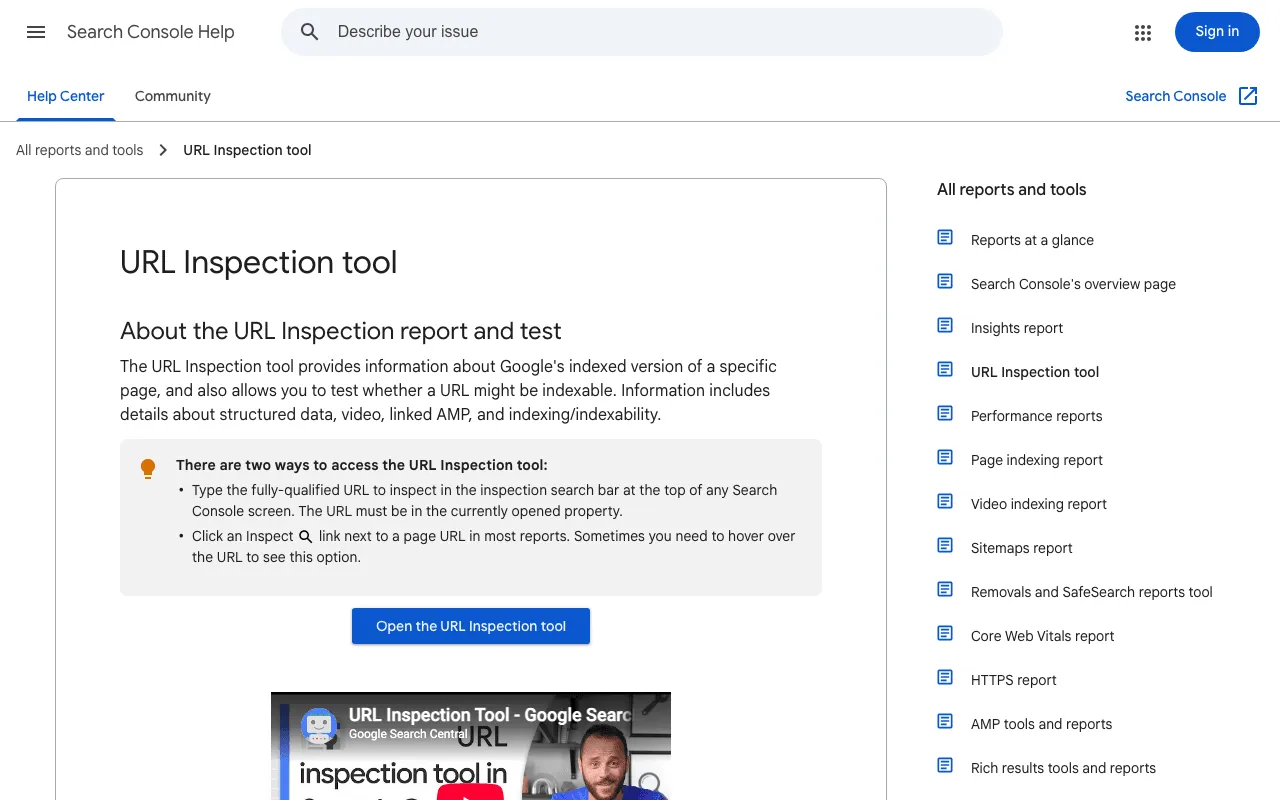
For one specific page, URL Inspection gives the answer. Google’s help says it “provides information about Google’s indexed version of a specific page, and also allows you to test whether a URL might be indexable.” Our page on the URL indexer shows what SemChat found, and missed, when it read this data on a real site.
After launch: content, links and regular audits
Start a content plan with pillar pages
Pick a few main topics, one pillar page each, and smaller pages that answer the questions around it. Link them both ways. Then keep publishing at a pace you can hold. Google’s starter guide also asks you to keep content up to date: “Check in on previously published content and update it as needed, or even delete it if it’s not relevant anymore.”
Earn your first links
Google finds new pages mostly through links, and it says other sites linking to you “happens naturally over time.” Speed it up the honest way: tell your customers, your partners, local associations, the people you work with. Never pay for links. Google lists “Buying or selling links for ranking purposes” among its spam practices.
Plan a regular check too. Once a month, open the Page indexing report in Search Console and look at what changed.
New-site mistakes: duplicate content and AI-heavy pages
Duplicate content means the same text under different addresses. Google says it’s “not a violation of our spam policies, but it can be a bad user experience and search engines might waste crawling resources on URLs that you don’t even care about.” We saw a real case on plugkit-avis.com: 104 headings counted as duplicates were in fact 52 pairs of US and UK English pages, the same page in two regional versions (check of October 29, 2026).
AI writing tools are tempting when you have fifty pages to fill. Google’s guidance: “using generative AI tools or other similar tools to generate many pages without adding value for users may violate Google’s spam policy on scaled content abuse.” Fewer pages that you’ve really written beat many pages nobody needed.
SemChat’s new site launch skill: tested on October 30, 2026
SemChat groups its know-how into 17 skills. “Lancement d’un site” (site launch) is one of them (app check, October 29, 2026). We tested it on October 30, 2026, on the Starter plan.
The site: plugkit-avis.com, my other affiliate site, whose Search Console data starts on October 24, 2026. The sentence, typed in French with the interface in French: “plugkit-avis.com a moins d’un an : vérifie les bases et donne-moi le plan des 90 prochains jours.” (plugkit-avis.com is less than a year old: check the basics and give me the plan for the next 90 days.) SemChat picked the right skill on its own. It first loaded its stored site analysis, so as not to crawl the site again for nothing. Then it ran, in order: a read of the /fr/avis-plugkit/ page, Google’s results for “avis plugkit,” a keyword lookup, the backlink profile, a page analysis, and the results for “plugkit avis.”
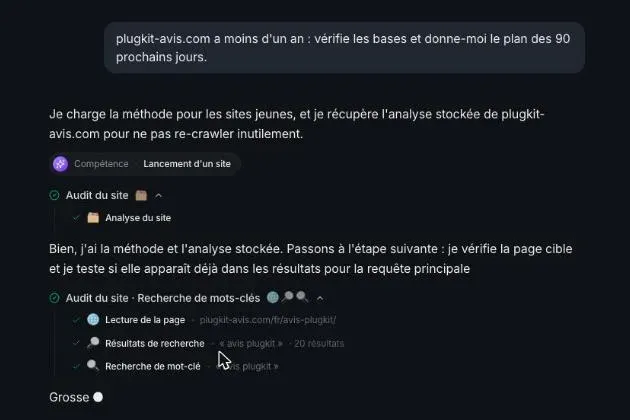
In about 3 minutes it returned a downloadable document, “Plan 90 jours : plugkit-avis.com,” and a chart of planned links by anchor type. Its verdict: the site is already live and ranking. The English page /plugkit-review/ ranks first for “avis plugkit” on Google France, the French page /fr/avis-plugkit/ third for “plugkit avis,” and the results page has no real competitor (it shows power outlets, solar panels and tubeless kits). Then three actions for the week, and a week-by-week plan up to a review on January 28, 2027.
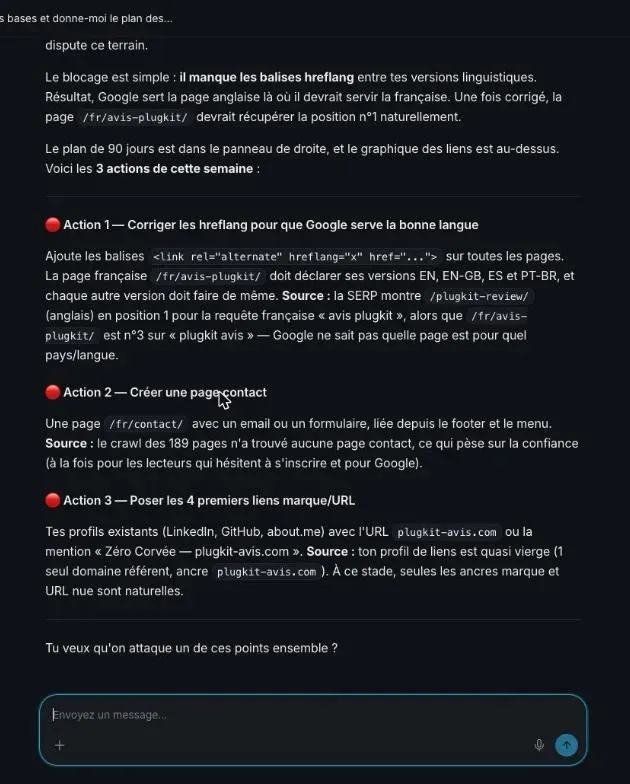
What it got right: the rankings and the near-empty results page are useful facts, pulled by its tools that same day. Its link advice is careful: start with links to your name or your web address (LinkedIn, GitHub, about.me), and no exact-match anchor for 90 days.
What it got wrong, checked on the live site on October 30, 2026:
- Action 1, “hreflang tags are missing”: false. The
/fr/avis-plugkit/page already declares its en-GB, en-US, en, es, fr, pt-BR and x-default versions. - Action 2, “create a contact page”: false that day. The
/fr/contact/and/contact/pages load normally. They didn’t exist the day before: SemChat read its stored October 29 analysis, not the live site. - Duplicate titles between US and UK English: it reports 50 pairs. On the pair I checked (
plugkit-review), the titles differ. With one pair checked, its number is neither confirmed nor disproved.
The takeaway: before you apply any “add” or “create” action, open the live page and see whether the thing already exists.
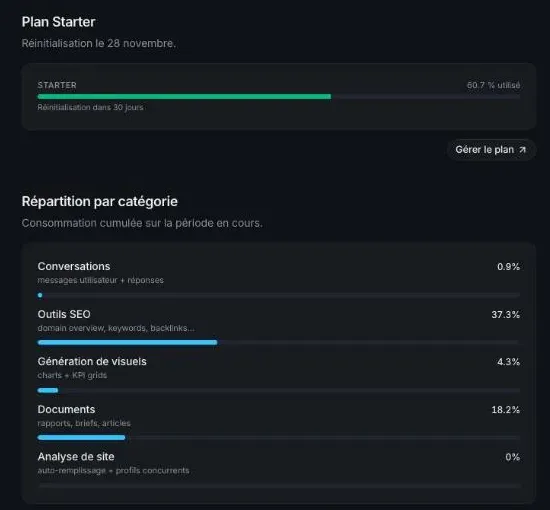
Cost: the Usage tab of the Starter plan went from 57.8% to 60.7%, so 2.9 points of the month’s quota for this test.
What the Indexation skill showed on a new site
The neighboring Indexation skill was tested on the same site on October 29, 2026. Its first diagnosis said the English pages had no impressions at all, and it considered a noindex on them. That was wrong: Search Console showed impressions on some English pages. Worse, it ignored that the site was brand new.
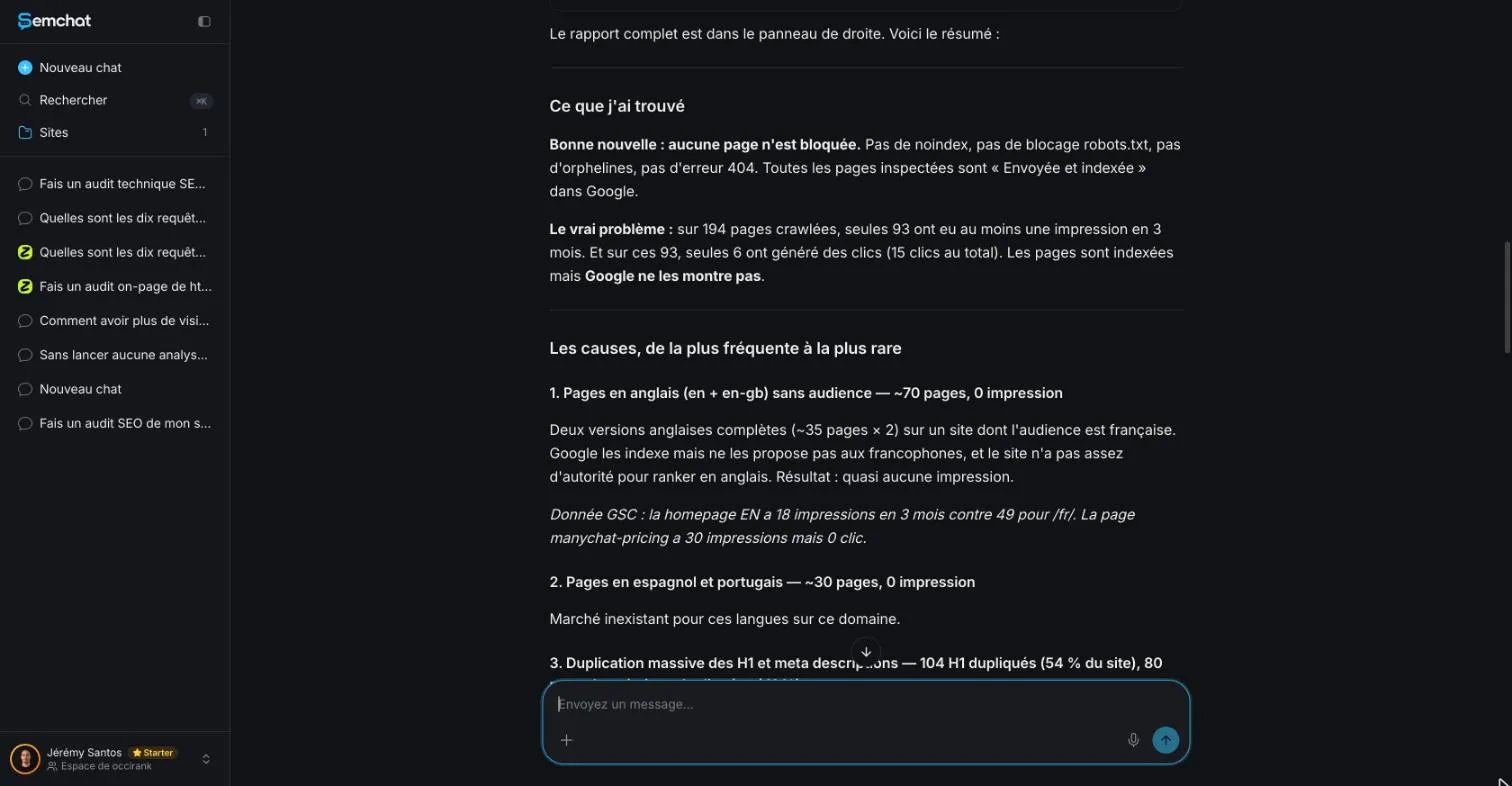
After a follow-up question, SemChat wrote “J’avais tort sur trois points” (I was wrong on three points), including “J’ai omis que les données GSC datent du 24 octobre” (I left out that the Search Console data starts on October 24). It then filed about 80 pages as too recent, to look at again in three or four weeks. That’s the right reading for a new site.
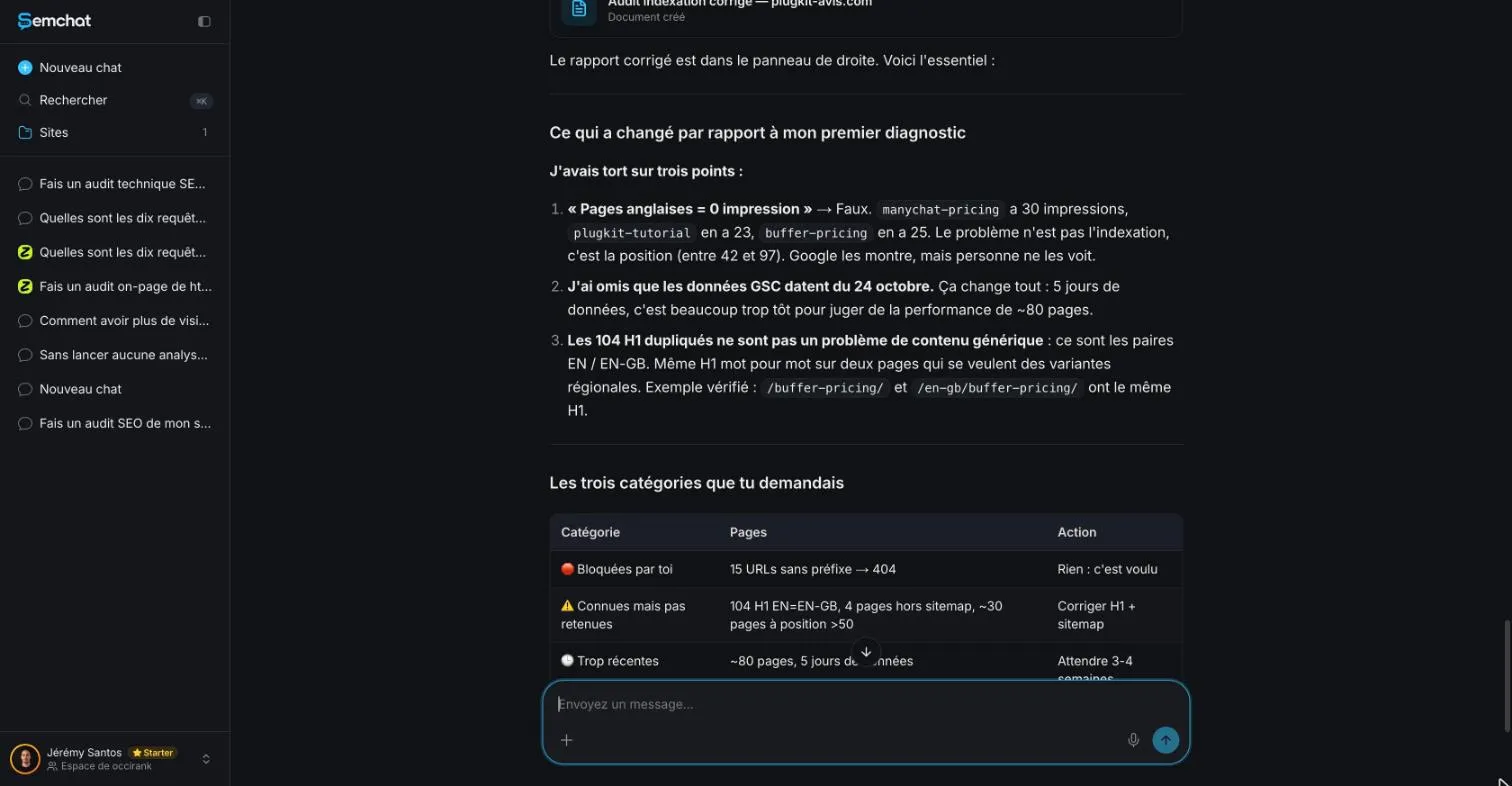
But the three actions it still recommended were wrong, checked on October 29, 2026: add to the sitemap a page that was already in it, add two pages that no longer exist, and create a sitemap that exists (51 URLs).
This page’s checklist against SemChat’s output
I went through this page’s checklist, point by point, in the October 30, 2026 output:
- sitemap, noindex, robots.txt: its foundations table ticks them all (page online, no noindex, canonical, title, structured data, robots.txt, sitemap, 189 indexable pages);
- Search Console: none of the tools it ran read it; the plan rests on the stored analysis and on Google’s results;
- the Indexation skill’s mistakes: they come back in another form. Indexation wanted to “add” a page already in the sitemap and “create” an existing sitemap; New site launch wants to “add” hreflang tags that are there and “create” a contact page that’s live.
Same mistake in both skills: SemChat calls something missing when it exists. For SEO for a new website, check every “missing” before you act. The full test of the tool is in our SemChat review, and the plans are on our SemChat pricing page.
For SEO for a new website, keep one rule: the tool checks, you decide. Search Console stays your source of truth, and every suggested action gets checked on your own site before you apply it.
Frequently asked questions
How do you start SEO for a brand new website?
Follow Google's three steps for a new site: “Verify your site ownership with Google,” ask Google to index your site (the URL Inspection tool for a few URLs, a sitemap for many), then “Track how Google Search is indexing your site.” That's from Google's guide to launching an ecommerce website, read October 30, 2026. Before that, make sure nothing blocks Google: no password, no “discourage search engines” box checked in WordPress.
How can you improve SEO for a new website after launch?
Publish pages that answer real questions, link them to each other, and let other sites find you naturally. Then be patient: Google says “you likely want to wait a few weeks to assess whether your work had beneficial effects in Google Search results” (SEO Starter Guide, read October 30, 2026). Check Search Console for pages that aren't indexed and fix the causes one at a time.
Is SEO paid or free for a new site?
Getting into Google is free: “Google doesn't accept payment to crawl a site more frequently, or rank it higher” (How Search works, read October 30, 2026). Search Console is “a free service offered by Google.” What costs money is your time, or the tools and people you hire. SemChat has a Free plan at €0; its New site launch skill, tested on October 30, 2026 on the Starter plan, used 2.9 points of the month's quota.
How long does it take Google to find a new website?
Google doesn't promise a date: “It can take a few weeks for Google to notice a new site, or any changes in your existing site” (Get on Google, read October 30, 2026). On my affiliate site plugkit-avis.com, Search Console had data only from October 24, 2026, five days before our tests.
Can SemChat launch a website for me?
No. Its New site launch skill reads your site and Google's results, then returns a 90-day plan. In our October 30, 2026 test, it told us to add hreflang tags that were already there and to create a contact page that already existed. You apply the actions in WordPress or Webflow yourself, after checking each one on your live site.
Let your AI do the chores of getting found online.
10% off your subscription, for life with my link, if you subscribe within 2 weeks of signing up. No code. All about the SemChat promo code
Affiliate link: it costs you nothing extra.
Verified sources
- Google Search Central: Launching a new ecommerce website (October 30, 2026)
- Google Search Central: SEO Starter Guide (October 30, 2026)
- Google Search Central: Learn about sitemaps (October 30, 2026)
- Google Search Central: Build and submit a sitemap (October 30, 2026)
- Google Search Central: Block Search indexing with noindex (October 30, 2026)
- Google Search Central: Introduction to robots.txt (October 30, 2026)
- WordPress: Settings Reading Screen (October 30, 2026)
- Search Console Help: URL Inspection tool (October 30, 2026)
- Search Console Help: About Search Console (October 30, 2026)
- Google Search Central: Get on Google (October 30, 2026)
- Google Search Central: How Search works (October 30, 2026)
- Google Search Central: Spam policies (October 30, 2026)
- Google Search Central: Guidance on using generative AI content (October 30, 2026)
- Chrome for Developers: Introduction to Lighthouse (October 30, 2026)
- SemChat pricing (Free plan, every feature in every plan) (October 30, 2026)