Add business to Google: from sign-up to verification
To add your business to Google, you need a Google Account, the address business.google.com/add and a little time. You enter your name, category, address or service area, then Google asks you to verify the business: verification is what lets you edit the profile and helps it show up. Google says adding it costs nothing.

 By Jérémy Santos Updated on 30 October 2026 Tested on his own SemChat account: first audit on 29 October 2026.
 This page is part of the guide: Google Business Profile SEO
You want your shop to show up on Google Maps with your address, hours and phone number. To get there, you add your business to Google. This guide follows Google’s own help pages, read on 30 October 2026, from sign-up to verification. What the profile does for you once it’s live is covered in our guide to Google Business Profile SEO. The SemChat buttons on this page are affiliate links.
Before you add your business to Google: what to prepare
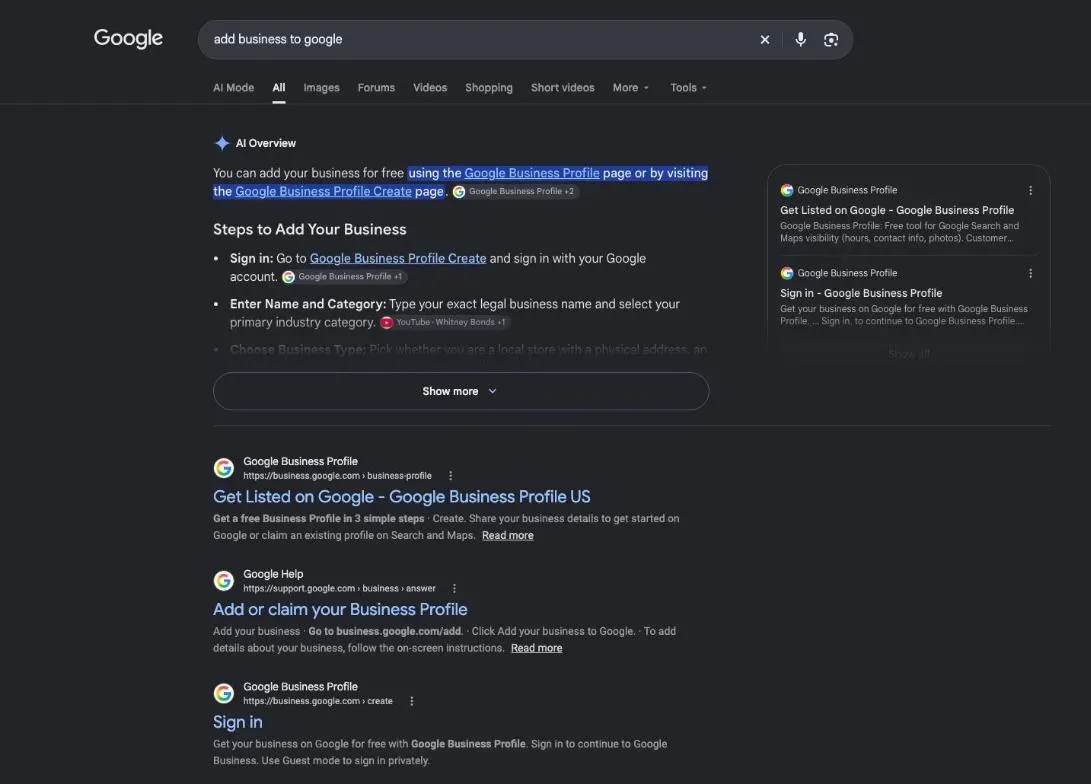
A little prep saves you a rejected profile. You need an account, the exact details of your business, and one condition: being eligible.
A Google Account to manage your profile
Google puts it plainly: “You need a Google Account to sign up for a Business Profile.” You can create one with a Gmail address or your preferred email address, or use an account you already have. Google’s tip: link your company email address to it, so the profile is easier to manage (Google Business Profile Help, support.google.com, read 30 October 2026).
Then gather:
- Your real-world name, the one on your storefront, website and invoices.
- Your main category: what your business is, in as few categories as possible.
- Your address if customers come to you, or your service area if you go to them.
- A phone number that reaches your location, and your website if you have one.
- Your hours, the ones when you actually serve customers.
The eligibility rule: “Only businesses that make face-to-face contact with customers are eligible for a Business Profile.” An online-only business with no place customers can visit, and no in-person visits, doesn’t qualify.
Your Google My Business profile already exists? Claim it
Before creating anything, search for your business name and city on Google Maps. A customer, or Google itself, may already have added your shop. If you find an unverified profile, Google’s help tells you to claim it: select Claim this business, then Manage now, then pick a verification option. If someone else already verified it and you’re authorised to manage the business, you can request ownership from the current owner.
Why bother? Google wants “only one profile per business”: a duplicate can cause problems with how your information displays on Maps and Search.
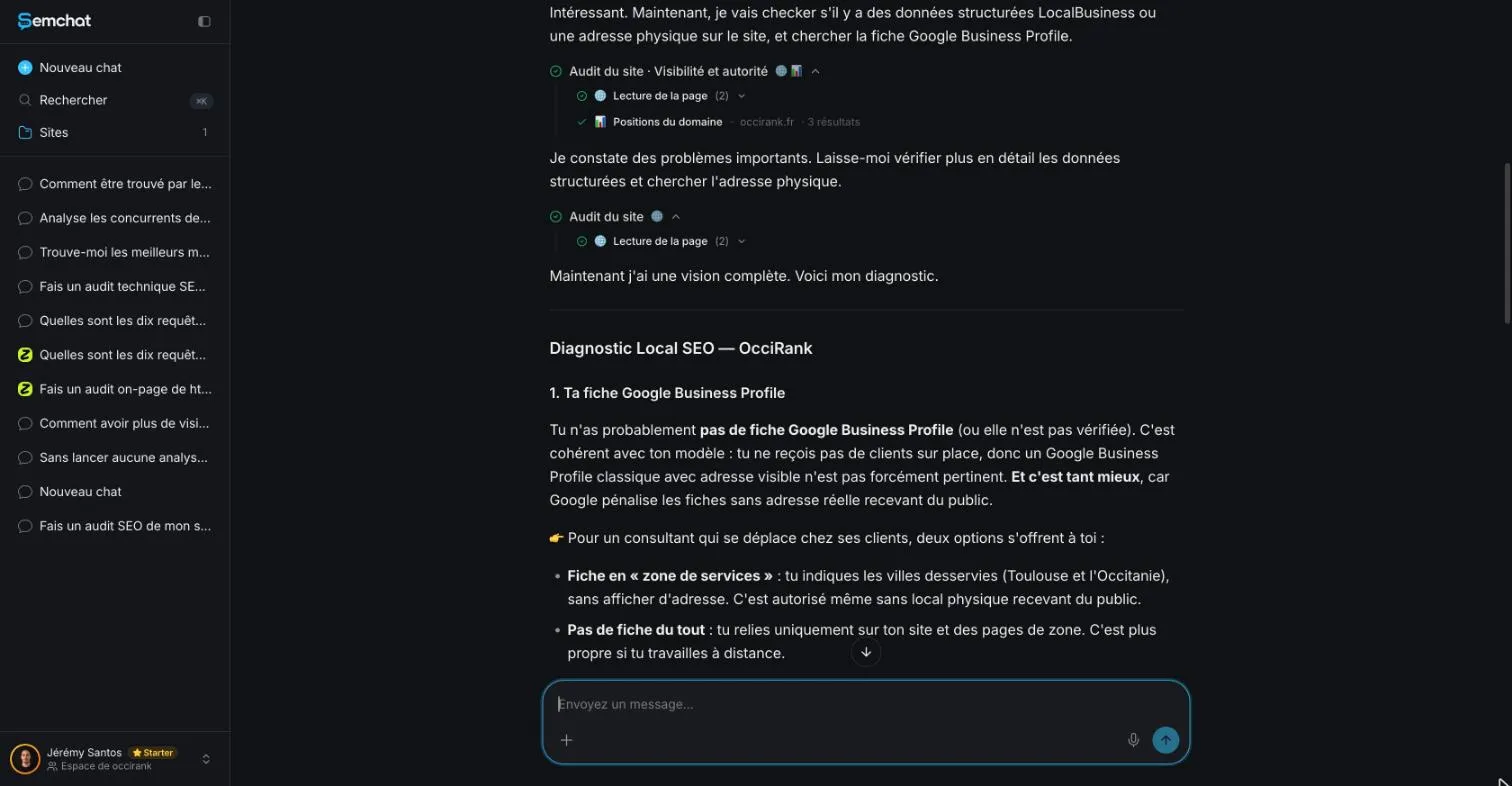
Don’t let a tool answer this for you. On 29 October 2026, I asked SemChat’s “local SEO” skill whether occirank.fr, my SEO consulting business in Toulouse, had a profile. Its answer, translated from French: “You probably don’t have a Google Business Profile.” It never searched. SemChat has no Google Business Profile connector, so it can’t read your profile; it can only guess.
Create Google My Business, step by step
Whether you call it “create Google My Business” or “create a Business Profile”, it’s the same tool: Google My Business is the old name. The interface changes often, so the steps below quote Google’s help as it read on 30 October 2026.
- 1 Sign in A Google Account, Gmail or your own email address.
- 2 Add your business business.google.com/add, then Add your business to Google.
- 3 Your details Real name, category, address or service area, phone.
- 4 Verify Google picks the method, then reviews for up to 5 business days.
Step 1: sign in and add your business
Google’s instructions, word for word:
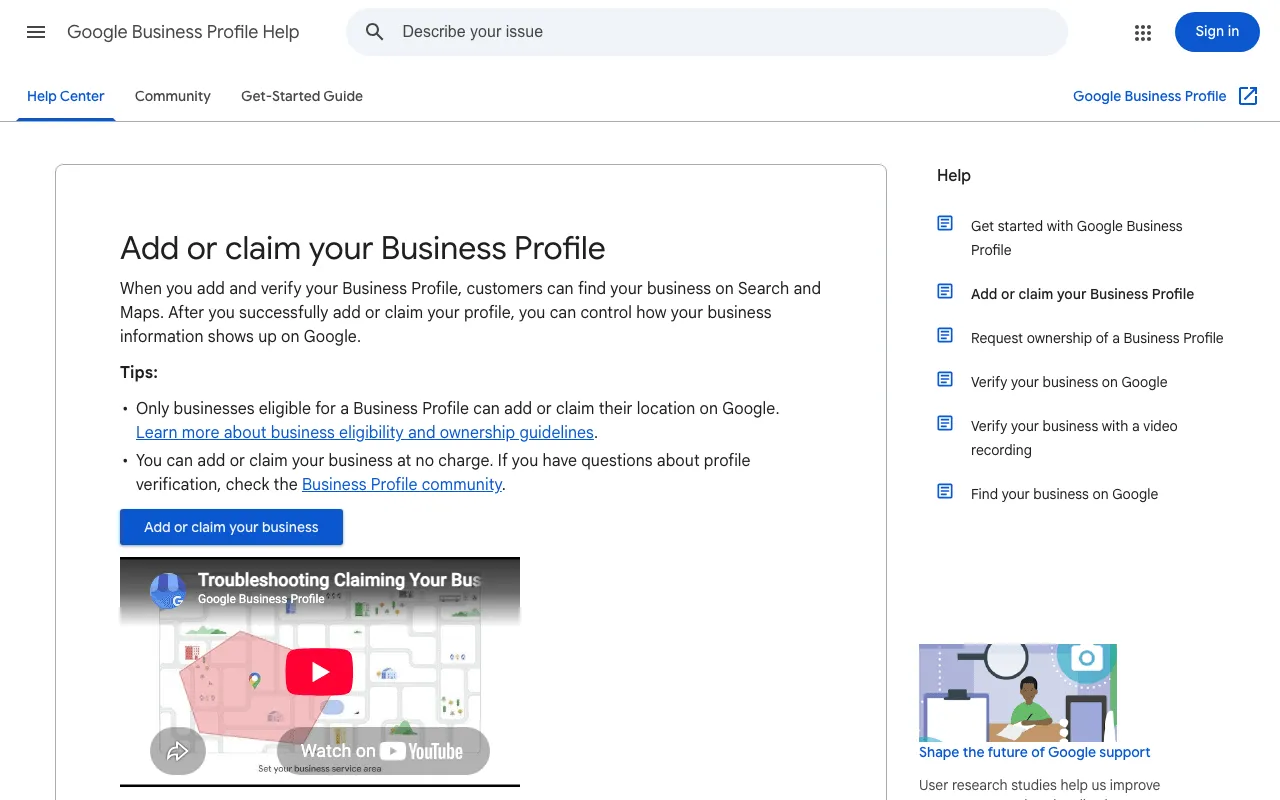
- “Go to business.google.com/add.”
- “Click Add your business to Google.”
- “To add details about your business, follow the on-screen instructions.”
- “Select a verification option, and follow the on-screen steps.”
Step 2: your business name and main category
“Your name should reflect your business’s real-world name, as used consistently on your storefront, website, stationery, and as known to customers.” No slogans, no store codes, no all-caps words: Google warns that extra information in the name “could result in the suspension of your Business Profile.”
For categories, pick the fewest that describe your core business, and “do not use categories solely as keywords” (guidelines for representing your business, read 30 October 2026).
Step 3: your address or the area you serve
“Depending on your business category, your location can be a street address, service area, or place marker.” Two common cases:
- Customers come to you (shop, salon, office): enter your real address. Google says businesses that show their address “should maintain permanent fixed signage” there. P.O. boxes and virtual offices aren’t accepted.
- You go to customers (plumber, cleaner): one profile for your central office with a service area, ideally no farther than about 2 hours of driving. If you work from home, hide your address.
Step 4: your phone number and website
Give a phone number that connects to your location, preferably a local number rather than a call center, and controlled by your business. Premium-rate numbers aren’t allowed. Your website should represent your business, and must not redirect people to other landing pages.
Verify your business with Google
Without verification, your profile is half done. Google writes that to edit your info “and interact with customers, you need to verify your business.”
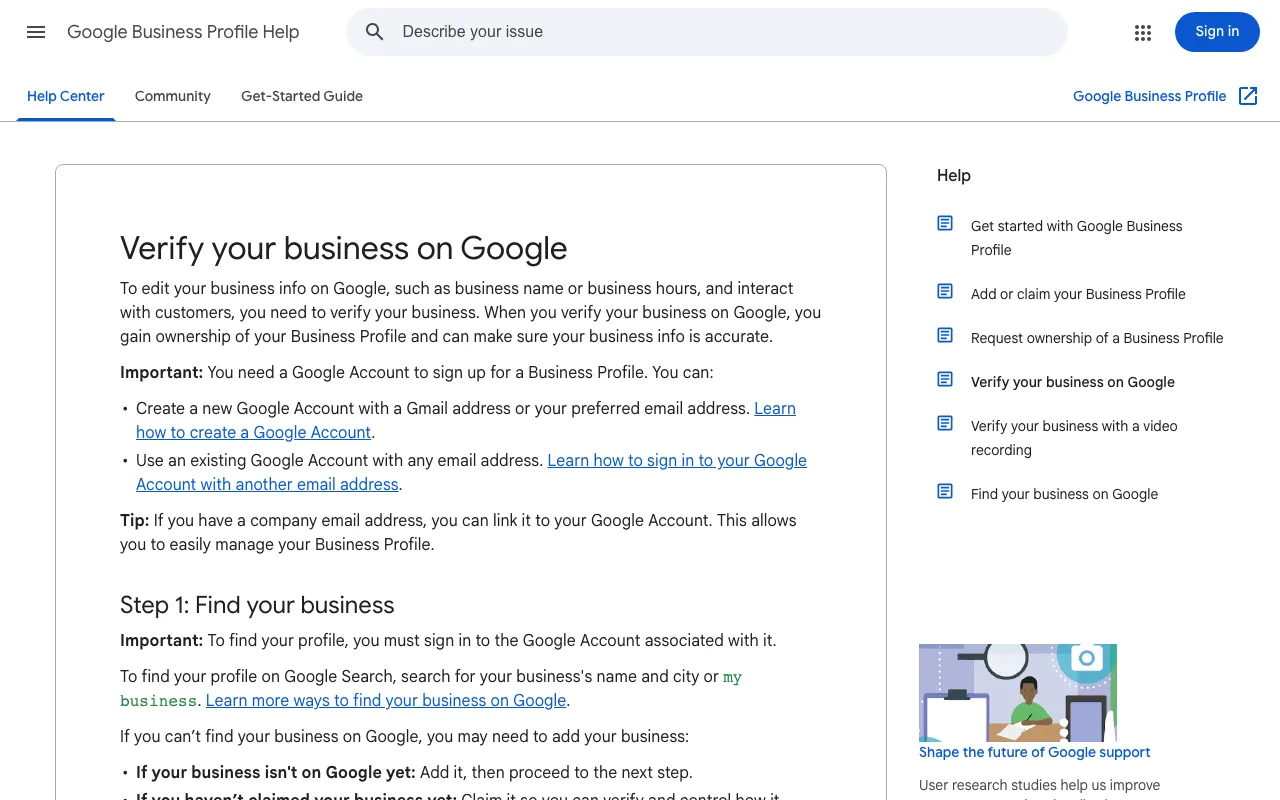
The verification methods Google may offer you
You don’t pick. “Verification methods are automatically determined by Google and can’t be changed.” They depend on your business type, public info, region or hours. The help page I read lists:
- Phone or text: a code sent to your business number (automated phone menus won’t get it).
- Email: to the address shown on the verification screen.
- Live video call: from your business, during local business hours, showing your signs, equipment and an employee-only area.
- Video recording: the option Google recommends when you’re eligible.
- Mail: a postcard with a 5-digit code. “Most codes arrive within 14 days” and they expire after 30 days. Don’t edit your name, address or category while you wait, or the code won’t work.
Then Google reviews your info, which takes “up to 5 business days”, longer on rare occasions. A confirmation email tells you when you’re verified.
Policies that can block or suspend a new profile
Google’s guidelines open with a warning: follow them so your profile “won’t be suspended.” The usual traps are in this guide: an online-only business (“Business Profiles aren’t for online-only businesses nor properties for rent or sale”), a virtual office, a name stuffed with keywords, two profiles for one location. If the “Verify” button shows up again, Google couldn’t fully verify you: try again, with another method if several are offered.
No website or no storefront? You can still be on Google
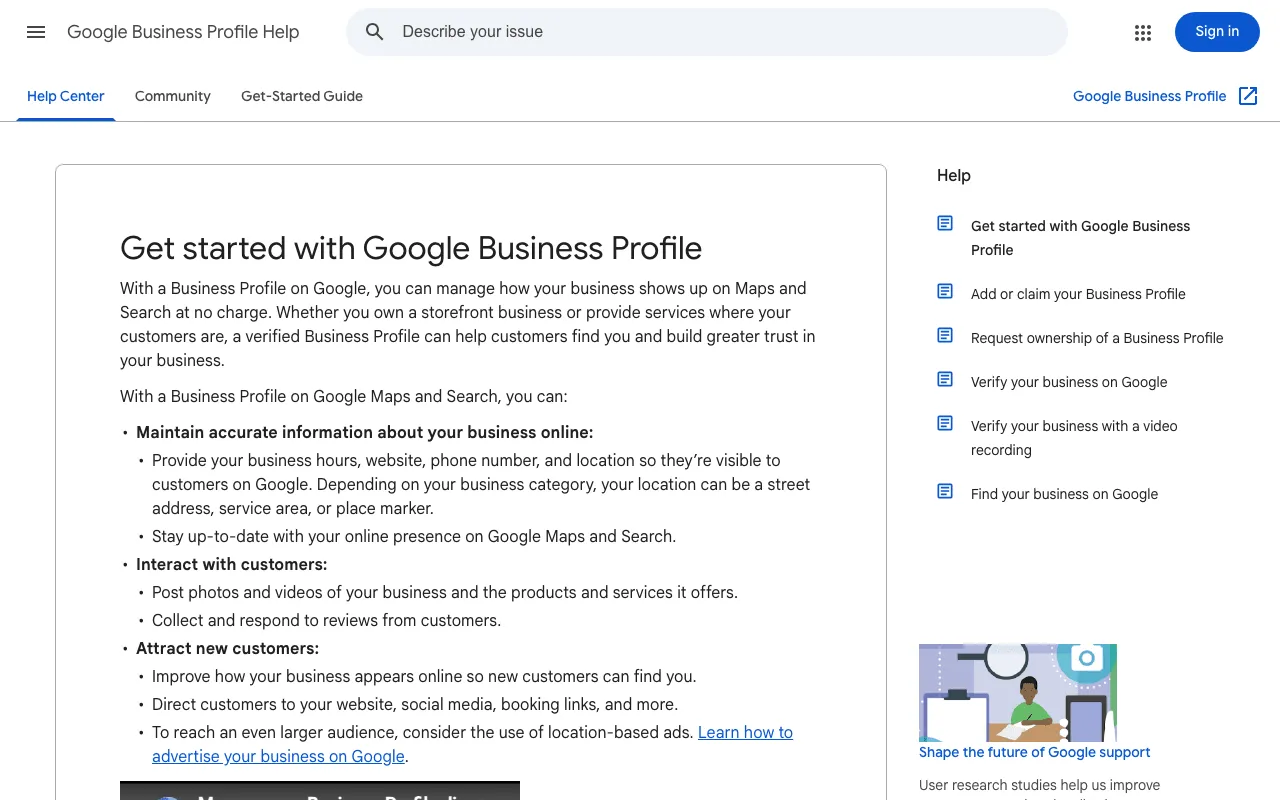
Google covers both kinds of local business: “Whether you own a storefront business or provide services where your customers are.” What matters is meeting customers in person.
How to add my business to Google without a website
No website is required. Google asks for “a phone number that connects to your individual business location, or” a website that represents it. A phone number is enough to start. Just don’t paste a social page link that sends people somewhere other than your business.
How to create a Google Business Profile when you serve customers at their place
Choose the service-area route in Step 3: your central office, a service area, and your home address hidden. If you also receive customers at a garage or workshop, Google calls you a “hybrid” business: you can show your address and a service area, as long as the place is staffed during your stated hours.
Google business listing or profile: the same thing
“Google business listing”, “Google My Business profile”, “Business Profile”: different names, one tool. Google calls it a Business Profile today.
Complete your business profile after sign-up
Hours, services and description
A verified but empty profile won’t do much. Each setting, in order, is covered in our guide to Google Business Profile optimisation.
Logo and cover photo
Photos help customers see your place before they visit. And if a customer’s photo hurts your profile, here’s how to remove photos from Google Business Profile.
The settings that come next
Your profile is one piece of local SEO for small business: your website, your reviews and the sites that mention you count too. If your website isn’t on Google yet, our steps on how to get my website on Google cover Search Console, the sitemap and the indexing request.
SemChat can help on your website side: checking that your name, address and phone match across pages. It doesn’t touch your profile: none of its eight connectors goes to Google Business Profile (checked 29 October 2026).
Your first customer reviews
Your first customers are your best voices. Google gives you a link and QR code to ask for reviews: our guide to the Google review link shows how to get yours and what to say.
To add your business to Google, you need an account, the right details and a verification. Start today: search for your business on Google Maps, then claim or create.
Frequently asked questions
How do you add a business to Google Maps?
The same way you add it to Google Search: one Business Profile shows on both. Go to business.google.com/add, click Add your business to Google, follow the on-screen instructions, then pick a verification option. If Maps already shows an unverified profile for your business, claim it instead (Google help, read 30 October 2026).
How can you add your business to Google from your phone?
Google's help describes how to claim an existing, unverified profile in the Google Maps app: search for your business, open it, tap About, then Claim this business and Manage now. Creating a brand-new profile from a phone isn't described on the page I read; the steps given use business.google.com/add.
Can you add your business to Google for free?
Yes. Google writes: “You can add or claim your business at no charge” (help page read 30 October 2026). Be wary of anyone charging you just to create the profile. What costs time is filling it in properly and getting reviews.
How do you delete a Google Business Profile?
For a closed business, Google's get-started page points to a separate help article on how to remove the Business Profile from your account (read 30 October 2026). Follow that article; I haven't tested the removal myself. If you just want someone else to run the profile, Google lets you transfer primary ownership instead.
Let your AI do the chores of getting found online.
10% off your subscription, for life with my link, if you subscribe within 2 weeks of signing up. No code. All about the SemChat promo code
Affiliate link: it costs you nothing extra.
Verified sources
- Google Business Profile Help: Add or claim your Business Profile (30/10/2026)
- Google Business Profile Help: Verify your business on Google (30/10/2026)
- Google Business Profile Help: Get started with Google Business Profile (30/10/2026)
- Google Business Profile Help: Guidelines for representing your business on Google (30/10/2026)
- SemChat pricing (Free plan, Starter plan) (29/10/2026)