AI Overviews SEO: what Google's AI answers change for your site
AI Overviews SEO comes down to one rule from Google itself: there are no extra requirements and no special optimizations. An AI Overview is the AI-written summary Google sometimes shows above its results, with links to the pages behind it. To be one of those links, a page must be indexed and eligible to show with a snippet. Google pages read on October 30, 2026.

 By Jérémy Santos Updated on October 30, 2026 Tested on his own SemChat account: first audit on October 29, 2026.
 This page is part of the guide: GEO vs SEO
You type a question into Google, and before any link, a paragraph already answers it. That’s an AI Overview. If you run a site, two questions follow: does this summary take my visits, and how do I get cited in it? That’s what AI Overviews SEO is about.
This page answers in Google’s own words, read on its two official pages on October 30, 2026. It belongs to our GEO vs SEO guide, which compares classic search optimization with visibility in AI engines. Links to SemChat are affiliate links; they don’t change what’s written here.
Google AI Overview SEO: what AI Overviews are
Google’s help page describes AI Overviews as a way to “take the work out of searching by providing an AI-generated snapshot with key information and links to dig deeper.” They appear when Google’s systems “determine that generative AI can be especially helpful,” for example when you want to quickly understand information from a range of sources.
In plain words: Google reads several pages for you, pulls a few sentences out of them, and lists the pages that back those sentences up.
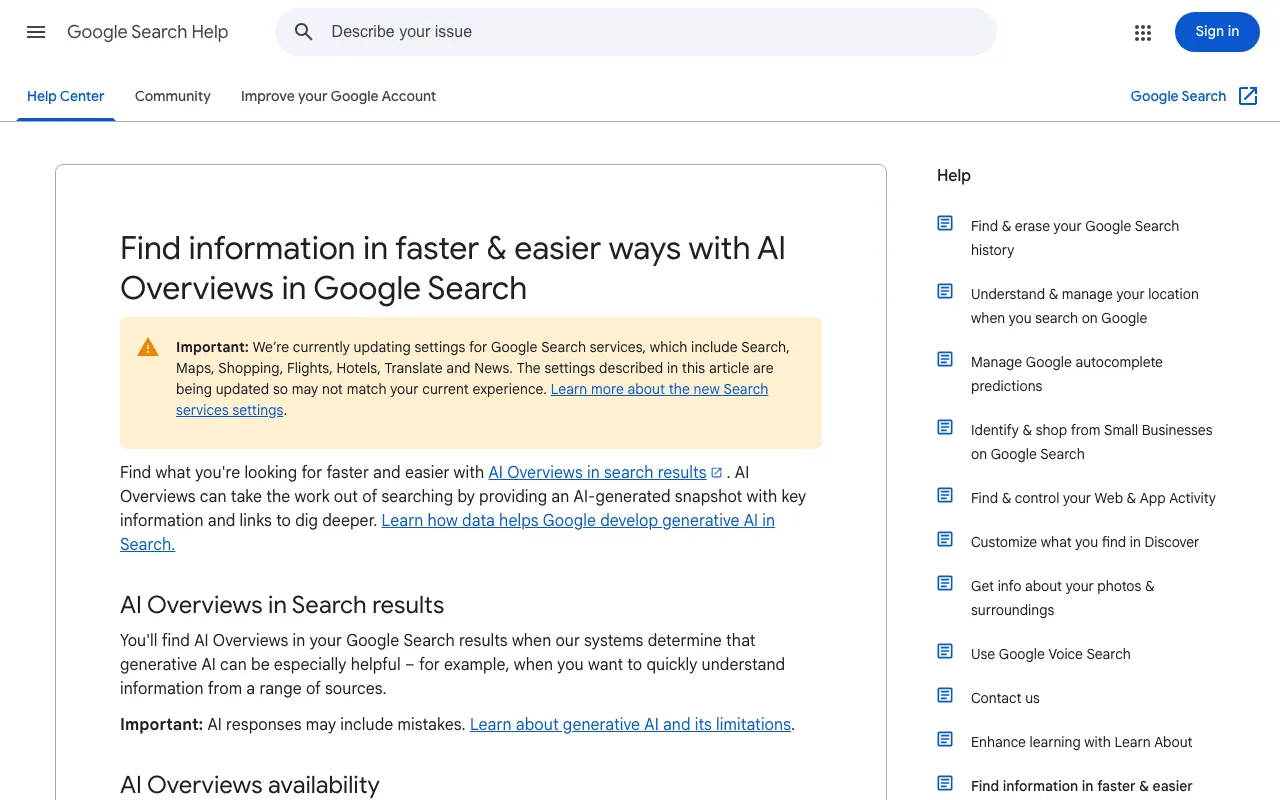
Google Search Help page presenting AI Overviews. Screenshot of support.google.com/websearch/answer/14901683, taken on October 30, 2026.
AI Overview SEO: what changes for a small site
Less than you’d think. Google’s guide for site owners states it flatly: “There are no additional requirements to appear in AI Overviews or AI Mode, nor other special optimizations necessary.” The same SEO basics that get you into regular results are the ones that get you cited.
Google also writes that these features “offer unique opportunities for more types of sites to appear.” A small site that answers one question clearly can sit next to a big publisher. Before going further, don’t mix up three formats that look alike.
| AI Overview | AI Mode | Featured snippet | |
|---|---|---|---|
| What it is | an AI-written summary above the results | a conversation with the AI, to dig deeper | text from a single page, shown first |
| When | when generative AI can help | questions that need reasoning or comparisons | when enough text can be shown |
| Your links | several pages cited as sources | links to supporting websites | the link of the page the text comes from |
AI Mode is a conversation. Google calls it “particularly helpful for queries where further exploration, reasoning, or complex comparisons are needed.” On mobile, you can move from an AI Overview into AI Mode with Show more and a follow-up question. A featured snippet is older: a special box where Google shows a page’s descriptive text before its link. It comes from one page; an AI Overview draws on several.
Which searches show an AI Overview
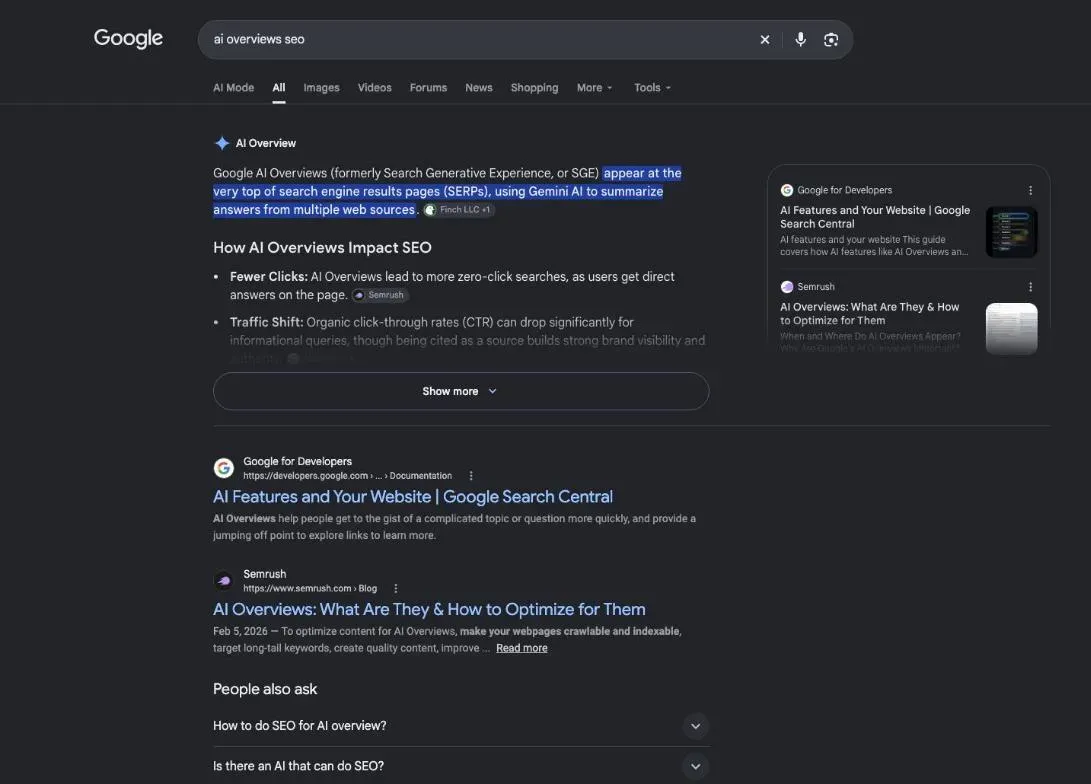
Not every search. Google writes that AI Overviews “are only shown when our systems determine that it is additive to classic Search, and as such, often don’t trigger.” They were built for queries where they add something beyond what Search already shows.
So a question that mixes several sources is more likely to trigger one than a brand name or an address. Google publishes no list. The only way to know is to type your customers’ questions and look.
How Google builds an AI Overview and picks its sources
Google doesn’t publish the full recipe, but its Search Central guide describes the main steps. They’re enough to see where your site comes in.
Google says both AI Overviews and AI Mode “may use a ‘query fan-out’ technique,” issuing multiple related searches across subtopics and data sources to build a response. While the answer is written, its models find more supporting pages. Google says this shows a wider set of links than a classic web search.
- 1 Your question You type a search into Google.
- 2 Related searches Google also searches subtopics and data sources.
- 3 Supporting pages Indexed pages that can show with a snippet.
- 4 A summary with links The AI writes the overview and cites its sources.
The rule to be one of those links fits in one sentence: “To be eligible to be shown as a supporting link in AI Overviews or AI Mode, a page must be indexed and eligible to be shown in Google Search with a snippet.” Google adds that there are no additional technical requirements, and that indexing and serving aren’t guaranteed.
The AI model behind the summaries
Google talks about generative AI and “advanced models,” without naming the model on either page I read. It does say that “AI Mode and AI Overviews may use different models and techniques,” so their answers and links can differ. Missing data: the model’s name on an official Google page (planned source: Google’s blog, read in session).
When the summary gets it wrong
Google is blunt on its help page: “AI Overviews can and will make mistakes.” Its advice to searchers: check important info in more than one place, click the supporting links, and send feedback when something looks wrong. As a searcher, you can rate each overview with the thumbs up and thumbs down icons at its bottom, or click Report a problem. For you as a site owner, it’s a reason to keep your facts dated and sourced: a clear page is easier to quote correctly.
What AI Overviews do to your clicks
This is the question that worries site owners. The honest answer: we know less than many pages claim.
Here’s what Google says: sites appearing in AI features “are included in the overall search traffic in Search Console,” in the Performance report, under the “Web” search type. Google also says that clicks from results pages with AI Overviews are “higher quality,” meaning people tend to spend more time on the site. That’s Google’s claim, with no figure on the page, not an independent study.
What studies say, and how to read them
Many articles quote a drop in clicks, with a percentage. I don’t repeat any here. Missing data: a dated study of the effect of AI Overviews on clicks (planned source: a published study, URL read). Semrush’s fact sheet, dated October 29, 2026, lists no such study either.
When you do read a study, check three things: who ran it, when, and on which searches. A drop measured on definitions says little about a local business or a store. The safest numbers are yours. In Search Console, pick a page that answers a question, note its clicks and impressions month by month, and watch whether clicks fall while impressions hold. That’s your own trend, not a study, but it’s about your site.
Online stores: new chances to be seen
Google’s list of SEO basics for AI features includes one line for shops: check that your Merchant Center and Business Profile information is up to date. And AI Mode is built for comparisons between options, which is how people shop. A store with clear product pages and real prices gives Google something solid to cite. Google also says these features can show “a wider and more diverse set of helpful links” than a classic web search. Whether that helps your shop, only your own Search Console data will tell.
How to rank in AI Overviews: getting cited as a source
No one can sell you a guaranteed method. Google’s words: “You can apply the same foundational SEO best practices for AI features as you do for Google Search overall.” In practice, that gives five habits.
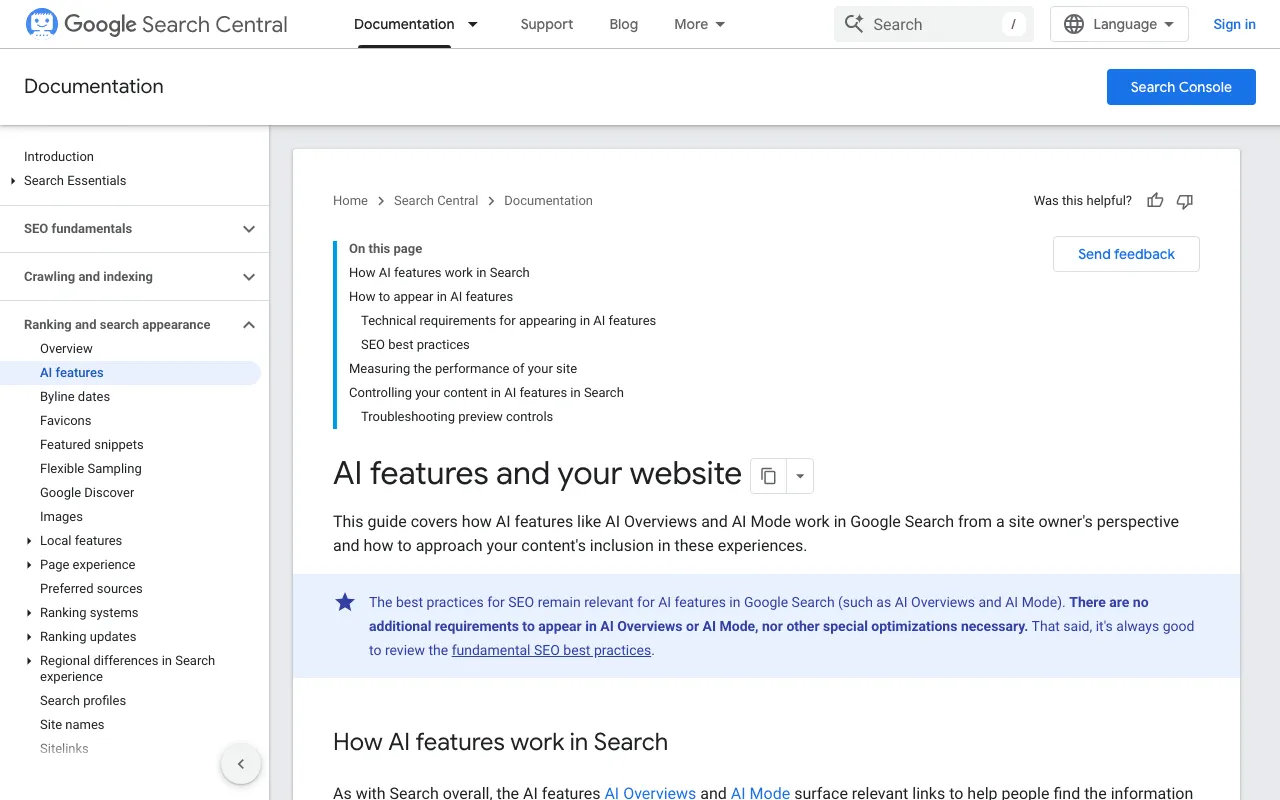
Google’s documentation for site owners on AI features and preview controls. Screenshot of developers.google.com/search/docs/appearance/ai-features, taken on October 30, 2026.
Answer specific questions clearly
Google says AI Overviews help people “get to the gist of a complicated topic or question more quickly.” Give them the gist: one question per section, the answer in the first sentences, then the detail. Keep important content as text, as Google’s list asks.
Cover topics, not single keywords
Query fan-out means Google searches the subtopics around a question. A site that covers a topic from several angles, with internal links between its pages, has more chances to match one of those searches. Google’s list asks for exactly that: content “easily findable through internal links.”
Earn links and mentions that build trust
Google’s AI features page doesn’t name links as a factor. It points to its general advice: create “helpful, reliable, people-first content” and follow its Search policies. Being quoted by other sites is one sign that your content is that kind. Earn it with facts others want to cite, never by buying it.
Add structured data and cite your sources
Google’s list includes “Making sure your structured data matches the visible text on the page.” It also says: “You don’t need to create new machine readable files, AI text files, or markup to appear in these features.” So an llms.txt file is not a condition for Google. Cite your own sources by name and date, so a reader (or a summary) can check you.
Keep your pages fresh
A change only counts once Google has crawled it again, and Google warns that crawling “can take anywhere from several days to several months.” Date your facts, update them, and ask Google to recrawl the pages you change.
Check whether your site shows up in AI Overviews
Start with the free tool: Search Console. As shown above, Google counts AI Overview traffic in the Performance report, “Web” search type. The page I read describes no separate AI Overviews report.
Then look for yourself: type your customers’ questions into Google and note when your site is cited.
What about SemChat? It doesn’t track your presence in AI Overviews. Its GEO features are announced as planned, with no date (email from Adrian Delmarre of Haloscan, October 29, 2026). What it does, and what I tested, comes first: its technical audit checks whether AI crawlers can read your site.
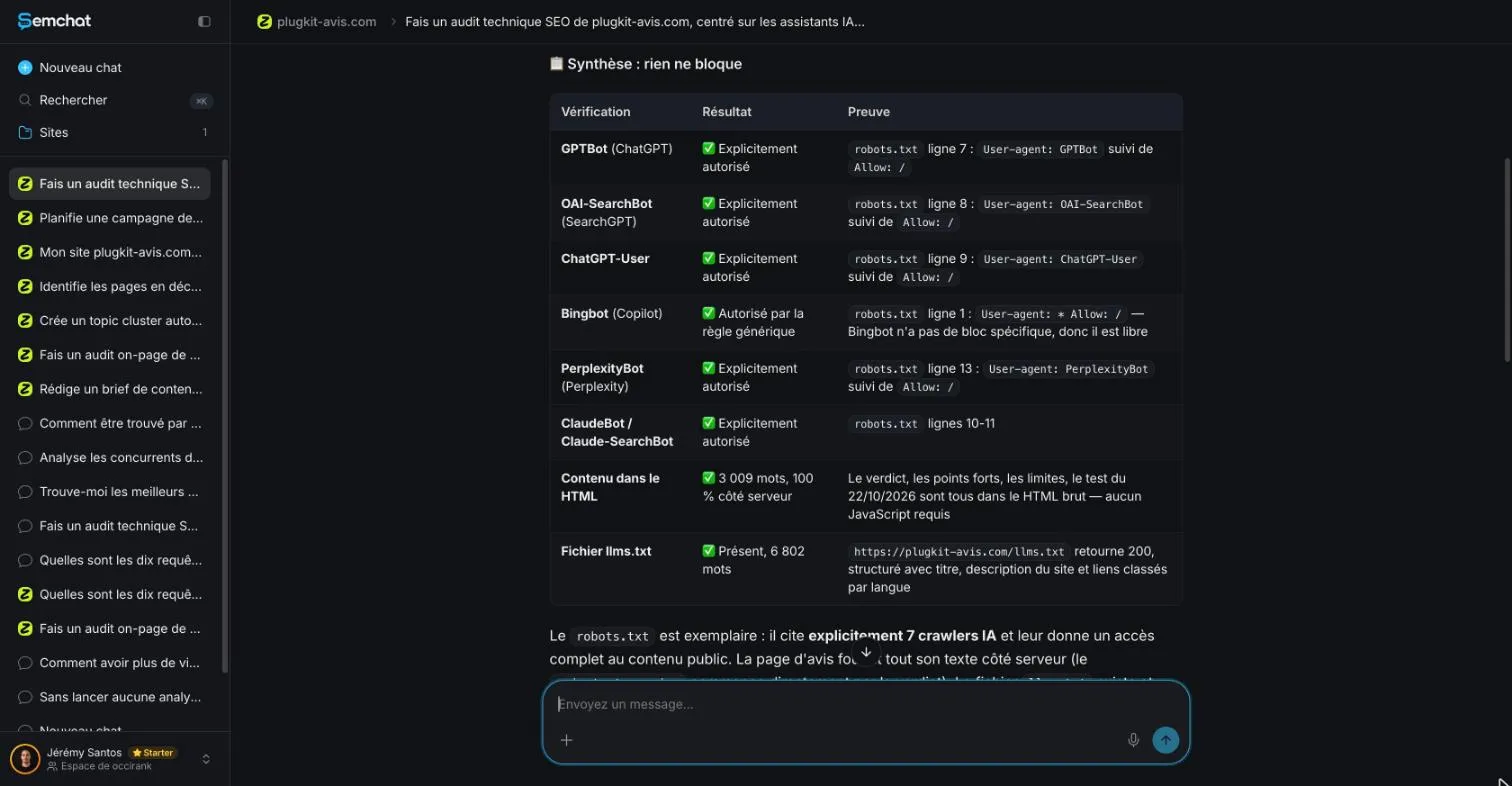
On October 29, 2026, on plugkit-avis.com, a French site tested in French, it read the robots.txt correctly (GPTBot on line 7, OAI-SearchBot on line 8, ChatGPT-User on line 9) and found the llms.txt file and the Article and FAQPage markup. Its misses, checked by hand: it put PerplexityBot on line 13 when it’s on line 12; the single fix it put first changed nothing about access; and it claimed Copilot’s share was growing, with no source. The full test is in my SemChat review.
One limit to know: on October 29, 2026, a single full SEO audit used 100% of the Free plan’s monthly quota. Enough for a test, not for ongoing work.
Tools that report AI visibility
If you need tracking now, paid tools offer it. From their fact sheets dated October 29, 2026:
- Semrush sells an AI Visibility toolkit at €94.94 a month per domain, billed yearly (Base), which tracks mentions in ChatGPT, Google’s AI, Gemini and Perplexity. It also has a free AI Visibility Checker.
- Surfer sells an AI Tracker that follows your brand in ChatGPT, Perplexity, Gemini, AI Mode and AI Overviews. The standalone AI Search Analytics plan costs €95 a month, or €82 billed yearly, for 50 prompts (Surfer says prices are identical in USD and EUR).
Copyright questions and GEO beyond Google
Some owners would rather Google didn’t reuse their text. Google says AI “is built into Search,” so robots.txt for Googlebot remains the access control. To limit what’s shown from your pages, it lists four controls: nosnippet, data-nosnippet, max-snippet and noindex. Careful: noindex removes the page from Search entirely. For AI training and grounding in some of Google’s other systems, it points to Google-Extended. This is not legal advice; for a rights question, ask a lawyer.
If your text still shows after you add a control, Google suggests two checks. First, use the URL Inspection tool to see the HTML Googlebot received. Then give Google time to recrawl the page and process the change; you can also request a recrawl.
Being cited by other AI engines
GEO, or generative engine optimization, covers every AI that answers, not only Google. Each engine has its own rules. OpenAI, for example, writes that sites opted out of its OAI-SearchBot “will not be shown in ChatGPT search answers,” though they can still appear as navigational links.
For ChatGPT, our guide on how to rank in ChatGPT covers what OpenAI publishes. The broader view is in AI search optimization. And if you’d rather use AI to do your own SEO, see ChatGPT for SEO and the SEO agent page.
What Google doesn’t say matters too. On the two pages I read on October 30, 2026, there’s no launch date by country, no model name, and no figure on how AI Overviews change your clicks. Be wary of pages that claim otherwise without a source.
What’s certain fits in a few lines. AI Overviews SEO starts with pages that are indexed and eligible to show with a snippet. Google asks for no special file. Good SEO is the only known way in. Start there, measure in Search Console, and check that AI crawlers can read your site.
Frequently asked questions
Is SEO going away with AI?
Not according to Google. Its Search Central guide says the best practices for SEO remain relevant for AI features such as AI Overviews and AI Mode, and a page must be indexed and eligible to show with a snippet before it can be a supporting link. SEO is the entry ticket (Google documentation read on October 30, 2026).
Is there an AI that can do SEO?
AI assistants can do part of the work. In my October 29, 2026 test, SemChat turned one sentence into a prioritized action plan in about 3 minutes. It also got some things wrong, its search volumes need checking, and one full audit used 100% of the Free plan's monthly quota. You still decide and publish.
Can you turn off AI Overviews in Google?
No. Google's help page says AI Overviews are a core Search feature and that features cannot be turned off. You can select the Web filter after you search: it shows only text-based links, without features like AI Overviews (Google Search Help read on October 30, 2026).
Do you need an llms.txt file to appear in AI Overviews?
No. Google writes that you don't need to create new machine readable files, AI text files, or markup to appear in these features, and that there's no special schema.org structured data to add (Search Central guide read on October 30, 2026).
Can SemChat track your site in AI Overviews?
No. AI engine tracking (GEO) is announced as planned at SemChat, with no date (email from Adrian Delmarre of Haloscan, October 29, 2026). What I tested is its technical audit: it checks whether AI crawlers can read your site, not whether your site appears in an AI Overview.
Let your AI do the chores of getting found online.
10% off your subscription, for life with my link, if you subscribe within 2 weeks of signing up. No code. All about the SemChat promo code
Affiliate link: it costs you nothing extra.
Verified sources
- Google Search Help: AI Overviews in Google Search (October 30, 2026)
- Google Search Central: AI features and your website (October 30, 2026)
- Google Search Central: featured snippets and your website (October 30, 2026)
- OpenAI: overview of OpenAI crawlers (October 30, 2026)
- Semrush pricing: AI Visibility toolkit (French page, prices in euros) (October 29, 2026)
- Surfer: AI Tracker (October 29, 2026)
- Surfer help: AI Search Analytics plan (October 29, 2026)
- SemChat pricing (October 29, 2026)