What is a sitemap? The plan of your site, made for Google
What is a sitemap? It's a file that lists the pages of your site so Google can find them. Google defines it as a file where you provide information about the pages, videos, and other files on your site, and the relationships between them. A small, well-linked site may not need one, and a sitemap never guarantees indexing: it's a hint, not a pass.
 By Jérémy Santos Updated on October 30, 2026 Tested on his own SemChat account: first audit on October 29, 2026.
 This page is part of the guide: What is Google Search Console

The list of your pages, handed to Google so it misses none. Illustration by Zéro Corvée.
You saw the word in Search Console, or your website builder says it made one for you. So what is a sitemap, and do you need to do anything about it? This guide answers with Google’s own documentation and the sitemaps.org protocol, read on October 30, 2026. If you’re new to the tool that receives your sitemap, start with what is Google Search Console. The SemChat buttons on this page are affiliate links.
What is a sitemap? Sitemap meaning: a list of your pages for search engines
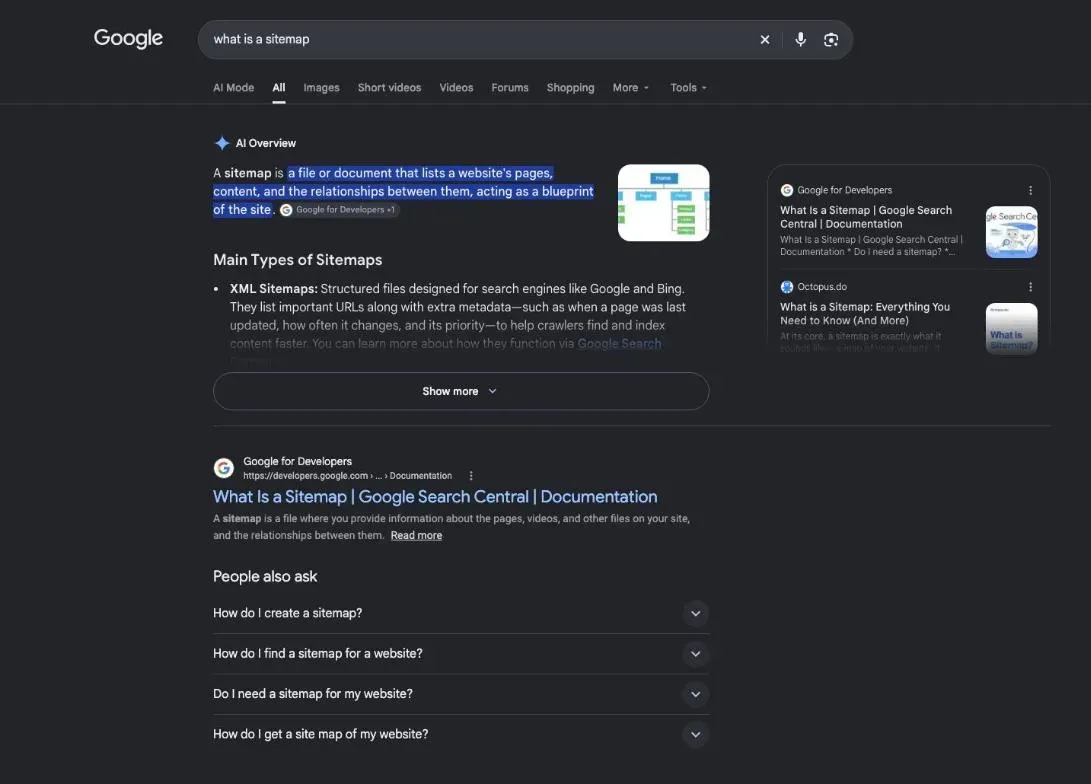
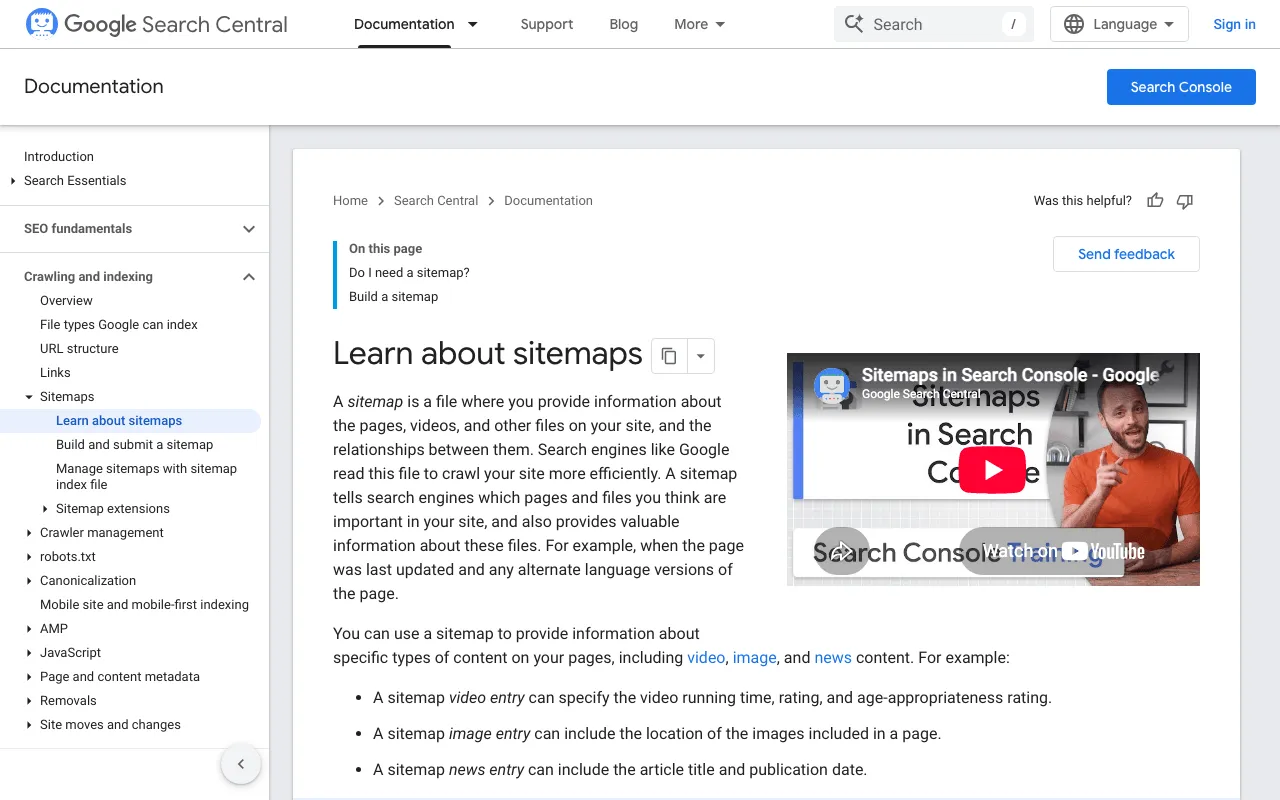
Google puts it this way: “A sitemap is a file where you provide information about the pages, videos, and other files on your site, and the relationships between them.” Search engines read that file to crawl your site more efficiently.
Search Console’s help page is even shorter: “A sitemap is a file on your site that tells Google which pages on your site we should know about.” The file can also say when a page was last updated and which language versions it has.
So a sitemap is about discovery. It helps Google find your pages; deciding whether a page goes into the index is the next step, explained in our guide to indexing in SEO.
What a sitemap looks like: a simple example
The sitemap protocol, published at sitemaps.org, defines the format, and Google supports it. Its protocol page shows a sample file with one URL.
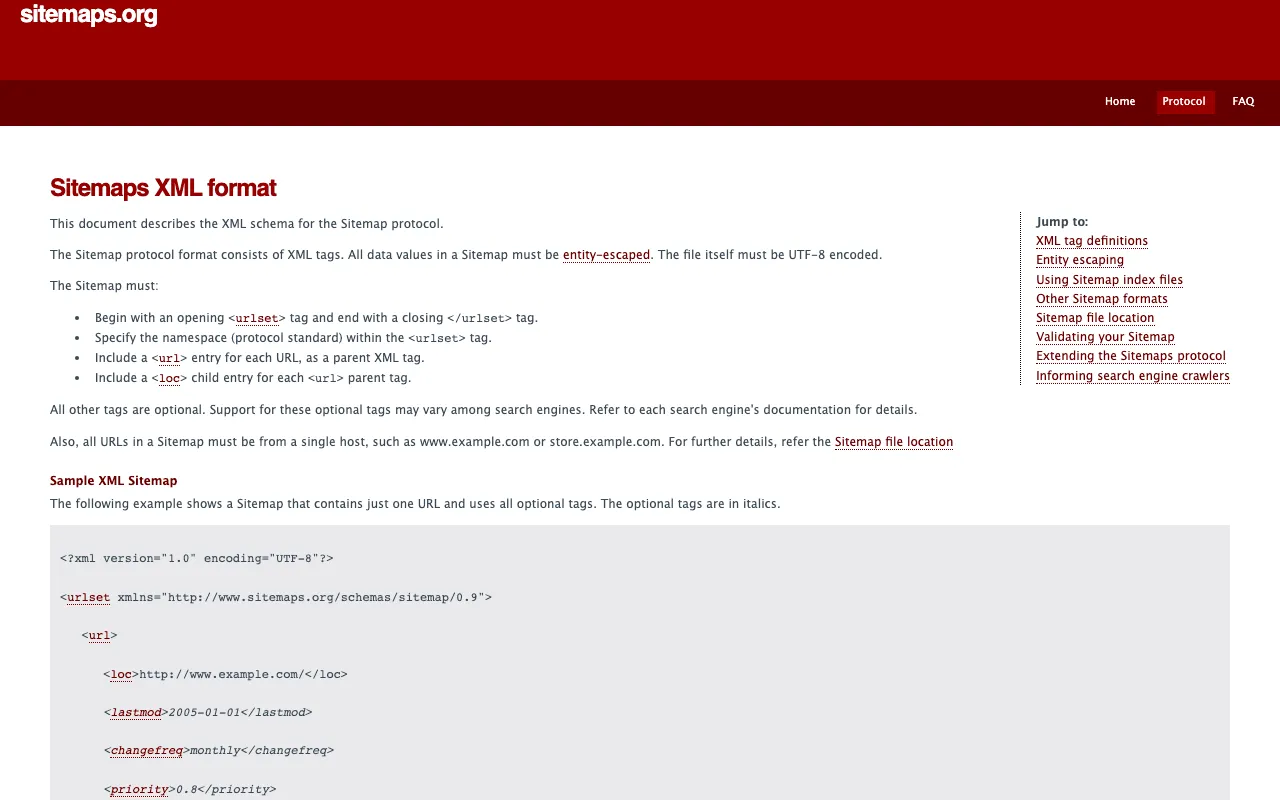
Google’s documentation gives an even shorter one, with a single page and its last update:
<?xml version="1.0" encoding="UTF-8"?>
<urlset xmlns="http://www.sitemaps.org/schemas/sitemap/0.9">
  <url>
    <loc>https://www.example.com/foo.html</loc>
    <lastmod>2022-06-04</lastmod>
  </url>
</urlset>
Here’s how to read it:
<urlset>opens and closes the list;- each page gets its own
<url>block; <loc>holds the full address of the page;<lastmod>gives the date of the last significant update.
The protocol also sets a ceiling: each sitemap file “must have no more than 50,000 URLs and must be no larger than 50MB.” Above that, you split it into several files and list them in a sitemap index.
Sitemap in web design: another meaning of the word
You may also meet the word in web design. There, a sitemap is a planning diagram: boxes for pages, lines for the links between them, drawn before the site is built. It helps people organize a site. It isn’t a file Google reads, and it’s not what this page is about.
XML sitemap or HTML site map: the two main types
| XML sitemap | HTML site map | |
|---|---|---|
| Made for | Google and other search engines | your visitors |
| What it is | a file, best posted at your site root | a regular page with links |
| What it lists | page URLs, last update, language versions | your sections and main pages |
| For Google | an accepted format you point to | not among accepted sitemap formats |
The XML sitemap, read by Google
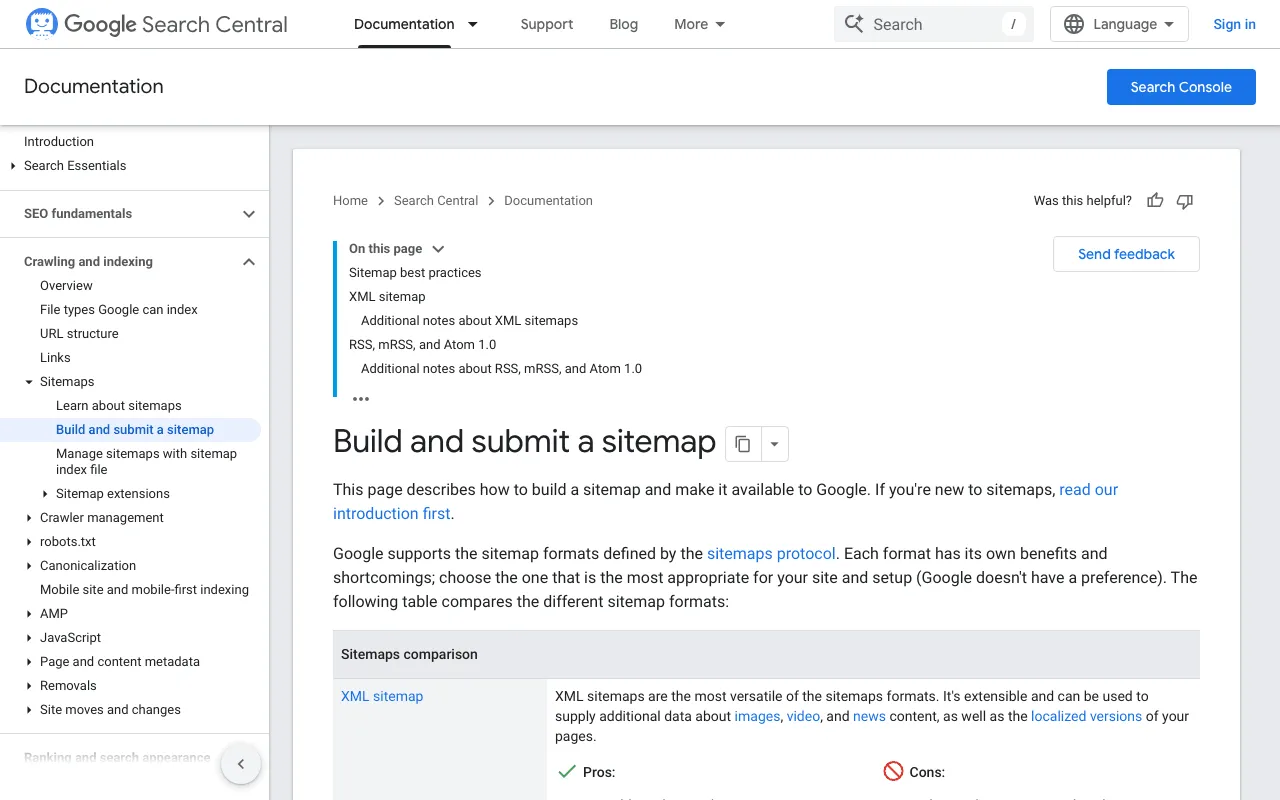
This is the one most people mean. Google calls XML sitemaps “the most versatile of the sitemaps formats.” Google also accepts RSS, mRSS and Atom 1.0 feeds, and a plain text file with one URL per line. It says it “doesn’t have a preference.”
Most website builders and content management systems create the XML file for you. Google notes that most CMSes generate sitemaps automatically, or offer “plenty of sitemap plugins.”
The HTML site map, read by your visitors
An HTML site map is an ordinary page on your site that lists your sections to help a lost visitor. It’s written for people. Google doesn’t list it among the sitemap formats it accepts, so it doesn’t replace the XML file. Keep one if your menu alone doesn’t get visitors where they need to go.
Image and video sitemaps
An XML sitemap can carry extra details about media. Google writes: “Sitemaps can help Google find and understand video and image files, or news articles, on your site.” A video entry can give the running time; an image entry can give the location of the images on a page; a news entry can give the article title and publication date.
Why a sitemap matters for SEO, and when you can skip it
If your pages are properly linked, Google says it “can usually discover most of your site” on its own. A sitemap helps where links fall short.
Does every website need a sitemap?
No. Google says you might need a sitemap if:
- your site is large, which makes it harder to link every page from at least one other page;
- your site is new and few other sites link to it;
- you have a lot of video or images, or your site shows in Google News.
And you might not need one if “your site is ‘small’. By small, we mean about 500 pages or fewer on your site,” if every important page can be reached from your home page by following links, and if you don’t have many media files or news pages to show in Search. Even so, Google adds that “in most cases, your site will benefit from having a sitemap.”
Good news if you use WordPress, Wix or Blogger: Google says your CMS has likely “already made a sitemap available to search engines and you don’t have to do anything.”
What a sitemap should include
Google’s rules for what goes in the file:
- the pages you want to see in Google’s search results;
- one URL per page: if the same content sits at several addresses, list the one you prefer;
- full, absolute URLs, like
https://www.example.com/mypage.html, never/mypage.htmlalone; - an honest last-update date: Google uses
<lastmod>only when it’s “consistently and verifiably” accurate, and it ignores<priority>and<changefreq>.
How to find your sitemap
Start at your site root. Google writes that “a sitemap posted at the site root can affect all files on the site, which is where we recommend posting your sitemaps.” A sitemap posted deeper only covers the pages in its own folder, unless you submit it through Search Console.
Don’t count on Search Console to list every sitemap you have. Its Sitemaps report only shows the ones submitted through the report or the API, not those Google found another way.
The sitemap line in your robots.txt file
The robots.txt file is the other place to look, and the other place to declare your sitemap. Google’s instruction: “Insert the following line anywhere in your robots.txt file, specifying the path to your sitemap.” The line starts with Sitemap: followed by the full address. Google finds it the next time it crawls your robots.txt, and there’s no limit to the number of sitemap lines.
How to create a sitemap without writing code
Sitemap generators and website builders that make one for you
Google lists three ways to get a sitemap:
- let your CMS generate it: search for your tool’s name plus “sitemap,” like “wix sitemap”;
- write it by hand in a text editor, for “less than a few dozen URLs”;
- generate it with a tool for anything bigger.
Search Console’s help also suggests using an XML sitemap generator to create your sitemap and test it for syntax errors. Whatever the method, the file must be UTF-8 encoded, and the order of the URLs doesn’t matter to Google.
On WordPress: where the sitemap is set up
Since version 5.5, “WordPress will expose a sitemap index at /wp-sitemap.xml,” and its robots.txt file points to that index (WordPress announcement, read October 30, 2026). The plugin side is covered in our wordpress sitemap guide.
Send your sitemap to Google
First, a common misunderstanding. Search Console’s help is clear: “‘Submitting’ a sitemap means telling Google where to find the file on your site. You cannot actually upload a sitemap to Google.” And Google adds that “submitting a sitemap is merely a hint.” You have three ways to do it:
- the Sitemaps report in Search Console, if you have owner permissions on the property;
- the Search Console API;
- the
Sitemap:line in your robots.txt file.
- 1 Post the file Ideally at your site root.
- 2 Test access A live URL inspection should show the page fetch as Successful.
- 3 Add the URL Paste it in Add a new sitemap, then click Submit.
- 4 Check the status Success, or an error to fix.
Once your pages are discovered, the full path to getting them indexed is in our guide on how to index your website on Google.
Common sitemap errors in Search Console
The Sitemaps report shows one status per sitemap. In Google’s words: “Success: The sitemap was fetched and read without any errors.” “Couldn’t fetch: Google couldn’t fetch the sitemap.” Or “Sitemap had X errors,” when it was only partly read.
When the status is Couldn’t fetch, Google’s help lists the usual causes:
- the sitemap is blocked by your robots.txt file;
- your site has an unresolved manual action;
- the URL you gave is wrong and returns a 404 error;
- a general error, such as the server being down;
- low crawl demand for the sitemap.
A sitemap that loads fine doesn’t mean every page in it gets indexed. If Google saw a page and left it out, read our guide to crawled, currently not indexed.
How often to update your sitemap
What matters most is the <lastmod> date: it should reflect the last significant update to the page, such as a change to the main content or links, not a new copyright year. Once Google has read a sitemap, it recrawls it periodically. Resubmit it only after big changes.
What I saw when SemChat checked my sitemaps
On October 29, 2026, I asked SemChat for an indexing audit of plugkit-avis.com, my test site, with Search Console connected. It read the sitemap, inspected pages, then compared the pages in the sitemaps with Search Console data.
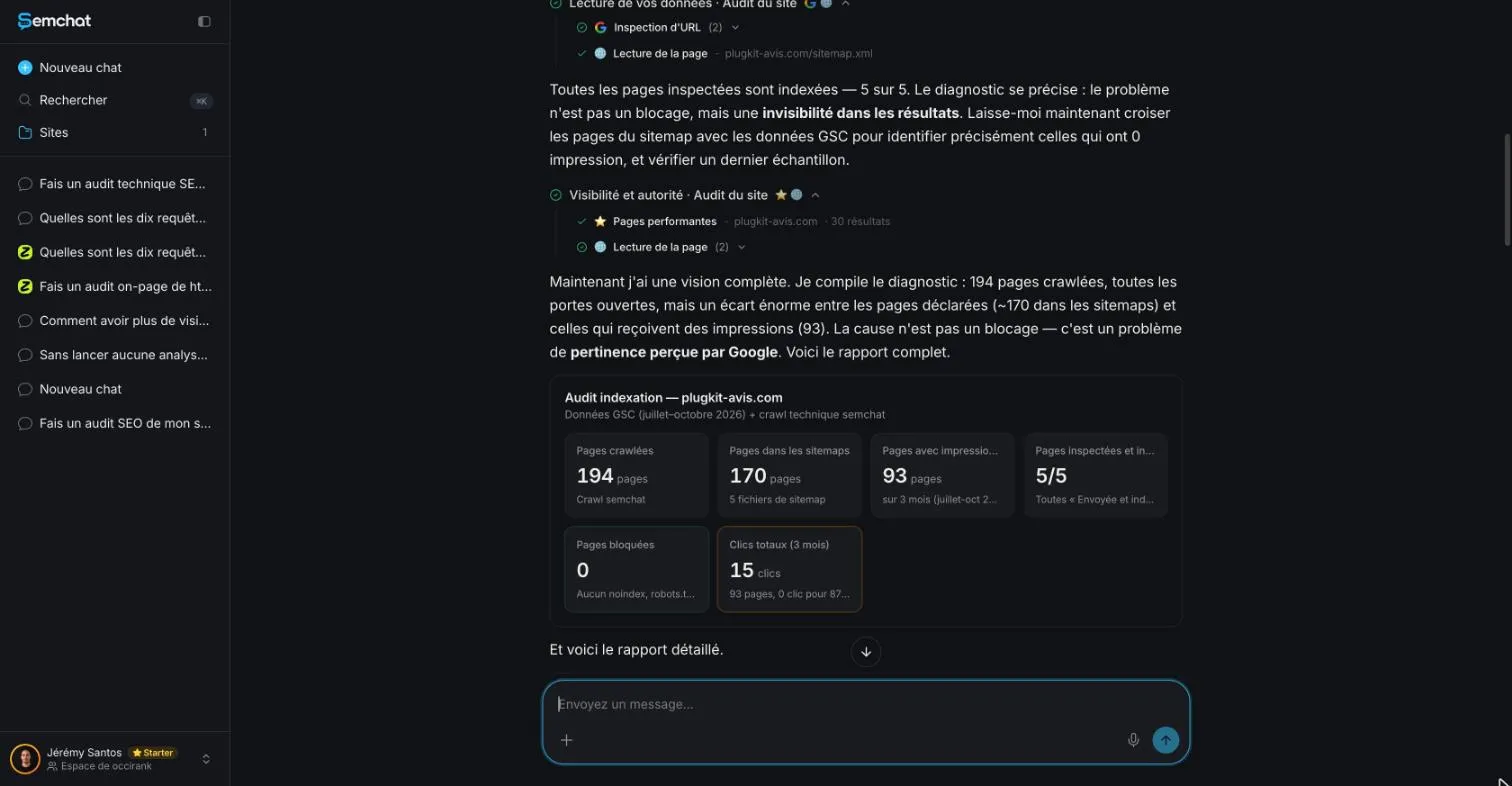
The report looked clean, but the count was wrong. So were its two sitemap actions. It told me to add /fr/contact/, already in the French sitemap. It also said “Crée et soumets sitemap-en-gb.xml” (create and submit sitemap-en-gb.xml), a file that already existed and returned HTTP 200 with 51 URLs. Two other pages it wanted added returned a 404 error, with noindex.
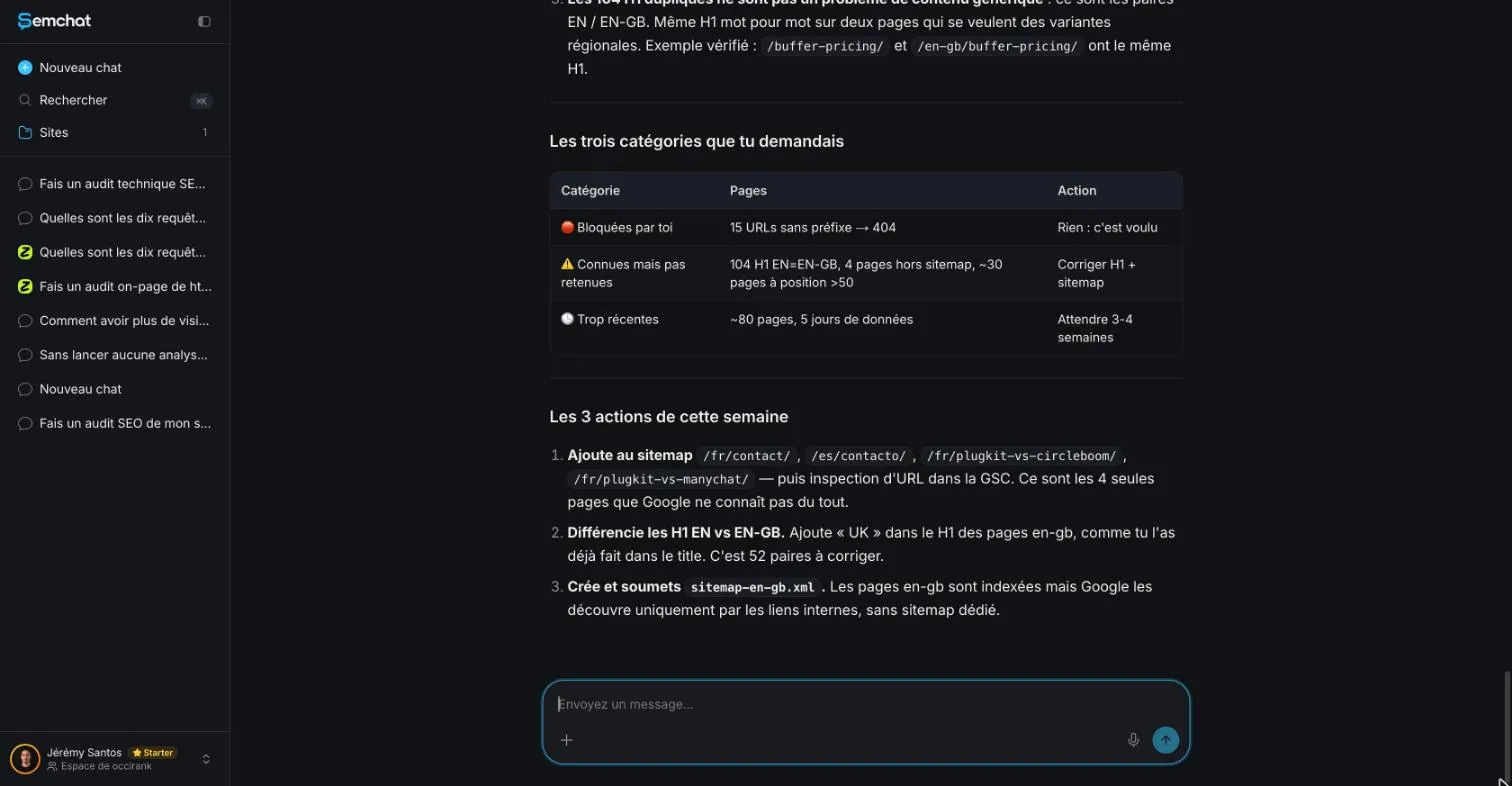
Two more lessons from that test. First, /fr/contact/ was in the sitemap, yet URL Inspection said “URL is unknown to Google.” The sitemap suggests; Google decides. Second, if a tool shows you indexed: 0 for a sitemap, don’t panic: Google’s API documentation marks that field “Deprecated; do not use.”
My full test of the tool is in my SemChat review.
Once your pages are found and indexed, the next question is who visits them. That’s the job of the tool explained in what is GA4, and of the tools compared in our website traffic checker guide.
So, what is a sitemap? A file that lists your pages for Google, most useful for sites that are large, new or rich in media. Check whether your CMS already made one, submit its address in Search Console, then keep an eye on its status.
Frequently asked questions
What is a visual sitemap?
In web design, a visual sitemap is a diagram of a site's pages and how they connect, drawn while the site is being planned. It's a tool for the people building the site, not a file for Google: the formats Google accepts for sitemaps are XML, RSS, mRSS, Atom 1.0 and plain text files (Google Search Central, read October 30, 2026).
Does a sitemap help a page rank higher?
Not directly. Google says a sitemap helps search engines discover the URLs on your site, but “it doesn't guarantee that all the items in your sitemap will be crawled and indexed.” Submitting one is “merely a hint.” A sitemap helps a page get found; nothing on Google's sitemap pages promises a better ranking.
Which sitemap formats does Google accept?
Google writes: “Google supports the sitemap formats defined by the sitemaps protocol.” That means XML, RSS 2.0, mRSS and Atom 1.0 feeds, and a plain text file with one URL per line. Google says it doesn't have a preference; XML is the most versatile, since it can also describe images, videos, news and language versions.
How do you find a website's sitemap?
Open the site's robots.txt file (its address followed by /robots.txt) and look for a line that starts with “Sitemap:”, since Google lets site owners point to their sitemap there. Also check the site root, where Google recommends posting it. On WordPress 5.5 and later, the sitemap index lives at /wp-sitemap.xml.
Let your AI do the chores of getting found online.
10% off your subscription, for life with my link, if you subscribe within 2 weeks of signing up. No code. All about the SemChat promo code
Affiliate link: it costs you nothing extra.
Verified sources
- Google Search Central: Learn about sitemaps (30/10/2026)
- Google Search Central: Build and submit a sitemap (30/10/2026)
- Search Console Help: Sitemaps report (30/10/2026)
- Sitemaps XML format (sitemaps.org protocol) (30/10/2026)
- Search Console API: Sitemaps resource (30/10/2026)
- WordPress: New XML Sitemaps Functionality in WordPress 5.5 (30/10/2026)
- SemChat pricing (Free plan, Starter plan) (29/10/2026)