Website traffic checker: your real numbers first, then estimates
A website traffic checker gives you one of two things. For your own site, GA4 and Search Console count real visits and real clicks from Google. For anyone else's site, a checker can only estimate, from its own keyword data or panels. Both are useful, but they don't measure the same thing. Here's how to read each one.
 By Jérémy Santos Updated on October 30, 2026 Tested on his own SemChat account: first audit on October 29, 2026.
 This page is part of the guide: What is Google Search Console

Count your visits and see where they come from, without getting lost in numbers. Illustration by Zéro Corvée.
How many people visit your site, where do they come from, and which pages do they read? A website traffic checker answers that in two very different ways, depending on whose site it is. This guide starts with your own numbers, then shows what estimates for other sites are worth. It’s part of our guide to what is Google Search Console. The SemChat buttons on this page are affiliate links.
Website traffic: what a checker can and can’t tell you
Website traffic means visits: every person who lands on one of your pages, from Google, an ad, an email or a link on another site.
Measured traffic or estimated traffic
There are two kinds of numbers, and mixing them up is the most common mistake.
- Measured traffic comes from tools installed on your own site or linked to it: Google Analytics counts visits, Search Console counts clicks from Google. Only the owner sees them.
- Estimated traffic is what a checker calculates for any site, from outside. It never sees the site’s analytics.
SpyFu, whose guide ranks for this very query, says it plainly: “Third-party tools do a solid job of estimating website traffic, but their numbers won’t always match what you’d see in a site’s internal analytics platforms like Google Search Console or Google Analytics” (read October 30, 2026).
| Your own site | A checker's estimate | |
|---|---|---|
| Who gives it | GA4 and Search Console | Ahrefs, Semrush, SE Ranking, Similarweb, SemChat |
| Which sites | only yours, verified | any site |
| Where it comes from | visits and clicks counted | rankings, search volume, click rates or panels |
| What it tells you | what happened over a period | a ballpark, per month |
A real example, from October 29, 2026, on plugkit-avis.com, a French site of mine. In a chat where SemChat had no access to Search Console, it gave me an “estimated top 10” of queries bringing me visits. First line: “manychat”, position 27, 9,000 searches a month, about 13 visits a month.
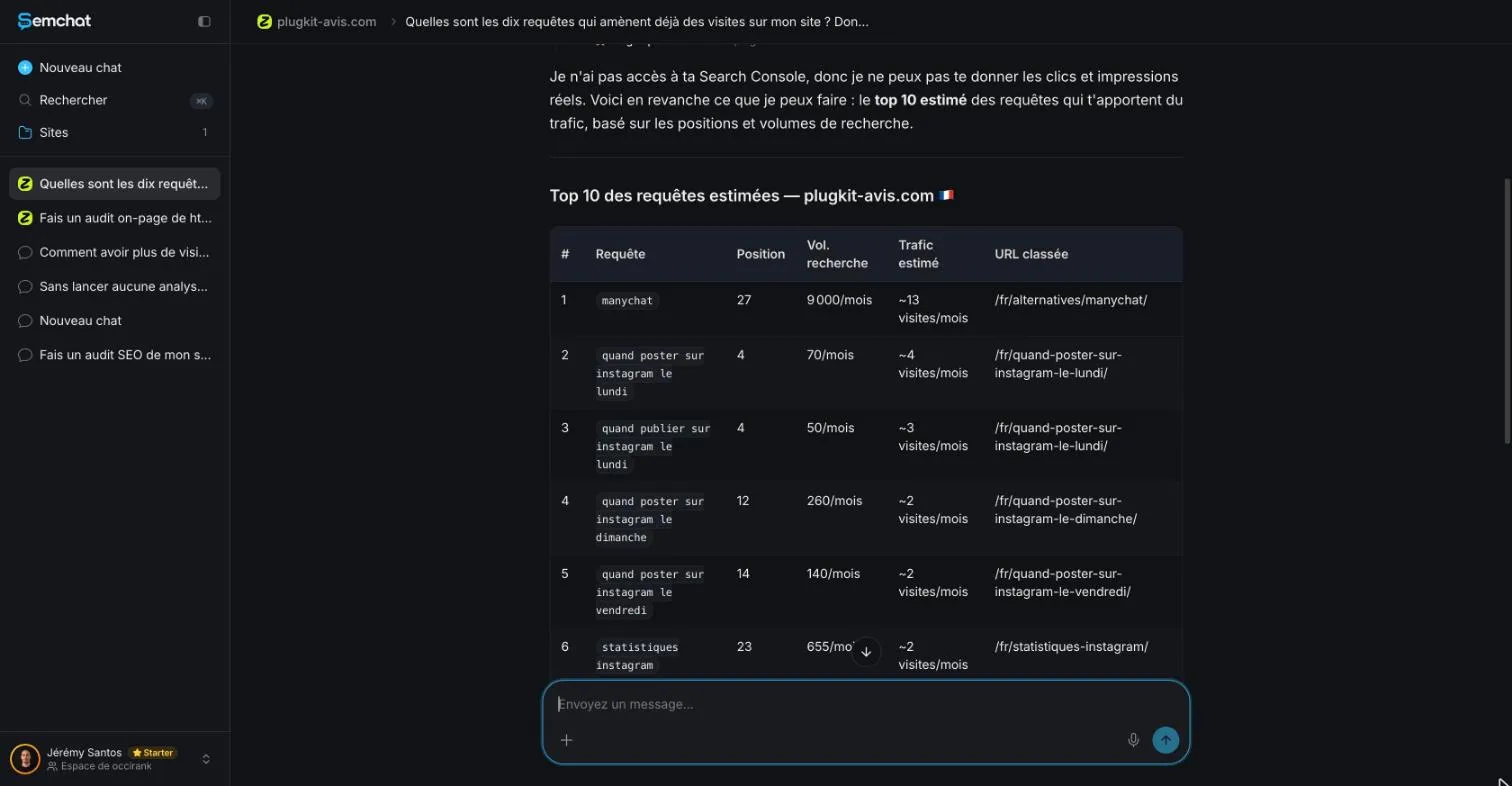
The site’s Search Console, read the same day, told another story for “manychat”: 5 impressions, 0 clicks, average position 64.6, from July 29 to October 26, 2026. So there were three different position numbers for one query:
- the checker’s dated snapshot: position 27;
- Search Console’s average position: 64.6, the average of what searchers actually saw over the period;
- your own search: what you’d see typing “manychat” yourself. Google’s help warns that results vary with time, location, device and recent search history.
None of them is wrong. They just measure different things.
How to check website traffic on your own site
Start at home. Two Google tools split the job: one counts what happens on your site, the other what happens in Google before the click.
GA4: visits, sources and pages after the click
Google Analytics 4, or GA4, measures visits. Google’s help explains the principle: you add a small piece of measurement code to each page, and “every time a user visits a webpage, the tracking code will collect pseudonymous information about how that user interacted with the page” (read October 30, 2026).
The same code records the browser, device, operating system and language, and the traffic source: “a search engine, an advertisement they clicked on, or an email marketing campaign.” To see where visitors come from, open Reports, then Acquisition, then Traffic acquisition. Its default channel groups include Direct, Organic Search, Paid Social, Organic Social and Email.
How to set GA4 up is covered in our guide what is GA4.
Search Console: searches and clicks before the visit
Search Console doesn’t see inside your site. It sees Google: which searches show your site, where it ranks, and how many people click. Google calls it “a free service”. Its Performance report gives four numbers: clicks, impressions, click-through rate and average position, over the past three months by default.
A page only shows up there once Google has it in its index. If it doesn’t, start with how to index a website on Google and our explainer on indexing in SEO. A page stuck as crawled currently not indexed gets no clicks at all, and a clean sitemap helps Google find the rest: see what is a sitemap.
On October 29, 2026, with Search Console connected, I asked SemChat for plugkit-avis.com’s numbers. Its first answer added up ten rows and gave a wrong total: 0 clicks, 25 impressions. After I pushed back, it fetched the real total: 8 clicks, 533 impressions, a 1.5% click-through rate and an average position of 13.7. I checked through a separate connection to the same Search Console: same figures.
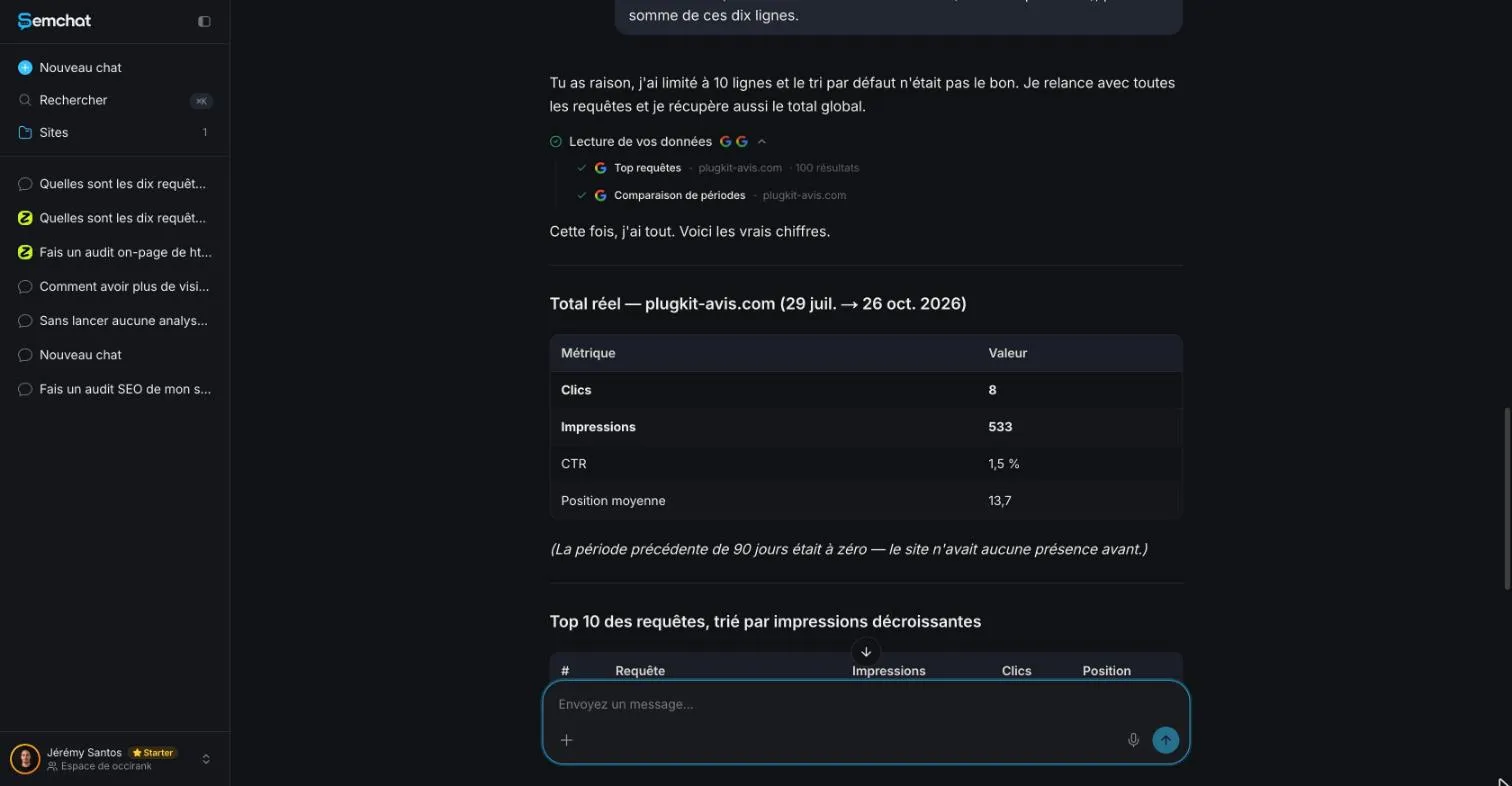
Two lessons. Check any total an assistant gives you. And check the start date: this site is new, so its Search Console only has data from October 24, 2026. “Three months” really meant three days.
Daily traffic and the effect of Google updates
Search Console lets you pick the time grain. Google’s help says daily view is “used to detect issues or traffic spikes”, while weekly and monthly views smooth out the dips of weekends and holidays. In GA4, the Realtime report shows active users over the last 5 and 30 minutes.
When traffic drops suddenly, compare the date with known Google updates. SE Ranking’s checker, for one, shows the dates of Google algorithm updates on its traffic graph, with a short summary of each (page read October 30, 2026).
Check website traffic of a competitor: what estimates are worth
You can’t open a competitor’s GA4 or Search Console. So any tool that lets you check website traffic for their site is making an estimate.
How estimators guess another site’s traffic
Each tool explains its method on its own pages:
- SE Ranking estimates monthly traffic from “keyword rankings, search volume, and CTR”, and admits that “no third-party tool can match the precision of internal analytics like GSC or GA4” (FAQ, read October 30, 2026).
- Semrush bases its traffic estimates on a panel of more than 200 million anonymized internet users, from hundreds of clickstream providers (knowledge base, read October 29, 2026).
- Ahrefs says its numbers are “best treated as estimates, not exact measurements” (FAQ, read October 29, 2026).
- SpyFu says estimators factor in “keyword rankings, search volume, and estimated click-through rates” (guide, read October 30, 2026).
Each piece is an approximation: rare searches slip through the database, and click rates are averages.
Where their traffic comes from: search, ads, other sites
Most checkers split organic search from paid ads. SE Ranking shows estimated clicks from Google’s classic and AI-powered results, and estimated monthly clicks from PPC campaigns. SpyFu adds a caution on ads: “Google does not share the exact number of clicks that an advertiser gets.” Similarweb’s extension also lists marketing channels and countries.
What their traffic is worth
“Traffic value” is not revenue. SpyFu compares its estimated click value to what it would cost to buy the same traffic through paid ads. SE Ranking speaks of the estimated cost of the traffic a site would get from every keyword found. Useful to size a market; useless to guess someone’s sales.
Free website traffic checker tools, side by side
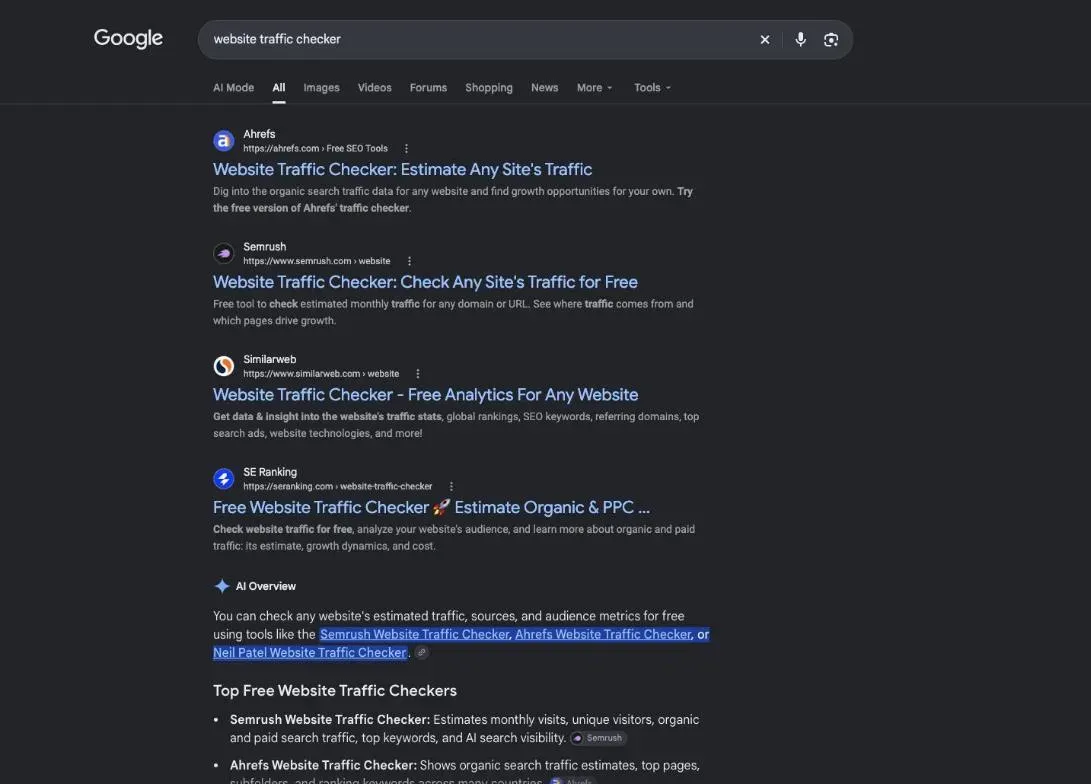
Search “website traffic checker” in the United States and online tools dominate: eight of the top ten results on October 29, 2026 were tools (DataForSEO, desktop). Here’s what four of them say about themselves. I haven’t tested them on your site.
Similarweb and its browser extension
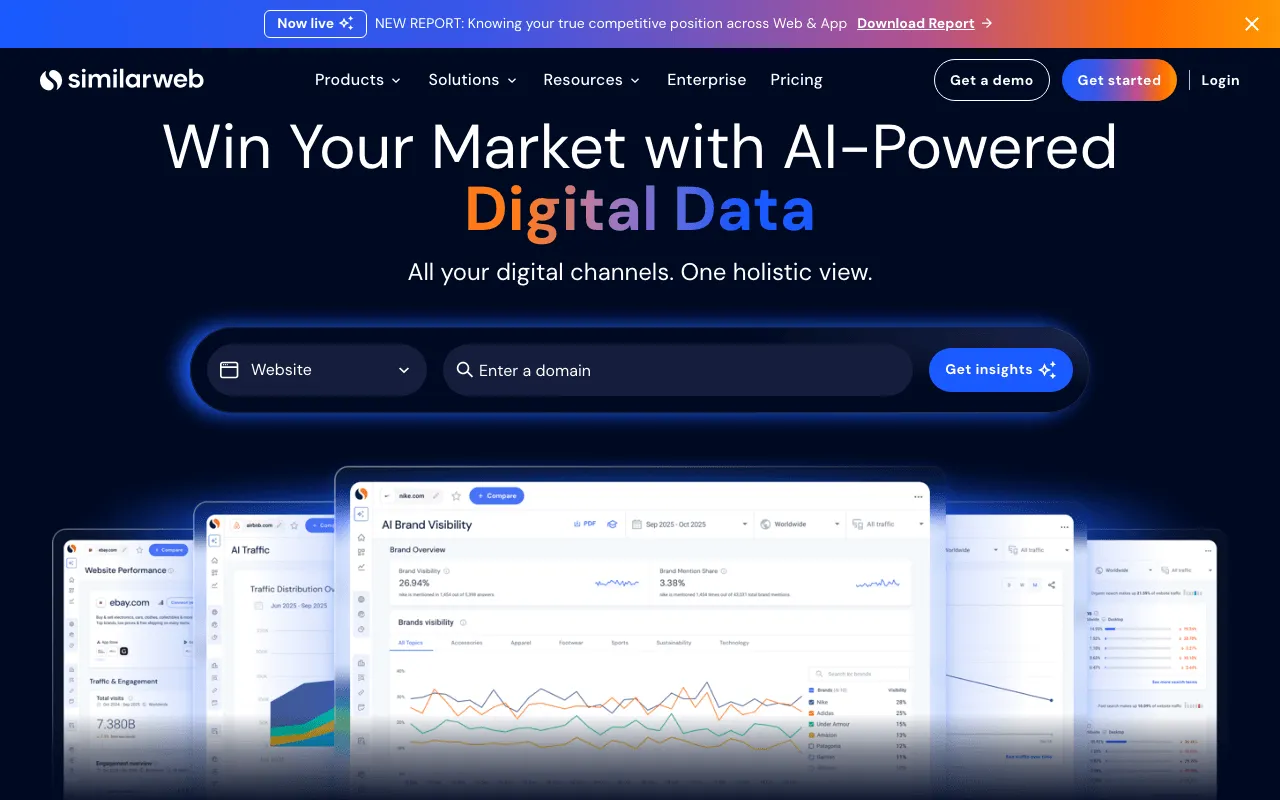
Similarweb titles its home page “AI-Powered Digital Data Intelligence Solutions”. From its pages, read October 30, 2026:
- a free browser extension, no account needed, for Chrome, Edge, Firefox and Opera;
- free data on its site, which its FAQ calls “a high-level sample”;
- a paid entry plan, Competitive Intelligence, at $125 a month billed yearly or $199 monthly, for one user and three months of history.
I found no Search Console or GA4 connector in the pages I read.
Ahrefs, Semrush and SE Ranking traffic checkers
- Ahrefs offers a free version of its checker for organic traffic estimates. Its Free account covers your own verified sites; its FAQ says the free account can’t research competitors (FAQ, October 29, 2026).
- Semrush has a Free plan at $0, no card, with 10 reports a day (pricing page, October 29, 2026), plus a free checker with “a sample of Semrush’s actual data”.
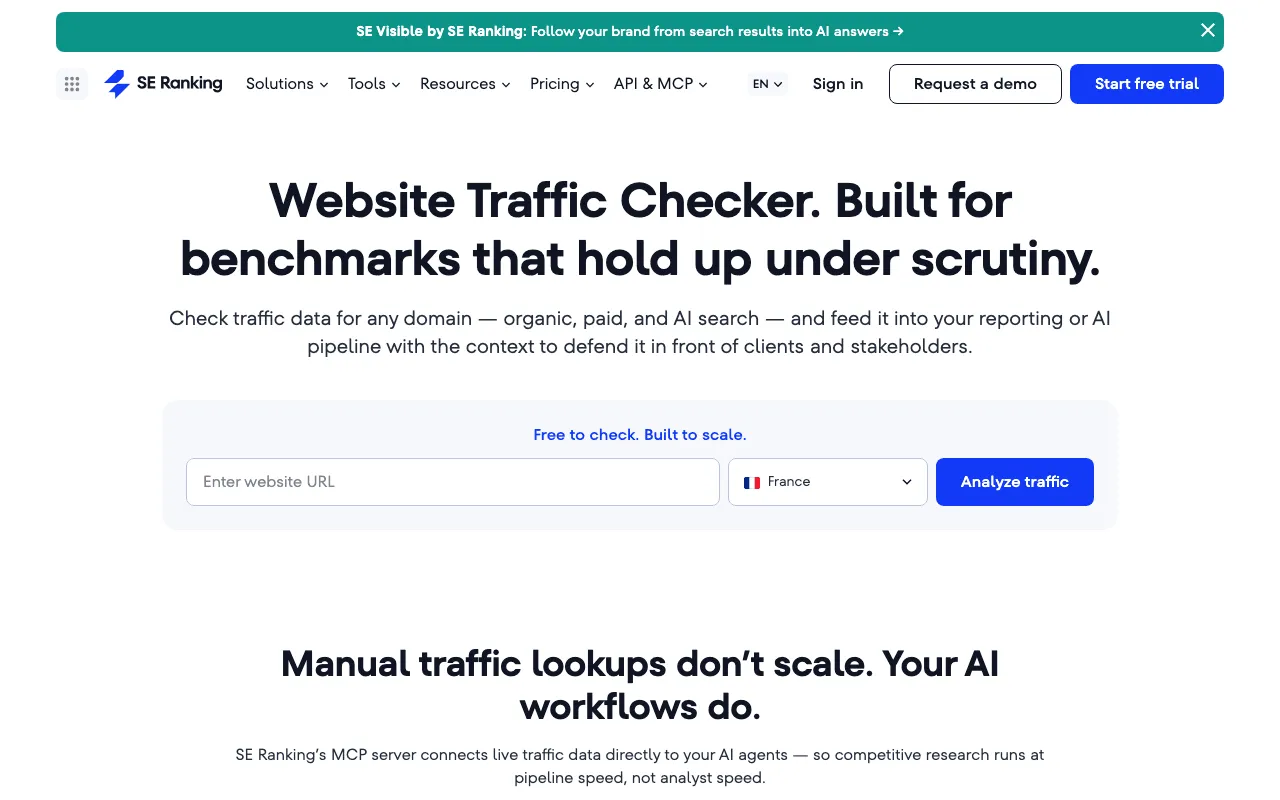
- SE Ranking says “Free to check. Built to scale.” It has no permanent free plan but a 14-day trial with no card (FAQ, October 29, 2026), and lets you connect GA and Search Console next to its estimates.
Website traffic analyzer demo: a real site estimated with SemChat
SemChat works differently: no dashboard to learn, you ask in plain words.
The estimated organic traffic of plugkit-avis.com, and its limits
On October 29, 2026, on the Free plan, I typed one sentence: “Fais un audit SEO de mon site plugkit-avis.com et donne-moi un plan d’action clair, par priorité.” (Run an SEO audit of my site plugkit-avis.com and give me a clear action plan, by priority.) Among the key numbers: “Trafic organique estimé : 28 visites/mois” (estimated organic traffic: 28 visits a month).
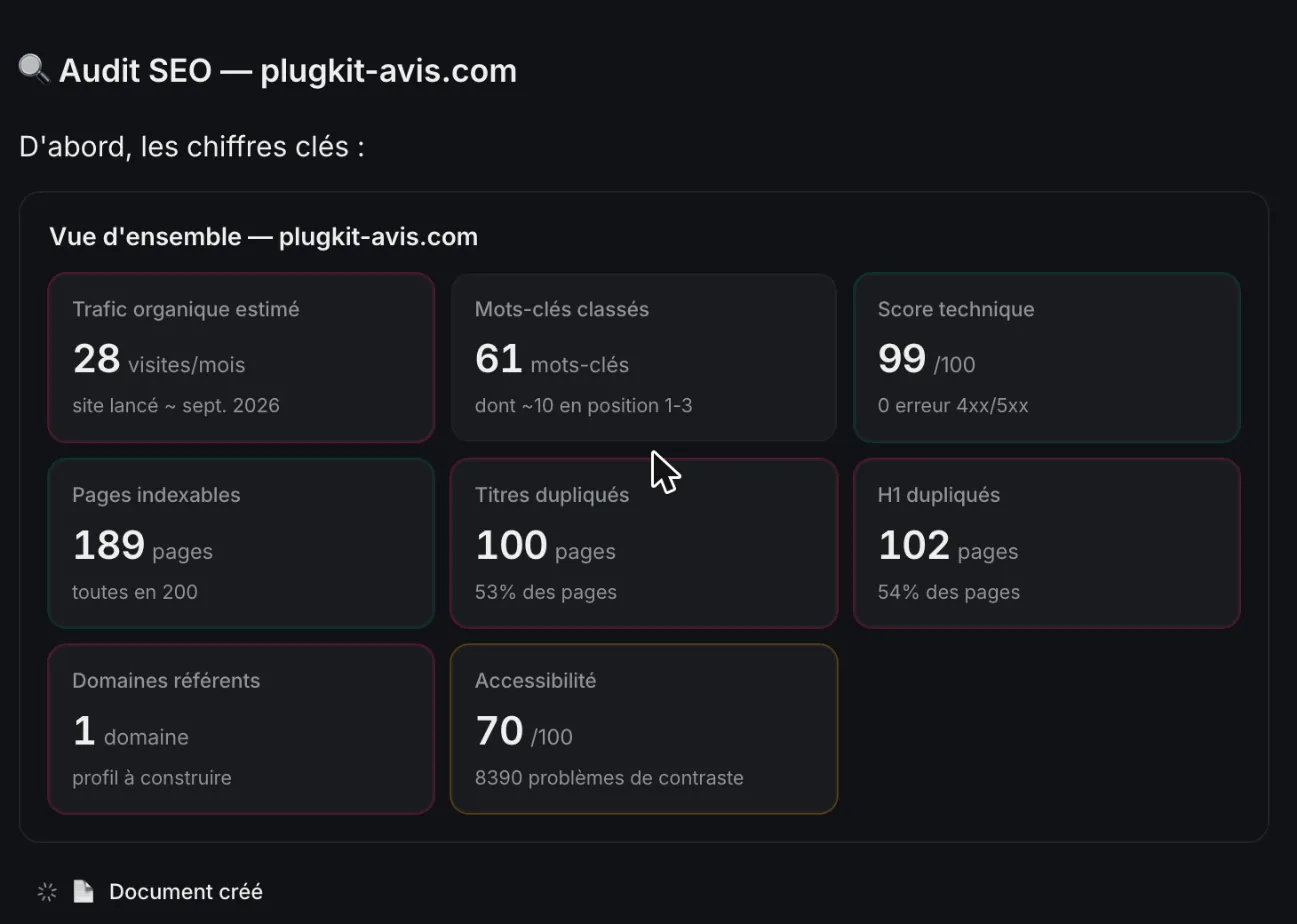
That audit ran in French, on French data. Outside France, SemChat’s estimates rely on a mix of providers it doesn’t name (email from Adrian Delmarre, of Haloscan, October 29, 2026). For a US site, read its estimate with extra care.
Can you set 28 against Search Console’s 8 clicks? Not as is. One is an estimate of visits per month; the other counts clicks from Google over three days of data for a brand-new site (2 on October 25, 6 on October 26). To test the estimate, you’d need at least a full month of Search Console, and GA4 for visits.
The cost: the Free plan is €0, with “Every feature, in every plan” (pricing page, October 29, 2026), but that one audit used 100% of the Free plan’s monthly quota. Details in our SemChat pricing guide and full test in our SemChat review.
Connect GA4 and Search Console to SemChat
SemChat has eight connectors, including Search Console and Google Analytics 4. According to the app, the first brings real queries, impressions, clicks and CTR; the second, “Sessions, conversions, pages vues” (sessions, conversions, page views). Both are connected on my account.
- Search Console: tested, on the Starter plan. A new workspace chat read it. But the chat tied to the site replied “Je n’ai pas accès à ta Search Console” (I don’t have access to your Search Console). Ask Search Console questions in a new chat.
- GA4: connected, not tested. I never saw an answer based on GA4, so I won’t promise what it reads.
A website traffic checker is worth using once you know which kind it is. Read your own measured numbers first, in GA4 and Search Console. Then use estimates to size up competitors, as a ballpark. And whenever a number surprises you, check its source and its period before you act.
Frequently asked questions
Is there a free website traffic checker with no sign-up?
Yes, with limits. Semrush lists a Website Traffic Checker among its free tools that need no sign-up, showing “a sample of Semrush’s actual data” (llms.txt, read October 29, 2026). Similarweb's browser extension is free and needs no account (extension page, read October 30, 2026). For your own site, Google calls Search Console “a free service”, but you do need a Google Account and to verify the site.
Can a browser extension show a site's traffic?
An extension can show an estimate. Similarweb's free extension, for Chrome, Edge, Firefox and Opera, displays a site's visits, traffic from AI chatbots, keywords, channels and countries, according to its extension page read October 30, 2026. Those are Similarweb's estimates, not the site's own analytics. I haven't tested the extension.
Can you see a site's live traffic?
Only your own. GA4's Realtime report shows active users over the last 5 and 30 minutes, and Search Console's 24-hour view shows hourly, preliminary data (Google help, read October 30, 2026). For someone else's site, the checkers I read work with estimates: SpyFu, for example, describes its daily figures as part of a monthly rollup, and its daily snapshots need a paid plan.
Does a traffic checker show what a site earns?
No. What some checkers call traffic value is what the same clicks would cost in ads. SpyFu describes its estimated click value as what it would cost to buy that traffic through paid ads; SE Ranking talks about the estimated cost of the traffic a site would get from its keywords (pages read October 30, 2026). Neither is revenue, and a traffic estimate tells you nothing about sales.
Let your AI do the chores of getting found online.
10% off your subscription, for life with my link, if you subscribe within 2 weeks of signing up. No code. All about the SemChat promo code
Affiliate link: it costs you nothing extra.
Verified sources
- Search Console Help: Performance report (Search results), overview and basic setup (30/10/2026)
- Search Console Help: About Search Console (30/10/2026)
- Analytics Help: How Google Analytics works (30/10/2026)
- Analytics Help: Traffic acquisition report (GA4) (30/10/2026)
- Analytics Help: Realtime report (30/10/2026)
- SpyFu: Check Any Website's Traffic (guide) (30/10/2026)
- SE Ranking: Free Website Traffic Checker (page and FAQ) (30/10/2026)
- SE Ranking: FAQ (free trial, free tools) (29/10/2026)
- Ahrefs: Website Traffic Checker (30/10/2026)
- Ahrefs: FAQ (29/10/2026)
- Semrush: Traffic Analytics (30/10/2026)
- Semrush: Data and Metrics (knowledge base) (29/10/2026)
- Semrush: llms.txt (free tools) (29/10/2026)
- Similarweb: home page (30/10/2026)
- Similarweb: browser extension (30/10/2026)
- Similarweb: pricing (30/10/2026)
- SemChat pricing (Free plan, Starter plan) (29/10/2026)