Google Business Profile optimization: setting by setting
Google Business Profile optimization means making your profile complete, accurate and active: the right category, true hours, an honest description, real photos, and reviews you reply to. Google says businesses with complete and accurate info are more likely to show up in local results. Nobody can buy a better spot.
 By Jérémy Santos Updated on October 30, 2026 Tested on his own SemChat account: first audit on October 29, 2026.
 This page is part of the guide: Google Business Profile SEO

Setting up your Business Profile the way you would dress a shop window. Illustration by Zéro Corvée.
Your profile is live and verified, yet the shop across the street shows up first. Google Business Profile optimization is about going through each setting in order, using the words of Google’s own help pages (read October 30, 2026), with no secret recipe. What the profile is and what it does for you is covered on our Google Business Profile SEO page. Here, we tune it. The SemChat button on this page is an affiliate link.
Google My Business optimization: what it does for you
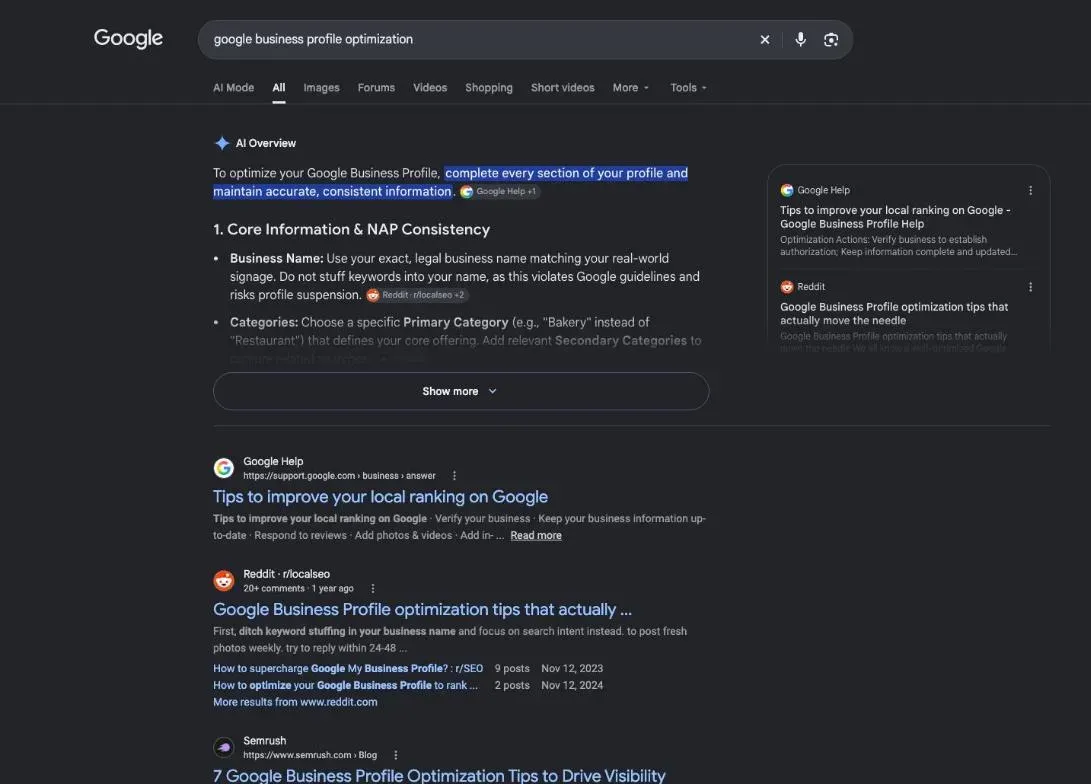
Google My Business is the old name; the tool is the same. A tuned profile helps Google match you to nearby searches, and helps customers decide to call or visit.
What Google looks at, in short
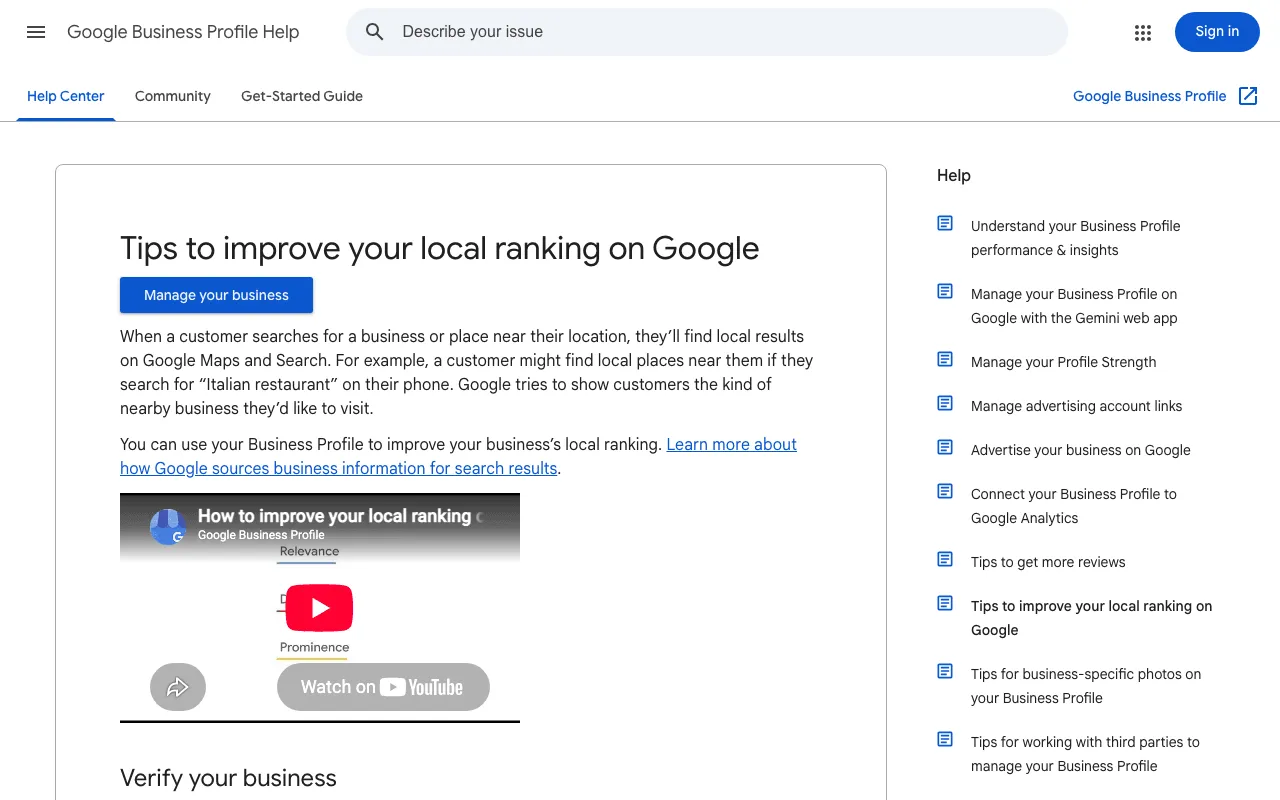
Google writes: “Local results are mainly based on relevance, distance, and popularity.” Relevance is how well your profile matches the search. Distance is how far you are from the person searching. The third, which Google details under the heading “Prominence”, is “based on info like how many websites link to your business and how many reviews you have.” And one warning: “There’s no way to request or pay for a better local ranking on Google.”
Google Business Profile optimization: your settings, one by one
No profile yet? Start with how to add your business to Google. Then Google asks for the basics: “Your full address, if your business has a location that customers can visit”, “Your business hours, including special store hours”, “What kind of business you are”, and “Other details such as parking or Wi-Fi availability.”
- 1 Category One specific primary, a few extras.
- 2 Description What you do, no links or deals.
- 3 Hours Regular and special hours.
- 4 Attributes Wi-Fi, parking, accessibility.
- 5 Photos and posts Real images, regular updates.
- 6 Reviews Ask, then reply to each one.
How to optimize Google My Business: category and description
Your categories matter most: Google says they “affect your local ranking on Google.” Pick the most specific one: Google’s own example is “Nail salon” rather than “Salon.” And “Do not use categories solely as keywords or to describe attributes of your business.”
Keep keywords out of your name too. Google wants your “real-world name, as used consistently on your storefront, website, stationery, and as known to customers.”
Your description shows in the “From the business” section. Say what you offer and what makes you special, in 750 characters or fewer, with no links.
Hours, services and attributes
Set regular hours, then special hours for holidays. Attributes say whether you have Wi-Fi, outdoor seating or a wheelchair-accessible entrance; with some of them, Google says, “your business might show up in searches for places with those attributes.” A review of attribute edits “usually takes about 10 minutes, but sometimes it can take up to 30 days.”
Photos and posts
Add an exterior photo, a logo and a cover; the full photo rules, and how to take one down, are in our guide on how to remove photos from Google Business Profile. Posts share updates, offers and events on Search and Maps. A post with a phone number “might get rejected” if Google can’t link it to your business, and “Posts older than 6 months are archived unless a date range is set.”
Reviews: ask for them, then reply
Reviews feed the prominence factor, and Google adds: “When you reply to customer reviews, it shows that you value their feedback.” To get more, share a review link or QR code; the messages to send are in our Google review link guide. One hard line: offering incentives in exchange for reviews “is considered fake engagement and is strictly prohibited.”
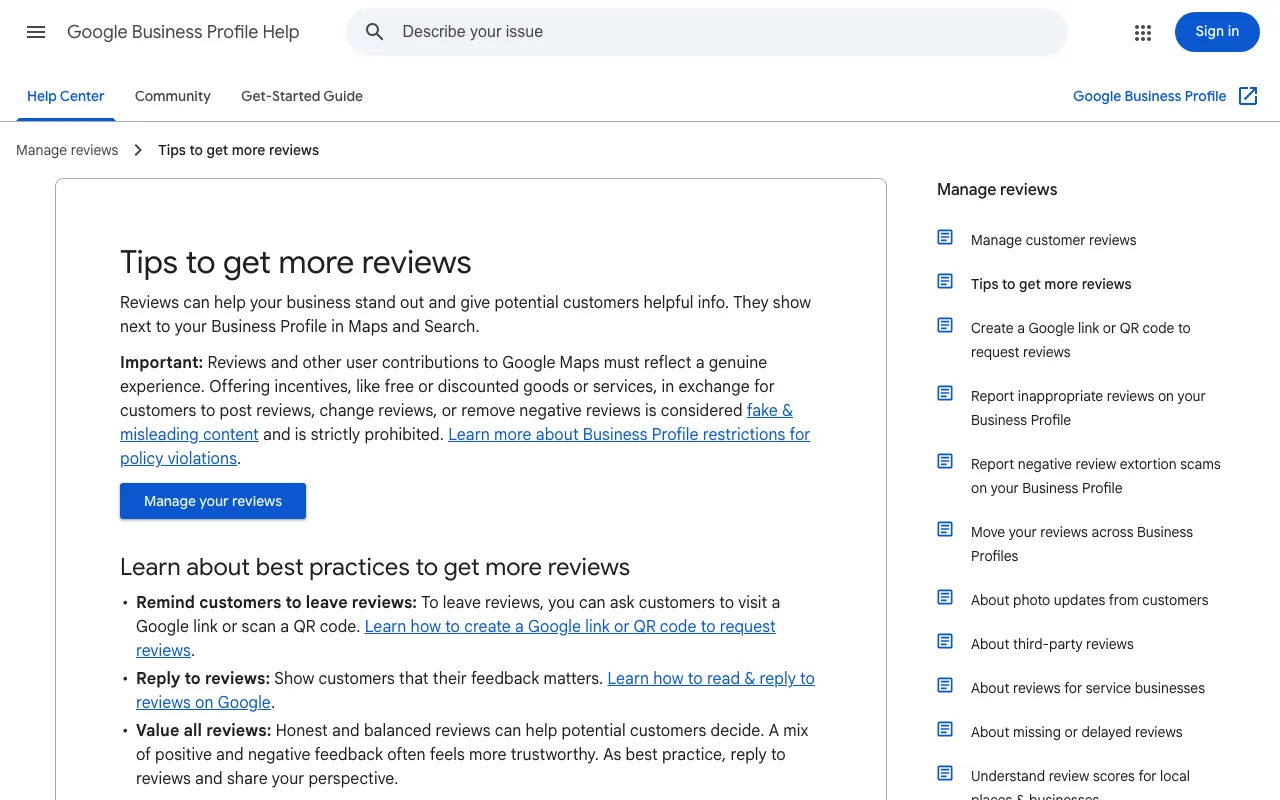
When you reply, Google’s tips: keep it short and simple, and never share a reviewer’s private information.
A checklist to keep your profile up to date
Your website is the other half of local SEO for small business: it should show the same name, address and phone as your profile. Once a month, run the same check:
- 1 Business info Hours, special hours, phone.
- 2 Photos One new, one to retire.
- 3 Reviews Read the new ones.
- 4 Replies Answer each one that needs it.
For the website side, I tested SemChat’s local SEO skill on occirank.fr on October 29, 2026. SemChat connects to eight tools, none of them Google Business Profile (checked October 29, 2026), so it reads your site, not your profile. It built a name, address and phone table, but from 4 of the site’s 16 pages, and it told me (in French) that I probably had no Business Profile, without looking for one. Useful, if you check what it says.
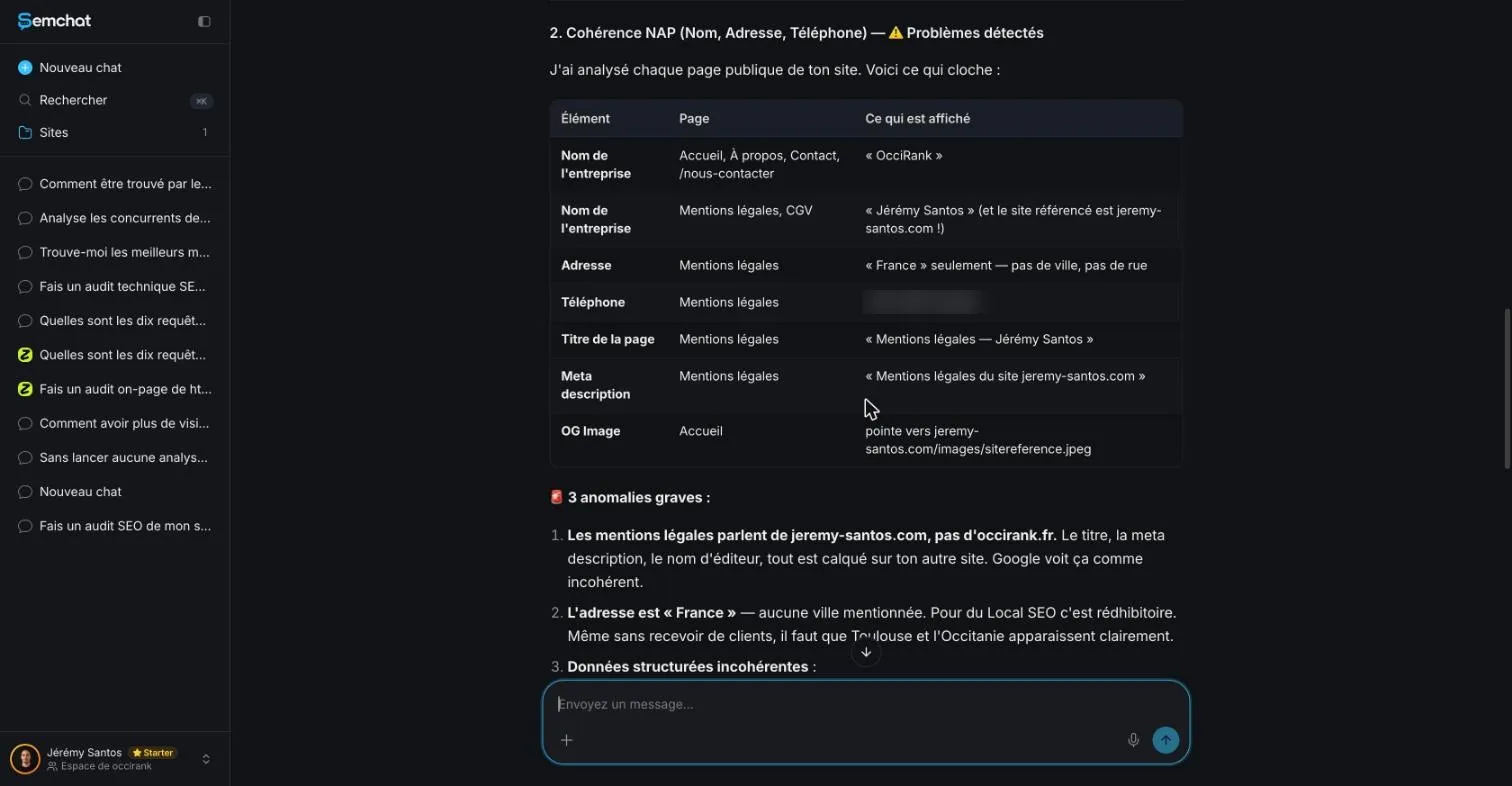
Google Business Profile optimization never really ends: verify, complete, pick the right category, post, and reply to reviews every month.
Frequently asked questions
What is Google Business Profile optimization?
It's the work of filling in and maintaining your Business Profile so it matches what customers search for: the right category, a clear description, true hours, attributes, photos, posts, and replies to reviews. Google ranks local results mainly on relevance, distance, and popularity; your settings feed relevance.
How do you set up Google My Business for maximum results?
Start by verifying your business. Google says this tells it you're authorized to represent the business, so it's more likely to show up in search results. Then complete every field that applies. No one can promise maximum results: Google says there's no way to request or pay for a better local ranking.
How long do profile edits take to show?
It depends on the edit. For attributes, Google's help says a review usually takes about 10 minutes, but sometimes up to 30 days (read October 30, 2026). Changing your category may also ask you to verify your business again.
Can SemChat optimize my Google Business Profile?
No. SemChat connects to eight tools (Google Search Console, Google Analytics 4, Bing Webmaster Tools, Yandex Metrica, WordPress, Webflow, Slack, Notion) and none of them is Google Business Profile (checked October 29, 2026). It can review your website's pages, not your profile.
Let your AI do the chores of getting found online.
10% off your subscription, for life with my link, if you subscribe within 2 weeks of signing up. No code. All about the SemChat promo code
Affiliate link: it costs you nothing extra.
Verified sources
- Google Business Profile Help: Tips to improve your local ranking on Google (30/10/2026)
- Google Business Profile Help: Guidelines for representing your business on Google (30/10/2026)
- Google Business Profile Help: Manage your business category (30/10/2026)
- Google Business Profile Help: Edit your Business Profile (description) (30/10/2026)
- Google Business Profile Help: Manage your business attributes (30/10/2026)
- Google Business Profile Help: Create and manage posts on your Business Profile (30/10/2026)
- Google Business Profile Help: Tips to get more reviews (30/10/2026)
- Google Business Profile Help: Create a Google link or QR code to request reviews (30/10/2026)